WeChat client + WeChat public platform + Sina cloud SAE + Arduino + W5100S (control LED)
WeChat client + WeChat public platform + Sina cloud SAE + Arduino + W5100S (control LED)
0
Components
Hardware components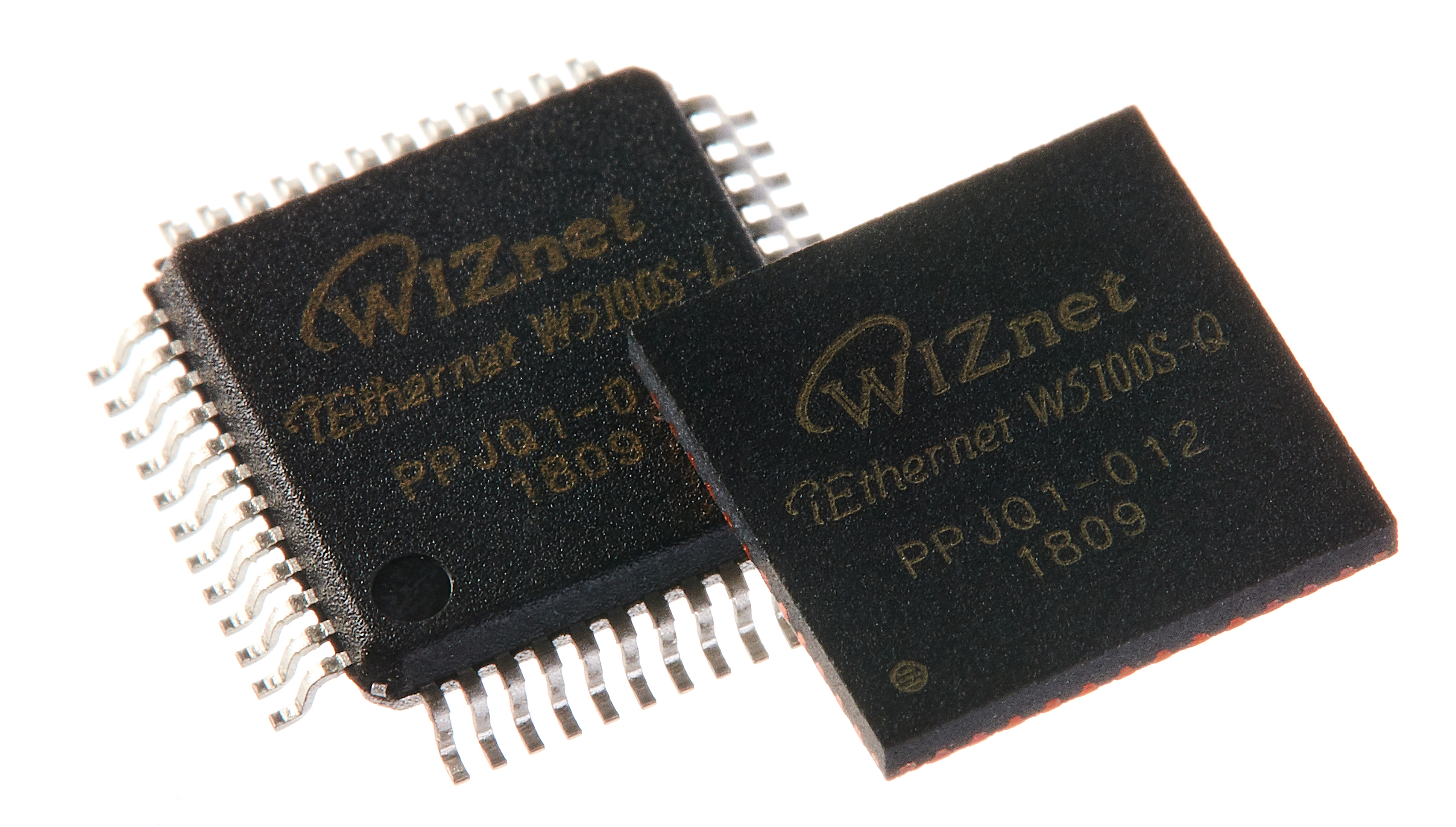
WIZnet - W5100S
x 1

Arduino
x 1
Cable
x 1
Router
x 1
Project description
第一步:准?
1、智能手机微信客?端或微信??版
2、注?微信公?平台
https://mp.weixin.qq.com
3、注?新浪??
http://www.sinacloud.com
4、?有一?Arduino UNO R3
http://item.jd.com/1593883356.html
5、?有一?WS100
https://item.taobao.com/item.htm?spm=a1z09.2.0.0.NJ6mUE&id=528047071612&_u=4p210bab347
第二步:工作流程

 第三步:?始工作
步?1:硬件部分
1)、Arduino、WS100、??、路由器。
2)、路由器?置

 下?的mac和IP是分配到Arduino??的(非必?,未??)
 3)、Arduino??程序??
Arduino IDE
https://www.arduino.cc/en/Main/Software
Eclipse IDE
http://eclipse.baeyens.it/download.php(含有自?的arduino的?件,eclipse安?前需要安?JDK和配置?境?量)
Arduino代?

 ?据??建


 index.php代?
 步?3:????互通
硬件IP(??):192.168.3.2
硬件DNS(??):192.168.3.1
工作??IP(??):192.168.3.100
新浪云地址:http://1.gamesalad.applinzi.com/
新浪云端口:80或443
微信TOKEN:自己定?
微信??的服?器URL:http://1.gamesalad.applinzi.com/index.php
 步?4:??手段
硬件:采用串口?出
 服?器端:
 注:本案例涉及多??程,?逐步??。
微信客?端?新浪云?据交互(通??看?据?的??判?交互情?)
硬件?新浪云交互(通??看?据?的??判?交互情?)
第四步:

第三步:?始工作
步?1:硬件部分
1)、Arduino、WS100、??、路由器。
2)、路由器?置
下?的mac和IP是分配到Arduino??的(非必?,未??)
3)、Arduino??程序??
Arduino IDE
https://www.arduino.cc/en/Main/Software
Eclipse IDE
http://eclipse.baeyens.it/download.php(含有自?的arduino的?件,eclipse安?前需要安?JDK和配置?境?量)
Arduino代?
- #include "Arduino.h"
- #include <SPI.h>
- #include <Ethernet.h>
- ?
- char state = '0';
- char c;
- byte mac[] = {
- 0xDE, 0xAD, 0xBE, 0xEF, 0xFE, 0xED};
- IPAddress ip(192,168,3,2);
- ?
- IPAddress myDns(192,168,3,1);
- ?
- EthernetClient client;
- ?
- char server[] = "?的?接";
- int sensrdata = 50;
- ?
- unsigned long lastConnectionTime = 0;
- boolean lastConnected = false;
- const unsigned long postingInterval = 200*1000;
- ?
- //The setup function is called once at startup of the sketch
- void setup()
- {
- // Add your initialization code here
- Serial.begin(9600);
- delay(1000);
- Ethernet.begin(mac, ip, myDns);
- Serial.print("My IP address: ");
- Serial.println(Ethernet.localIP());
- pinMode(13, OUTPUT);
- pinMode(7, OUTPUT);
- }
- ?
- // The loop function is called in an endless loop
- void loop()
- {
- //Add your repeated code here
- while(client.available()) {
- state = client.read();
- if(state == '{'){ //?? 0
- Serial.println(state);
- digitalWrite(13, LOW);
- digitalWrite(7, HIGH);
- delay(9000);
- }else if(state == '}'){ //?? 1
- Serial.println(state);
- digitalWrite(13, HIGH);
- digitalWrite(7, LOW);
- delay(9000);
- }
- }
- ?
- if (!client.connected() && lastConnected) {
- Serial.println("disconnecting 2.");
- client.stop();
- }
- ?
- if(!client.connected() && (millis() - lastConnectionTime > postingInterval)) {
- if (client.connect(server, 80)) {
- ?
- Serial.println("connecting");
- // send the HTTP PUT request:
- client.print("GET /downup.php?token=?的Token&data=");
- client.print(sensrdata);
- client.println(" HTTP/1.1");
- client.println("Host: ?的?接");
- client.println("User-Agent: arduino-ethernet");
- client.println("Connection: close");
- client.println();
- ?
- lastConnectionTime = millis();
- }else {
- Serial.println("connection failed");
- Serial.println("disconnecting 1.");
- client.stop();
- }
- }
- lastConnected = client.connected();
- }
?据??建
index.php代?
- <?php
- ?
- //??日志
- function echo_server_log($log){
- file_put_contents("log.txt", $log, FILE_APPEND);
- }
- ?
- //定?TOKEN
- define ( "TOKEN", "微信TOKEN" );
- ?
- //??微信公?平台?名
- function checkSignature() {
- $signature = $_GET ['signature'];
- $nonce = $_GET ['nonce'];
- $timestamp = $_GET ['timestamp'];
- $tmpArr = array ($nonce, $timestamp, TOKEN );
- sort ( $tmpArr );
- ?
- $tmpStr = implode ( $tmpArr );
- $tmpStr = sha1 ( $tmpStr );
- if ($tmpStr == $signature) {
- return true;
- }else{
- return false;
- }
- }
- if(false == checkSignature()) {
- exit(0);
- }
- ?
- //接入???接口
- $echostr = $_GET ['echostr'];
- if($echostr) {
- echo $echostr;
- exit(0);
- }
- ?
- //?取POST?据
- function getPostData() {
- $data = $GLOBALS['HTTP_RAW_POST_DATA'];
- return $data;
- }
- $PostData = getPostData();
- ?
- //??
- if(!$PostData){
- echo_server_log("wrong input! PostData is NULL");
- echo "wrong input!";
- exit(0);
- }
- ?
- //?入XML
- $xmlObj = simplexml_load_string($PostData, 'SimpleXMLElement', LIBXML_NOCDATA);
- ?
- //??
- if(!$xmlObj) {
- echo_server_log("wrong input! xmlObj is NULLn");
- echo "wrong input!";
- exit(0);
- }
- ?
- //准?XML
- $fromUserName = $xmlObj->FromUserName;
- $toUserName = $xmlObj->ToUserName;
- $msgType = $xmlObj->MsgType;
- ?
- if($msgType == 'voice') {//判?是否??音
- $content = $xmlObj->Recognition;
- }elseif($msgType == 'text'){
- $content = $xmlObj->Content;
- }else{
- $retMsg = '只支持文本和?音消息';
- }
- ?
- if (strstr($content, "??")) {
- $con = mysql_connect(SAE_MYSQL_HOST_M.':'.SAE_MYSQL_PORT,SAE_MYSQL_USER,SAE_MYSQL_PASS);
- mysql_select_db("?的?据?名字", $con);//修改?据?名
- ?
- $result = mysql_query("SELECT * FROM sensor");
- while($arr = mysql_fetch_array($result)){
- if ($arr['ID'] == 1) {
- $tempr = $arr['data'];
- }
- }
- mysql_close($con);
- ?
- $retMsg = "?告:"."n"."???".$tempr."!";
- }else if (strstr($content, "打?LED")) {
- $con = mysql_connect(SAE_MYSQL_HOST_M.':'.SAE_MYSQL_PORT,SAE_MYSQL_USER,SAE_MYSQL_PASS);
- ?
- $dati = date("h:i:sa");
- mysql_select_db("?的?据?名字", $con);//修改?据?名
- ?
- $sql ="UPDATE switch SET timestamp='$dati',state = '1' WHERE ID = '1'";//修改?????
- ?
- if(!mysql_query($sql,$con)){
- die('Error: ' . mysql_error());
- }else{
- mysql_close($con);
- $retMsg = "OK";
- }
- }else if (strstr($content, "??LED")) {
- $con = mysql_connect(SAE_MYSQL_HOST_M.':'.SAE_MYSQL_PORT,SAE_MYSQL_USER,SAE_MYSQL_PASS);
- ?
- $dati = date("h:i:sa");
- mysql_select_db("?的?据?名字", $con);//修改?据?名
- ?
- $sql ="UPDATE switch SET timestamp='$dati',state = '0' WHERE ID = '1'";//修改?????
- ?
- if(!mysql_query($sql,$con)){
- die('Error: ' . mysql_error());
- }else{
- mysql_close($con);
- $retMsg = "OK";
- }
- }else{
- $retMsg = "命令无??";
- }
- ?
- //??XML
- $retTmp = "<xml>
- <ToUserName><![CDATA[%s]]></ToUserName>
- <FromUserName><![CDATA[%s]]></FromUserName>
- <CreateTime>%s</CreateTime>
- <MsgType><![CDATA[text]]></MsgType>
- <Content><![CDATA[%s]]></Content>
- <FuncFlag>0</FuncFlag>
- </xml>";
- $resultStr = sprintf($retTmp, $fromUserName, $toUserName, time(), $retMsg);
- ?
- //反?到微信服?器
- echo $resultStr;
- ?>
- <?php
- error_reporting(E_ALL ^ E_DEPRECATED);//在php程序代?里面?置?警??
- ?
- if ($_GET['data'] && ($_GET['token'] == "微信TOKEN")) {//可以改token,?相?于密?,在Arduino端改成相?的??可
- $con = mysql_connect(SAE_MYSQL_HOST_M.':'.SAE_MYSQL_PORT,SAE_MYSQL_USER,SAE_MYSQL_PASS);
- $data = $_GET['data'];
- mysql_select_db("?的?据?名字", $con);//要改成相?的?据?名
- ?
- $result = mysql_query("SELECT * FROM switch");
- while($arr = mysql_fetch_array($result)){//?到需要的?据的??,??出???
- if ($arr['ID'] == 1) {
- $state = $arr['state'];
- }
- }
- $dati = date("h:i:sa");//?取??
- $sql ="UPDATE sensor SET timestamp='$dati',data = '$data' WHERE ID = '1'";//更新相?的?感器的?
- if(!mysql_query($sql,$con)){
- die('Error: ' . mysql_error());//如果出?,?示??
- }
- mysql_close($con);
- ?
- if($state == "0"){ //??
- echo "{";
- }else if($state == "1"){ //??
- echo "}";
- }
- ?
- }else{
- echo "Failed!";//?求中?有type或data或token或token???,?示Failed
- }
- ?
- ?>
步?3:????互通
硬件IP(??):192.168.3.2
硬件DNS(??):192.168.3.1
工作??IP(??):192.168.3.100
新浪云地址:http://1.gamesalad.applinzi.com/
新浪云端口:80或443
微信TOKEN:自己定?
微信??的服?器URL:http://1.gamesalad.applinzi.com/index.php
步?4:??手段
硬件:采用串口?出
服?器端:
注:本案例涉及多??程,?逐步??。
微信客?端?新浪云?据交互(通??看?据?的??判?交互情?)
硬件?新浪云交互(通??看?据?的??判?交互情?)
第四步:

