[Blog Post UCC Sample] Zephyr 새 보드 만들기 (New Zephyr board with W5500 & RP2040 Raspberry Pi Pico)
Newly configure Zephyr RTOS to the platform of Raspberry Pi Pico added W5500
5
Components
Hardware components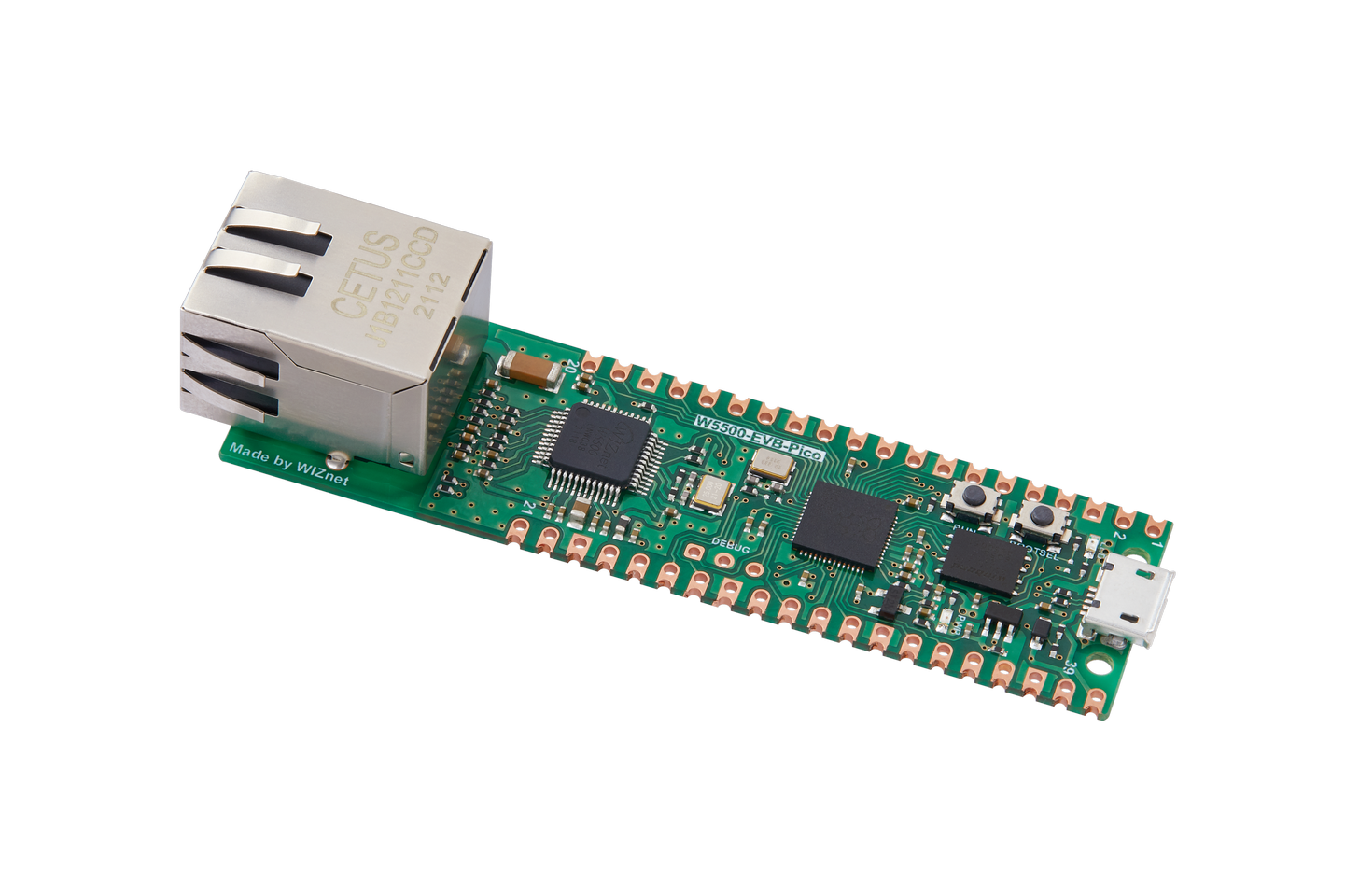
WIZnet - W5500-EVB-Pico
x 1

zephyr-project - Zephyr RTOS
x 1
Project description
Raspberry Pi Pico W5500 Ethernet Configuration Examples.
Introduction
It's very useful for using Ethernet on Zephyr RTOS.
You can easily set up the Ethernet using W5500 by following configurations.
Core Content
W5500_evb_pico_defconf file
CONFIG_SOC_SERIES_RP2XXX=y
CONFIG_SOC_RP2040=y
CONFIG_SYS_CLOCK_HW_CYCLES_PER_SEC=125000000
CONFIG_SERIAL=y
CONFIG_CONSOLE=y
CONFIG_UART_CONSOLE=y
CONFIG_GPIO=y
CONFIG_USE_DT_CODE_PARTITION=y
CONFIG_BUILD_OUTPUT_UF2=y
CONFIG_BUILD_OUTPUT_HEX=y
CONFIG_UART_INTERRUPT_DRIVEN=y
CONFIG_RESET=y

# For W5500
CONFIG_SPI=y
CONFIG_ETH_W5500=y
CONFIG_ETH_W5500_TIMEOUT=1000
CONFIG_NET_SHELL=y
CONFIG_NET_L2_ETHERNET=y
Ethernet configuration on prj.conf file
CONFIG_MAIN_STACK_SIZE=8192
CONFIG_LIB_CPLUSPLUS=y
CONFIG_STD_CPP11=y

# For Log
CONFIG_LOG=y

# For DHCPV4
CONFIG_NET_DHCPV4=y
CONFIG_NET_IPV4=y
CONFIG_NET_IPV6=n
CONFIG_NET_UDP=y
CONFIG_NETWORKING=y
CONFIG_TEST_RANDOM_GENERATOR=y

# Network address config
CONFIG_NET_CONFIG_SETTINGS=y

# For the shell
CONFIG_SHELL=y
CONFIG_NET_SHELL=y
W5500 Ethernet Device Tree for Raspberry Pi on Zephyr.
&spi0 {
	clock-frequency = <DT_FREQ_M(8)>;
	status = "okay";
	pinctrl-0 = <&spi0_default>;
	pinctrl-names = "default";
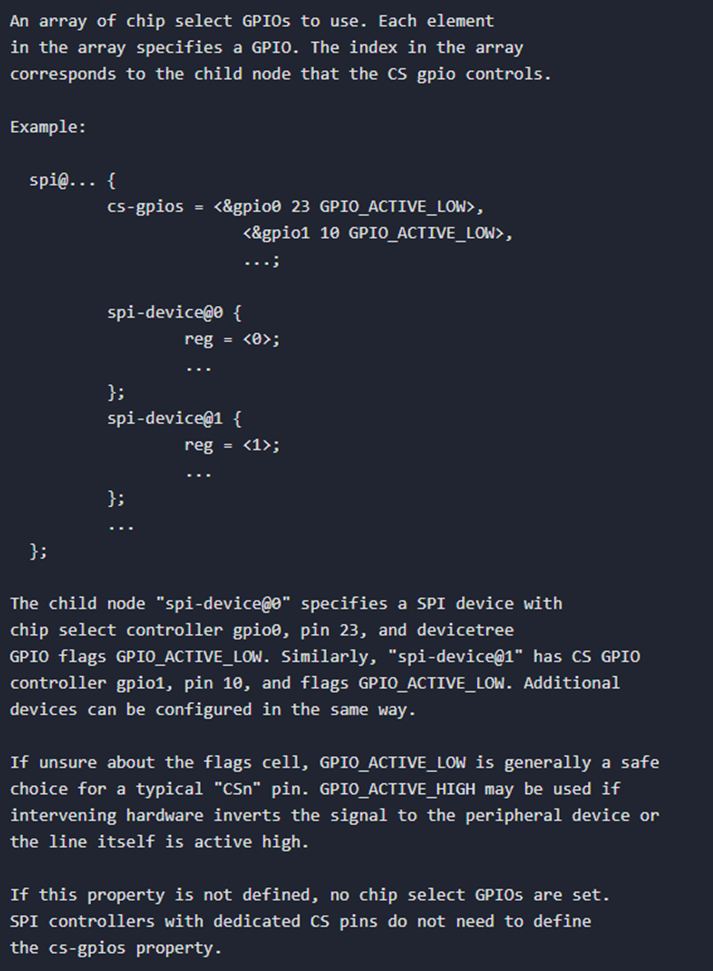
	cs-gpios = <&gpio0 17 GPIO_ACTIVE_LOW>;
	w5500: w5500@0 {
			compatible = "wiznet,w5500";
			label = "w5500";
			reg = <0>;
			spi-max-frequency = <10000000>;
			int-gpios = <&gpio0 21 GPIO_ACTIVE_LOW>;
            reset-gpios = <&gpio0 20 GPIO_ACTIVE_LOW>;
        };
};
Compare
You can find that RP2040 and NRF52840's cs pin control is different because of their architecture.
related UCC: https://maker.wiznet.io/mason/projects/zephyr-alleviates-your-firmware-headaches/
device tree overlay file on nrf52840 for W5500, ethernet
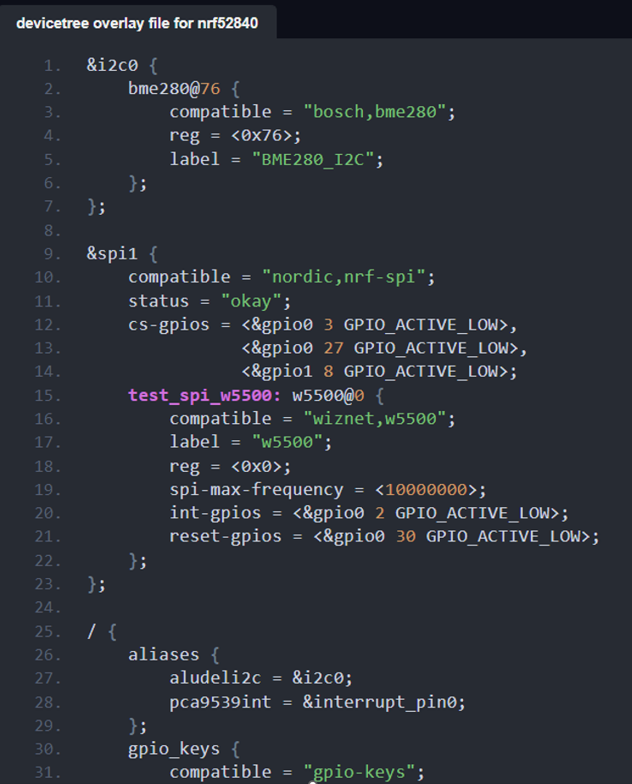
The original guide is very difficult to optimize on your board project.
refrence: https://docs.zephyrproject.org/latest/build/dts/api/bindings/spi/raspberrypi%2Cpico-spi.html