Smart Door Using RFID Technology with Internet of things
A smart home that helps the users to find who is knocking on the gate using wiznet's w5100
3
Components
Hardware components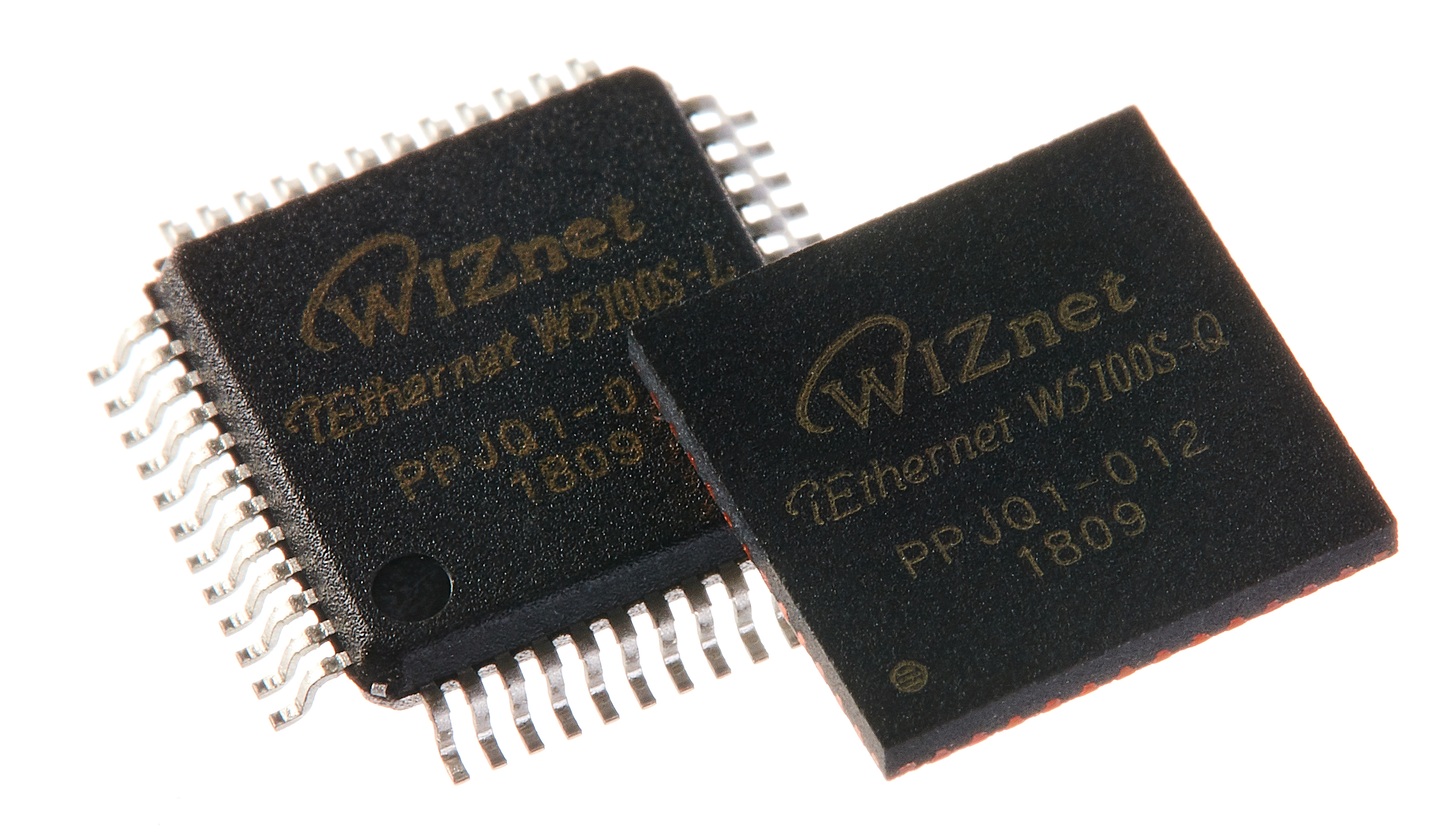
WIZnet - W5100S
x 1

Project description
COVID-19 sufferers are increasing day by day. According to data from the Indonesian Ministry of Health, COVID-19 sufferers in Indonesia have reached 1,066,313 (recorded on January 30, 2021)[1]. The spread that can occur everywhere and the lack of self-discipline from each individual causes an increase in sufferers that are getting higher every day. The spread of COVID-19 can occur through the air or objectsin public facilities [2]. Objects found in public facilities are one of the transmission media because of the large number of users of these objects. One of the objectsthat is vulnerable in the transmission of the COVID-19 is a door. A conventional door isa door that uses a lock and a doorknobthat must be held by the person who wants to open or close the door[3]. This use by various people can cause transmission of the virus through keys or handles that have been contaminated by the COVID-19.RFID card is a technology that utilizes radio frequency which has a unique code on each card [4]. Because each card has a unique code that other cards don't have, this RFID can be used as the identity of a person. The use of RFID can be used as a key, which in addition to opening the door, can also provide information of who accessed the door. The use of this RFID can reduce direct contact where previously on conventional doors the user must hold the same key to open the door. Doorknobcan also be replaced by using a sliding door or a door with a magnetic lock so that users do not have to pull the doorknob. Based on this, the authors want
Volume 1 No 1 (2021)Dyo Yulianto Wijaya1, Andik Yulianto2197to design a smart door prototype using RFID technology. The RFID reader will also be connected to the internet, so that all accesses can be monitored via a web page. In addition, the web page will also havea login form to verify whether the user is an admin. If the user is an admin, the user will be directed to the admin page which can manage (change, delete, and add) new door users or admins.Literature ReviewInternet of Things (IoT) is aninterconnectedobjects thatcapable of exchanging information between a device to another device[5].TheIoT infrastructure includes 3 main elements, which is hardware that has been integrated with sensors, an internet connection, and a database that have a functions to store data or information[6].The hardware used in this study includes a microcontroller, ethernet module, and 125kHz RFID sensor. Arduino uno (Figure 1 (Left)) is an open source microcontroller which means that the program on Arduino can be developed freely by the user[7]. This Arduino Uno can be programmed through the providedsoftwareArduino IDE.Figure1. Arduino Uno(Left)andEthernet Shield(Right), Source : www.arduino.ccIn addition to Arduino Uno, the ethernet shield(Figure 1 (Right))is use to connect Arduino to the internet. The Ethernet shield is one of the Arduino shields that has a function to connect Arduino to the internet using an RJ45 cable. The RJ45 cable connected to the ethernet shield will be connected to the switch so that the Arduino Uno can connect to the internet.Figure2. RFIDCard (Left)and RFID Reader(Right)The sensor used is RDM6300(Figure 2(Right)),where this sensor will emit radio frequency waves that have a frequency equal to 125kHz. The radio frequency waves emitted by the RDM6300 will be reflected and received back by the sensor if there is an RFID card working at a frequency of 125kHz. The reflectedof radio frequency waves will carry data in the form of information about the unique code contained on the RFID card[8].The RFID card (Figure 2
Volume 1 No 1 (2021)Dyo Yulianto Wijaya1, Andik Yulianto2198(Left)) used in this study is a student ID card which contains an RFID chip that works at a frequency of 125kHz. Arduino that has an ethernet shield installed will function as a server[9], where the ethernet shield that is connected to the internet will have an ip address that can be accessed via other clients or computers connected to the same network.Client1Client2Client3ServerFigure3.Server and ClientThis server has a main role as an information database where the stored information will later be sent or distributed by the server through the same network [10]. All data will be sent over the network so that can be accessed by the client computer.Research MethodsThis systemwill be used in areas where the door is frequently accessed, such as in the classroom, where each student also has a student ID card that can become the identity of the door access.The design of this study starts from designing hardware, designing systems, designing databases, and designing web page displays(shown in block diagram Figure 4). The design of this hardware includes installing an RFID sensor with Arduino, which is where the Arduino will be connected to an Ethernet shield so that it can be connected to the internet. After designing the hardware, a system design is carried out in the form of creating a code on Arduino so that Arduino can read the value from the RFID card and connect to the internet so that the reading of the RFID data values can bestored in the database.HardwareDatabaseWeb PageSystemRFID ReaderRead RFID ConnectionData TableLog In PageHistory PageAdmin PageHistory TableMahasiswa TableUser TableSending the Data to Web PageFigure4. Block Diagram
Volume 1 No 1 (2021)Dyo Yulianto Wijaya1, Andik Yulianto2199In database design, there are four tables that will be created, namely the data table as a storage table for sending RFID data from Arduino, the history table serves to display all access history based on the data table. In addition, there are two tables thathave afunction as user lists, which isthe mahasiswatable as the student list table and the user table as the admin list.On the web page, there are three mainpages that will be designed, the login page as a page for admin verification, where after being verified as admin, the user can access the admin page to modify (add, changes, and delete) the student list or admin list.Thelast pageis a history page where it displayswhoaccessed the door.dataidPKhistoryidPKnpmnamajurusanwaktumahasiswaidPKnpmnamajurusanrfidrfidrfiduseridPKusernamepasswordFigure5.DatabaseFigure 5 showna database table arrangement that will be designed. The first table is a data table consisting of two columnsthat containsID and unique RFID code. The second table is a history table that contains the student's ID, NPM, student name, major, unique RFID code, and student tapping hours. Then, there is a mahasiswatable that contains student personal data, such as NPM, name, major, and RFID. Finally, there is a user table that contains the admin's id, username,and password.Eachtable has a different function, data and history tables contain information about the accessedtime anduser. Identity identification is carried out using different RFID unique numbers and other data is taken from the mahasiswatable which is the master student information data. The user table serves to store admin data so that the admin can use the system to make data changes.Results and DiscussionThe design of this research begins by combining the hardware, Arduino Uno, Ethernet Shield, and RDM6300 as an RFID reader into an acrylic box with the size 12 cm x 10 cm. In the acrylic box there are also two holes as the entry for the RJ45 cable to the ethernet shield and the data cable for uploading programs to the Arduino Uno. Here is a display of the hardware that has been put together (Figure 6).Figure6. Hardware
Volume 1 No 1 (2021)Dyo Yulianto Wijaya1, Andik Yulianto2200After designing the hardware, this research is continued by designing the smart door system. The following is a flow chart of making a smart door system using RFIDStartTap RFIDRFID Card Detected?Send the RFID Number to DatabaseDisplay the Data in History PageYesNoFigure7. System Flow ChartThe flow chart of this system starts with the user tappingthe RFID card to the RFID reader. After the user tapthe RFID card, the system will read a value of a unique code returned by the RFID card. If the RFID reader cannot read the unique code from the RFID card, the user must tapthe RFID card again until it is detectedTable 1. RFID Reader Range of DetectionRange (cm)Test123456789100 -0.49VVVVVVVVVV0.5 -0.99VVVVVVVVVV1 -1.49VVVVVVVVVV1.5 -1.99VVVVVVVVVV2 -2.49VVVVVVVVVV2.5 -2.99VVVVVVVVVV3 -3.49VVVVVVVVVV3.5 -3.99VVVVVVVVVV4 -4.49VVVVVVVVVV4.5 -5VVXXVXVXXXAs can be seen from Table 1, the RFID reader can detect RFID between 0 until 4,5 cm, and when the range 4,5 –5 it become hard to detect. Figure shown in below (Figure 8) is a serial monitor of RFID detection.
Volume 1 No 1 (2021)Dyo Yulianto Wijaya1, Andik Yulianto2201Figure8. Serial Monitor ArduinoWhen a unique code has been detected (as shown in Figure 8 which is displayed on the Arduino serial monitor), Arduino will send the value to the internet via a connectionconnected by the Ethernet Shield.Figure9. Connection TestBefore heading to sending data to arduino.php, the authorstested the connection to the IP address ethernet shield by pinging the IP address of the ethernet shield(Figure 9). After making surethe connection to the ethernet shield is successful, the data can be sent to the arduino.php page.The arduino.php page will receive these values and save them in the database that has been designed before. The results of sending the code can be monitored via the history page. To access a web page, the user is first directed to the login page where if the user is an admin, the user can enter a username and password on the login form.
Volume 1 No 1 (2021)Dyo Yulianto Wijaya1, Andik Yulianto2202Figure10. LoginPageIf the user is an admin, the user will be redirected to the admin page which contains a list of students who have registered on the smart door system. Admins can add new admins through the "TambahAdmin" navigation bar and add new students to "Tambah Data Mahasiswa". In addition, the admin can also delete or change student data.Figure11. Admin PageIf the user is not an admin, then the user can go directly to the history page by pressing the history button on the login form (Figure 10).
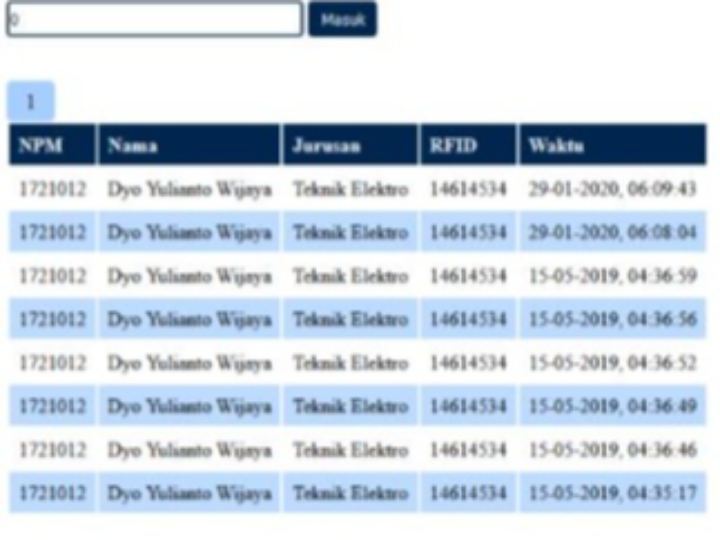
Volume 1 No 1 (2021)Dyo Yulianto Wijaya1, Andik Yulianto2203Figure10. History PageThe history page display thedata of user that accessed the door. The data that displayed in this pageareNPM, name, major, RFID code, and time the door accessed.ConclusionsThe designed systemsis successfully transmitthedata that has been obtained by reading of RFID to the internet. The results can be monitored by the user in history page (who and when the door was accessed). In addition, designing a smart door prototype by utilizing RFID as a key substitute for conventional doors can reduce direct contact between users because each user has a different RFID card as their identityand the RFID can be used in range of 0 –4,5 cm

