How to Transfer My Sensor Data to Cloud Server or IoT Server by WIZ550-SR Module
Transfer My Sensor Data to Cloud Server or IoT Server by WIZ550-SR Module
7
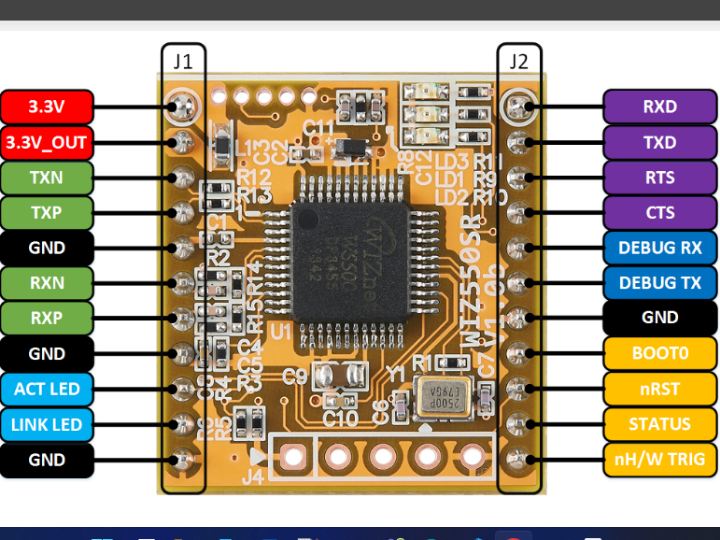
Components
Hardware components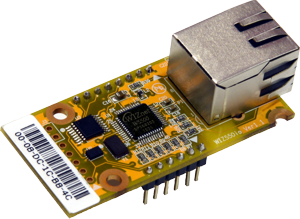
WIZnet - WIZ550io
x 1

Project description
Please connect an LAN cable and UART2USB adapter
You can get more HW info by the following site.
http://wizwiki.net/wiki/doku.php?id=products:wiz550web:start
I prepared GCC development environment by the following site.
http://lghmms.cafe24.com/how-to-build-a-development-environment-with-gnu-arm-java-jdk-eclipse-cygwin/
I installed GNU Toolchain, Java JDK, Eclipse, Cygwin.
If you install all tools, you are ready for running this project.
You can use a Configuration Tool by the following temporarily.
http://wizwiki.net/wiki/lib/exe/fetch.php?media=products:wiz550s2e:wiz550s2e_configuration_tool_ver1.03beta_20151005.zip
How to use a CFG tool : http://wizwiki.net/wiki/doku.php?id=products:wiz550s2e:wiz550s2epg_en#configuration_tool
## Reference
WIZ550web source : https://github.com/Wiznet/WIZ550web/tree/WIZ550web_Rev1.1
I opened source codes of this project in GitHub.
https://github.com/bingdo/S2E_STM32F103_Eclipse
You can download this project files. And then import project into Eclipse.
After compile, you can run S2E application of WIZ550web module(HW Rev1.1).
This project is open for everyone. I expect your participation to improve a quality of project.
Attachments

1. To program FW into a target.
2. To reset a target and insert MAC address.
3. To search a target by Configuration Tool.
4. To check Host IP and Options.
5. To change IP, Gateway properly.
6. To search a target by Configuration Tool again.
7. To select “F/W Uploading”.
8. To change Server IP, File Name properly.
9. To press OK.
10. To check a version of new FW through terminal program.
11. Carry out S2E operation.
You can see the test result by the video.
Thank you for your attention.

