Oil Check System Using Wi-Fi
Oil Check System Using Wi-Fi
0
Components
Hardware componentsWIZnet WIZwiki-W7500
x 1
WizFi250-EVB
x 1
Axeda
x 1
Project description
Story
Contents
Axeda
Axeda Provides the Most Advanced Cloud-Based Service and Software for Managing Connected Products and Machines and Implementing Innovative Machine-to-Machine (M2M) and Internet of Things (IoT) Applications.
- We take the cost and complexity out of connecting and managing devices and machines and remotely servicing the products of the world’s leading companies.
- We turn raw machine and sensor data into useful information for business insights and better decision making.
- We make it easy to integrate machine and sensor data to business systems so companies can optimize their business processes with accurate real-time machine data.
- We provide a platform and application services so companies can develop new innovative M2M and IoT applications that reinvent the customer and product experience and differentiate their product and service offerings.
Go to the staging page on your Axeda Toolbox account
After join to?toolbox.axeda.com, You can click the “AXEDA READY” icon and then select mbed LPC1768 device.
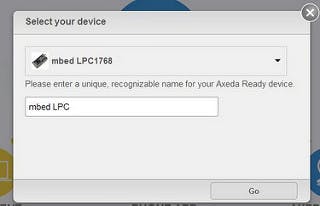
Actually, this tool box is for mbed LPC1768 board but it can also be used for WIZwiki-W7500 board. I hope WIZwiki-W7500 board is registered into tool box.
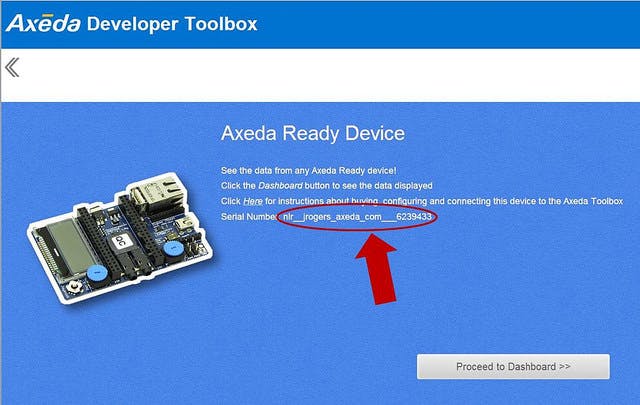
After clicking “Go” button, you can see the below picture. You have to remember the serial number because it is needed for Axeda example code.
Materials
For more detail information about these hardware, refer to this?Link.
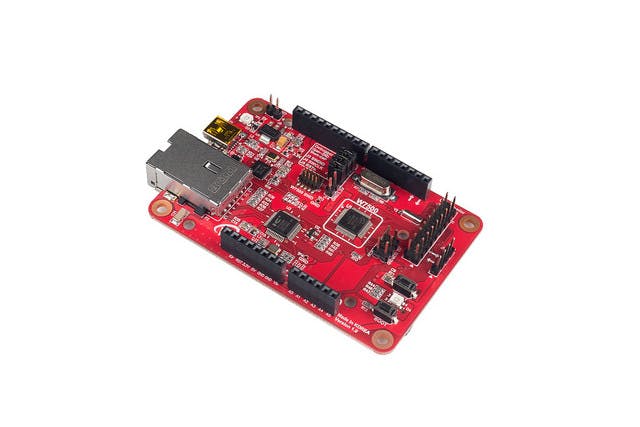
WIZwiki-W7500 ( MCU Platform)
WizFi250-EVB (Wi-Fi Module)
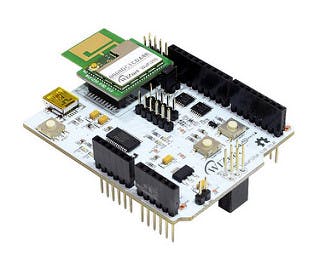
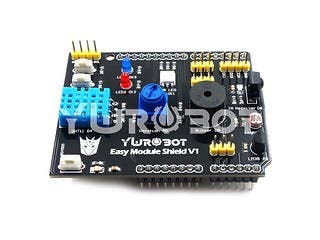
Sensor Shield
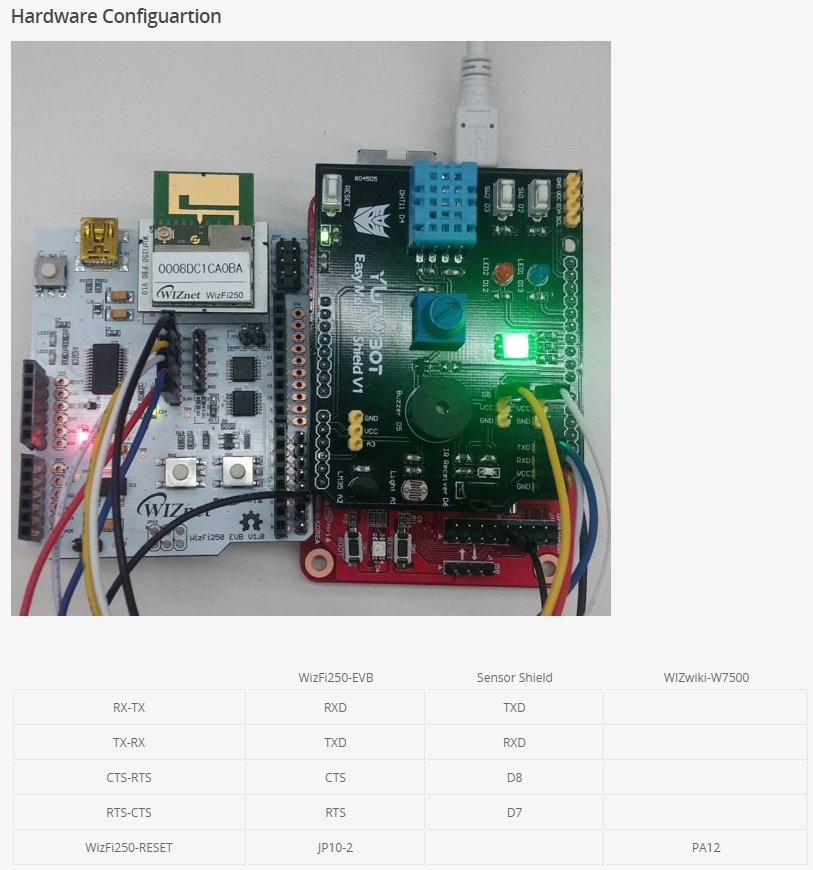
Hardware Configuration

Compile AxedaGo-WizFi250 Example onto Wizwiki-W7500 Board
You can use WIZFi250 Axeda Example Code if access?link for AxedaGo-WizFi250 Example.
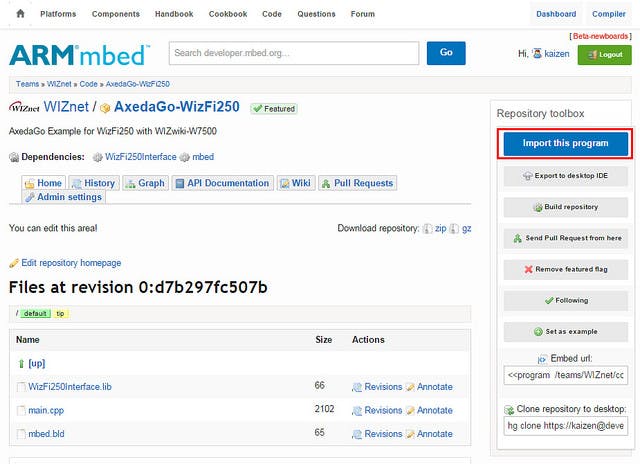
Before compile this example, you have to write serial number what you remember in the toolbox at this code.

After compile this example, You have to upload binary to WIZwiki-W7500 board.
Source Code
 #include <stdio.h>
#include "mbed.h"
#include "WizFi250Interface.h"
#define SECURE WizFi250::SEC_AUTO
#define SSID "ssid"
#define PASS "key"
#if defined(TARGET_WIZwiki_W7500)
    WizFi250Interface wizfi250(D1,D0,D7,D8,PA_12,NC,115200);
    Serial pc(USBTX,USBRX);
#endif
AnalogIn pot1(A0);
TCPSocketConnection sock;
DigitalOut led1(LED1);
DigitalOut led2(LED2);
DigitalOut led3(LED3);
DigitalOut led4(LED4);
int main()
{
    char *MODEL = "mbed";
    char *SERIAL_NUM = "serial number";
    float DEADBAND = 0.03;
    int http_cmd_sz=800;
    char http_cmd[http_cmd_sz];
    int buffer_sz=300;
    char buffer[buffer_sz];
    int returnCode = 0;
    led1 = 1;
    led2 = 1;
    led3 = 1;
    led4 = 1;
    pc.baud(115200);
    wizfi250.init();
    returnCode = wizfi250.connect(SECURE, SSID, PASS);
    if ( returnCode == 0 )
    {
        printf(" - WiFi Ready\r\n");
        printf("IP Address is %s\r\n", wizfi250.getIPAddress());
        led1 = returnCode;
    }
    else
    {
        printf(" - Could not initialize WiFi - ending\r\n");
        return 0;
    }
    float oil_level = 0.0;
    float oldPotVal = -2.0;
    while(1) {
        oil_level = pot1.read();
        if ( abs(oil_level - oldPotVal) < DEADBAND)
        {
            continue;
        }
        else
        {
            oldPotVal = oil_level;
            printf("Sending Value for well1 %.2f\n\r", oil_level);
            sock.connect("toolbox-connect.axeda.com", 80);
            snprintf(http_cmd, http_cmd_sz,  "POST /ammp/data/1/%s!%s HTTP/1.1\r\nContent-Type: application/json\r\nContent-Length: 65\r\n\r\n{\"data\":[{\"di\":{\"oil_level\":%.2f}}]}\r\n\r\n", MODEL, SERIAL_NUM, oil_level);
            sock.send_all(http_cmd, http_cmd_sz-1);
            while ( (returnCode = sock.receive(buffer, buffer_sz-1)) > 0)
            {
                buffer[returnCode] = '\0';
                printf("Received %d chars from server:\n\r%s\n", returnCode, buffer);
            }
            sock.close();
        }
     }
}
Test Result
Send data to the demo application
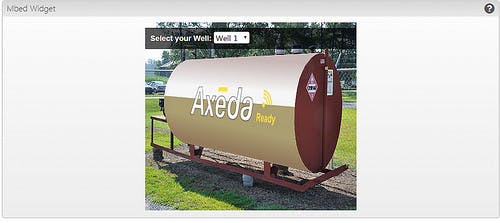
If using this example, WizFi250 will send sensor data which you get using A0 switch?to Axeda tool box. Axeda tool box will make widget as in the below picture using received data from WizFi250.
And you can control this widget using A0 switch.
Log message on Serial Terminal
[WizFi250: INFO]AT+MMAC=?
[WizFi250: INFO][OK]
[WizFi250: INFO]AT+WSET=0,wizohp
[WizFi250: INFO][OK]
[WizFi250: INFO]AT+WSEC=0,,wiznet218
[WizFi250: INFO][OK]
[WizFi250: INFO]AT+WJOIN
[WizFi250: INFO][OK]
[WizFi250: INFO]AT+WSTATUS
[WizFi250: INFO][OK]
[WizFi250: INFO]IP      : 192.168.13.29
[WizFi250: INFO]Gateway : 192.168.13.1
[WizFi250: INFO]WizFi250 is successfully join to AP
 - WiFi Ready
IP Address is 192.168.13.29
Sending Value for well1 0.54
[WizFi250: INFO]AT+FDNS=toolbox-connect.axeda.com,1000
[WizFi250: INFO][OK]
[WizFi250: DBG]216.34.120.52
[WizFi250: INFO]AT+SCON=O,TCN,216.34.120.52,80,,0
[WizFi250: INFO][OK]
[WizFi250: INFO]AT+SSEND=0,,,799
[WizFi250: INFO][OK]
[WizFi250: INFO]POST /ammp/data/1/mbed!nlr__kaizen8501_gmail_com___6245114 HTTP/1.1
Content-Type: application/json
Content-Length: 65
{"data":[{"di":{"oil_level":0.54}}]}
[WizFi250: DBG]receive readable : 1
Received 36 chars from server:
HTTP/1.1 200
Content-Length: 0
Demo Video
Schematics
20150817_150115.png
Code
- Code
- Code
- Code
Code
Plain text[WizFi250: INFO]AT+MMAC=? [WizFi250: INFO][OK] [WizFi250: INFO]AT+WSET=0,wizohp [WizFi250: INFO][OK] [WizFi250: INFO]AT+WSEC=0,,wiznet218 [WizFi250: INFO][OK] [WizFi250: INFO]AT+WJOIN [WizFi250: INFO][OK] [WizFi250: INFO]AT+WSTATUS [WizFi250: INFO][OK] [WizFi250: INFO]IP : 192.168.13.29 [WizFi250: INFO]Gateway : 192.168.13.1 [WizFi250: INFO]WizFi250 is successfully join to AP - WiFi Ready IP Address is 192.168.13.29 Sending Value for well1 0.54 [WizFi250: INFO]AT+FDNS=toolbox-connect.axeda.com,1000 [WizFi250: INFO][OK] [WizFi250: DBG]216.34.120.52 [WizFi250: INFO]AT+SCON=O,TCN,216.34.120.52,80,,0 [WizFi250: INFO][OK] [WizFi250: INFO]AT+SSEND=0,,,799 [WizFi250: INFO][OK] [WizFi250: INFO]POST /ammp/data/1/mbed!nlr__kaizen8501_gmail_com___6245114 HTTP/1.1 Content-Type: application/json Content-Length: 65 {"data":[{"di":{"oil_level":0.54}}]} [WizFi250: DBG]receive readable : 1 Received 36 chars from server: HTTP/1.1 200 Content-Length: 0
