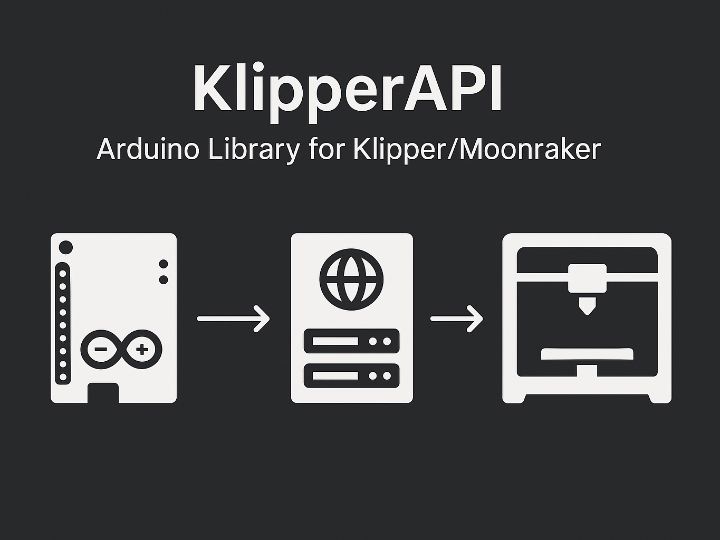
This project is an Arduino communication library that enables ESP8266, ESP32, and Arduino boards to monitor and control Klipper 3D printers through the Moonraker API.
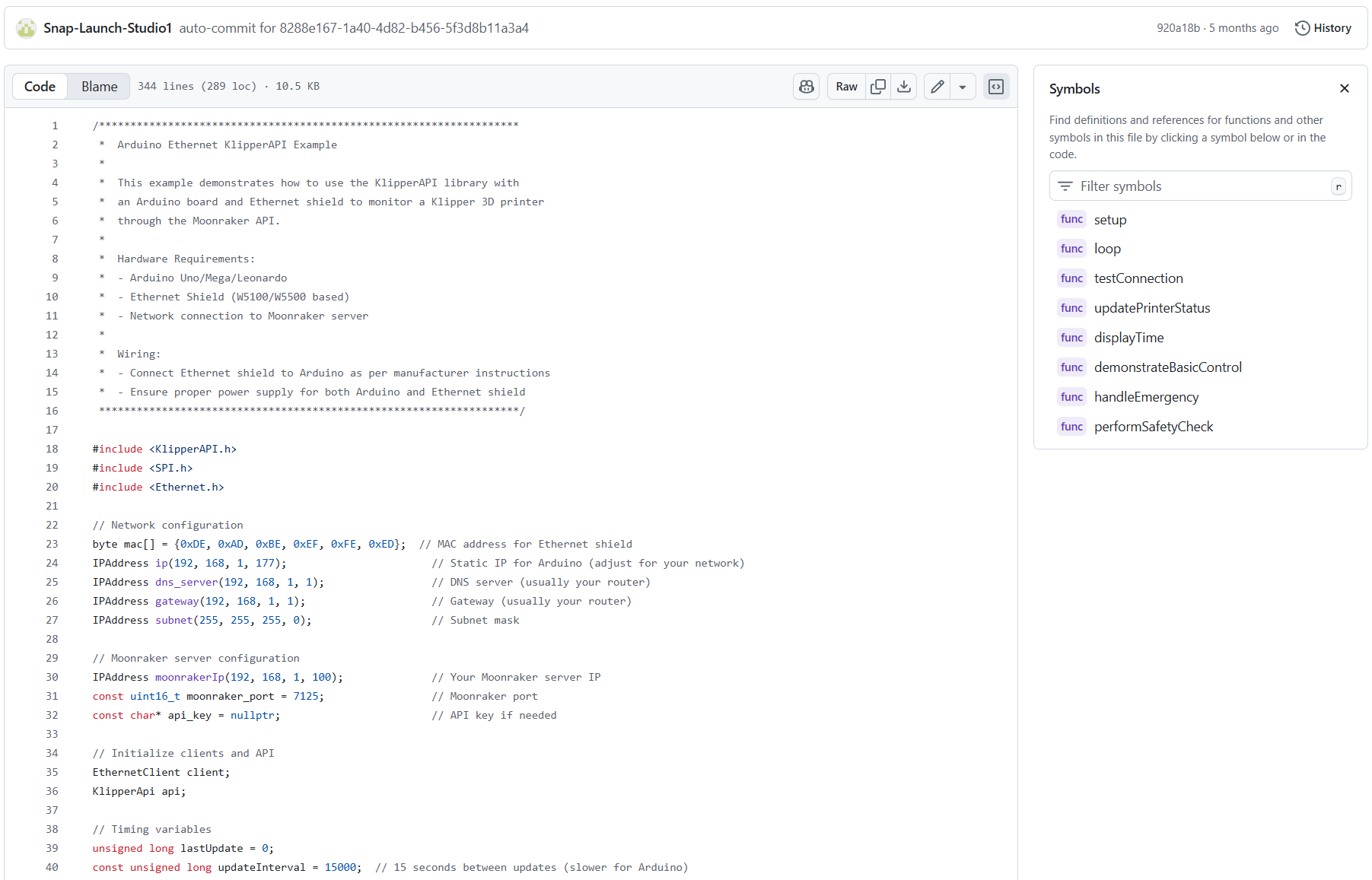
The example code includes fully working firmware that periodically connects to Moonraker using an ESP32, ESP8266, or an Arduino paired with a W5100/W5500 Ethernet Shield. It demonstrates:
Retrieving server information
Querying printer status and statistics
Reading current position, temperature, power output, and active print job details
Executing emergency stop and temperature safety checks
All of these features are implemented and functional in the included examples.
📌Features
Core Functionality
Real-time printer status monitoring (status, position, temperature, etc.)
Also available for manual installation via GitHub Releases or source download
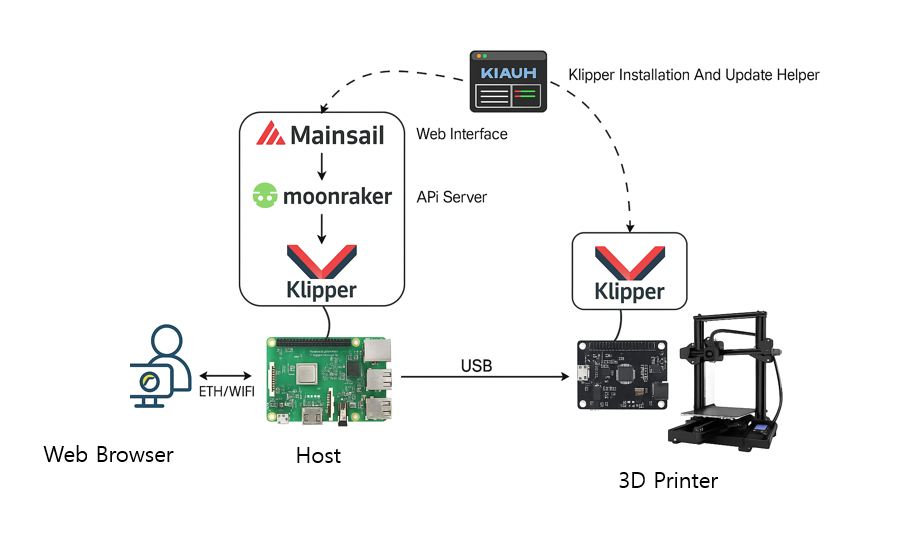
📌System Architecture
Core Components
MCU
ESP8266 (Wi-Fi)
ESP32 (Wi-Fi)
Arduino + W5100/W5500 Ethernet Shield
Server
3D printer running Klipper firmware
Moonraker API server
Network
Wi-Fi (built into ESP8266/ESP32)
Ethernet (via W5100/W5500 shield)
HTTP/JSON-based REST API calls to Moonraker
Data Flow
The MCU connects to the LAN via Wi-Fi or Ethernet.
The KlipperApi object sends requests to multiple Moonraker server endpoints.
The MCU receives the JSON response into an internal buffer (default 2048 bytes) and parses it into optimized structures.
User code can then utilize these structures to perform:
Status display (Serial / Web / LCD)
Temperature safety checks
Print control
And other application logic
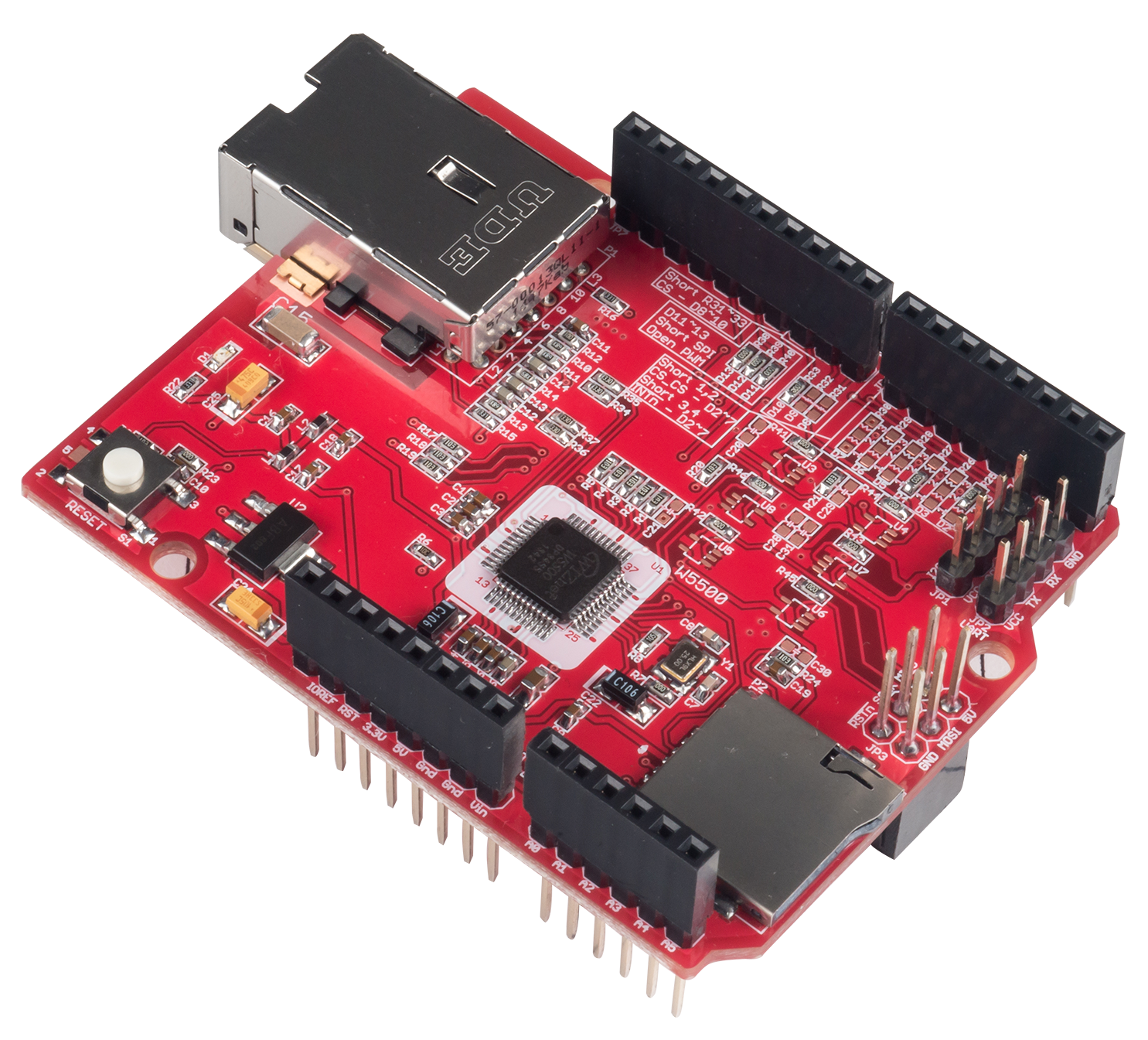
📌Role and Application of the W5500
In the KlipperAPI project, the W5500 is used as the key network module that enables wired Ethernet communication between the Arduino board and the Klipper/Moonraker server. In environments where Wi-Fi is unstable or where 3D printer control requires consistent latency and reliable response times, the W5500 provides the most dependable connection method.
Main Roles of the W5500
Wired Moonraker Connectivity
Even low-spec MCUs such as Arduino Uno/Mega/Leonardo can communicate directly with the Klipper/Moonraker server through the W5500.
Ideal for 3D printer control scenarios that require high speed and stable connectivity.
Printer Status Queries and Data Reception
Core KlipperAPI functions—such as getServerInfo(), getPrinterInfo(), and getPrinterStatistics()—send requests to Moonraker over the W5500 network path.
Temperature, position, progress, and other data are received reliably thanks to hardware-based packet handling.
Sending Control Commands
Sends G-code (sendGcode()), print start/pause/cancel operations, temperature settings, axis movement commands, and more through the W5500.
Provides more stable, lower-latency control than Wi-Fi, with reduced risk of communication errors.
Ensuring Network Stability
Example code includes Ethernet state checks, link detection, and retry logic for improved robustness.
Supports both DHCP and static IP configurations, with KlipperAPI running reliably on top of the EthernetClient.
📌Market & Application Value
Application Areas
External control panels and remote control terminals for Klipper 3D printers
Standalone status displays (small LCD/OLED) and notification devices (buzzer, LED)
Integration with Klipper for controlling peripheral equipment such as lighting, fans, and environmental sensors
Advantages Over Existing Approaches
Traditionally, control was mainly done through web UIs (Fluidd/Mainsail) or applications running on a Raspberry Pi; this library enables direct control from low-cost MCU boards
With only a network connection, a single board can monitor multiple printers or serve as a dedicated HMI
Expansion Potential
Can be used as a management node in IoT devices or smart factory–style 3D printer farms
Well-suited as a bridge connecting industrial Ethernet, sensors, and printers
📌External Indicators
Currently, the number of stars and forks on GitHub is low, and the library has a strong personal-project nature.
However, resources such as FEATURES.md, the example code folder, and the detailed API documentation in the README are well organized, making it valuable for technical experimentation and reference purposes.
📌WIZnet Strategic Value
Representative Use Case for Ethernet + Klipper Integration
By applying a KlipperAPI-style library to boards using WIZnet chips, it becomes possible to create a wired, low-latency 3D printer controller reference design.
Entry Point Into the 3D Printer Market
The number of 3D printer users adopting Klipper is growing rapidly, and there is strong demand in printer farms, shared workspaces, and FabLabs for printer status monitoring and centralized management.
WIZnet can enter the 3D-printer networking module market by offering a bundled solution in the form of “Ethernet + Klipper-compatible board/module + library package.”
Piggybacking on the ESP Ecosystem
Since KlipperAPI supports ESP8266 and ESP32, combining ESP with a WIZnet Ethernet module enables a dual Wi-Fi + Ethernet environment.
Creating a “Klipper-dedicated network expansion module” as a WIZnet UCC reference project would naturally expose WIZnet chips to the ESP maker community.
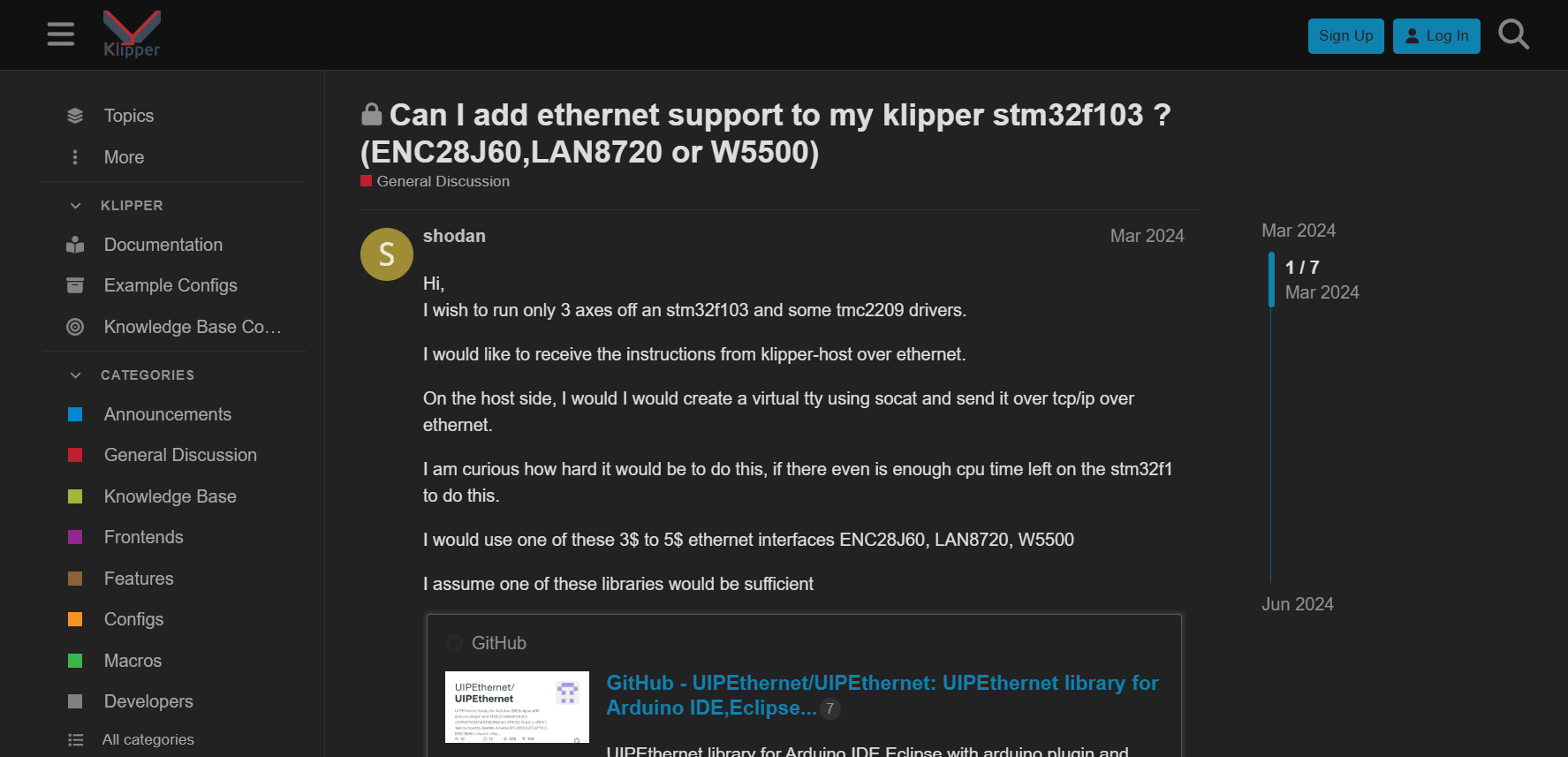
In the Klipper user community, there have been active discussions about implementing Ethernet connectivity by pairing an MCU with an SPI-to-Ethernet chip such as the WIZnet W5500, ENC28J60, or LAN8720. Overall forum feedback has been positive, with virtually no objections to combinations like “STM32 + W5500 (or ENC28J60/LAN8720)”.
📌Summary
KlipperAPI is a meaningful library that clearly showcases the concept of directly controlling Klipper using an MCU with Ethernet or Wi-Fi. It has the potential to serve as a bridge project that connects both the ESP ecosystem and the Klipper community.
📌개요
이 프로젝트는 ESP8266, ESP32, 그리고 Arduino 보드가 Moonraker API를 통해 Klipper 3D 프린터를 모니터링하고 제어할 수 있도록 해주는 Arduino 통신 라이브러리입니다.
예제 코드는 ESP32, ESP8266, 또는 W5100/W5500 이더넷 실드가 연결된 Arduino를 사용하여 Moonraker에 주기적으로 연결하는 완전한 동작 펌웨어를 포함하고 있습니다. 이 예제는 다음을 보여줍니다:
서버 정보 가져오기
프린터 상태 및 통계 조회
현재 위치, 온도, 전력 출력, 활성 프린트 작업 정보 읽기
비상 정지 실행 및 온도 안전 점검 수행
이 모든 기능은 제공된 예제에 완전히 구현되어 있으며 정상적으로 동작합니다.
📌특징
핵심 기능
실시간 프린터 상태 모니터링(상태, 위치, 온도 등)
프린트 작업 관리(시작, 일시정지, 재개, 취소)
온도 제어(노즐/베드 온도 설정, 팬 속도 제어)
축 제어(홈동작, 절대/상대 이동)
단일 및 다중 G-code 전송
비상 정지, 펌웨어 재시작, 호스트 재부팅 등 긴급 액션 지원
메모리 최적화 설계
RAM 사용을 최소화하기 위해 비트 필드를 활용한 Boolean 상태 관리
uint8_t, int16_t 등 compact 타입을 사용한 구조체 설계
다양한 MCU 성능에 맞게 버퍼 크기 구성 가능
지원 하드웨어
ESP8266
ESP32
Ethernet Shield를 사용하는 Arduino 보드
Wi-Fi 기능을 갖춘 Arduino 보드
필요 라이브러리
ArduinoJson (>= 6.0.0) – JSON 파싱
Wi-Fi / Ethernet 라이브러리 (ESP8266WiFi, WiFi, Ethernet 등)
개발 환경
Arduino IDE Library Manager를 통해 설치 가능
GitHub Releases 또는 소스 파일 다운로드를 통한 수동 설치도 지원
📌시스템 아키텍처
기본 구성 요소
MCU
ESP8266 (Wi-Fi)
ESP32 (Wi-Fi)
Arduino + W5100/W5500 Ethernet Shield
서버
Klipper 펌웨어가 구동 중인 3D 프린터
Moonraker API 서버
네트워크
Wi-Fi (ESP8266/ESP32 내장)
Ethernet (W5100/W5500 기반 Shield)
Moonraker로 HTTP/JSON 기반 REST API 호출
데이터 흐름
MCU는 Wi-Fi 또는 Ethernet을 통해 LAN에 연결됩니다.
KlipperApi 객체는 여러 Moonraker 서버 엔드포인트로 요청을 전송합니다.
MCU는 JSON 응답을 내부 버퍼(기본 2048바이트)에 수신한 뒤, 이를 최적화된 구조체로 파싱합니다.
사용자 코드는 이 구조체들을 활용하여 다음 작업들을 수행할 수 있습니다:
상태 표시(Serial / Web / LCD)
온도 안전 점검
프린트 제어
그 외 응용 로직 수행
📌W5500 역할 및 적용 방식
KlipperAPI 프로젝트에서 W5500은 Arduino 보드와 Klipper/Moonraker 서버 간의 유선 이더넷 통신을 담당하는 핵심 네트워크 모듈로 사용된다. Wi-Fi 환경이 불안정하거나, 3D 프린터 제어에 필요한 안정적인 지연·응답 속도가 요구되는 상황에서 W5500은 가장 신뢰할 수 있는 연결 방식을 제공한다.
W5500의 주요 역할
유선 기반 Moonraker 연결
Arduino Uno/Mega/Leonardo 같은 저사양 MCU에서도 W5500을 통해 Klipper/Moonraker 서버와 직접 통신 가능
고속·안정성을 요구하는 3D 프린터 제어에 적합
프린터 상태 조회 및 데이터 수신
getServerInfo(), getPrinterInfo(), getPrinterStatistics() 등 KlipperAPI의 주요 함수들이 W5500 네트워크 경로를 통해 Moonraker에 요청
온도, 위치, 진행률 등 데이터를 하드웨어 패킷 처리로 안정적으로 수신
제어 명령 전송
G-code 전송(sendGcode()), 프린트 시작/일시정지·취소 명령, 온도 제어/축 이동 등 제어 요청을 W5500을 통해 서버로 전달
Wi-Fi 환경보다 지연·오류 위험이 낮아 안정적인 프린터 제어 가능
네트워크 안정성 확보
예제 코드에서 Ethernet 상태 확인, 링크 감지, 재시도 로직을 구현
DHCP/Static IP 모두 지원하며 EthernetClient 기반으로 KlipperAPI가 안정적으로 동작하도록 구성됨
📌시장 및 응용 가치
활용 분야
Klipper 3D 프린터용 외부 제어 패널 및 원격 제어 터미널
소형 LCD/OLED 기반의 독립형 상태 표시 장치 및 부저·LED 알림 장치
조명, 팬, 환경 센서 등 Klipper 주변 장비 제어 시스템과의 통합
기존 방식 대비 장점
기존에는 주로 웹 UI(Fluidd/Mainsail)나 Raspberry Pi에서 실행되는 애플리케이션을 통해 제어했지만, 이 라이브러리는 저가형 MCU 보드만으로 Klipper를 직접 제어할 수 있다.
네트워크 연결만 있으면 단일 MCU 보드로 여러 프린터를 모니터링하거나 전용 HMI 역할을 수행할 수 있다.
확장 가능성 (Expansion Potential)
IoT 장치나 스마트 팩토리형 3D 프린터 팜에서 관리 노드로 활용 가능
산업용 Ethernet, 센서, 프린터를 연결하는 브리지 역할로 적합
📌조회수 및 반응
현재 GitHub에서의 스타와 포크 수는 많지 않으며, 라이브러리는 개인 프로젝트 성향이 강합니다.
그러나 FEATURES.md, 예제 코드 폴더, README에 포함된 상세한 API 문서 등이 잘 정리되어 있어 기술적 실험이나 참고용 자료로는 충분한 가치가 있습니다.
📌WIZnet 전략적 가치
Ethernet + Klipper 조합의 대표 사례 후보
위즈네트 칩을 사용한 보드에서 KlipperAPI 스타일의 라이브러리를 적용하면, 유선·저지연 3D 프린터 컨트롤러 레퍼런스를 만들 수 있다.
3D 프린터 시장 진입 포인트
요즘 Klipper를 쓰는 3D 프린터 유저층이 빠르게 증가하고 있고, 프린터 팜·공동 작업실·FabLab 등에서 프린터 상태 모니터링·중앙 관리에 대한 수요가 크다.
위즈네트는 “Ethernet + Klipper 연동 보드/모듈 + 라이브러리 패키지” 형태로 솔루션을 묶어 3D 프린터용 네트워크 모듈 시장에 진입할 수 있다.
ESP 생태계 piggyback
현재 KlipperAPI는 ESP8266, ESP32도 지원하므로, ESP + WIZnet Ethernet 모듈 조합으로 “Wi-Fi + Ethernet 듀얼” 환경을 구성할 수 있다.
Maker 대상 “Klipper 전용 네트워크 확장 모듈” 레퍼런스 프로젝트를 WIZnet UCC로 만들면, ESP 커뮤니티에 자연스럽게 위즈네트 칩 노출이 가능하다.
In the Klipper user community, there have been active discussions about implementing Ethernet connectivity by pairing an MCU with an SPI-to-Ethernet chip such as the WIZnet W5500, ENC28J60, or LAN8720. Overall forum feedback has been positive, with virtually no objections to combinations like “STM32 + W5500 (or ENC28J60/LAN8720)”.
📌요약
KlipperAPI는 Ethernet 또는 Wi-Fi를 사용하는 MCU로 Klipper를 직접 제어한다는 개념을 명확하게 보여주는 의미 있는 라이브러리입니다. 이 프로젝트는 ESP 생태계와 Klipper 커뮤니티를 연결하는 브릿지 역할을 할 잠재력을 가지고 있습니다.
We sent a verification link to your address. Open it to activate your account, then log in.
Accounts from this email provider are reviewed by an administrator after verification. Approval usually takes one business day.
Already have an account?
Reset your password
Enter your email address. If it belongs to an account, we'll send a link to set a new password. Members who joined before the site update use this to set their password.
Check your email
If an account uses that address, we sent a link to set a new password. The link works once and expires in 30 minutes.