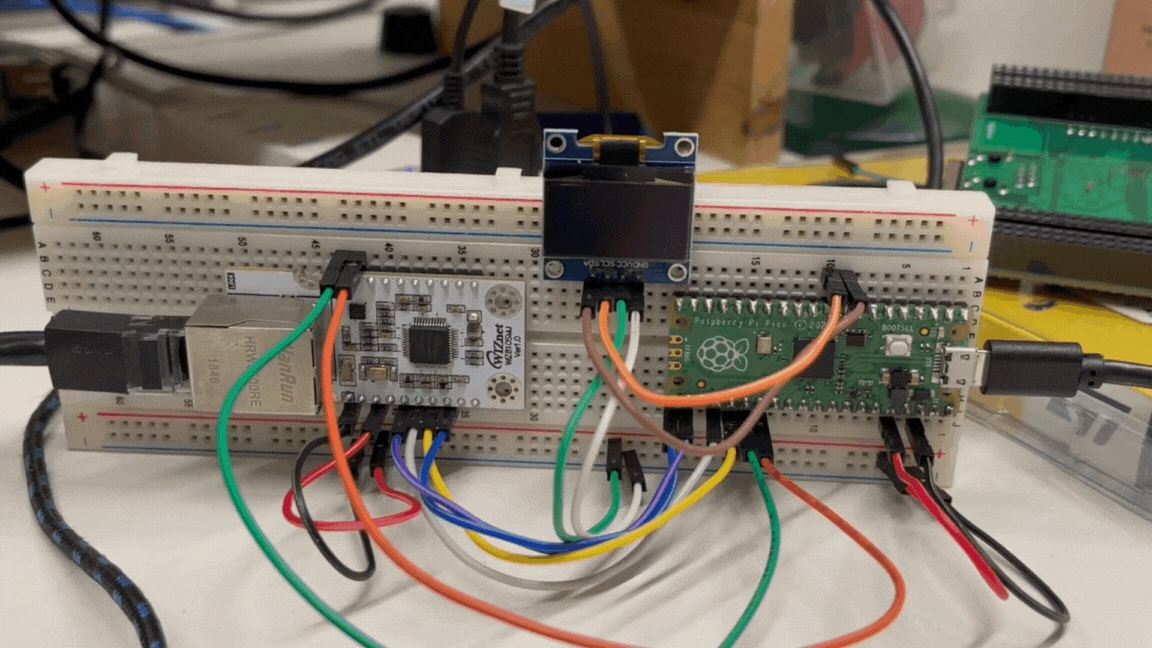
Github Action Monitor with RP2040 and W5100S
Simple project that periodically monitors new commits and workflow runs on given Github repository.
Built with RPi Pico and WIZ810SMJ
2
Components
Hardware components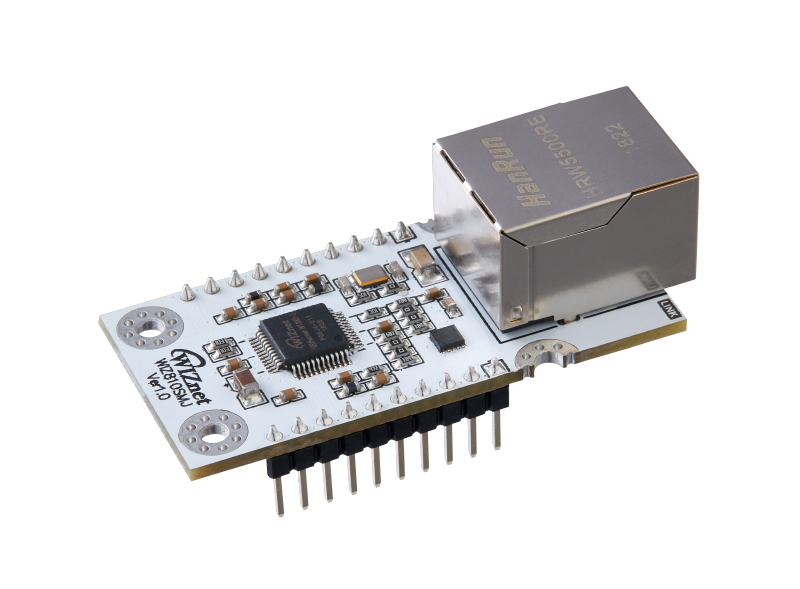
WIZnet - WIZ810SMJ
x 1


Raspberry Pi - Raspberry Pi Pico
x 1
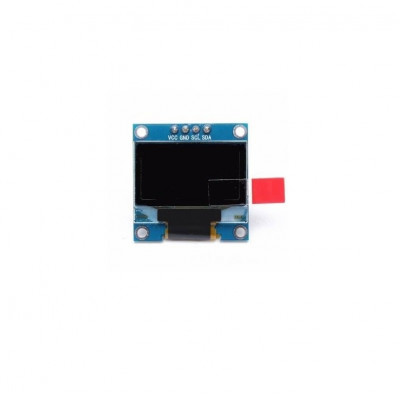
SOLOMON SYSTECH - Monochrome 0.96" 128x64 OLED Graphic Display
x 1
Project description
Introduction
At WIZnet, we operate a documentation website using the Docusaurus framework. The documentation is hosted on GitHub Pages, and every commit triggers deployment via GitHub Actions.
However, sometimes the build fails, and no updates are made to the website. To monitor such failure cases, I built a simple prototype using a Raspberry Pi Pico and connected it to the network using the WIZnet WIZ810SMJ. I used the GitHub REST API to check the workflow run.
How-to
Initially, I encountered issues with the urequests library, which was failing to execute requests. After some research, I discovered the mrequests library by Christopher Arndt. Within this library, there is a parse example that I successfully incorporated into my project.
The code
The github_req function implements requests to the GitHub API.
Note 1: Initially, I planned to query commits on a specific date, so the function has a date parameter. However, I later decided to change the logic to query only one page with one result per page. I believe this approach will always return the latest commit and workflow run information.
Note 2: At first, I generated a token to access the repository, but after studying the API documentation, I found that there is no need to provide an authorization token for read-only access.
def github_req(year,month,day):
    #url = "https://api.github.com/repos/"+username+"/"+repository+"/actions/workflows/deploy.yml/runs?created="+"{:04d}-{:02d}-{:02d}".format(year, month, day)
    url = "https://api.github.com/repos/"+username+"/"+repository+"/actions/workflows/deploy.yml/runs?per_page=1&page=1"

    # Define the headers for the request
    headers = {
        "Accept": "application/vnd.github.v+json",
        #"Authorization": "Bearer " + token,
        "X-GitHub-Api-Version": "2022-11-28",
        "User-Agent:": "Micropython"
    }

    # Make the request
    response = request("GET", url, headers=headers)

    # Check if the request was successful
    if response.status_code == 200:
        # Parse the JSON response
        response_text = response.json()

    else:
        print(f"Failed to retrieve workflow status. HTTP status code: {response.status_code}")

    # Close the response
    response.close()
    return response_text
Since my LCD screen is small, I decided to rotate the text if it is too long. I achieved this rotation with a simple function called rotate_text.
# Define the rotation speed (delay in milliseconds)
rotation_speed = 500

# Define the rotation step (number of pixels to shift)
rotation_step = 2

request_interval = 300
# Create a function to rotate the text
def rotate_text(text, rotation_step):
    return text[rotation_step:] + text[:rotation_step]
After Ethernet initialization the main loop performs following actions:
- The commit ID is stored for future checks.
- The commit name, author, status, and conclusion are displayed on the screen.
- If any text is too long, it is rotated.
- Every 5 minutes, a new request is sent to check for new commits.
    previous_commit = None
    while True:
        display_text = github_req(year, month, day)
        new_commit_id = display_text["workflow_runs"][0]["id"]

        if new_commit_id != previous_commit:
                display.fill(0)
                display.text("New commit", 25, 20)
                display.text("found!", 40, 30)
                display.rotate(False)
                display.show()
                previous_commit = new_commit_id
                utime.sleep(1)

        print_text = [
            display_text["workflow_runs"][0]["display_title"] + " ",
            "By: " + display_text["workflow_runs"][0]["actor"]["login"] + " ",
            "Result:"+ display_text["workflow_runs"][0]["status"] + " ",
            "Deploy: " + display_text["workflow_runs"][0]["conclusion"] + " "
            ]

        start_time = utime.time()
        while utime.time() - start_time < request_interval:
            display.fill(0)

            for i, line in enumerate(print_text):
                y_position = i * 10  # Adjust the vertical position for each line
                display.text(line, 0, y_position)

            # Rotate the specified lines
                if (len(line)>16):
                    print_text[i] = rotate_text(line, rotation_step)

            display.rotate(False)
            display.show()

            utime.sleep_ms(rotation_speed)
The result
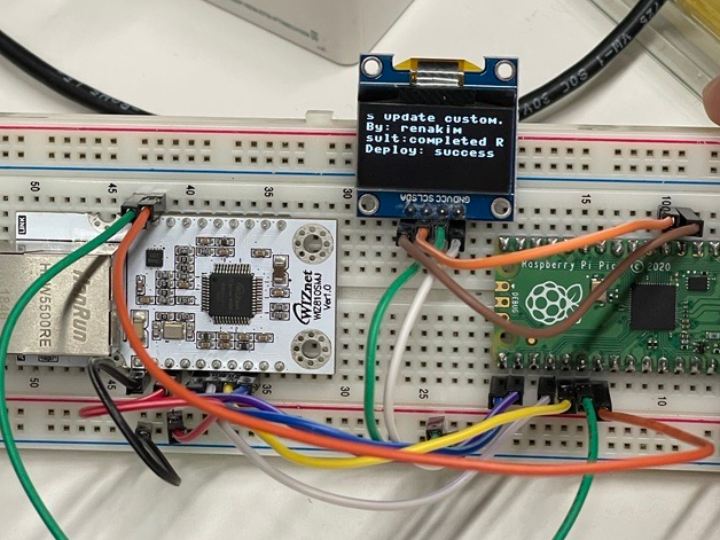
Here you can see the device in operation. Apologies for the cable clutter.