DHT11/DHT22 - Wetterstation LAN
Discover the fusion of the DHT22 sensor and Ethernet for cutting-edge weather monitoring. Access real-time data via a browser, with Ethernet
0
Components
Hardware components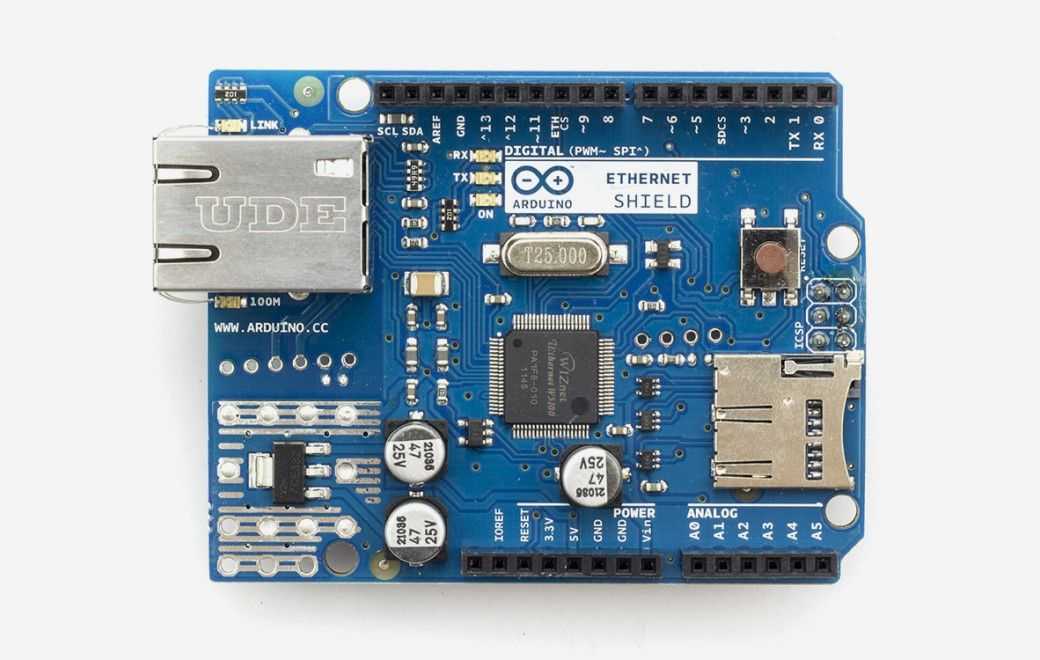
Arduino - Arduino Ethernet Shield
x 1

Project description
1. Introduction to the DHT22 Weather Station with Ethernet Connectivity
The digital age has brought about a myriad of advancements in how we collect and interpret data. One such advancement is the integration of the DHT22 temperature and humidity sensor with Ethernet capabilities, allowing for real-time weather data to be accessed and displayed via an internet browser. This article delves into the intricacies of setting up such a system, emphasizing the role of Ethernet in this innovative solution.
2. The Core Components
- DHT22 Temperature and Humidity Sensor: A reliable sensor known for its accuracy in measuring ambient conditions.
- Ethernet Shield: The bridge between the sensor and the online realm, enabling the data to be accessed from anywhere with an internet connection.
- RTC-Module DS 3231: A real-time clock module that ensures the accurate timestamping of the data.
3. Setting Up the System
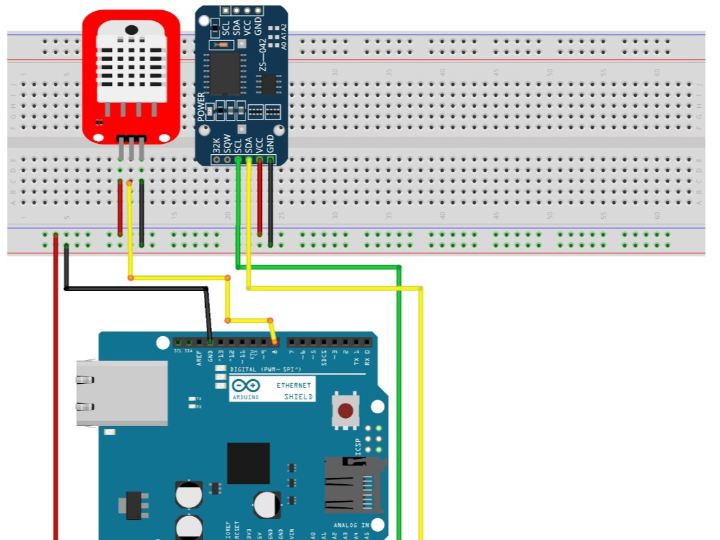
The setup begins by connecting the DHT22 sensor to the Ethernet Shield, which is then mounted onto an Arduino board. The system requires a free IP and MAC address within the local network. While DHCP servers typically assign IP addresses automatically, for long-term temperature monitoring, a fixed IP address is recommended to avoid disruptions.
4. The Role of Ethernet in Data Transmission
Ethernet's significance in this setup cannot be overstated. It provides a stable and fast connection, ensuring that the data from the DHT22 sensor is seamlessly transmitted to the webserver. This allows users to access real-time weather data from any device with an internet connection, making the system incredibly versatile and user-friendly.
5. Displaying the Data
Once the system is up and running, accessing the data is as simple as entering the IP address of the Ethernet Shield into a web browser. The data, complete with timestamps, is displayed in a user-friendly format, showcasing both the temperature and humidity readings. The system also offers an auto-refresh feature, updating the data every 60 seconds to provide the most current readings.
Revolutionizing Weather Monitoring with Ethernet
In the realm of weather monitoring, the combination of the DHT22 sensor and Ethernet connectivity offers a game-changing solution. We are no longer restricted to localized data collection; with this setup, weather data can be accessed, analyzed, and shared from anywhere in the world. The integration of Ethernet ensures a stable connection, making real-time monitoring a reality.
The tutorial from Hartmut Waller provides a step-by-step guide on setting up this system, emphasizing the importance of Ethernet in the process. By following the instructions, even those new to the world of Arduino and sensors can set up their own online weather station, tapping into the vast potential of IoT (Internet of Things).
In conclusion, as we continue to seek ways to harness the power of technology to improve our understanding of the world around us, solutions like the DHT22 weather station with Ethernet connectivity stand out. They represent the perfect blend of innovation, functionality, and user-friendliness, paving the way for a more connected and informed future.
