Pico Ethernet Series 3/3: MicroPython TCP‑Server — Listen & Communicate
t is the third part of Pico Ethernet practical series, introducing hands‑on TCP‑server implementation including port listening and data communiction MicroPython
0
Project description
TCP Server Experiment
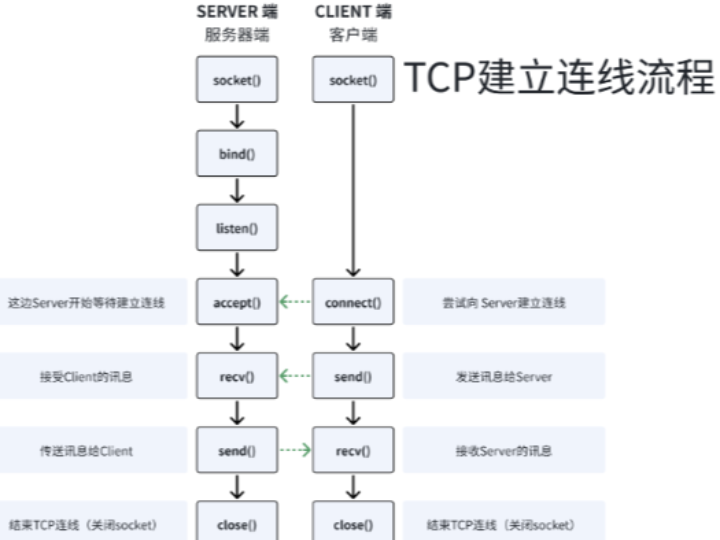
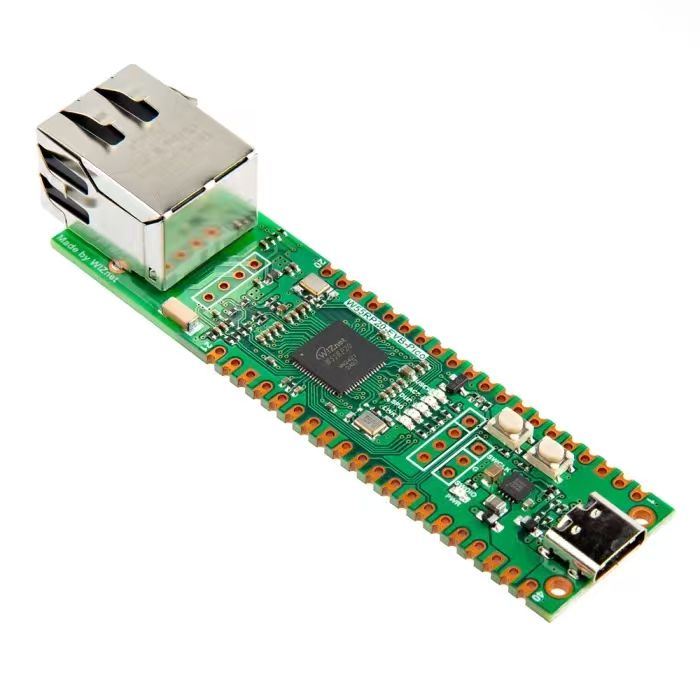
In this experiment, we configure W5500 and Raspberry Pi Pico to work as a TCP server. Its basic workflow is as follows:
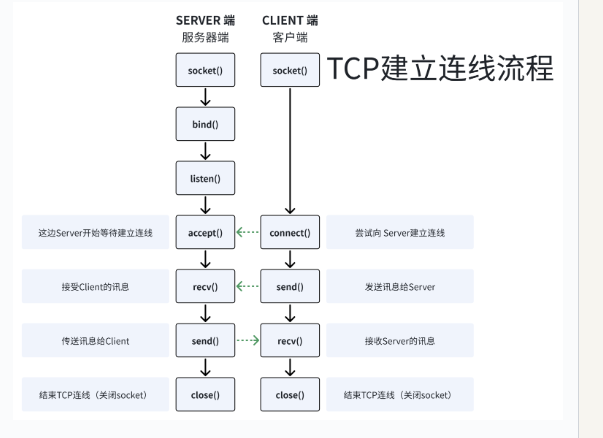
Listen on port The server creates a socket, binds it to a specified IP address and port, then listens for incoming client connection requests.
Establish connection When a client sends a connection request, the server accepts the connection and creates a new child‑socket for communicating with that client.
Data interaction Server and client transmit data through the child‑socket, usually performing read‑write operations on byte streams.
Close connection After data transmission completes, both sides may close the child‑socket, and the server continues listening for new client connection requests.
The source code below can be found in the provided resource package under elegance‑devkit v1\Demo\42 ETH_TCP_Server.
Sample code:
# Python env   : MicroPython v1.23.0 on Wiznet W5500
# -*- coding: utf-8 -*-
# @Time    : 2024/8/8 11:08 AM
# @Author  : Li Qingshui
# @File    : main.py
# @Description : Ethernet experiment for TCP‑server test
# ======================================== Import related modules ========================================
# Import socket module for creating and managing network connections
from usocket import socket
# Import hardware‑related modules
from machine import Pin,SPI
# Import time‑related modules
import time
# Import network‑related modules
import network
# ======================================== Global variables ============================================
# TCP‑server IP address
ip = '192.168.1.20'
sn = '255.255.255.0'
gw = '192.168.1.1'
dns= '8.8.8.8'
# Tuple object for network configuration
netinfo=(ip, sn, gw, dns)
# Local listening IP and port
localip = '192.168.1.20'
localport = 8000
# Listening address tuple
listen_info = (localip, localport)
# Global flag for connection status
conn_flag = False
# ======================================== Function definitions ============================================
# Initialize network interface
def w5x00_init() -> network.WIZNET5K:
    """
    Initialize network.WIZNET5K instance, set static IP and bring‑up network connection.
    Args:
        None
    Returns:
        network.WIZNET5K: Initialized and connected network.WIZNET5K instance.
    Raises:
        None
    """
    # Declare global variable
    global localip
    # Initialize SPI object
    spi = SPI(0, 2_000_000, mosi=Pin(19), miso=Pin(16), sck=Pin(18))
    # Instantiate network.WIZNET5K, pass chip‑select pin CS and reset pin RST
    nic = network.WIZNET5K(spi, Pin(17), Pin(20))
    # Activate network interface
    nic.active(True)
    # Apply static‑IP settings: host‑ip, subnet‑mask, gateway, dns‑server
    nic.ifconfig(netinfo)
    # Block until network link becomes available
    while not nic.isconnected():
        time.sleep(1)
        # Print register debug information
        print(nic.regs())
    # Print applied network parameters
    print('ip :', nic.ifconfig()[0])
    print('sn :', nic.ifconfig()[1])
    print('gw :', nic.ifconfig()[2])
    print('dns:', nic.ifconfig()[3])
    # Return WIZNET5K instance
    return nic

def server_loop() -> None:
    """
    Main server loop for accepting client connections and processing data.
    This function keeps running and waits for client connections.
    Once a client connects, the server receives data from client and echoes data back.
    When connection drops, server returns to the state of waiting for new connections.
    Args:
        None
    Returns:
        None
    Raises:
        None
    """
    # Declare global variables
    global localip
    global conn_flag
    # Infinite loop for server operation
    while True:
        # Wait for client connection if no active connection
        if (conn_flag == False):
            # Create socket object
            s = socket()
            # Bind socket to local IP and port
            s.bind(listen_info)
            # Start listening for connection requests, backlog size is 5
            s.listen(5)
            # Mark that listening socket is ready
            conn_flag = True
            # Print test log
            print("TEST server Loop")
            # Print server IP and listening port
            print('TCP Server:{0} ,listen port:{1}\r\n'.format(localip, listen_info[1]))
            # Block and wait until a client connects
            conn, addr = s.accept()
            # Print connected client IP and port
            print('Connect from {0}:{1}\r\n'.format(addr[0], addr[1]))
        else:
            # Process data when there is an active connection
            try:
                # Receive up to 2048 bytes
                data = conn.recv(2048)
                # Decode received bytes to UTF‑8 string
                data = data.decode('utf‑8')
                # Print received payload
                print(data)
                # Echo back data if content is not 'NULL'
                if data != 'NULL':
                    conn.send(data)
            # Catch exceptions triggered during receive or send operations
            except:
                # Print disconnect log
                print('disconnect')
                # Reset flag to wait for new client connection
                conn_flag = False
# ======================================== Custom classes ============================================
# ======================================== Initialization ==========================================
# 3‑second power‑on delay for hardware stabilization
time.sleep(3)
# Print debug banner
print("FreakStudio : Using W5x00 Ethernet to do TCP Server Test")
# Initialize W5500 module
nic = w5x00_init()
# ======================================== Main program ===========================================
# Start server processing loop
server_loop()
In this experiment the TCP‑server address is 192.168.1.20. Inside the server_loop function the following logic is executed:
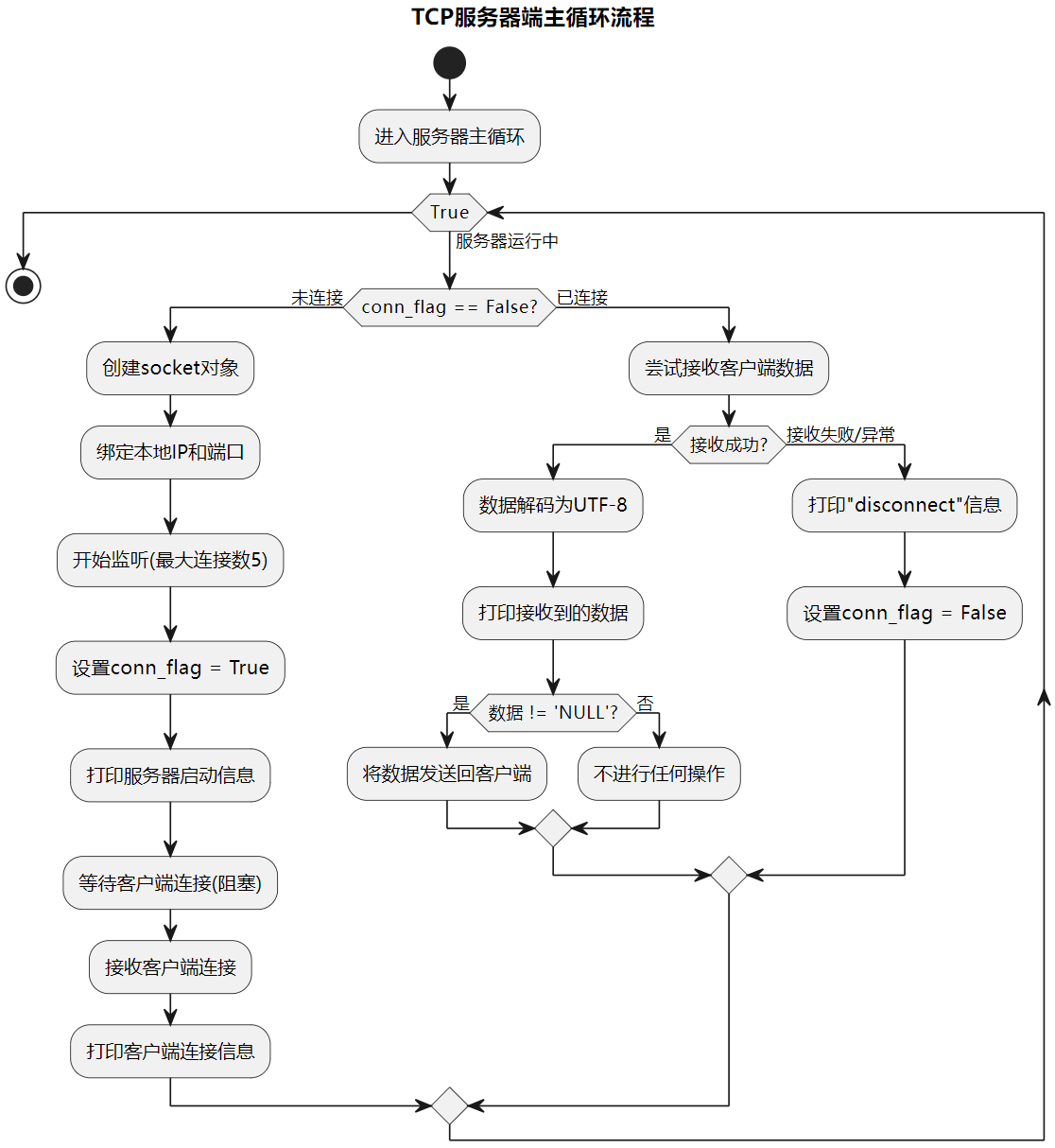
- If no active connection exists: create socket object, bind IP‑port pair and start listening for incoming connections
- Print server IP and port information and wait for client connection
- Print peer information after client connection is accepted
- If connection is already established: receive and process data sent by client
- Send payload back to client when received data is not empty
- Catch exceptions during receive‑send, print disconnect message and reset connection flag
Flash the firmware and open remote serial terminal:

The terminal prints TCP‑server IP and listening port number. The accept() method is blocking:
- While waiting for clients, program execution pauses at
s.accept(), so the server can properly accept and handle each incoming connection. - Once a client connects,
accept()returns a new child‑socket objectconntogether with client peer addressaddr.
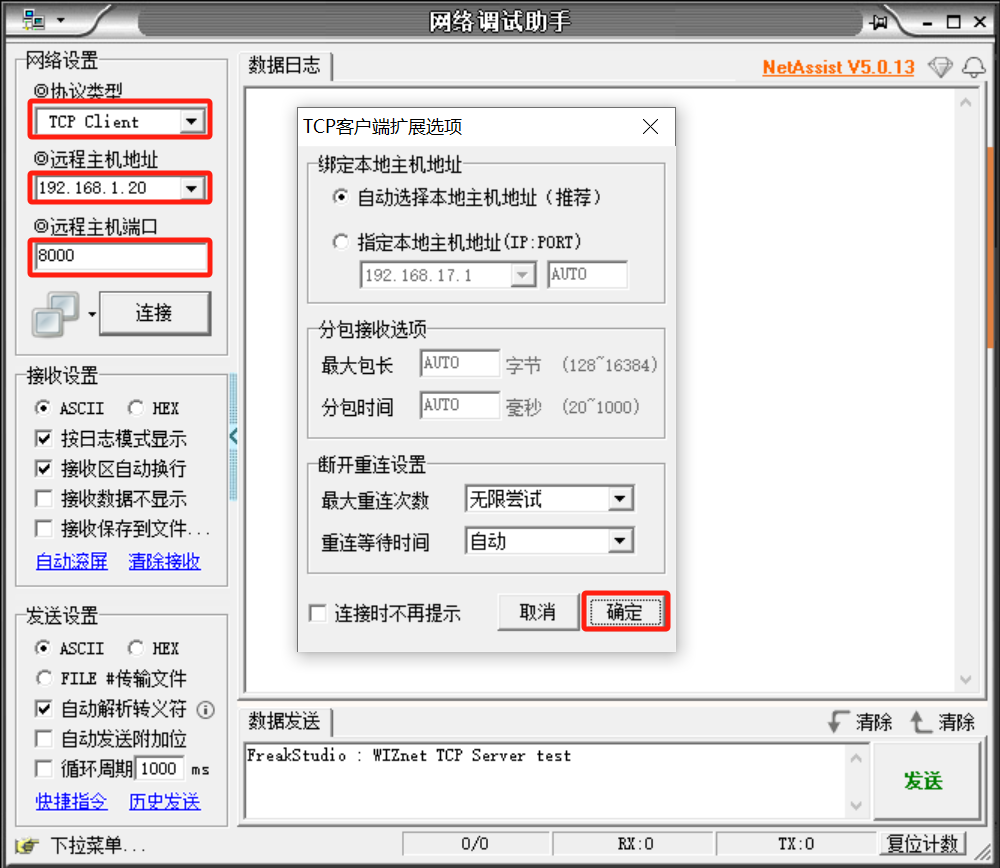
Launch NetAssist software, select protocol type as TCP Client. Set remote host address to 192.168.1.20, set remote port to 8000 which matches source‑code configuration. Keep other options default and click the Connect button.
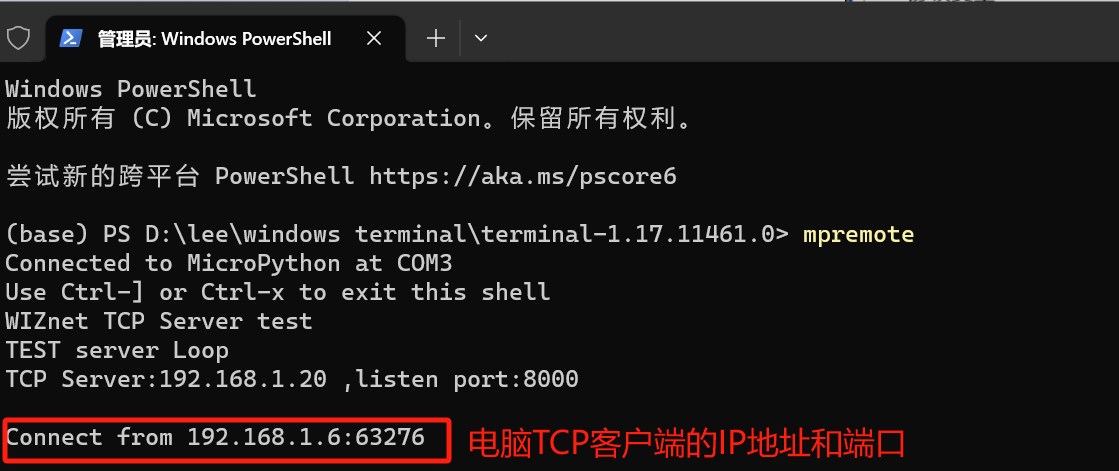
Connection‑success message appears on serial terminal:
Send data via NetAssist. You will see the identical payload echoed back to TCP client.

