Real-time Water Quality Monitoring Boat
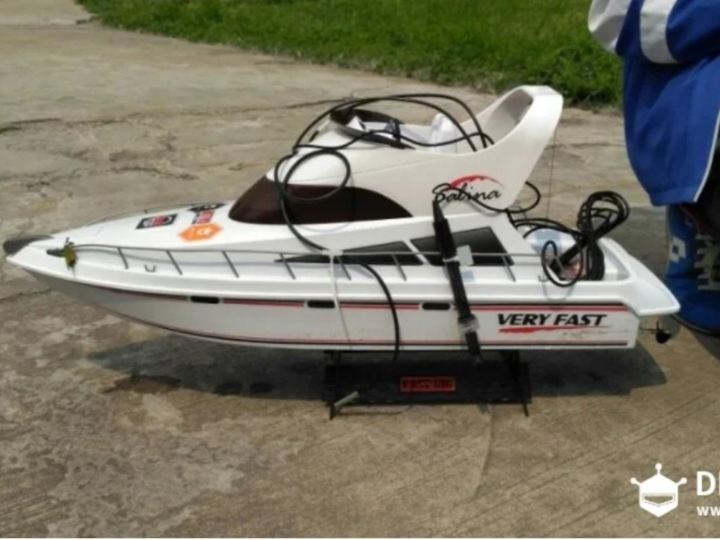
This project converts RC boat into a water quality monitoring boat.
3
Components
Hardware components
DFRobot - Gravity: IO Expansion Shield for Arduino V7.1
x 1


DFRobot - DFRduino UNO R3 - Compatible with Arduino Uno
x 2
DFRobot - Gravity: 1602 LCD Keypad Shield For Arduino
x 1
DFRobot - APC220 Radio Communication Module
x 1
DFRobot - Gravity: Analog pH Sensor / Meter Pro Kit for Arduino
x 1
DFRobot - Gravity: Analog ORP Sensor Meter For Arduino
x 1

DFRobot - Gravity: Waterproof DS18B20 Sensor Kit
x 1
DFRobot - 7.4V Lipo 2500mAh Battery (Arduino Power Jack)
x 1

DFRobot - 7.4V Lipo Battery Charger
x 1
DFRobot - TF card
x 1
DFRobot - DFRduino Ethernet Shield V3.0 - W5100S (Support Mega and Micro SD)
x 1
General - RC boat
x 1
Project description
Components:
- RC boat
- DFRduino UNO R3(similar as Arduino UNO R3) *2
- Gravity: IO Expansion Shield for Arduino V7.1 *1
- 1602 LCD Keypad Shield For Arduino*1
- APC220 Radio Communication Module *1
- Gravity: Analog pH Sensor / Meter Pro Kit For Arduino *1
- Gravity: Analog ORP Sensor Meter For Arduino *1
- Waterproof DS18B20 Sensor Kit*1
- 7.4V Lipo 2500mAh Battery *1
- 7.4V Lipo Battery Charger *1
- TF card *1
DFRduino Ethernet Shield V2.1 *1
The RC boat is driven into the water area for sample collection through the original remote-control unit, and the boat carries relevant sensors to transmit relevant indexes on water quality to the remote-control terminal wirelessly. Meanwhile, the acquired data is also stored in local TF card, making convenience for water quality data analysis.
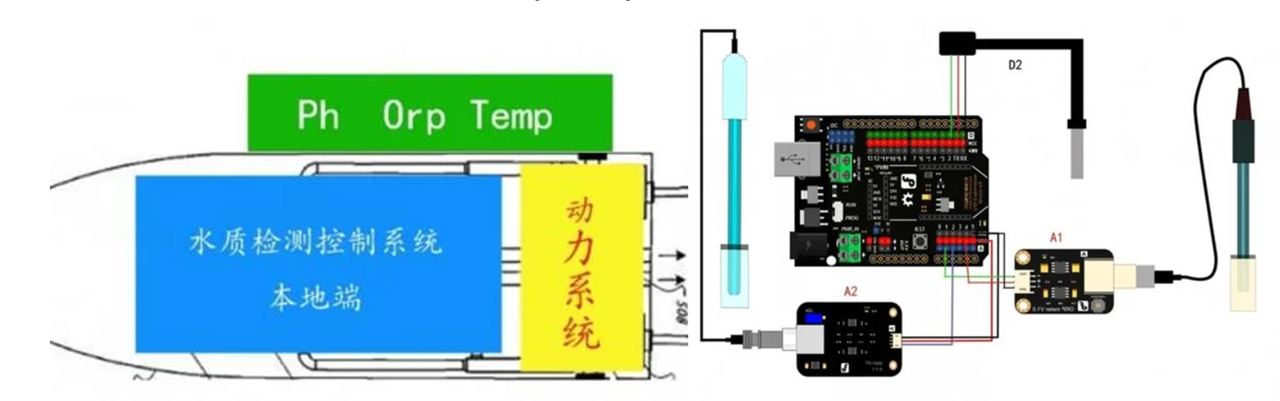
1. Acquisition Terminal
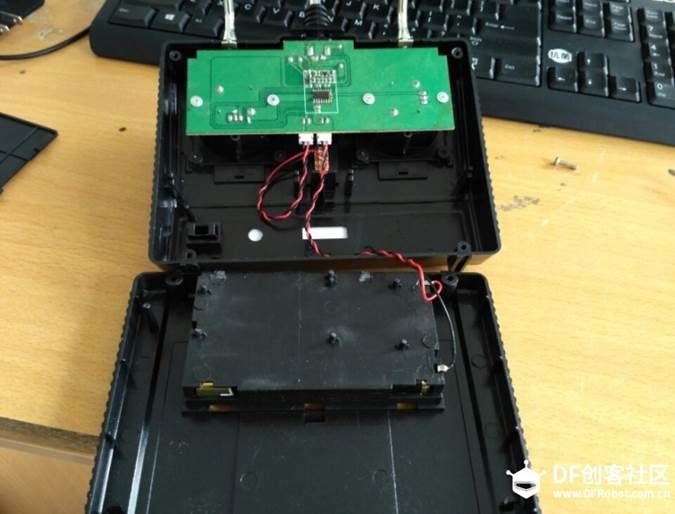
2. Remote Control Terminal
3. Configuration of Data Transmission Module
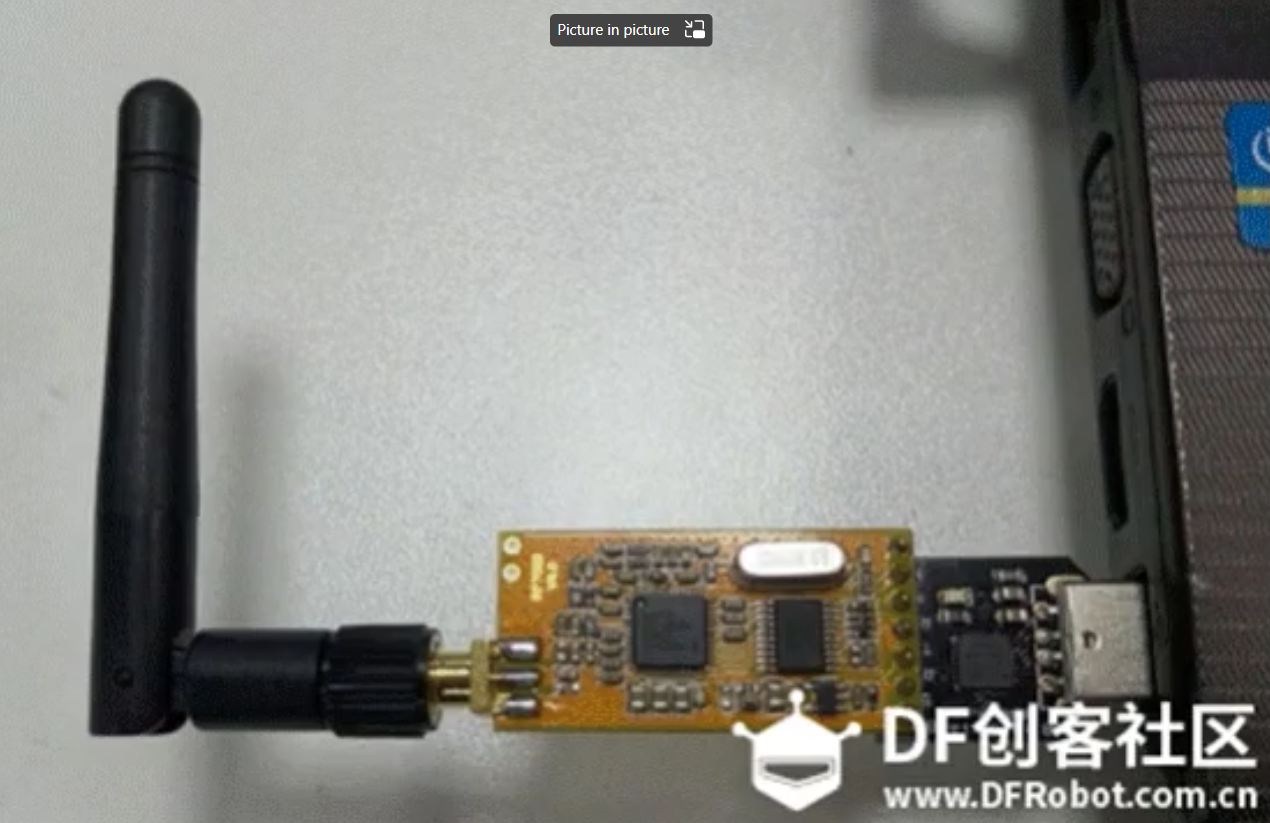
1. Wind the antenna on APC220, insert it into the USB to serial port and then into your computer.
2. Download and install the drive of USB to serial port. The attachment CP210x_Windows_Drivers is the corresponding drive program
4. Open the Device Manager to Find Number of Your USB to Serial Port (COM8 Here)
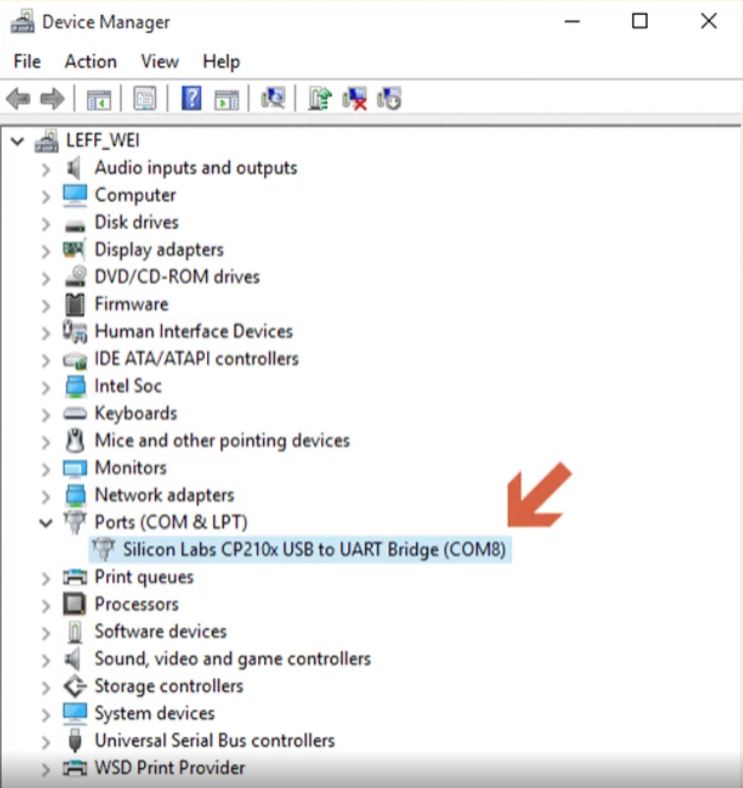
5. Open the Application Program APC22X_V12A.exe (i.e.: RF-magic) to Carry Out Corresponding Configuration
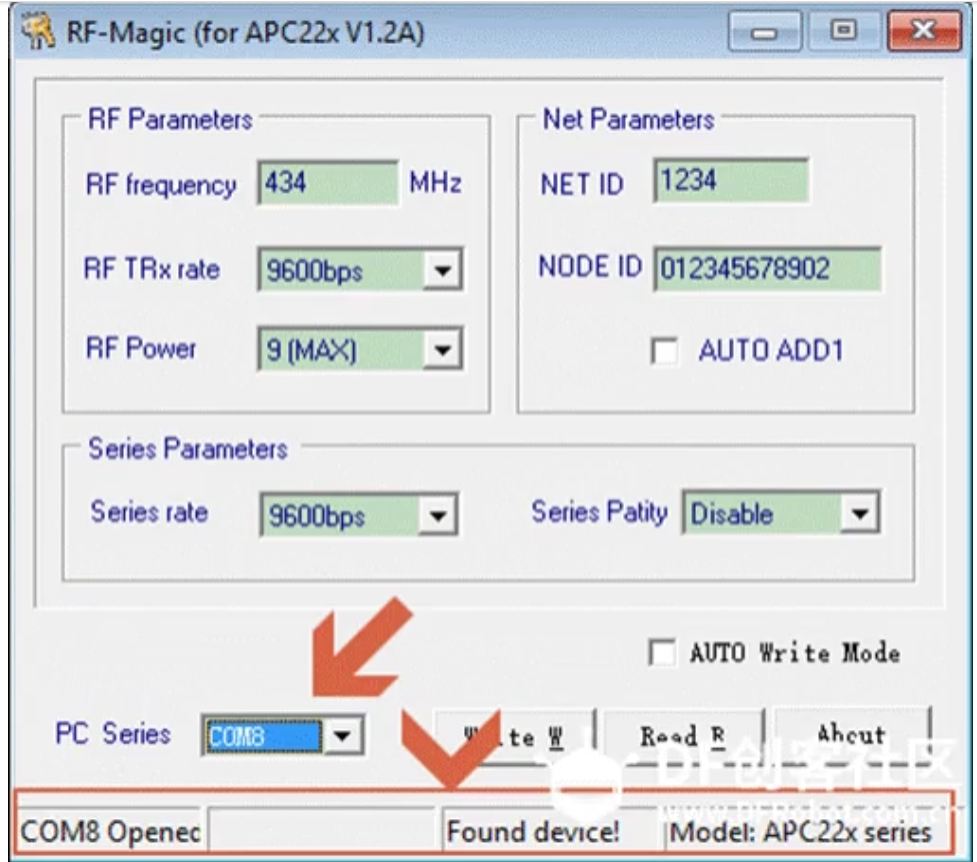
6. Click “Write W” As Per the Parameters Configuration (defaulted Value) in the Red Marker Below.
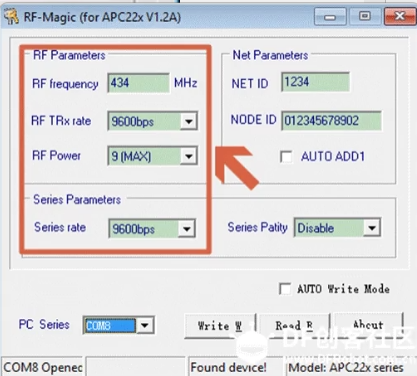
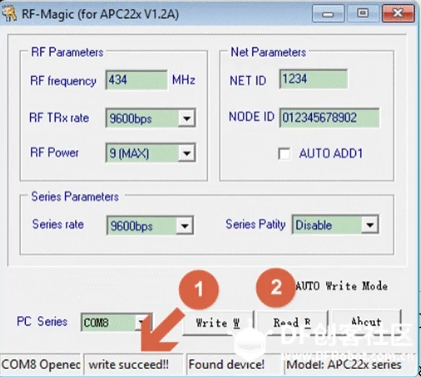
7. Make the Same Configuration for Another Piece of APC 220
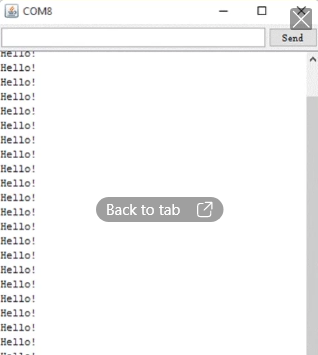
8. Communication Test: Insert One Piece in to the Computer and Another Piece in to Arduino
9. Installation Test
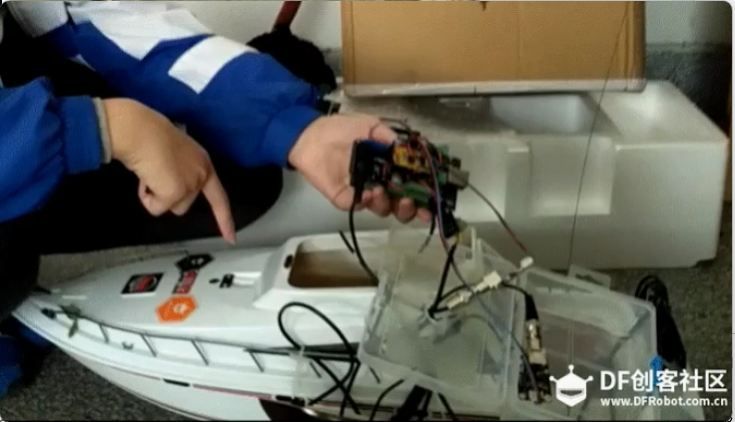
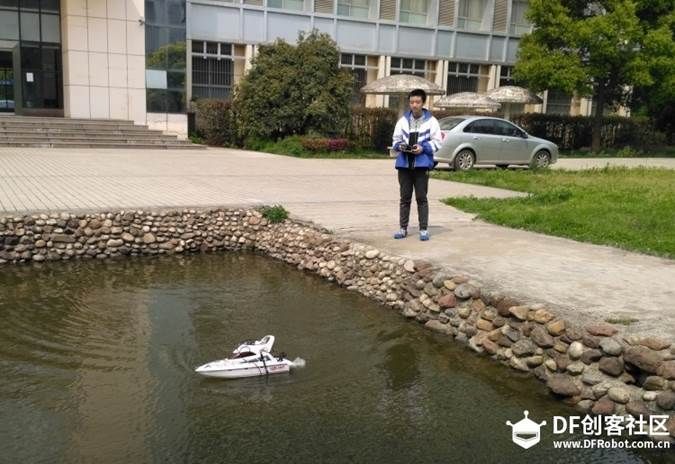
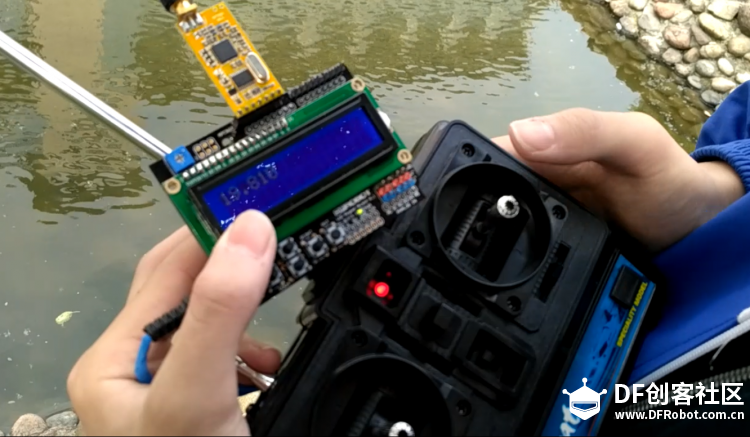
The RC boat is modified, so we place the data acquisition control part in the boat body. Meanwhile, to guarantee the waterproofness of electrical part, it is recommended to put it in the water-proof box. Sensors of boat traverse through the hole position of boat and are fixed on both sides of boat, as shown.
Put the boat on the water, and drive to the designated water area to acquire corresponding water quality indexes.
The remote-control reception terminal receives the data transmitted by the acquisition terminal real-timely.
