APDuino on WiFi / 3G - Workaround
This workaround can be applied to get a wireless (WiFi or even 3G) connection "converted" to wired Ethernet.
2
Components
Hardware components
Arduino - Arduino Mega 2560
x 1

WIZnet - W5100 ethernet shield
x 1
Wireless Repeater - TP-Link TL-WR702N
x 1
Project description
Background:
Arduino is already easy to program in order to read sensors, generate signals and control devices. Anyway, this still needs some programming skills. If you only need to have an easy and fast access to peripherals without need to program, you should consider using APDuino.
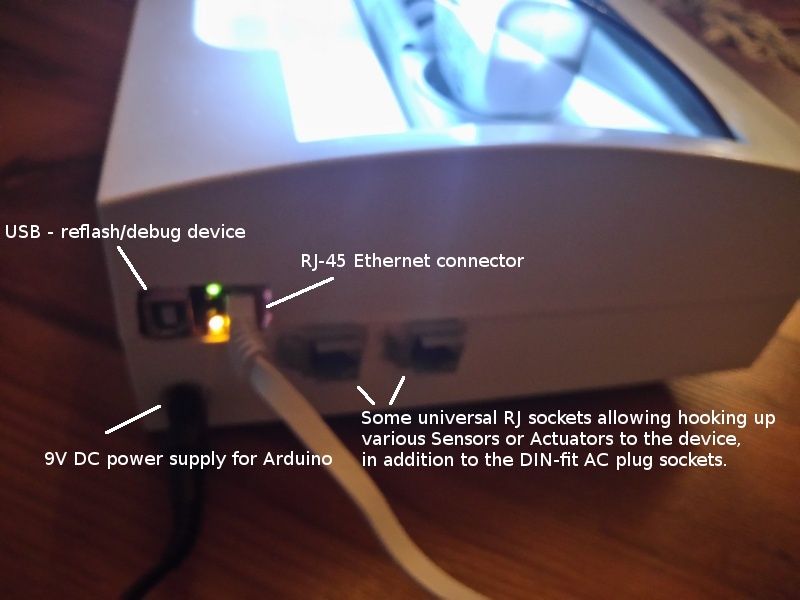
As APDuinOS (from the APDuino Project) only supports wired Ethernet as of now, the following workaround can be applied to get a wireless (WiFi or even 3G) connection "converted" to wired Ethernet that can be plugged into the Arduino EtherShield fit on the Arduino Mega 2560.
Components:
- Arduino Mega 2560 + Ethernet Shield
- Wireless Repeater (TP-Link TL-WR702N used in this example)
- Ethernet cables
- Respective power adapters
Project description and configuration:
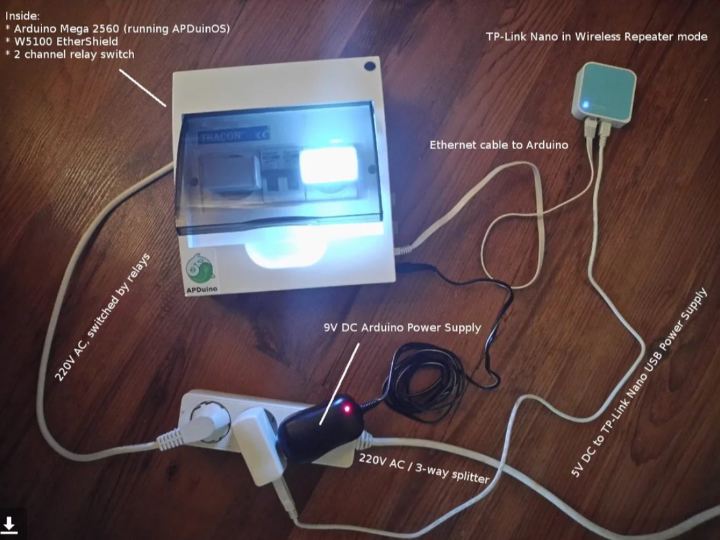
- The above image shows an APDuino Device connecting to a WiFi wireless network, using a TP-Link Nano wireless router that supports WiFi repeater/bridge mode.
- In repeater or bridge mode, the TP-Link Nano (or other such product) connects to an existing wireless network provided by your Wireless Home Gateway or Broadband Router and in effect it connects wireless and wired clients (connected via the RJ-45 socket on the Nano) connecting to the Nano into the network provided by the repeated/bridged Access Point.
- So, the Nano's RJ-45 socket will become a LAN port, that can be used to hook the Arduino to our network.
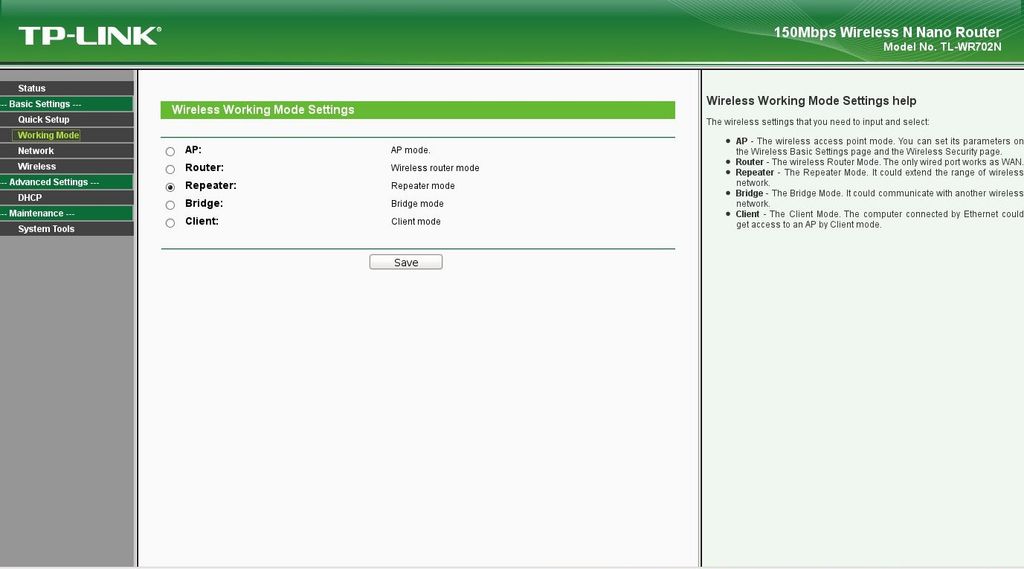
Wireless Repeater Setup / Wireless Mode
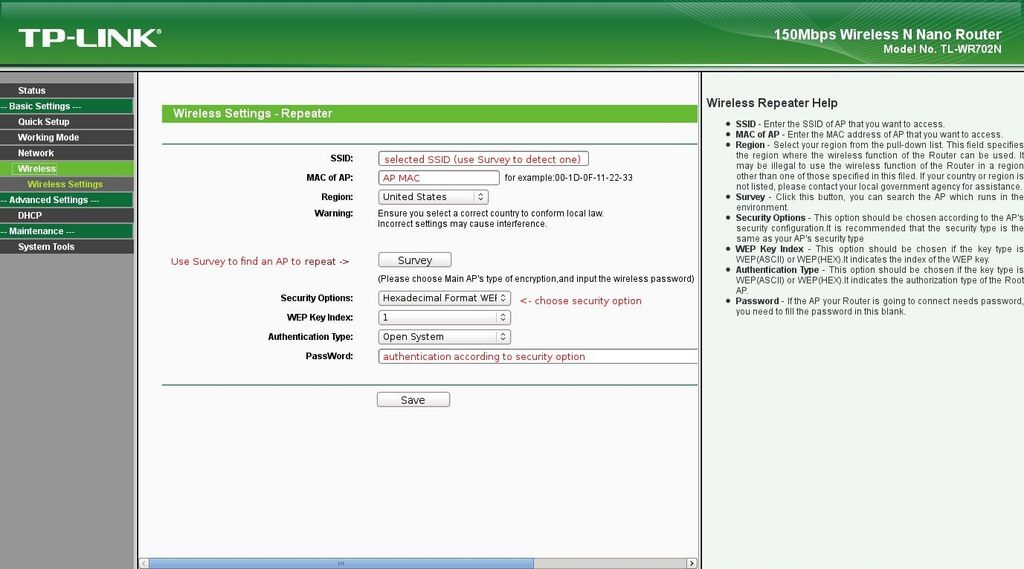
Wireless Repeater Setup / Wireless Settings
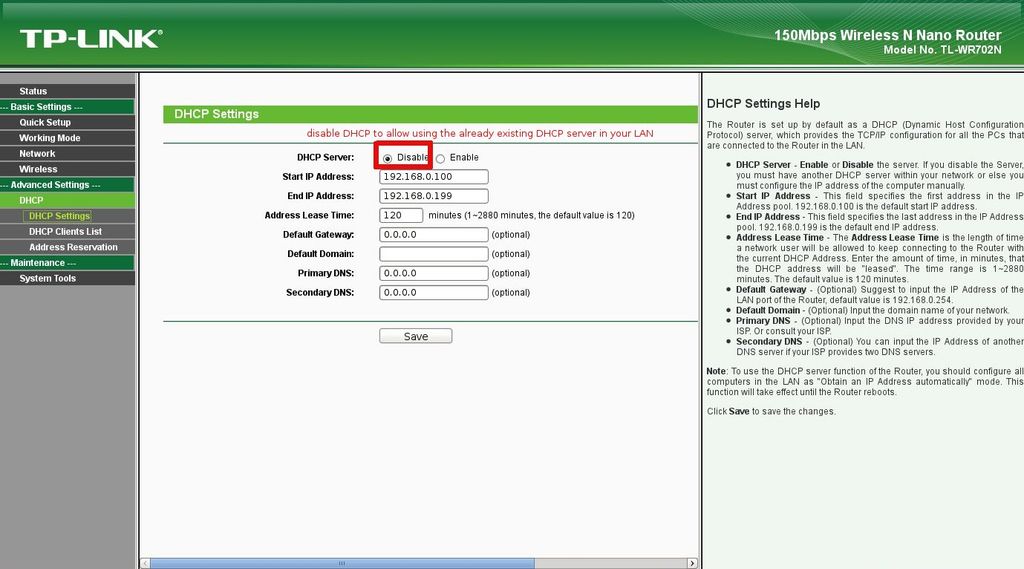
Wireless Repeater Setup / DHCP Settings
Result:
Additional Options (3G):
Given that modern cell phones can tether Internet as a WiFi AP, the bridged access point might as well be a 3G-connected Android mobile providing ultimate mobility for your APDuino device.
Also, there are various other WiFi Repeater models with 3G USB Modem support, so that can be an even more convenient option. Check out the APDuino Shop for networking devices (watch out for cellular standards, etc.).

