How to Connect Vector’s VS20 Industrial RTU to Ethernet with WIZ107SR
Vector VS20 CONV-SE uses WIZ107SR to bridge RTU serial communication to 10/100 Mbps Ethernet for industrial monitoring.
0
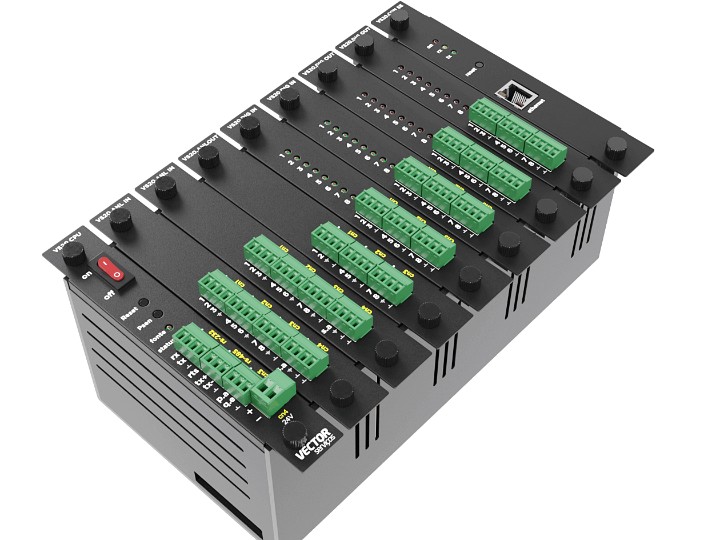
Components
Hardware components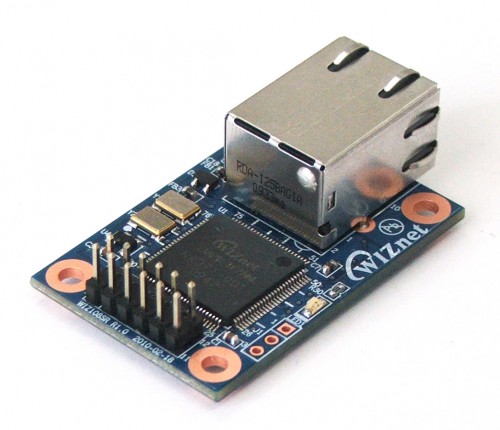
WIZnet - WIZ107SR
x 1

Project description
Step 1: Understanding the VS20 Hardware and WIZ107SR
Vector Serviços’ VS20 is a modular remote terminal unit for industrial monitoring and control, including water and wastewater applications. It supports configurable CPU, digital I/O, analog I/O and communications modules. Vector’s MASTER supervisory system handles application-level monitoring, schedules and control functions.
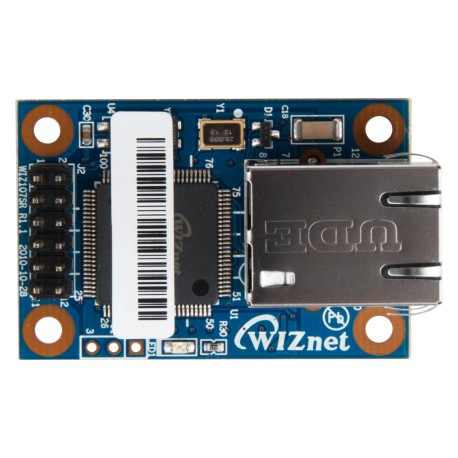
The VS20 operational documentation identifies the WIZ107SR within the CONV-SE Ethernet/serial converter. The WIZ107SR is a complete serial-to-Ethernet module built around WIZnet’s W7100A iMCU. It provides an RS-232-facing serial interface and RJ45 Ethernet connection; its integrated W7100A implements hardwired TCP/IP functions.
| Parameter | Documented detail |
|---|---|
| Ethernet module | WIZ107SR, based on W7100A |
| External serial interface | RS-232 |
| Ethernet | 10/100 Mbps interface (module specification) |
| Serial rate | Up to 230 kbps (module specification) |
| Networking modes | TCP server/client/mixed, UDP; static IP or DHCP |
| VS20 CPU supply | 24 VDC (VS20 specification; not WIZ107SR supply) |
Important: Ethernet link speed is not the same as serial throughput or actual VS20 telemetry performance. Vector’s 2024 catalog separately mentions an ESP32 CPU, but the available documents do not establish that this CPU and the WIZ107SR converter occur in the same hardware revision.
Step 2: Serial-to-Ethernet Architecture
The supported functional path is VS20 controller serial communications → CONV-SE / WIZ107SR → Ethernet LAN → supervisory system. This is a high-level interpretation of the manufacturer’s documentation, not a verified internal wiring schematic.
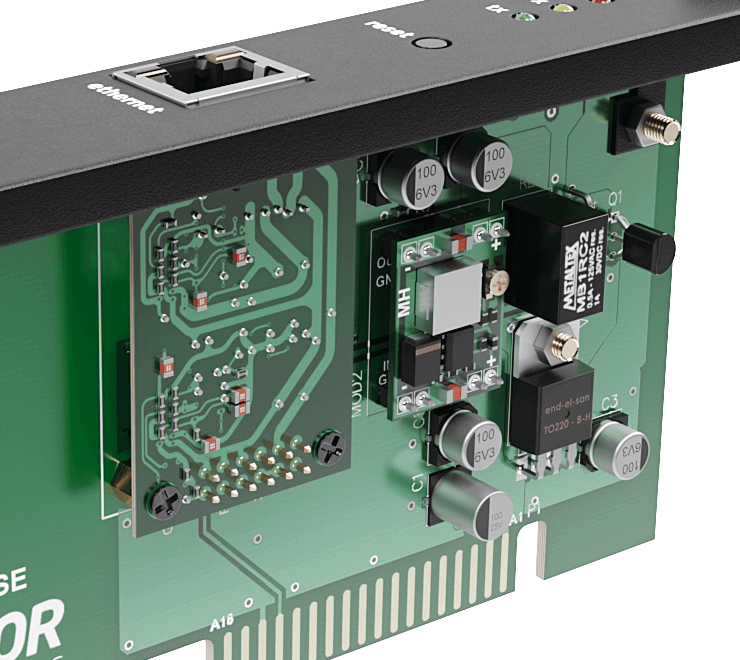
Architecture diagram alt text: Vector VS20 RTU controller communicates over a serial interface to a CONV-SE converter containing a WIZ107SR RS-232-to-Ethernet module; the WIZ107SR connects by RJ45 to an Ethernet LAN and supervisory computer. No direct ESP32-to-WIZ107SR SPI interface is established.
Step 3: Software and Network Configuration
The WIZ107SR user manual describes configuration of IP addressing, operating mode and serial parameters. A deployment must match serial baud rate, framing and flow control to the VS20’s supported converter configuration, and configure the network endpoint to match the supervisory software. Vector’s actual deployed values were not published in the inspected material.
; Conceptual WIZ107SR configuration checklist — NOT extracted VS20 firmware
; Values below are placeholders, not confirmed Vector settings.
[network]
mode = TCP_SERVER_OR_CLIENT_AS_REQUIRED
ip_assignment = STATIC_OR_DHCP
port = CONFIGURE_FOR_SUPERVISORY_SYSTEM

[serial]
interface = RS232
baud_rate = MATCH_VS20_CONFIGURATION
flow_control = MATCH_VS20_CONFIGURATION
This is a conceptual configuration checklist, not executable WIZ107SR firmware or a verified VS20 configuration export. The WIZ107SR is a serial gateway module; the source does not provide a project-specific WIZnet ioLibrary initialization sequence. Likewise, a serial-to-Ethernet bridge does not by itself establish Modbus TCP protocol conversion.
Step 4: Industrial Deployment Considerations
The WIZ107SR provides a hardware-based Ethernet transport option without requiring the RTU’s application logic to directly implement Ethernet signaling. The W7100A’s hardwired TCP/IP architecture is a documented chip feature; reduced CPU load, improved latency or power savings have not been measured for this VS20 implementation.
Before specifying or servicing a unit, confirm the installed CONV-SE revision, the converter’s electrical interface and serial settings, the available supervisory protocol, and the product’s lifecycle status with Vector. WIZnet lists WIZ107SR as discontinued and references WIZ750SR as a successor; this does not prove the VS20 is discontinued or that WIZ750SR is a drop-in replacement.
FAQ
Q1: Why use WIZ107SR in an industrial RTU?
WIZ107SR provides a ready-made RS-232-to-Ethernet gateway using the W7100A hardwired TCP/IP iMCU. In the documented VS20 CONV-SE configuration, this creates a separate network-facing module for serial communication. It can simplify system partitioning by separating the controller’s application logic from network transport, although Vector has not published its component-selection rationale or measured offload gains.
Q2: How is WIZ107SR connected to the Vector VS20?
WIZ107SR is documented inside the VS20 CONV-SE Ethernet/serial converter, not as a directly SPI-connected Ethernet chip. Its published module interface is RS-232 on the serial side and RJ45 on the Ethernet side. The high-level path runs from the RTU’s serial communications through the converter to the LAN. Exact internal wiring and connector pin assignments are not publicly verified.
Q3: What throughput and performance does WIZ107SR provide?
WIZ107SR supports a 10/100 Mbps Ethernet interface and serial communication up to 230 kbps, according to module documentation. Those are interface capabilities, not measured end-to-end VS20 telemetry throughput. Effective performance depends on serial settings, packetization, application protocol and network conditions. No VS20-specific latency, power or bandwidth benchmark was available in the reviewed sources.
Q4: Does WIZ107SR improve network stability or security?
WIZ107SR integrates hardwired TCP/IP functions in its W7100A-based module, reducing the need for the connected controller to implement those transport functions itself. This can offer a useful architectural separation, but it does not automatically guarantee deterministic application timing or cybersecurity. Network segmentation, access control, firmware lifecycle and application-level protections remain necessary; VS20-specific stability and security tests were not published.
Q5: How does WIZ107SR compare with Wi-Fi or SPI Ethernet controllers?
WIZ107SR targets serial equipment that needs wired Ethernet connectivity, while SPI Ethernet chips such as W5500 connect to a host MCU through SPI. Wi-Fi avoids Ethernet cabling but introduces wireless coverage and radio-environment considerations. The documented VS20 design uses a serial-facing converter; replacing it with an SPI controller or another module would require hardware and firmware compatibility review, not just a component substitution.
References
Vector Serviços — VS20 product page · VS20 operational manual · VS20 2024 catalog · WIZ107SR product documentation · WIZ107SR user manual · MASTER manual PDF (p. 178)
