Wake On LAN enabled button
Wake On LAN
1
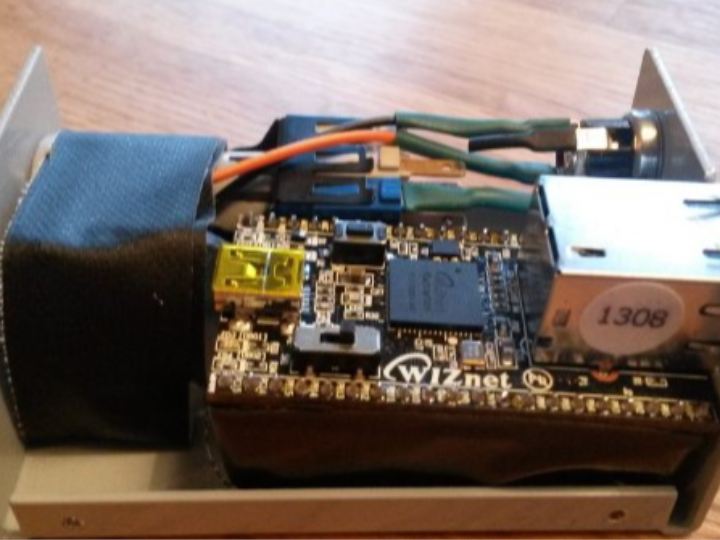
Components
Hardware componentsWIZnet - iMCU7200EVB
x 1
Project description
이 프로젝트는 LAN 케이블을 통해 컴퓨터를 켜는 소형 임베디드 디바이스를 만드는 것이 목표입니다. 이미 이를 위한 표준인 'Wake On Lan'이 존재하지만, 프로젝트 작성 당시 이를 위한 소형의 디바이스는 찾을 수 없어, 저자는 스스로 만들기로 결정했습니다.
(chatGPT를 사용해 참고사항으로 WoL에 대해 간략하게 찾아보았습니다.
Wake-on-LAN (WoL)은 특별한 네트워크 메시지인 "매직 패킷"으로 컴퓨터를 저전력 상태에서 깨우거나 완전히 전원이 꺼진 상태에서 켤 수 있는 기준입니다. 이는 네트워크 관리자가 네트워크상의 컴퓨터 전원 상태를 원격으로 관리하는데 종종 사용됩니다. Wake-on-LAN을 사용하려면 대상 컴퓨터의 네트워크 인터페이스 카드(NIC)가 이 기능을 지원해야 하며, 컴퓨터의 BIOS 또는 UEFI 설정에서 활성화되어 있어야 합니다. 제가 가장 최근에 훈련받은 2021년 9월까지의 데이터로는, Wake-on-LAN은 일반적으로 유선 이더넷 연결에서만 작동하며 Wi-Fi에서는 작동하지 않습니다.)
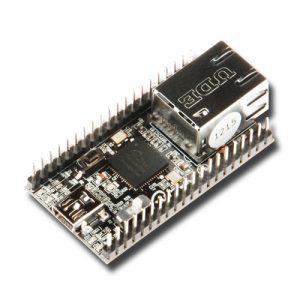
저자가 사용한 것은 iMCU7200EVB 개발 보드입니다.
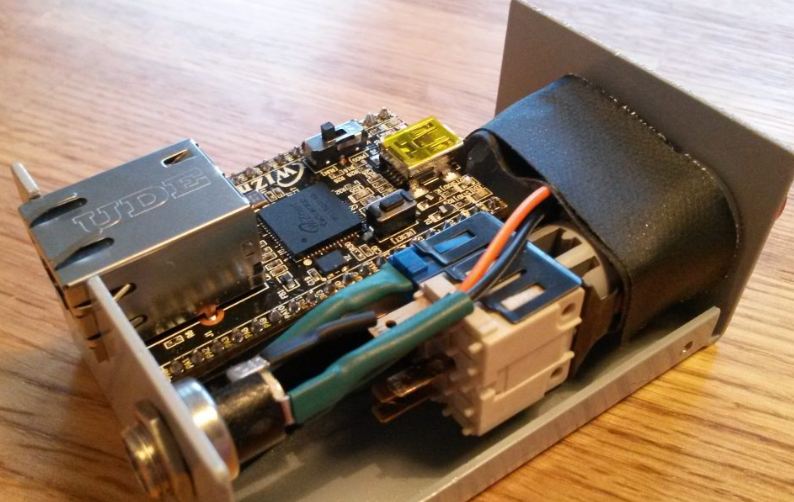
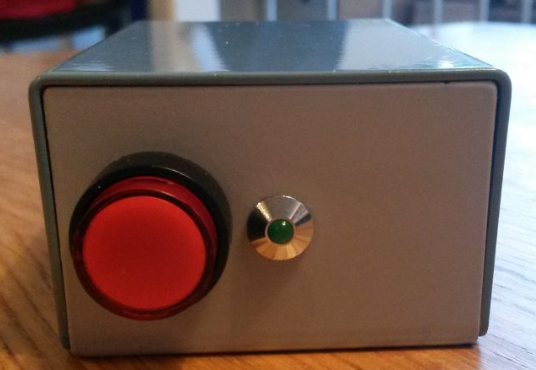
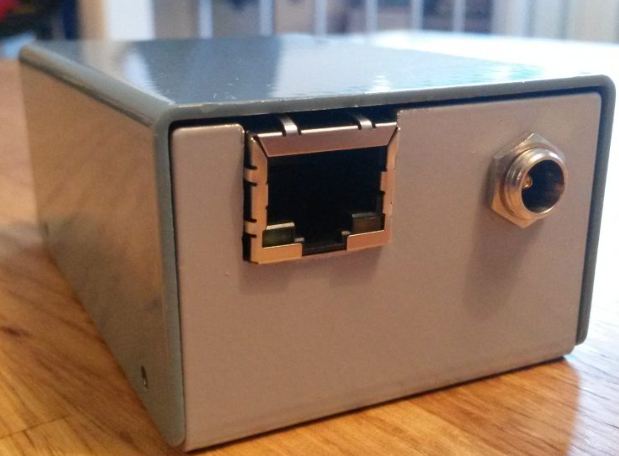
다른 필요한 부품들은 케이스, 버튼, 전원 커넥터이며, 이 모든 부품은 저자가 이미 가지고 있던 재료를 활용했습니다.
펌웨어는 자사에서 제공하는 앱 노트의 수정 버전입니다.
저자는 자사의 Wake On Lan 구현은 부분적으로 잘못되었으며, 저자는 이를 수정해 완벽한 이더넷 프레임 구조를 갖춘 매직 패킷을 구현했다고 합니다.
또한, 저자는 MCU가 패킷을 보내지 않는 동안 절전 모드로 들어가는 기능을 구현하였고, 이는 대부분의 시간동안 전력을 절약할 수 있게 했습니다.
간단하게 구현하여 코드가 정리되지 않아 공개하지 않는다고 하지만 개인 메일로 연락하면 코드를 공유한다고 합니다.
The project aims to create a small embedded device that turns on a computer over a LAN cable. There is already a standard for this, "Wake On Lan", but at the time of writing the project, no small device for this could be found, so the author decided to create his own.
(I used chatGPT to do a quick browse of WoL for reference.
Wake-on-LAN (WoL) is a standard that allows a computer to be woken up from a low-power state or turned on from a fully powered down state by a special network message known as a "magic packet." This is often used by network administrators to remotely manage the power state of computers on the network. To use Wake-on-LAN, the target computer's network interface card (NIC) must support this feature, and it must be enabled in the computer's BIOS or UEFI settings. As of my last training data in September 2021, Wake-on-LAN generally only works on wired Ethernet connections, not Wi-Fi.)
The author used the iMCU7200EVB development board.
The other necessary parts are the case, buttons, and power connector, all of which utilized materials the author already had on hand.
The firmware is a modified version of our app notes.
The author says that their Wake On Lan implementation was partially wrong, and the author fixed it and implemented magic packets with a complete Ethernet frame structure.
The author also implemented the ability for the MCU to go to sleep while not sending packets, which saves power most of the time.
Due to the simplicity of his implementation, he says he doesn't publish his code because it's not very organized, but he will share it if you contact him via private email.
