VLAN Testing Project (Based on W5500)
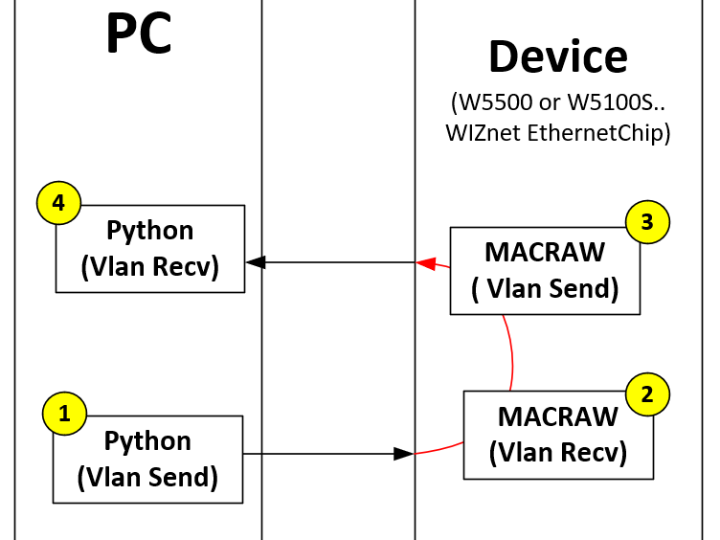
This project tests VLAN tagging and handling in MACRAW using the W5500 (Ethernet chip). It employs Python for data processing, Wireshark for packet capture.
0
Components
Hardware components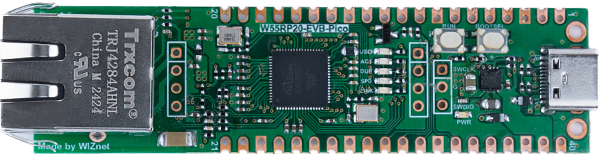
WIZnet - W55RP20-EVB-Pico
x 1

Project description
VLAN Testing Project (Based on W5500)
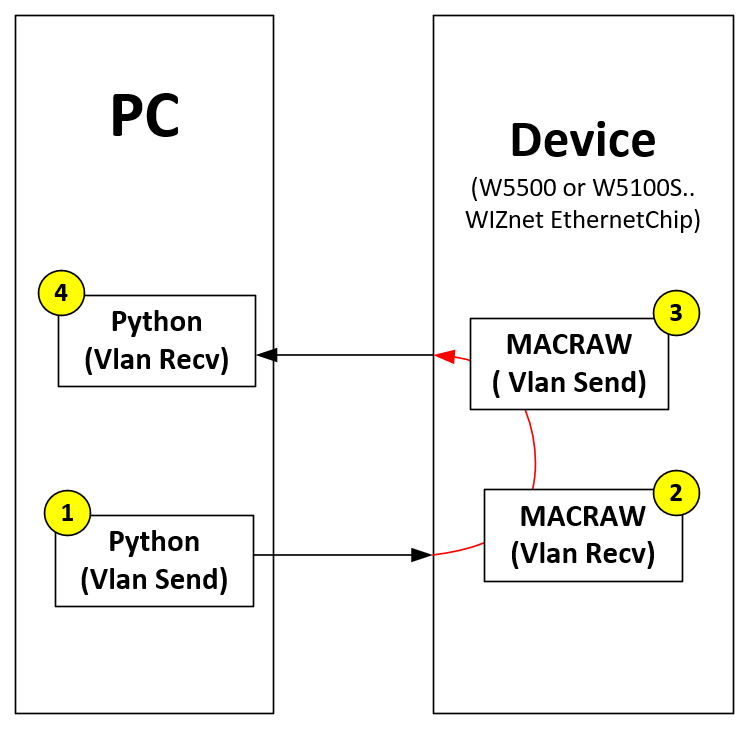
This project tests VLAN tagging and handling in MACRAW mode using the W5500 (Ethernet chip). It employs Python for data processing, Wireshark for packet capture
📋 Table of Contents
🌟 Introduction
This project demonstrates how to send and receive VLAN-tagged Ethernet frames using the W5500 Ethernet chip in MACRAW mode. The workflow involves:
- Sending and receiving Ethernet frames with VLAN tags.
- Analyzing network traffic with Wireshark.
- Capturing and reviewing hardware signals using an oscilloscope.
📂 Project Overview
The project includes the following materials:
Wireshark Capture Files:
.pngfiles for analyzing network traffic.- Example file:
data/vlan_test_capture.png.
Python Scripts:
- Scripts for generating data frames and controlling the W5500.
- Example script:
./py/vlan.py.
🛠️ Setup
Follow these steps to set up the project:
Install Python:
- Python 3.7 or later is required.
- Install the required packages:
pip install pyserial scapy
Install Wireshark:
- Download and install Wireshark from the official website.
🚀 How to Use
Run the Python Script:
- Generate VLAN-tagged frames and send them using the W5500:
python ./py/vlan.py
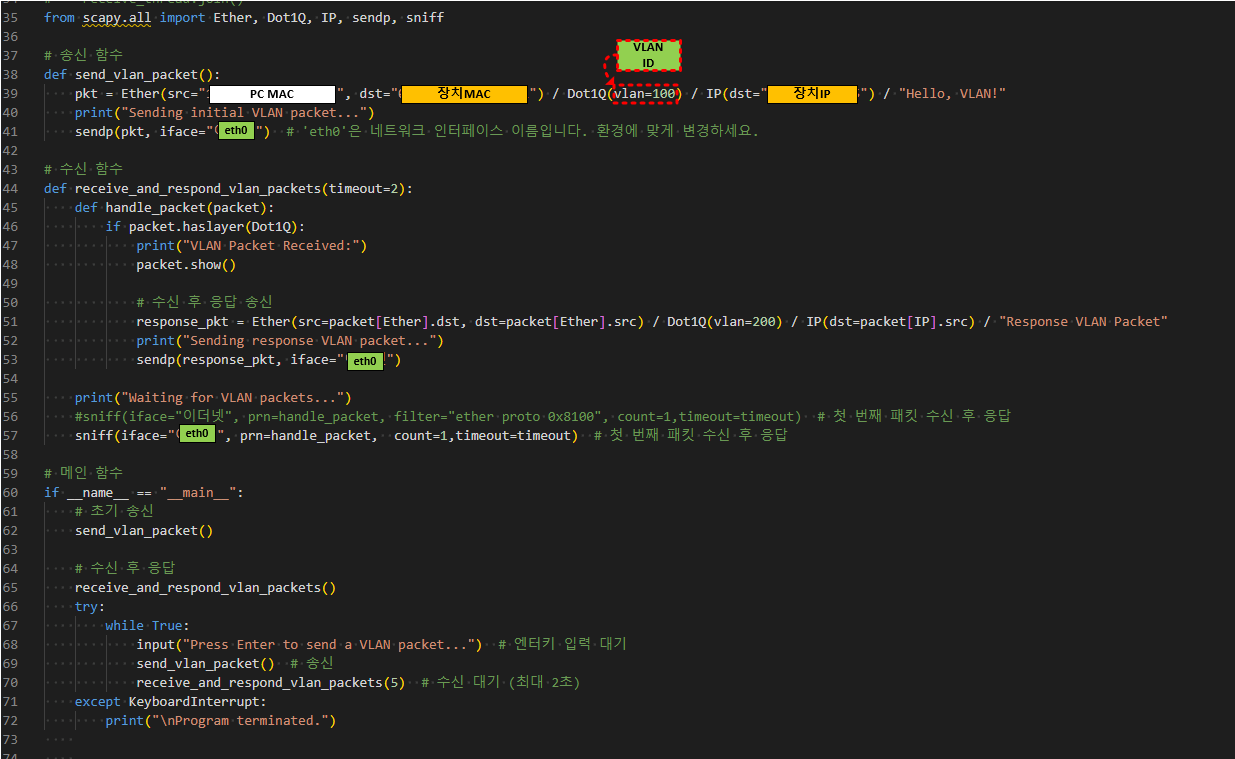
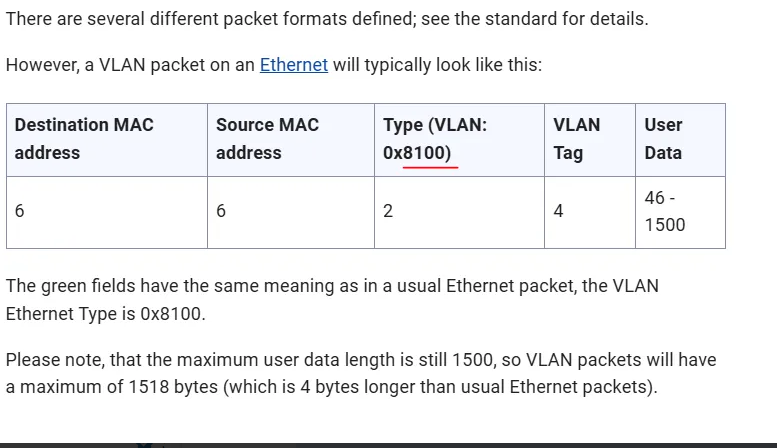
A VLAN packet Frame
Analyze with Wireshark:
- Open Wireshark and capture packets from your network interface.
- Apply a VLAN filter (
0x8100) to isolate VLAN-tagged packets:
vlan
📊 Results
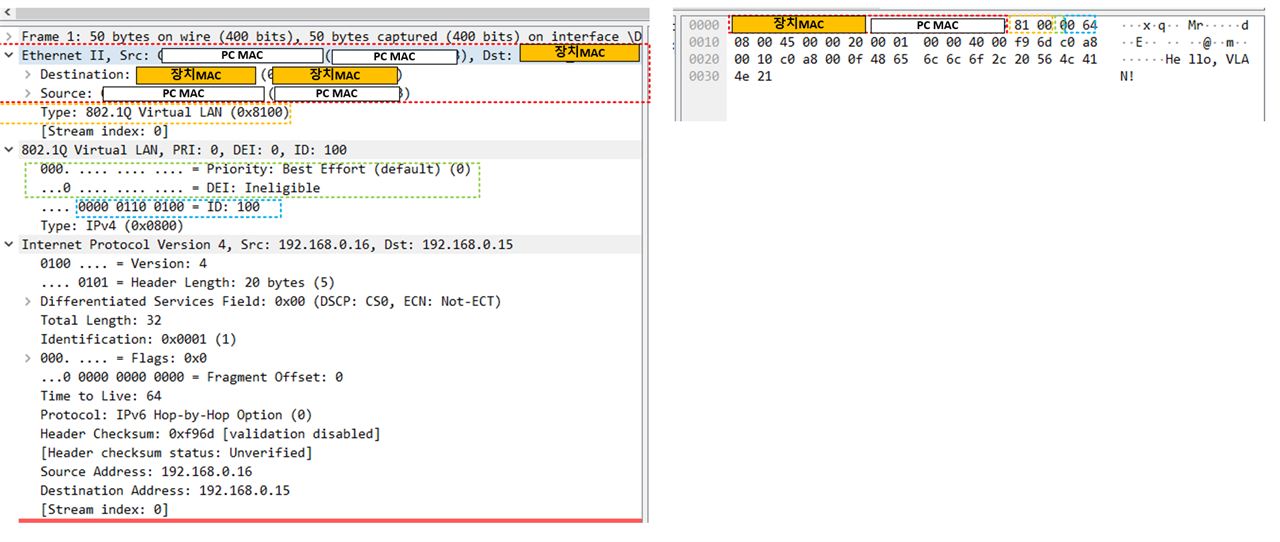
- Wireshark Capture:
- Below is an example of VLAN-tagged packets captured with Wireshark:
- Below is an example of VLAN-tagged packets captured with Wireshark:


