Arduino Interface With MySQL for Storing RFID Access Details
Arduino Interface With MySQL for Storing RFID Access Details
0
Components
Hardware components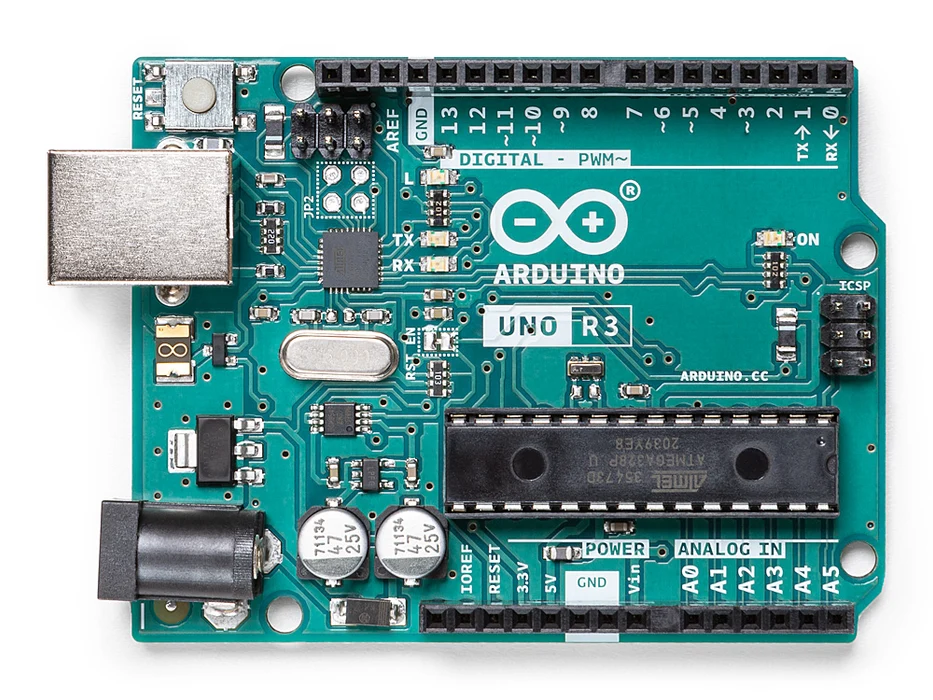
Arduino - Arduino UNO
x 1

Arduino/Genuino Uno is a microcontroller board based on the ATmega328P (datasheet). It has 14 digital input/output pins (of which 6 can be used as PWM outputs), 6 analog inputs, a 16 MHz quartz crystal, a USB connection, a power jack, an ICSP header and a reset button.
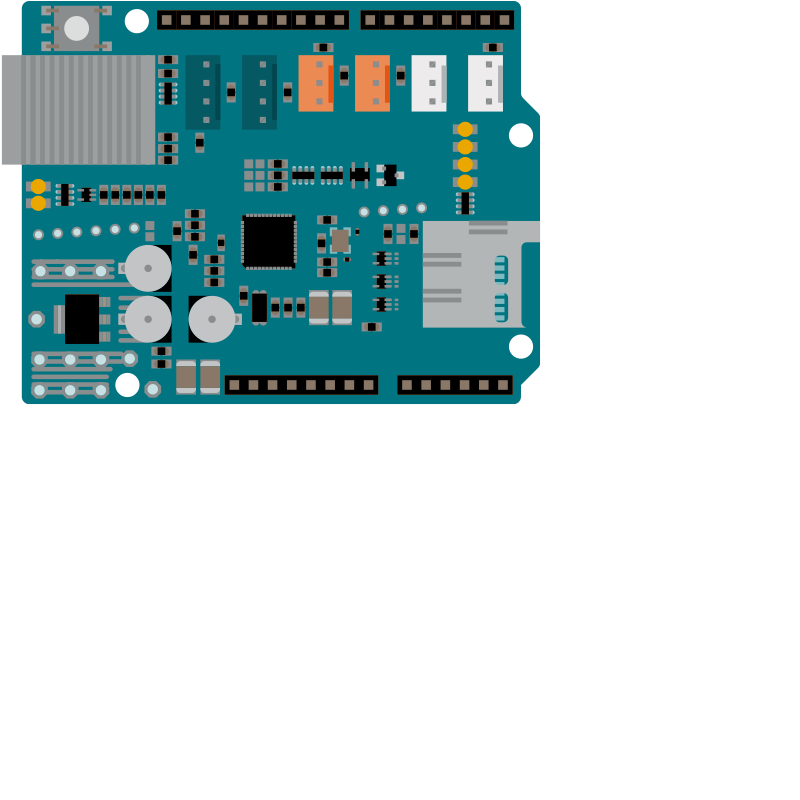
Arduino - Arduino Ethernet Shield 2
x 1
The Arduino Ethernet Shield 2 connects your Arduino to the internet in mere minutes. Just plug this module onto your Arduino Board, connect it to your network with an RJ45 cable and follow a few simple steps to start controlling your world pharmacy through the internet. As always with Arduino, every element of the platform ? hardware, software and documentation ? is freely available and open-source. This means you can learn exactly how it's made and use its design as the starting point for your own circuits. Hundreds of thousands of Arduino Boards are already fueling people’s creativity all over the world, every day.
RC522 Chip IC Card Induction Module RFID Reader
x 1
There are cheap RFID modules that can read and write Mifare's tags and being sold at several web stores, like eBay and included with many "starter kits" nowadays. Simply search RFID-RC522 (MF-RC522). The microcontroller and card reader uses SPI for communication (chip supports I2C and UART protocols but not implemented on library). The card reader and the tags communicate using a 13.56MHz electromagnetic field.

Arduino - Arduino IDE
x 1
You can download the latest Arduino IDE from this link: https://www.arduino.cc/en/Main/Software
Installation of LAMP Server and PHPMYADMIN
x 1
First of all let us clear one thing that we are using LAMP Server for this project. In case if you don't know what is LAMP, it is an abbreviation of Linux, Apache, MySQL and PHP. So if you have windows or may be MAC then you have to install WAMP and MAMP respectively. So what we are explaining that is only for LAMP server: and here are the steps for installing LAMP server 1. Install Apache sudo apt-get install apache2 2. Install MySQL: sudo apt-get install mysql-server 3. Install PHP: sudo apt-get install php5 libapache2-mod-php5 4. Restart Server: sudo /etc/init.d/apache2 restart 5. Check Apache http://localhost/ if you install these steps successfully then you will get the apche page like the image above Here we are using PHPMYADMIN that is the web interface of MySQL so for that you have to install that also and the command for that is: sudo apt-get install phpmyadmin
Project description
ABOUT THIS PROJECT
Documents
-
Code for Project - Arduino
Our source code and documentation are given in the link.
-
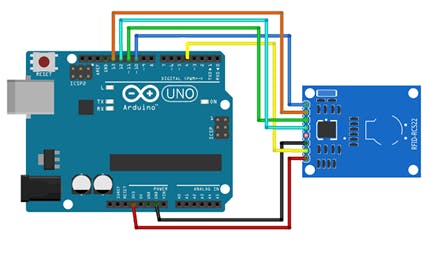
Circuit Diagram of this project
Before connecting Rfid -RC522 connect ethernet shield as shown in previous image Here are the connections of our circuit: RFID-RC522 Arduino UNO Arduino Mega RST ---- 9---- 9 SDA(SS)---- 4/10---- 4/53 MOSI -----11----- 51 MISO ---12---- 50 SCK ----13---- 52 VCC ----3.3 v----- 3.3v GND ----GND---- GND IRQ ----not connected ----- not connected NOTE: As we are using two SPI devices so SDA(SS) is already taken by Ethernet shield so we have to use separate pin for SDA(SS) in case of RFID-RC522 so that there will not be any conflict between SPI devices