아두이노이더넷 쉴드로 기상청 날씨데이타 가져오기
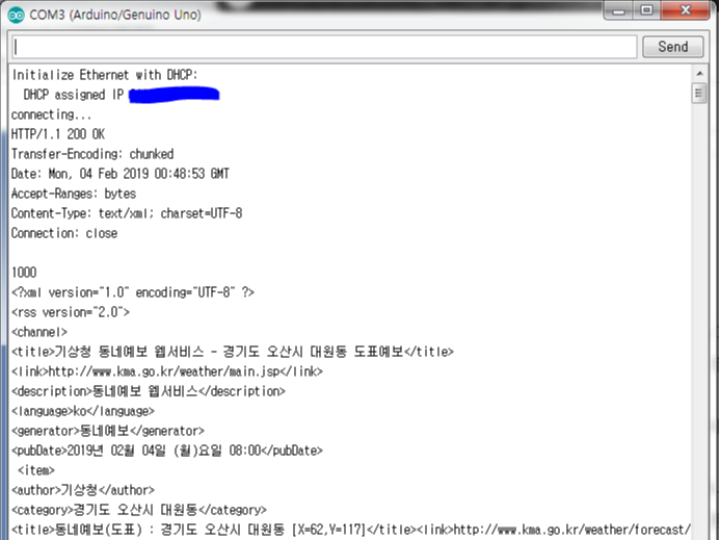
기상청의 공개된 정보를 가져와서 날씨를 표시한다.
2
Components
Hardware components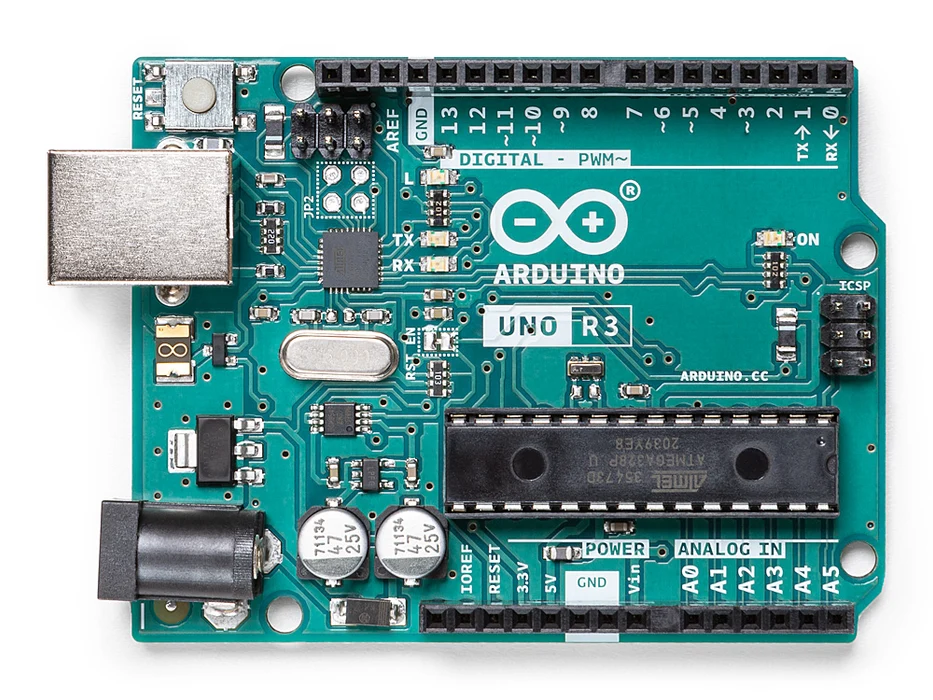
Arduino - Arduino UNO
x 1

WIZnet - W5100 ethernet shield
x 1
Project description
기상청 날씨누리에서 원하는 지역을 선택한 후 RSS데이타를 가져오면 된다.
지금 아두이노 이더넷 쉴드 W5100을 가지고 있으니, 아두이노 우노와 이더넷 쉴드 W5100을 사용하여 날씨정보를 가져와야 겠다.
먼저 아두이노 IDE의 예제중 Ethernet>WebClientRepeating을 사용한다.
/*
Repeating Web client
This sketch connects to a a web server and makes a request
using a Wiznet Ethernet shield. You can use the Arduino Ethernet shield, or
the Adafruit Ethernet shield, either one will work, as long as it's got
a Wiznet Ethernet module on board.
This example uses DNS, by assigning the Ethernet client with a MAC address,
IP address, and DNS address.
Circuit:
* Ethernet shield attached to pins 10, 11, 12, 13
created 19 Apr 2012
by Tom Igoe
modified 21 Jan 2014
by Federico Vanzati
http://www.arduino.cc/en/Tutorial/WebClientRepeating
This code is in the public domain.
*/
#include <SPI.h>
#include <Ethernet.h>
// assign a MAC address for the ethernet controller.
// fill in your address here:
byte mac[] = {
0xDE, 0xAD, 0xBE, 0xEF, 0xFE, 0xED
};
// Set the static IP address to use if the DHCP fails to assign
//IPAddress ip(192, 168, 0, 177);
//IPAddress myDns(192, 168, 0, 1);
// initialize the library instance:
EthernetClient client;
char server[] = "www.arduino.cc"; // also change the Host line in httpRequest()
//IPAddress server(64,131,82,241);
unsigned long lastConnectionTime = 0; // last time you connected to the server, in milliseconds
const unsigned long postingInterval = 10*1000; // delay between updates, in milliseconds
void setup() {
// You can use Ethernet.init(pin) to configure the CS pin
//Ethernet.init(10); // Most Arduino shields
//Ethernet.init(5); // MKR ETH shield
//Ethernet.init(0); // Teensy 2.0
//Ethernet.init(20); // Teensy++ 2.0
//Ethernet.init(15); // ESP8266 with Adafruit Featherwing Ethernet
//Ethernet.init(33); // ESP32 with Adafruit Featherwing Ethernet
// start serial port:
Serial.begin(9600);
while (!Serial) {
; // wait for serial port to connect. Needed for native USB port only
}
// start the Ethernet connection:
Serial.println("Initialize Ethernet with DHCP:");
if (Ethernet.begin(mac) == 0) {
Serial.println("Failed to configure Ethernet using DHCP");
// Check for Ethernet hardware present
if (Ethernet.hardwareStatus() == EthernetNoHardware) {
Serial.println("Ethernet shield was not found. Sorry, can't run without hardware. :(");
while (true) {
delay(1); // do nothing, no point running without Ethernet hardware
}
}
if (Ethernet.linkStatus() == LinkOFF) {
Serial.println("Ethernet cable is not connected.");
}
// try to congifure using IP address instead of DHCP:
Ethernet.begin(mac, ip, myDns);
Serial.print("My IP address: ");
Serial.println(Ethernet.localIP());
} else {
Serial.print(" DHCP assigned IP ");
Serial.println(Ethernet.localIP());
}
// give the Ethernet shield a second to initialize:
delay(1000);
}
void loop() {
// if there's incoming data from the net connection.
// send it out the serial port. This is for debugging
// purposes only:
if (client.available()) {
char c = client.read();
Serial.write(c);
}
// if ten seconds have passed since your last connection,
// then connect again and send data:
if (millis() - lastConnectionTime > postingInterval) {
httpRequest();
}
}
// this method makes a HTTP connection to the server:
void httpRequest() {
// close any connection before send a new request.
// This will free the socket on the WiFi shield
client.stop();
// if there's a successful connection:
if (client.connect(server, 80)) {
Serial.println("connecting...");
// send the HTTP GET request:
client.println("GET /latest.txt HTTP/1.1");
client.println("Host: www.arduino.cc");
client.println("User-Agent: arduino-ethernet");
client.println("Connection: close");
client.println();
// note the time that the connection was made:
lastConnectionTime = millis();
} else {
// if you couldn't make a connection:
Serial.println("connection failed");
}
}

