How to use a serial WiFi Shield(WizFi210)
How to use a serial WiFi Shield(WizFi210)
0

Components
Hardware components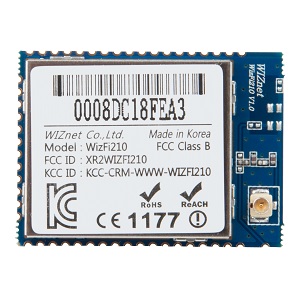
WIZnet - WizFi220
x 1

Project description
DETAILS
In this tutorial you will learn how to use the WizFi210 – serial WiFi Shield with Arduino uno board. This low-cost wifi shield can be easily connected to your WiFi network and communicate with the Arduino uno board through the serial communication protocol. In this tutorial we will control an LED wirelessly from an Android phone/tablet app or from a computer tcp/ip terminal.
For this tutorial you will need:
- Arduino uno
- Breadboard
- WizFi210 Shield or another serial wifi shield/module
- LED
- 220Ohm resistor
Android application
Connect your phone/tablet with the same WiFi network and download the “WiFi TCP/UDP Controller” app from Next Prototypes. You can download it from play store (link here) for free.

