Arduino Motion Control over Ethernet
Arduino Motion Control over Ethernet
0
Components
Hardware components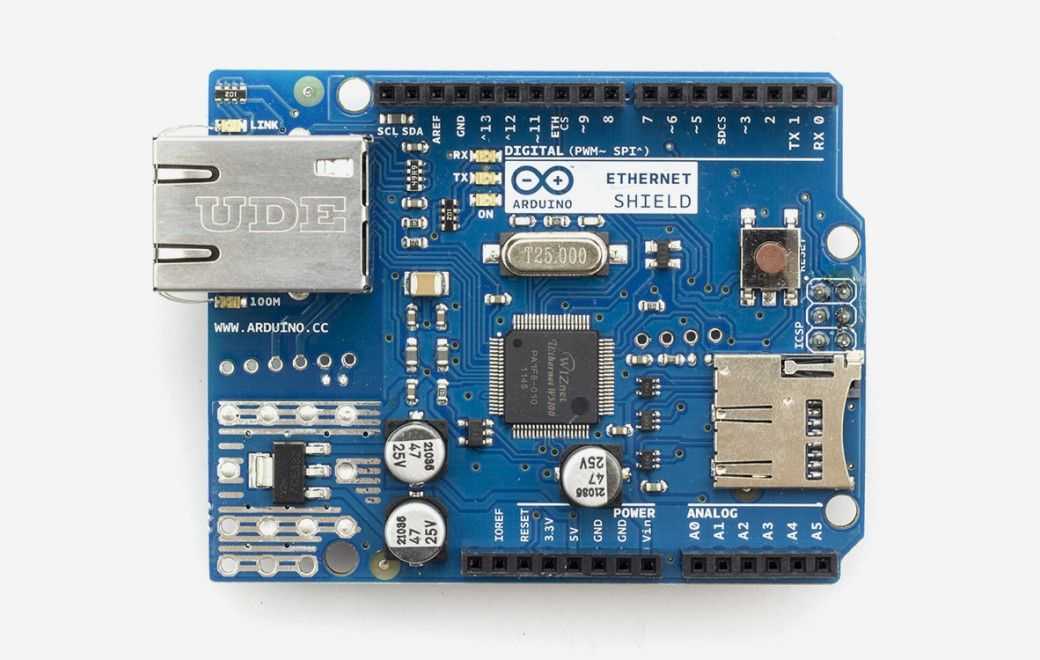
Arduino - Arduino Ethernet Shield
x 1

Project description
This project is an example of machine-to-machine communication.
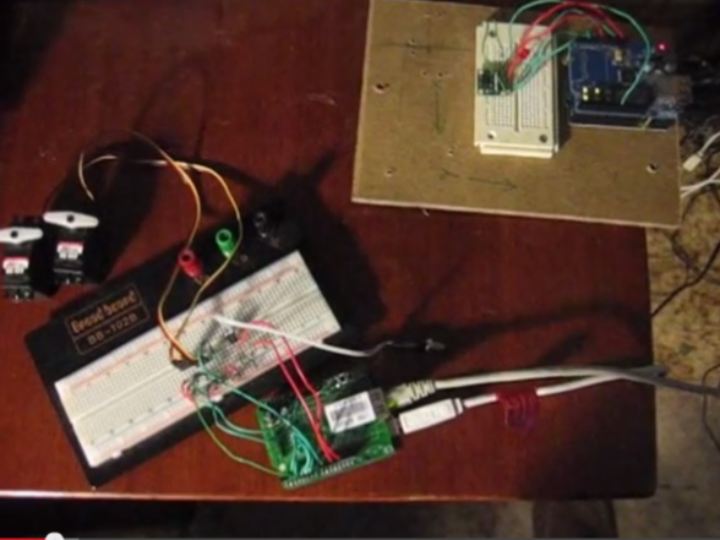
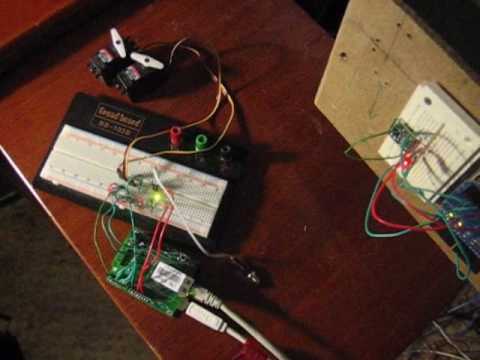
Below is the basic setup of the project. The accelerometer on the “server” controls two servos on the “client”
The servos could be hooked up to any number of things like the X-Y axis of a camera mount or a motion base for a game of some kind. Conceptually, of course, through the magic of the Internet and with the right networking setup, the client could be in New York and the server in Instanbul.

Code
* Simple Ethernet Server
*
* A simple server that shows the value of the analog input pins 0 - 2
* which are connected to an ADXL335 Accelerometer.

by Chris Armour, Jan 2010
*/

#include

byte mac[] = { 0xDE, 0xAD, 0xBE, 0xEF, 0xFE, 0xED }; //Setting the MAC address
byte ip[] = { 192, 168, 0, 177 }; //IP address of the server
int XPin = 0;
int YPin = 1;
int ZPin = 2;
int ValX = 0;
int ValY = 0;
int ValZ = 0;
int ledPin = 9;
char c;

Server server(54321); //This is the port the server listens on.

//==============Setup pins, server & serial ===================//

void setup()
{
Ethernet.begin(mac, ip);
server.begin();
Serial.begin(9600);
pinMode(ledPin, OUTPUT);
digitalWrite(ledPin, LOW);
}

//=====================Main loop =============================//

void loop()
{
digitalWrite(ledPin, LOW); //If there is no client connected the LED is off.
Client client = server.available();

while (client.connected()) {

if (client.available()) {
digitalWrite(ledPin, HIGH);
char c = client.read(); //Read one character at a time.
Serial.print("Value received:  ");
Serial.println(c);

if (c == 'g') { //"g means "get"
ValX = analogRead(XPin);
ValY = analogRead(YPin);
ValZ = analogRead(ZPin);
Serial.print("Value sent:  ");
Serial.print(ValX);
Serial.print(",");
Serial.print(ValY);
Serial.print(",");
Serial.println(ValZ);
client.print(">");
client.print(ValX);
client.print(",");
client.print(ValY);
client.print(",");
client.println(ValZ);
break;
}
if (c == 'x'){ //x means kill the session.
digitalWrite(ledPin, LOW); //turn off the LED
client.flush();
client.stop();
}
}
}
delay(50);
}
The Client
The client is a slightly more complex beast in that it has a switch to initiate a connection, an LED to indicate the connection state and the servos:

/*
A network client based on Adafruit Ethernet Shield using the
Xport ethernet-to-serial adapter. It moves servos based on analog
input from a server with an ADXL335 Accelerometer.

by Chris Armour, Jan 2010
*/

#include
#include
#include
#define XPORT_RXPIN 2
#define XPORT_TXPIN 3
#define XPORT_RESETPIN 4
#define XPORT_DTRPIN 5
#define XPORT_CTSPIN 6
#define XPORT_RTSPIN 7
#define IPADDR "192.168.0.177" //IP Address of the Arduino Server
#define PORT 54321 //IP port of the server

AF_XPort xport = AF_XPort(XPORT_RXPIN, XPORT_TXPIN, XPORT_RESETPIN, XPORT_DTRPIN, XPORT_RTSPIN, XPORT_CTSPIN);

uint8_t ret; //The return variable needs to be formated as a unsigned integer of length 8 bits
int Xval = 0;
int Yval = 0;
int Xservo = 0;
int Yservo = 0;
int buttonPin = 11;
int buttonWas = 0;
int buttonIs = 1;
int ledState = 0; //I believe these are actually flipped 0 = On 1 = off
int ledPin = 13;
boolean ConnectState = false;
char linebuffer[16]; //Very small line buffer because we just need the X-Y readings.
Servo Xservobj;
Servo Yservobj;
int loopCount = 0;

//===============Setup pins, servo, xport ==========//
void setup()
{
 pinMode(buttonPin, INPUT);
 pinMode(ledPin, OUTPUT);
 Serial.begin(9600);
 xport.begin(9600);
 delay(300);
 Serial.println("Finished Setup...");
 Xservobj.attach(9);
 Yservobj.attach(8);
 buttonIs = digitalRead(buttonPin);
}

//===============Functions===================//

void getButton() {
  buttonWas = buttonIs; // Set the old state of the button to be the current state since we're creating a new current state.
  buttonIs = digitalRead(buttonPin); //Read the buttong state.
}

void errorBlink(){ //Flash 4 times for an error
     for (int x=0; x <=3; x++){
   digitalWrite(ledPin, HIGH);
    delay(100);
    digitalWrite(ledPin,LOW);
    delay(100);
   }
}

char * resetXport(){ //Handles the regular reset of the Xport, returns reset errors
        ret = xport.reset();
       switch (ret) {
          case  ERROR_TIMEDOUT: {
           Serial.println("Timed out on reset!");
           errorBlink();
         return 0;
      }
      case ERROR_BADRESP:  {
         Serial.println("Bad response on reset!");
         errorBlink();
         return 0;
    }
  case ERROR_NONE: {
     Serial.println("Reset OK!");
     break;
    }
    default:
      Serial.println("Unknown error");
      errorBlink();
      return 0;
       }
  delay(250);
}


char * ConnectToggle(){ //This function turns the connection on or off

  if (ledState == 1){ //if the LED is off, then the client is not connected.
  resetXport(); //run the reset function
  ret = xport.connect(IPADDR, PORT);
  switch (ret) { //swtich case handles various error states
    case  ERROR_TIMEDOUT: {
     Serial.println("Timed out on connect");
      ConnectState = false;
      errorBlink();
     return 0;
  }
  case ERROR_BADRESP:  {
     Serial.println("Failed to connect");
      ConnectState = false;
      loopCount++;
      Serial.print("Loop count =");
      Serial.println(loopCount);
      ConnectToggle();
      if (loopCount >  2){  //For reasons I have not been able to figure out, it usually takes two tries to connect
         errorBlink();
         ConnectState = false;
         break;
  }
  }
  case ERROR_NONE: {
    Serial.println("Connected...");
    ConnectState = true;
    Serial.println(ConnectState);
    digitalWrite(ledPin, HIGH);
    ledState = 0;
    loopCount = 0;
    break;
  }
  default:
    Serial.println("Unknown error");
     ConnectState = false;
     errorBlink();
    return 0;
 }
 }
  else { //Toggle off connection
    ledState = 1;
    digitalWrite(ledPin, LOW); //turn OFF the LED
    xport.println("x"); //Send the x command that kills the session.
    delay(100);
    xport.disconnect();
    Serial.println("Disconnected.");
    ConnectState = false;
  }
}

void fetchStuff() { //Gets the linebuffer
   xport.flush(100);
   xport.println("g");
   ret=xport.readline_timeout(linebuffer, 16, 200); // get first line
   while(ret!=0){
     ret=xport.readline_timeout(linebuffer,16,200);
  }
}

void moveServos(){ //Note that the server sends out the X, Y & Z values, but Z is not used. It could be.
   Xval = (((linebuffer[1] - 48) * 100) + ((linebuffer[2] - 48) * 10) + (linebuffer[3] - 48)); //Extract X value & convert the ASCII to integers
//  Serial.print("Xval:  ");
//  Serial.println(Xval, DEC);

  Xservo = map(Xval, 275, 425, 0, 180); //Map the range of X values from the server to the servos
   Serial.print("Xservo:  ");
  Serial.println(Xservo, DEC);
  Xservobj.write(Xservo);
  delay(15);

   Yval = (((linebuffer[5] - 48) * 100) + ((linebuffer[6] - 48) * 10) + (linebuffer[7] - 48));//Extract Y value & convert the ASCII to integers
//   Serial.print("Yval:  ");
//   Serial.println(Yval, DEC);

  Yservo = map(Yval, 275, 425, 0, 180); //Map the range of Y values from the server to the servos
   Serial.print("Yservo:  ");
  Serial.println(Yservo, DEC);
  Yservobj.write(Yservo);
  delay(15);
}

//==============Main loop==================//

void loop()   { // run over and over again

getButton(); //Run to check if button has been pressed.

if((buttonIs == 1) && (buttonWas == 0)){
  ConnectToggle(); //If there is a change in the button state, toggle the connection on or off.
}

if (ConnectState == true){ //If the client is connected, do some work!!
  fetchStuff();
  moveServos();
  }
}
For more detail about the project and source code, visit the author’s blog.
http://opensource-torchris.blogspot.kr/2010/01/arduino-motion-control-over-ethernet_21.html
