


Building a Stable Ethernet IoT Camera with W6300-EVB-PICO2 & CircuitPython
Build a reliable Ethernet IoT camera using W6300-EVB-PICO2 (RP2350). This project verifies WIZnet's CircuitPython QSPI driver for stable industrial monitoring.
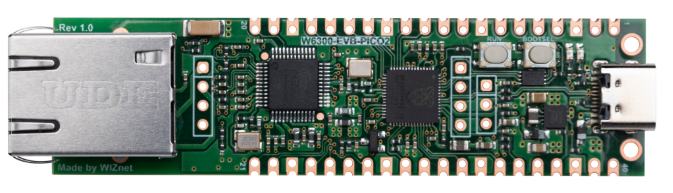
WIZnet - W6300-EVB-Pico2
x 1


Adafruit - Circuitpython
x 1
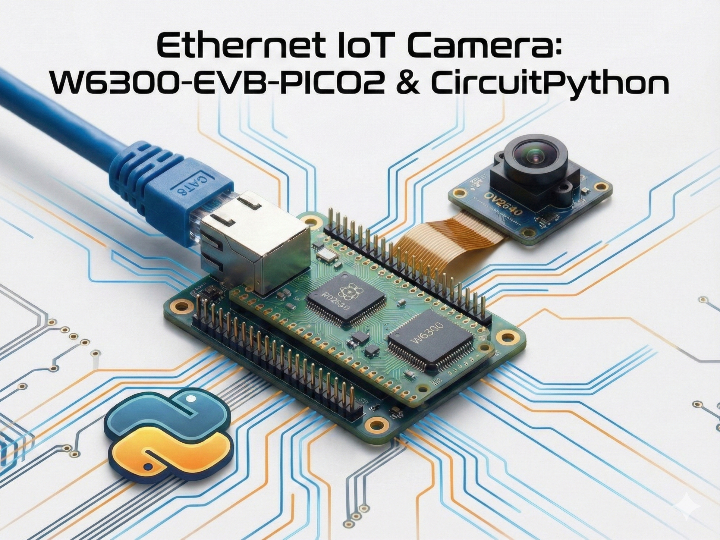
The cover image of this article was generated by Gemini.
3-Line Key Summary
- Project Overview: Analysis of an open-source project verifying that the CircuitPython QSPI driver contributed by WIZnet operates correctly in the RP2350 (Pico 2) environment.
- Technical Features: Implements network connection without extra wiring by utilizing the W6300 all-in-one board and applies dynamic buffer management logic for image transmission in memory-constrained environments.
- Implication: Suggests that Python-based rapid prototyping is feasible when building remote monitoring systems via wired Ethernet in industrial environments where using WiFi is challenging.
1. Background: "Why Wired Ethernet Instead of WiFi?"
General IoT camera projects often use WiFi for convenience. However, wired connections are often essential in industrial environments with severe radio interference or where security is critical.
This project serves as a practical example demonstrating,
"Is stable image transmission possible using Python (CircuitPython) on a board combining RP2350 and W6300 (W6300-EVB-PICO2)?"
- Key Value: It is noteworthy that the project successfully implemented a system that collects camera data and transmits it to the cloud (Adafruit IO) in a wired Ethernet environment, thereby eliminating wireless instability.
2. Hardware and Software Configuration
This project simplified the hardware configuration by using an all-in-one board equipped with the latest MCU, RP2350.
Hardware Configuration
- Main Board: WIZnet W6300-EVB-PICO2 (Integrated RP2350 + W6300)
- Camera: OV2640 (JPEG Image Sensor)
Software Environment (CircuitPython)
This project was developed based on the firmware from the PR (#10610) uploaded by WIZnet to the official Adafruit repository.
- Key Technology: By applying WIZnet's PR firmware instead of the standard firmware, the
wiznet.PIO_SPImodule was enabled. This allowed for the implementation of QSPI (Quad SPI) high-speed communication, securing image transmission performance.
[Code Example: W6300 QSPI Setup]
import wiznet  # Module included in WIZnet PR firmware
import board

# Using internal pin mapping of W6300-EVB-PICO2 board
spi_bus = wiznet.PIO_SPI(board.W5K_SCK,
                         quad_io0=board.W5K_MOSI,
                         quad_io1=board.W5K_MISO,
                         quad_io2=board.W5K_IO2,
                         quad_io3=board.W5K_IO3)
3. Code Analysis: Key Implementation Logic
Python environments (CircuitPython) have stricter memory management compared to C. This project applies efficient logic to overcome this.
① Separation of I2C Control and Parallel Data Reception
Two interfaces are used in combination to control the camera module (OV2640).
# 1. Configuration (I2C): Sending commands like resolution, format, etc.
i2c = busio.I2C(board.GP9, board.GP8)

# 2. Data Reception (Parallel): Receiving actual image data
cam = adafruit_ov2640.OV2640(
    i2c,
    data_pins=[board.GP0, board.GP1, ... board.GP7],
    ...
)
Analysis: The structure adopts sending commands via the I2C protocol and receiving large-capacity image data in parallel through 8 data pins.
② Dynamic Buffer Allocation and Error Handling
Image size varies depending on the shooting environment, and a MemoryError may occur if the limited RAM capacity is exceeded.
try:
    buf = bytearray(buffer_size)
    img = cam.capture(buf)
    # Attempt to secure image quality by gradually increasing buffer size upon success
    if len(img) > buffer_size - 1000:
        buffer_size = min(buffer_size + 2000, 25000)
except MemoryError:
    # Reduce buffer and perform GC upon memory shortage
    buffer_size = max(10000, buffer_size - 5000)
    gc.collect()
Analysis: The exception handling logic, which adjusts the buffer size fluidly according to the situation instead of using a fixed buffer to prevent system interruption, is impressive.
4. Implemented Features
- Protocol Support: Designed to implement both HTTP and MQTT methods in code, allowing selective use based on the situation.
- Cloud Integration: Verified that images can be checked remotely by transmitting data to the Adafruit IO dashboard.
5. Significance of the Project (Market Ability)
Although this is not at the commercial product stage, it is significant in demonstrating the usability of WIZnet chips in the CircuitPython ecosystem.
- Lowering Barriers: Proved that network functions can be quickly tested using Python instead of complex C language.
- Latest MCU Verification: Confirmed that the WIZnet driver operates normally in the RP2350 (Pico 2) environment.
- Applications: Can be utilized as base code for educational kits or small-scale Proof of Concept (POC) projects that need quick concept verification.
🙋♀️ Frequently Asked Questions (FAQ)
Q1. What kind of board is the W6300-EVB-PICO2?
A. It is a product that combines Raspberry Pi's latest MCU, RP2350, and WIZnet's Ethernet chip, W6300, onto a single board. The advantage is that it simplifies testing as there is no need to connect separate modules with wires.
Q2. Why are I2C and data pins used separately when connecting the camera?
A. This is due to the structural characteristics of the camera module (OV2640). I2C is used to command settings to the camera (e.g., "shoot like this"), while data pins act as the channel to retrieve the actual photo data. Both paths must be connected for it to work.
Q3. Does the video stream smoothly?
A. No. This project is closer to 'continuous photo transmission (MJPEG)' rather than video streaming. Depending on CircuitPython's processing speed and network environment, it is suitable for monitoring purposes to check site conditions at regular intervals rather than real-time video.
🔗 Reference Links
CircuitPython PR #10610: https://github.com/adafruit/circuitpython/pull/10610
Project Repository: https://github.com/skymelodysky/Project-3-IoT-Camera-with-HTTP-MQTT
-
GitHub : Project-3-IoT-Camera-with-HTTP-MQTT

-
GitHub : WIZnet-PICO-circuitpython-examples
-
GitHub : WIZnet-EVB-Pico-circuitpython


