


Which Ethernet Chip Connects an Arduino UNO Q to a 6-Axis Robot Arm? The W5500
A WIZnet W5500 on the arm's master RP2040 Pico carries TCP and UDP motion commands from the Arduino UNO Q host, using WIZnet's own ioLibrary socket API.

WIZnet - W5500
x 1

Ethernet controller module on the master RP2040 Pico (SPI0 at 10 MHz, RST GP15, MISO GP16, CS GP17, SCK GP18, MOSI GP19). Runs WIZnet ioLibrary_Driver hardware sockets: TCP server on port 23 and binar
A Physical AI Challenge Arm With Hardwired Ethernet
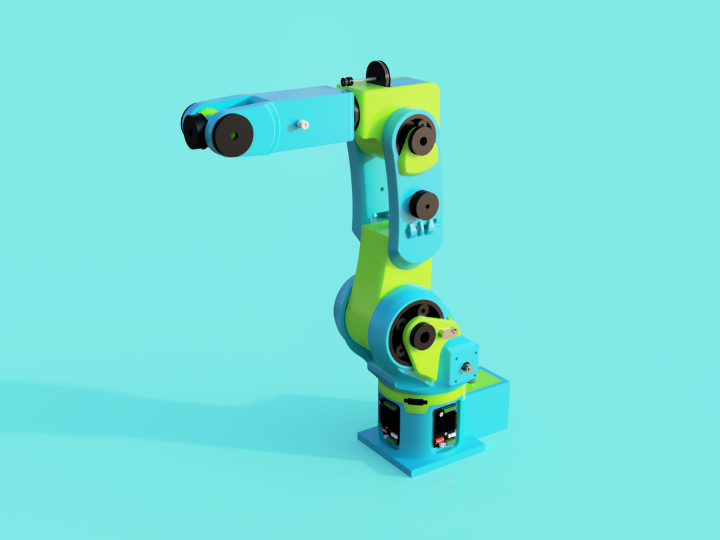
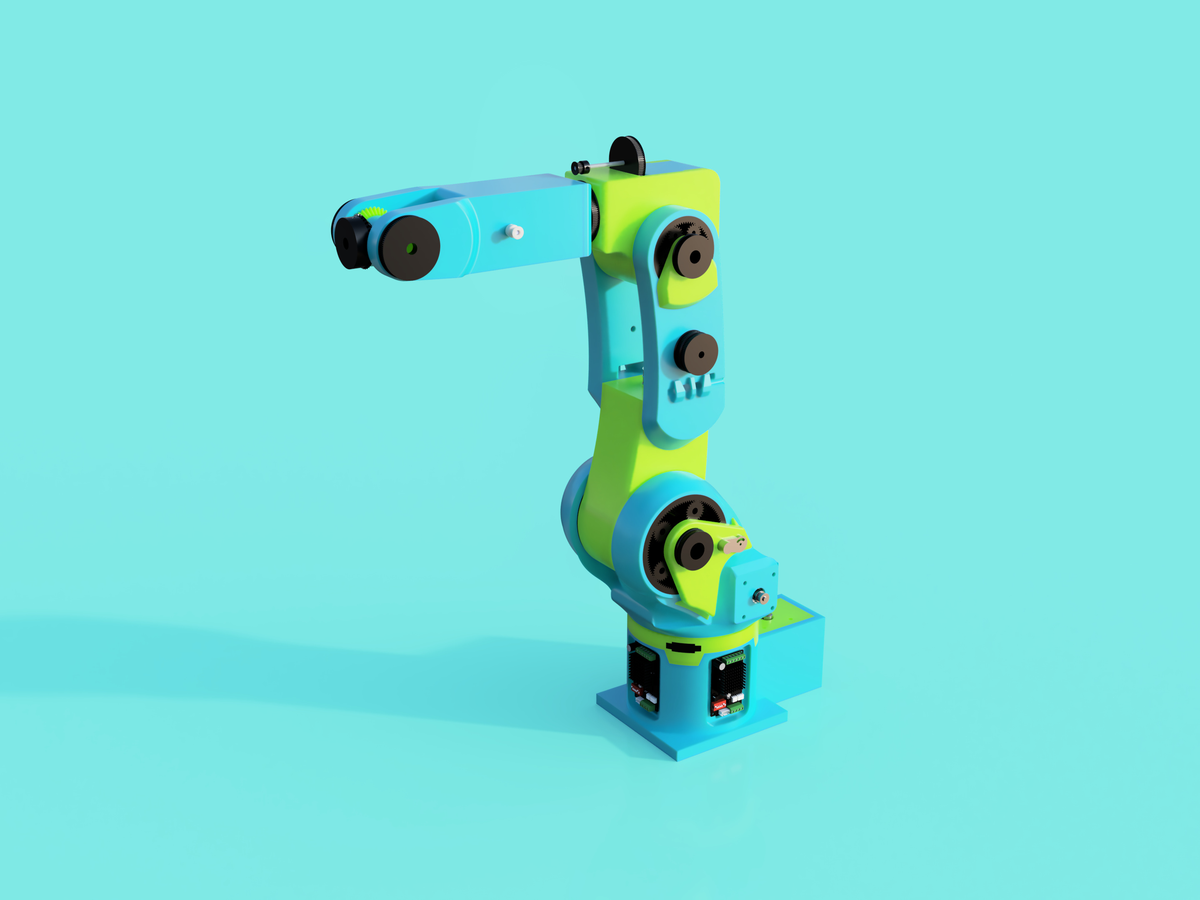
Aaruthrun is an Indian maker publishing on GitHub as aaruthrun-beep, where robotics mechanics is a running theme: an earlier repository holds a differential planetary gearbox calculator, and the robot software in this project carries the maker's own "Avani Dynamics" branding. On 2026-08-23 the account published robu-physical-ai-challenge, a three-robot entry built for the Arduino Physical AI Challenge India 2026. The centerpiece is Nite369, a 6-axis robot arm whose network interface is a WIZnet W5500 Ethernet chip wired to a Raspberry Pi Pico.
The problem the W5500 solves here is a familiar one in motion control. The arm's brain is a cluster of three RP2040 Picos that split communication and closed-loop control work across their cores while PIO state machines generate the step pulses, and a 500 microsecond watchdog ISR stands ready to zero every motion target if the command stream goes quiet past its configurable heartbeat timeout. The README's spec table lists "W5500 Ethernet TCP/UDP" as the network row, and the chip's hardwired TCP/IP stack keeps socket handling off microcontrollers that have no timing budget left for a software network stack.
Three Robots, One Contest, One Mandatory Board
The Arduino Physical AI Challenge India 2026 is hosted by Robu.in, an Indian electronics distributor, with Arduino as Title Sponsor and Qualcomm as Technology Partner. The contest page advertises a total prize pool of "₹30 Lakhs+", which is 3 million rupees across all categories and special awards, with a Rs 1,00,000 cash grand prize per category. The rules state that the "Arduino UNO Q must be the primary board" and that entry is open to participants from India only. Submissions closed on 23 August 2026, the day this repository was created, and winners are announced on 31 August 2026.
The Arduino UNO Q itself is Arduino's dual-brain board, pairing a Qualcomm Dragonwing processor that runs Debian Linux with an STM32U585 microcontroller. The repository documents it as "Arduino Uno Q (aarch64, Debian Linux)" and uses it as the Linux host for all three robots in the entry.
| Project | Robot | Motion hardware | How the UNO Q connects |
|---|---|---|---|
| nite369 | 6-axis industrial-style arm | 3x RP2040 Pico, TMC2209 drivers, AS5600 encoders | W5500 Ethernet (TCP :23, UDP :5000) or USB serial |
| xm9x6 | Hexapod, 6 legs x 3 DOF | 18 servos, one controller per leg, IMU + ToF | UNO Q as gait coordinator |
| scara | 2-link parallel SCARA | 2 harmonic drive motors on CAN bus | MCP2515 CAN module + C920 webcam |
Only the Nite369 arm uses WIZnet silicon, so the rest of this article follows that build.
Inside Nite369: Three Picos Behind One W5500
The README describes the arm in one sentence: "Open-source 6-axis robot arm with RP2040 Pico multi-core architecture, TMC2209 stepper drivers, W5500 Ethernet, and Astra Studio GUI." A master Pico owns the W5500 and parses commands, then forwards fixed 9-byte CRC8 frames over a second SPI bus to two slave Picos. Slave 1 drives the base, paired shoulder, and elbow joints, while Slave 2 runs the wrist and gripper through four TMC2209 stepper drivers sharing one half-duplex UART bus at 115200 baud.
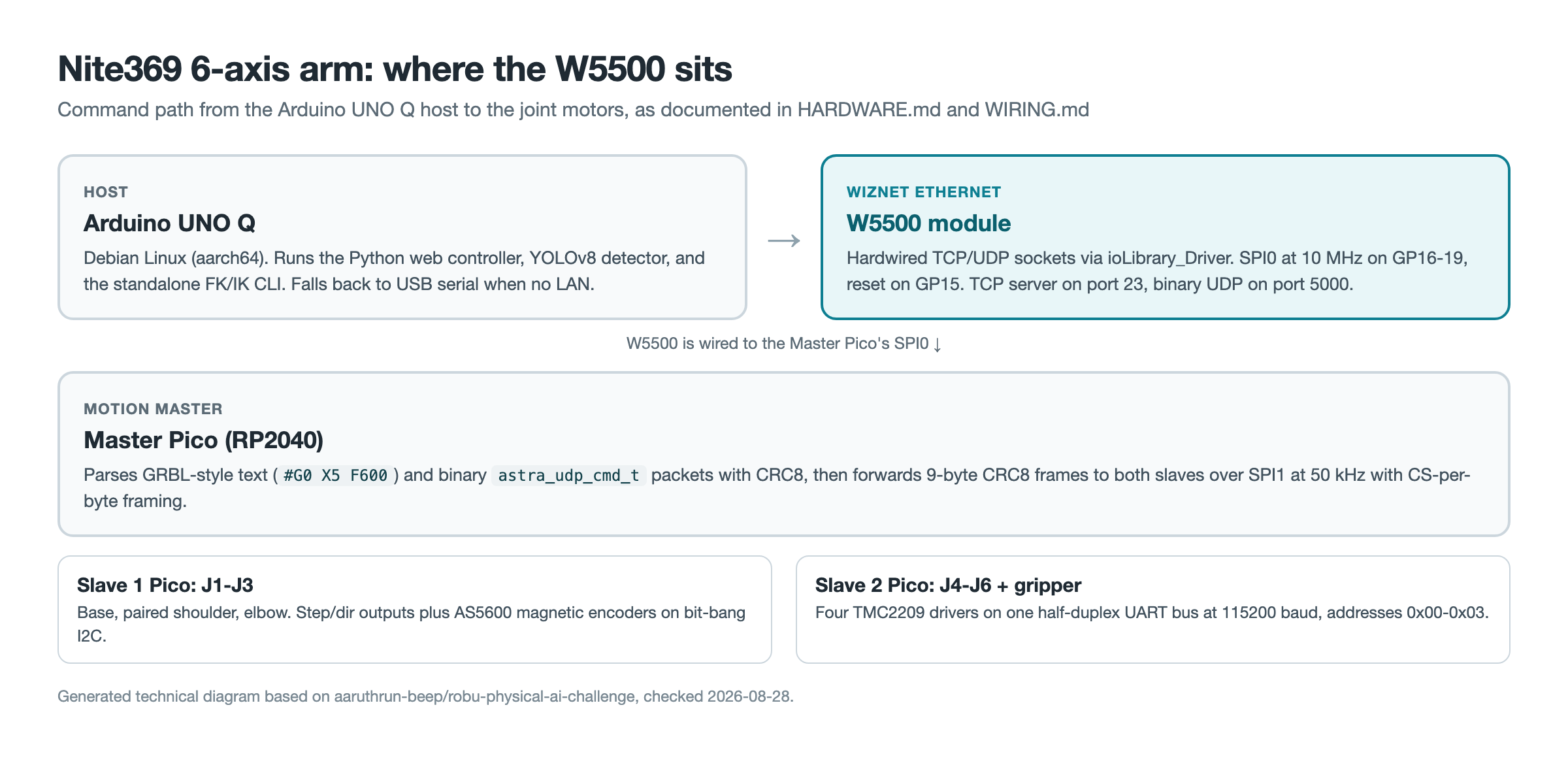
Closed-loop feedback comes from AS5600 magnetic encoders on the joints, and an MCP23017 I2C expander drives the status LEDs plus a DIP switch that selects between LAN and USB operation. The inter-Pico SPI link deliberately runs at only 50 kHz with a chip-select assertion per byte, because the RP2040's SPI slave hardware only reloads its transmit register on a CS edge, a constraint the wiring guide calls out explicitly.
What the W5500 Firmware Actually Does
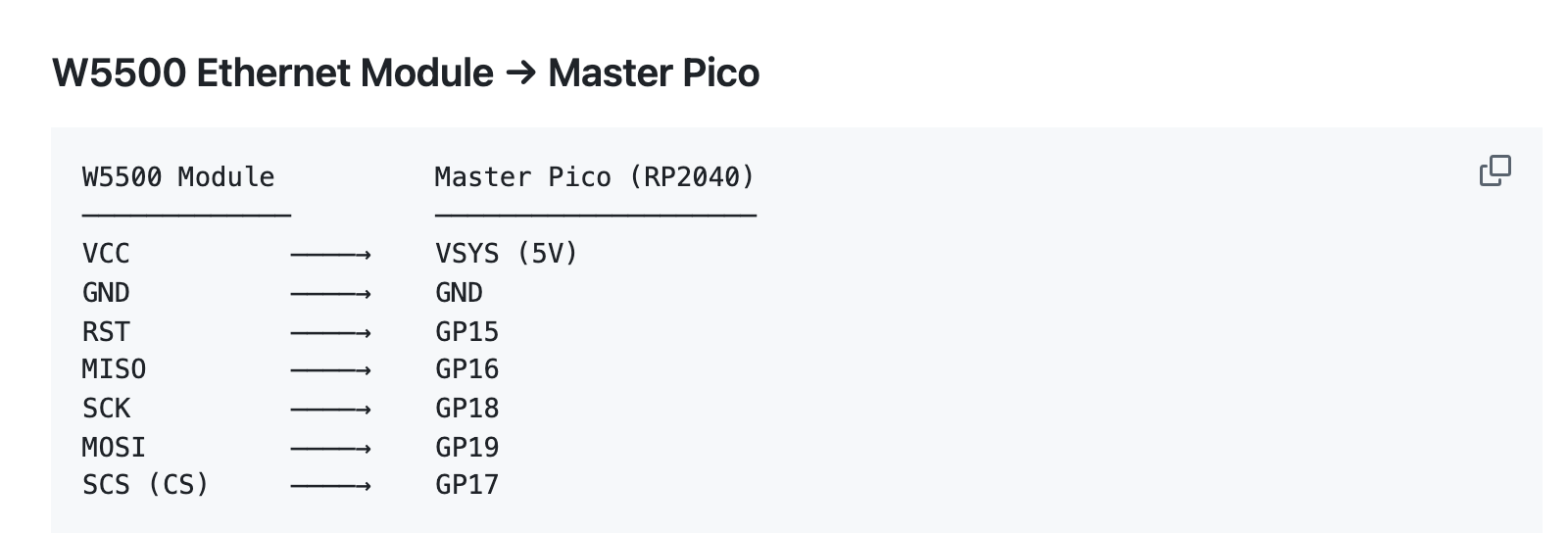
The firmware vendors WIZnet's official ioLibrary_Driver and compiles Ethernet/W5500/w5500.c straight into the build; the CMake file refuses to configure without it. The W5500 sits on the master Pico's SPI0 at 10 MHz, wired exactly as WIRING.md documents it, with reset on GP15, MISO on GP16, chip select on GP17, SCK on GP18, and MOSI on GP19.
Two socket paths coexist in the tree. The v1 master firmware opens a hardware UDP socket on a configurable port defaulting to 5000 and exchanges binary astra_udp_cmd_t command packets and telemetry, each guarded by a CRC8. The newer path, shared by w5500_tcp_v2.c and the restructured nite369_v2 firmware, runs a TCP server on port 23 at a static 192.168.1.50, accepting GRBL-style text such as #G0 X5 F600 and config commands. Both paths use the ioLibrary socket API directly, from socket() and listen() down to getSn_RX_RSR() polling, so the TCP/IP state machines live in the W5500 rather than in RP2040 RAM.
The v2 driver is worth reading for its bring-up hygiene. Where v1 could never actually fail its init check, v2 probes the chip's VERSIONR register, which is hardwired to 0x04 on every W5500, and prints the expected wiring when the probe fails. From nite369/firmware/inc/w5500_tcp_v2.c:
uint8_t ver = getVERSIONR();
printf("W5500 VERSIONR: 0x%02X (expect 0x04)\n", ver);
if (ver != 0x04) {
    printf("w5500_tcp: W5500 NOT DETECTED (VERSIONR=0x%02X)\n", ver);
    printf("  Check wiring: SCK=GP%d MOSI=GP%d MISO=GP%d CS=GP%d RST=GP%d\n",
           W5500_SCK, W5500_MOSI, W5500_MISO, W5500_CS, W5500_RST);
    return false;
}
The same file registers burst SPI callbacks so multi-byte buffer transfers skip byte-at-a-time mode, and its send routine retries partial writes until the socket buffer drains, so no command is silently dropped.
A Latency Number Written Into the Host Code
The most quotable WIZnet detail in the repository sits on the PC side, in the Astra Studio control suite. The Ethernet transport disables Nagle's algorithm immediately after creating its socket, and the comment explains why: "tiny command writes (#G0 X5 F600\n) must go out immediately, not wait for the W5500's delayed ACK. Without this every command round-trip adds ~40-200ms of latency." That sentence, from nite369/studio/control/transports.py, records a real interaction between a host TCP stack and the W5500's acknowledgment timing.
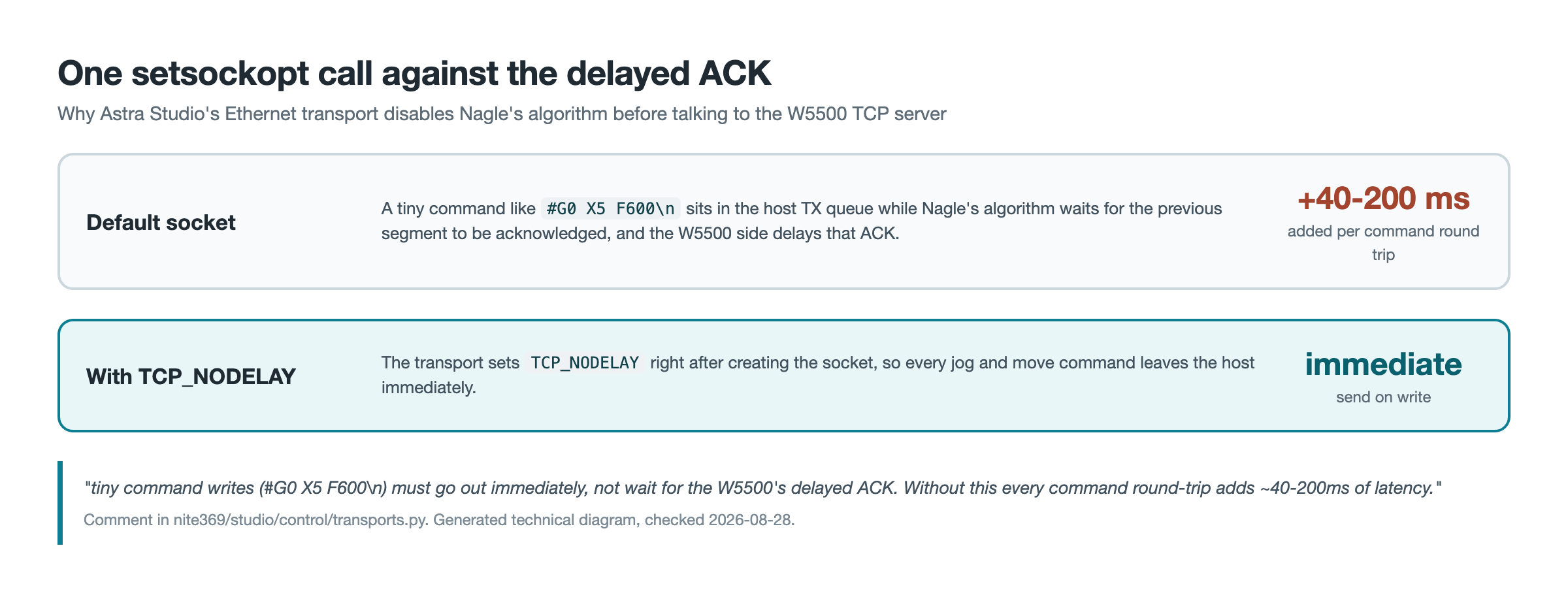
A 40 to 200 millisecond stall per command would make interactive jogging feel broken, so the one-line setsockopt is the difference between a usable teach pendant and a laggy one. Makers pairing any host software with a W5500 TCP server can reuse this lesson as-is.
The UNO Q Side: Web Controller, Vision, and IK
On the Linux side of the build, tools/unoq_app.py is a 1,393-line web controller that serves a browser UI on port 8080, streams the C920 webcam, and connects to the arm at 192.168.1.50:23 over TCP, falling back to a USB serial scan when no robot answers. The last commit, pushed 2026-08-24, added a YOLOv8 object detector with an HSV color-blob fallback and a decision engine that converts detections into SCARA workspace coordinates, solves the inverse kinematics, and issues motor commands over CAN and the TCP robot link.
A separate script, nite369_ik_unoq.py, gives the UNO Q a standalone kinematics stack with no GUI dependency, computing forward and inverse kinematics from the arm's DH table and sending joint moves over the same TCP port. The controller is written defensively for a bench that is not always fully populated; its own docstring notes that "All hardware shows 'disconnected' when not present."
What Is Published and What Is Not
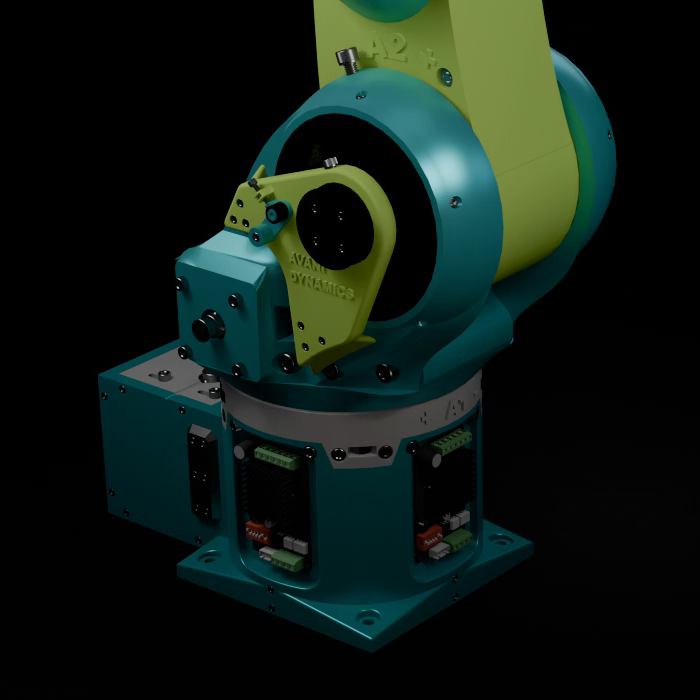
The repository is complete on the firmware and software side but thin on physical evidence. None of its bundled media shows physical hardware: the lead image is a 3840x2160 Fusion 360 render, both videos are CAD animations, and the brand logo is AI-generated, with no photograph of an assembled arm anywhere. The stepper table in HARDWARE.md still lists gear ratios as TBD, and there is no LICENSE file; the README calls the project open source but grants no license beyond the label "Custom", so reuse rights are undefined. Whether the entry was formally submitted or placed in the contest cannot be verified from public sources before the 31 August 2026 announcement; this article checked all sources on 2026-08-28.
Related WIZnet Maker Projects
The Smart Factory Industry 4.0 robot arm pairs the same YOLO-vision-to-arm pattern with a Siemens PLC in a full production cell, where Nite369 packs the idea into a solo contest build. The 2-DOF robot arm with a real-time EtherCAT master on Raspberry Pi also puts a Linux SBC in command of arm motion through WIZnet silicon, but over industrial EtherCAT servo drives rather than raw sockets and steppers. grblhal-RP2040 is the closest chip-and-MCU match, using a W5500 to offload TCP/IP from an RP2040 CNC controller the same way the Nite369 master Pico does, though for milling rather than a jointed arm. And CMVC_B, an STM32F407 ROV firmware mirrors the binary-UDP-plus-operator-GUI architecture underwater, which shows how portable this command pattern is across domains.
FAQ
Q. What does the Nite369 robot arm use the W5500 for? The W5500 is the arm's network interface, wired to the master RP2040 Pico over SPI0 at 10 MHz. Its hardware sockets carry GRBL-style TCP commands on port 23 and binary UDP command and telemetry packets on port 5000, using WIZnet's ioLibrary_Driver.
Q. Does the Arduino UNO Q drive the motors directly? No. The UNO Q is the Linux host running the web controller, vision, and kinematics tools, and it reaches the arm over Ethernet or USB serial. Motor timing lives entirely in the three RP2040 Picos.
Q. Is the project open source? The README describes the arm as open source and the code is public, but the repository contains no LICENSE file and labels its license "Custom". Formal reuse rights are therefore undefined as of 2026-08-28.
Q. Can the arm run without the W5500? Yes. A DIP switch read through the MCP23017 expander selects USB mode, where the master Pico takes the same commands over USB CDC serial at 115200 baud and no W5500 is needed.
Q. Did this entry win the Arduino Physical AI Challenge India 2026? That is unknown at the time of writing. The repository was created on the 23 August 2026 submission deadline, and winners are announced on 31 August 2026.
-
robu-physical-ai-challenge repository
Three Arduino UNO Q robot projects; the Nite369 6-axis arm uses the W5500

-
Nite369 WIRING.md
Complete wiring guide including the W5500 module to master Pico pin map
-
w5500_tcp_v2.c
TCP server driver with VERSIONR detection probe, burst SPI callbacks, and partial-send retry
-
Astra Studio transports.py
Host-side Ethernet transport with the TCP_NODELAY / delayed-ACK latency comment
-
Arduino Physical AI Challenge India 2026
Contest page: hosted by Robu.in, Arduino Title Sponsor, Qualcomm Technology Partner; UNO Q mandatory
-
WIZnet ioLibrary_Driver
Official WIZnet socket library vendored and compiled into the arm firmware
-
WIZnet W5500
Hardwired TCP/IP Ethernet controller used as the arm's network interface
-
Arduino UNO Q documentation
Arduino's dual-brain Linux + MCU board, the contest's mandatory platform and this project's host


