W55RP20 uPnP example
This is an example of a uPnP protocol implementation.
0
Components
Hardware components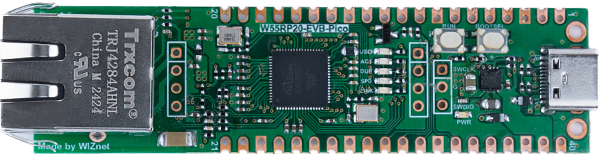
WIZnet - W55RP20-EVB-Pico
x 1

Project description
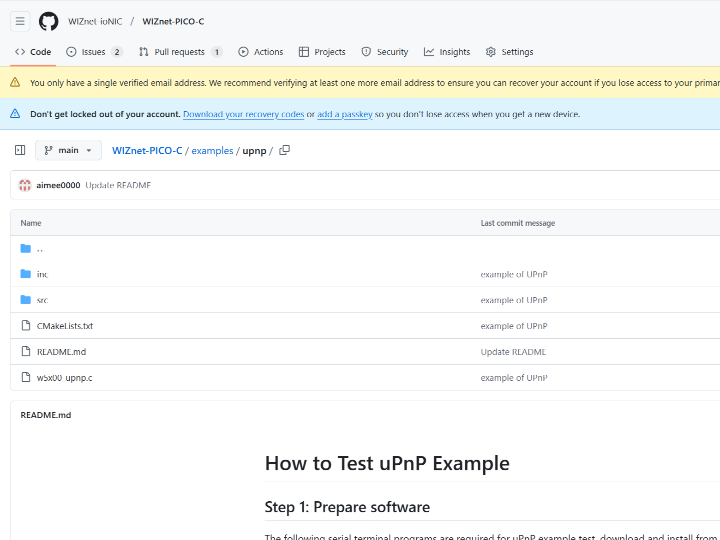
github link : https://github.com/WIZnet-ioNIC/WIZnet-PICO-C/tree/main/examples/upnp
UPnP?
UPnP (Universal Plug and Play) is a set of networking protocols that enables devices on a network to discover each other and establish seamless communication without manual configuration. It is commonly used in home networks to connect devices like routers, PCs, printers, smart TVs, and IoT devices.
How to test UPnP example
Setup board configuration
Setup board to W55RP20_EVB_PICO in CMakeLists.txt in WIZnet-PICO-C/ directory.
# Set board
#set(BOARD_NAME WIZnet_Ethernet_HAT)
#set(BOARD_NAME W5100S_EVB_PICO)
#set(BOARD_NAME W5500_EVB_PICO)
set(BOARD_NAME W55RP20_EVB_PICO)
#set(BOARD_NAME W5100S_EVB_PICO2)
#set(BOARD_NAME W5500_EVB_PICO2)
Setup network settings
Setup network configuration such as IP in 'w5x00_upnp.c' which is the UPnP example in 'WIZnet-PICO--C/examples/upnp/' directory.
/* Network */
static wiz_NetInfo g_net_info =
    {
        .mac = {0x00, 0x08, 0xDC, 0x12, 0x34, 0x56}, // MAC address
        .ip = {192, 168, 11, 2},                     // IP address
        .sn = {255, 255, 255, 0},                    // Subnet Mask
        .gw = {192, 168, 11, 1},                     // Gateway
        .dns = {8, 8, 8, 8},                         // DNS server
        .dhcp = NETINFO_STATIC                       // DHCP enable/disable
};
/* Socket */
#define SOCKET_UPNP 0
/* Port */
#define PORT_TCP 8000
#define PORT_UDP 5000
Build & Run
If the uPnP example works normally on W55RP20-EVB-Pico, you can see the network information of W55RP20-EVB-Pico and main menu tree.

Choose 1. Set LED on or 2. Set LED off, and you can see user LED state on W55RP20-EVB-Pico.


Choose 4. Set network setting for setting network information and you can see network information to 3. Show network setting.


Choose 5. Run TCP Loopback and connect to the open loopback server using Hercules TCP client. When connecting to the loopback server, you need to enter the IP that was configured by 4.Set network setting, the port is 8000 by default.

Choose 6. Run UDP Loopback and connect to the open loopback server using Hercules UDP client. When connectiong to the loopback server, you need to enter the IP that was configured by 4.Set network setting, the port is 5000 by default.

Choose 7. UPnP PortForwarding : AddPort for add TCP port and you can see the TCP port forwarding settings on router's configuration screen.


Choose 7. UPnP PortForwarding : AddPort for add UDP port and you can see the UDP port forwarding settings on router's configuration screen.


Choose 7. UPnP PortForwarding : DeletePort for delete TCP port and you can see the TCP port forwarding settings on router's configuration screen.


Choose 7. UPnP PortForwarding : DeletePort for delete UDP port and you can see the UDP port forwarding settings on router's configuration screen.


