W55RP20 Netbios example
This is an example of a Netbios name service protocol implementation.
0
Components
Hardware components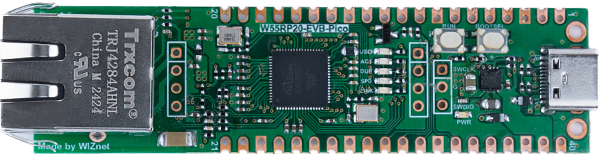
WIZnet - W55RP20-EVB-Pico
x 1

Project description
github link : https://github.com/WIZnet-ioNIC/WIZnet-PICO-C/tree/main/examples/netbios
Netbios?
NetBIOS is a software interface and associated protocol that facilitates communication between computers on a network. Originally designed for LAN environments, it provides features like file sharing, name resolution, and session management. NetBIOS is primarily used in Windows networking and operates over TCP/IP through an implementation called NetBIOS over TCP/IP.
How to test Netbios example
Setup board configuration
Setup board to W55RP20_EVB_PICO in CMakeLists.txt in WIZnet-PICO-C/ directory.
# Set board
#set(BOARD_NAME WIZnet_Ethernet_HAT)
#set(BOARD_NAME W5100S_EVB_PICO)
#set(BOARD_NAME W5500_EVB_PICO)
set(BOARD_NAME W55RP20_EVB_PICO)
#set(BOARD_NAME W5100S_EVB_PICO2)
#set(BOARD_NAME W5500_EVB_PICO2)
Setup network settings
Setup network configuration such as IP in 'w5x00_netbios.c' which is the Netbios example in 'WIZnet-PICO--C/examples/netbios/' directory.
/* Network */
static wiz_NetInfo g_net_info =
    {
        .mac = {0x00, 0x08, 0xDC, 0x12, 0x34, 0x56}, // MAC address
        .ip = {192, 168, 11, 2},                     // IP address
        .sn = {255, 255, 255, 0},                    // Subnet Mask
        .gw = {192, 168, 11, 1},                     // Gateway
        .dns = {8, 8, 8, 8},                         // DNS server
        .dhcp = NETINFO_STATIC                       // DHCP enable/disable
};
#define NETBIOS_BOARD_NAME "W55RP20" /*Define the NetBIOS name*/
#define NETBIOS_PORT 137 /*The default port for the NetBIOS name service*/
Build & Run
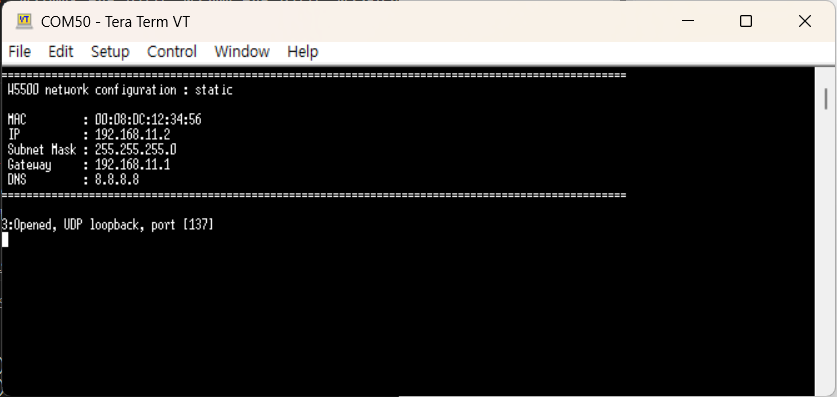
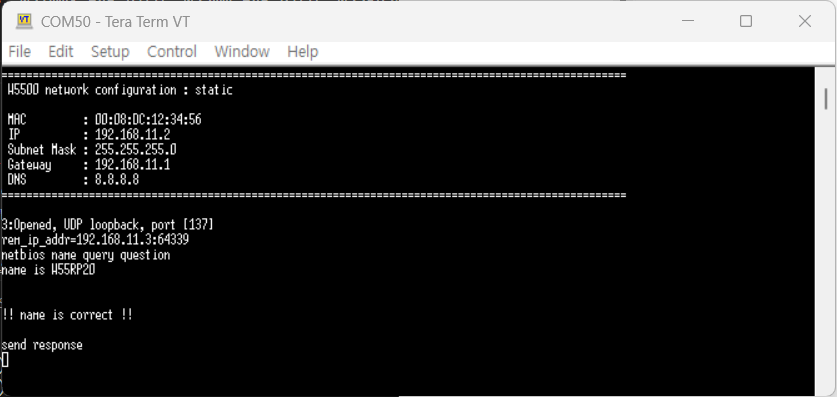
If the Netbios example works normally, you can see network information.
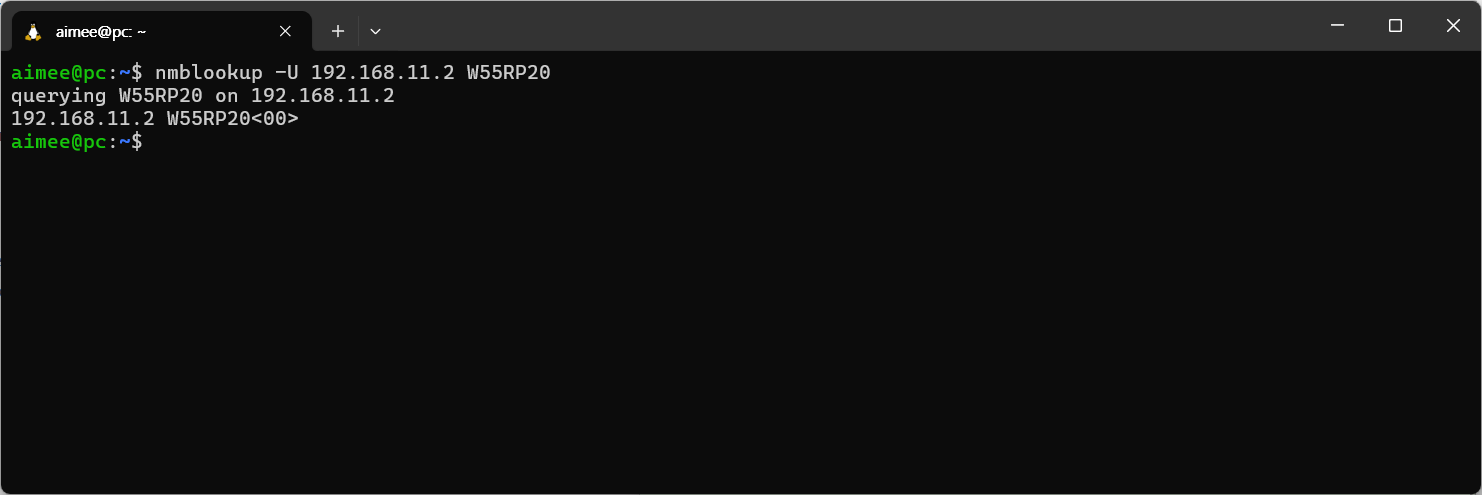
Send search netbios command in PC.
# Linux
nmblookup -U 192.168.11.2 W55RP20
If search command's name and name on Raspberry Pi Pico, W5100S-EVB-Pico, W5500-EVB-Pico, W55RP20-EVB-Pico, W5100S-EVB-Pico2 or W5500-EVB-Pico2 is correct, you can see the receive name on terminal.
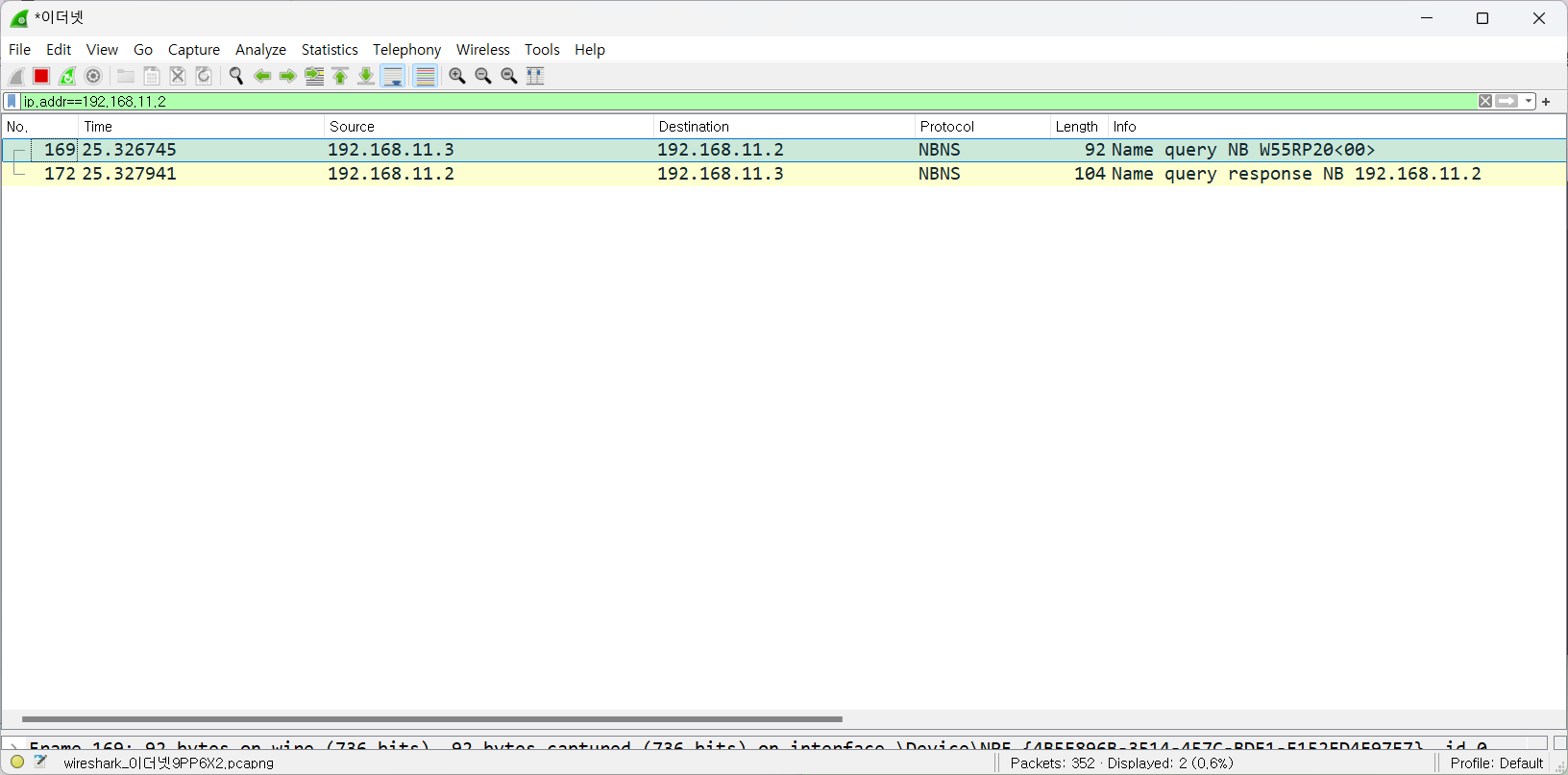
You can see NBNS packet in wireshark log.