Things to check when using WizFi250-EVB (Arduino Shield)
summarize the items that must be checked to use WizFi250-EVB as a shield on the Arduino Board.
0
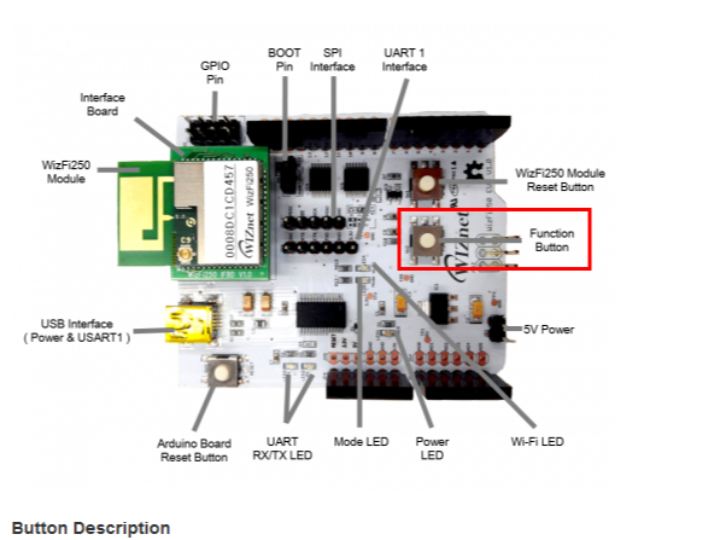
Components
Hardware components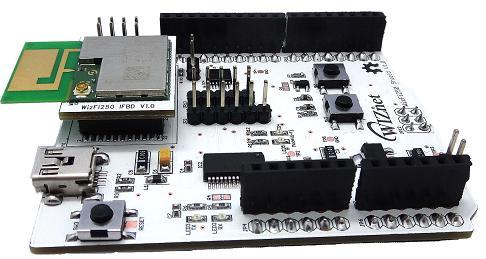
WIZnet - WizFi250
x 1

Project description
WizFi250-EVB is designed to also serve as an Arduino Shield. Therefore, by connecting WizFi250-EVB to the Arduino Board, you can easily control WizFi250 from the Arduino Board. Now, let's organize the things you need to check to use WizFi250-EVB as a Shield on the Arduino Board. 1. You must check whether WizFi250 operates in SPI Mode. Since the WizFi250 Arduino Library connects WizFi250-EVB (Arduino Shield) and Arduino using the SPI Interface, you must check the current mode of WizFi250. After factory default setting, WizFi250's mode is determined according to the first input interface…
Keep reading with a free account
Guests can read 15 projects per visit. Log in or create a free account to read the full description, open the documents and join the comments.

