STM Lesson 93. LAN. W5500. HTTP Server. Sockets. Part 2
STM Lesson 93. LAN. W5500. HTTP Server. Sockets. Part 2
0
Project description
LAN. W5500. HTTP Server. Sockets
B previous part lesson we got acquainted with the concept of sockets, and also made certain amendments to the code for working with them.
In function http_request change the little output in the USART file name by adding the socket number there as well
strcpy(httpsockprop[sn].fname,tmpbuf);
}
sprintf(str1,"S%d %srn",sn, httpsockprop[sn].fname);
HAL_UART_Transmit(&huart2,(uint8_t*)str1,strlen(str1),0x1000);
f_close(&httpsockprop[sn].MyFile);
Here we also display the socket number
sprintf(str1,"S%d f_open: %drn",sn,result);
HAL_UART_Transmit(&huart2,(uint8_t*)str1,strlen(str1),0x1000);
sprintf(str1,"S%d f_size: %lurn",sn,MyFile[sn].fsize);
HAL_UART_Transmit(&huart2,(uint8_t*)str1,strlen(str1),0x1000);
And here
sprintf(str1,"S%d data size:%lu; cnt data part:%u; last_data_part_size:%urn",sn,
(unsigned long)httpsockprop[sn].data_size, httpsockprop[sn].cnt_rem_data_part, httpsockprop[sn].last_data_part_size);
And here we confirm in the terminal program the closure of the socket in case of transmission of the one-buffer page. Display a little differently to make it different
DisconnectSocket(sn); //Разъединяемся
SocketClosedWait(sn);
sprintf(str1,"S%d (one) closedrn",sn);
HAL_UART_Transmit(&huart2,(uint8_t*)str1,strlen(str1),0x1000);
In function tcp_send_http_one in the body conditions in case of transmission of the page with an error, display this information with the socket number
else
{
sprintf(str1,"S%d file not foundrn",sn);
HAL_UART_Transmit(&huart2,(uint8_t*)str1,strlen(str1),0x1000);
header_len = strlen(error_header);
We collect the code, send the controller and try to request some kind of document heavier. I also added a background to the page in the form of a repeating picture using the design style
<body style="background-image:url(IMG/img01.jpg)">
We need to get this result in browsers
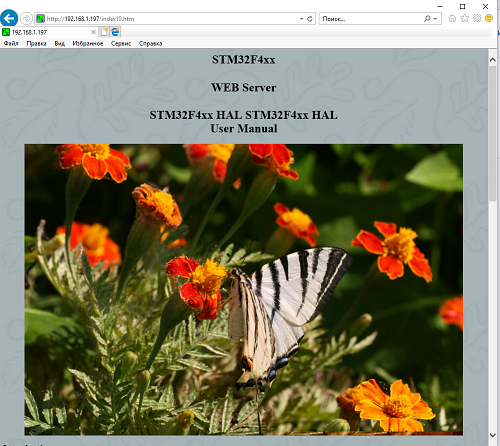
We see that everything is displayed. And why in browsers, and because now we can request pages from our mini-server in any server, we are now not afraid that the browser will want to open several connections.
Here is the result in the Google Crome browser
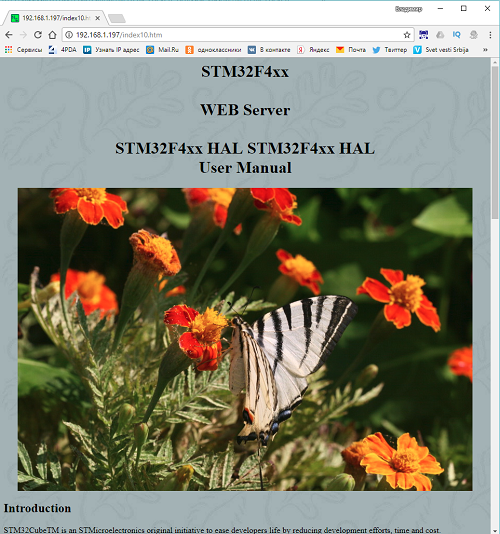
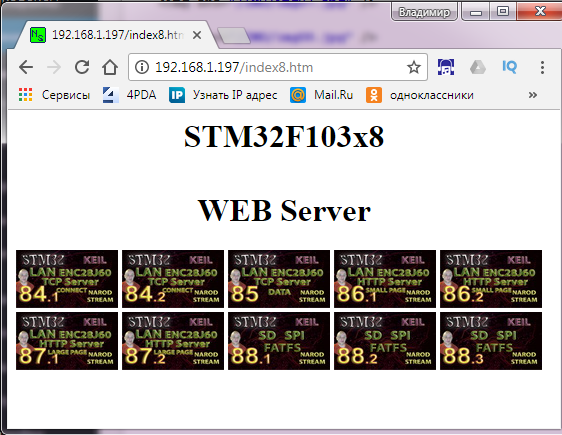
Let's try to open such a file with several drawings
<html><body>
<html><body><h1 style="text-align: center;">STM32F103x8<br><br>WEB Server</h1>
<p>
<img src="/IMG/img04.jpg" />
<img src="/IMG/img05.jpg" />
<img src="/IMG/img06.jpg" />
<img src="/IMG/img07.jpg" />
<img src="/IMG/img08.jpg" />
<img src="/IMG/img09.jpg" />
<img src="/IMG/img10.jpg" />
<img src="/IMG/img11.jpg" />
<img src="/IMG/img12.jpg" />
<img src="/IMG/img13.jpg" />
</p>
</body></html>
Open it in the Google Chrome browser
Let's see how sockets switch in the terminal program
We see that all 6 sockets participate in the work. Fine! So everything is right.
Thanks to everyone for the attention!

