Using a Static IP Address with the W5100S-EVB-Pico Board and Arduino IDE
Learn how to set up a static IP address for the W5100S-EVB-Pico board with this simple example using Arduino IDE and the Ethernet library.
7
Components
Hardware components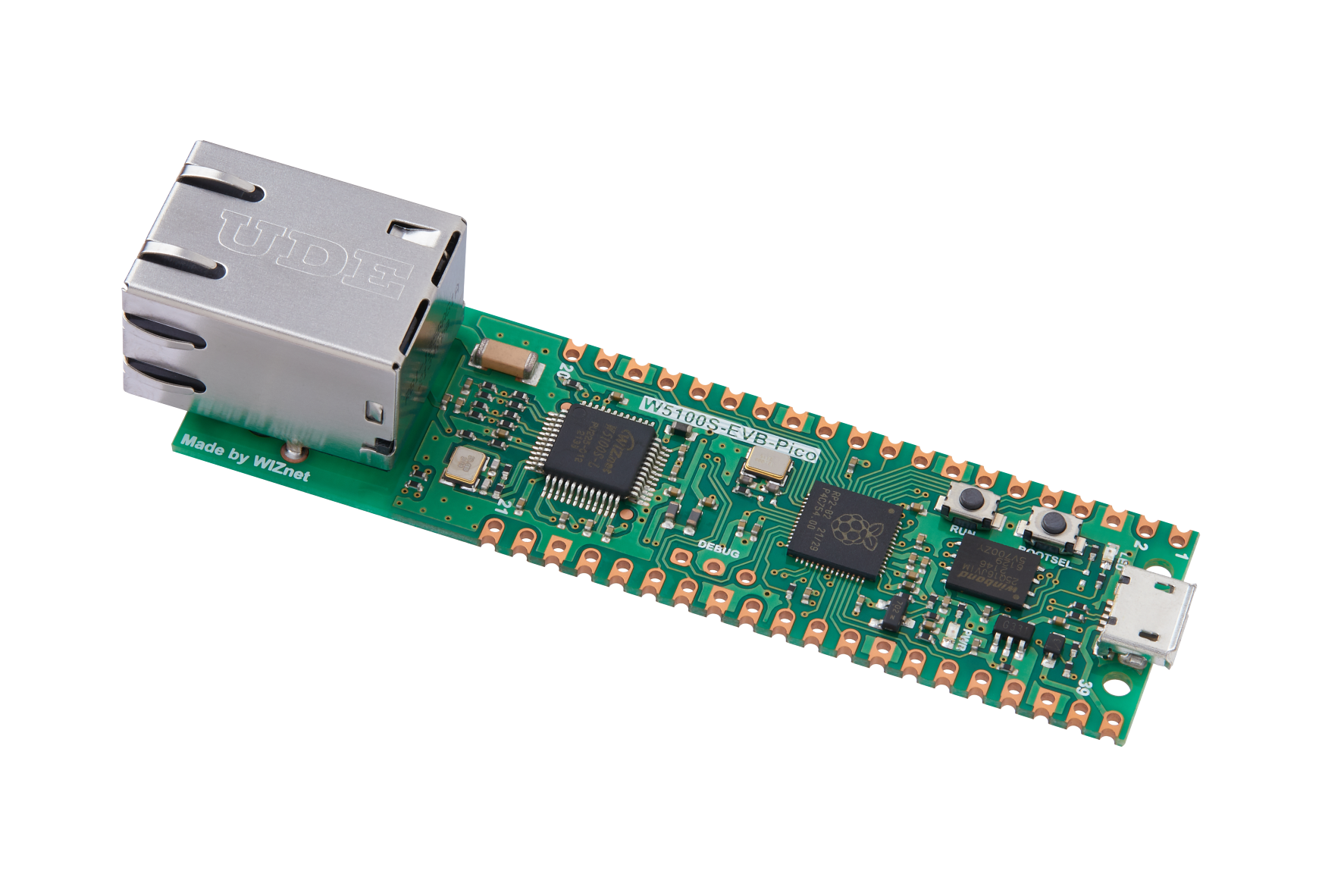
WIZnet - W5100S-EVB-Pico
x 1


Arduino - Arduino IDE
x 1
Project description
This article explains how to configure a static IP address for the W5100S-EVB-Pico board using Arduino IDE. The article includes a code example and instructions for setting up the board with a static IP address. It also provides details on the requirements, usage, and example output of the code.
Requirements
To follow this guide, you will need: • A W5100S-EVB-Pico board • Arduino IDE with W5100S-EVB-Pico board support and WIZnet Ethernet library installed.
Code Explanation The code initializes the Ethernet connection with the CS pin and starts the Ethernet connection using a static IP address. The ip variable is used to specify the static IP address to use. The static IP address is then printed to the Serial Monitor.
Setup
To configure the W5100S-EVB-Pico board with a static IP address, follow these steps:
- Connect the W5100S-EVB-Pico board to your computer using a USB cable.
- Open the Arduino IDE and select the "W5100S-EVB-Pico" board from the "Tools" > "Board" menu.
- Open the "Static_IP_Address" sketch provided in this repository.
- Edit the ip variable to set your desired static IP address.
- Upload the sketch to the W5100S-EVB-Pico board.
Code
#include <SPI.h> // Include the SPI library (used for communication between the microcontroller and the W5100S chip)
#include <Ethernet.h> // Include the Ethernet library

// Enter a MAC address for your controller below.
byte mac[] = {
  0xDE, 0xAD, 0xBE, 0xEF, 0xFE, 0xED
};

const int csPin = 17; // Chip Select (CS) pin for W5100S on W5100S-EVB-Pico

// Enter a static IP address for your controller below.
IPAddress ip(192, 168, 1, 177); // Example static IP address

void setup() {
  // Open the serial communications and wait for port to open:
  Serial.begin(9600);
  while (!Serial) {
    ; // wait for serial port to connect. Needed for native USB port only
  }

  // Initialize Ethernet with the CS pin:
  Ethernet.init(csPin);

  // Start the Ethernet connection using a static IP address:
  Serial.println("Configuring Ethernet with a static IP address...");
  Ethernet.begin(mac, ip);

  // Print the static IP address:
  Serial.print("Static IP address: ");
  Serial.println(Ethernet.localIP());
}

void loop() {
  // Nothing to do here. This is just a Static IP Address example.
}
Usage
To use the code example, follow these steps:
- Open the Serial Monitor in the Arduino IDE by going to "Tools" > "Serial Monitor."
- Set the baud rate to 9600 in the Serial Monitor.
- The sketch will configure the Ethernet connection with the static IP address. The static IP address will be printed to the Serial Monitor.
Example Output
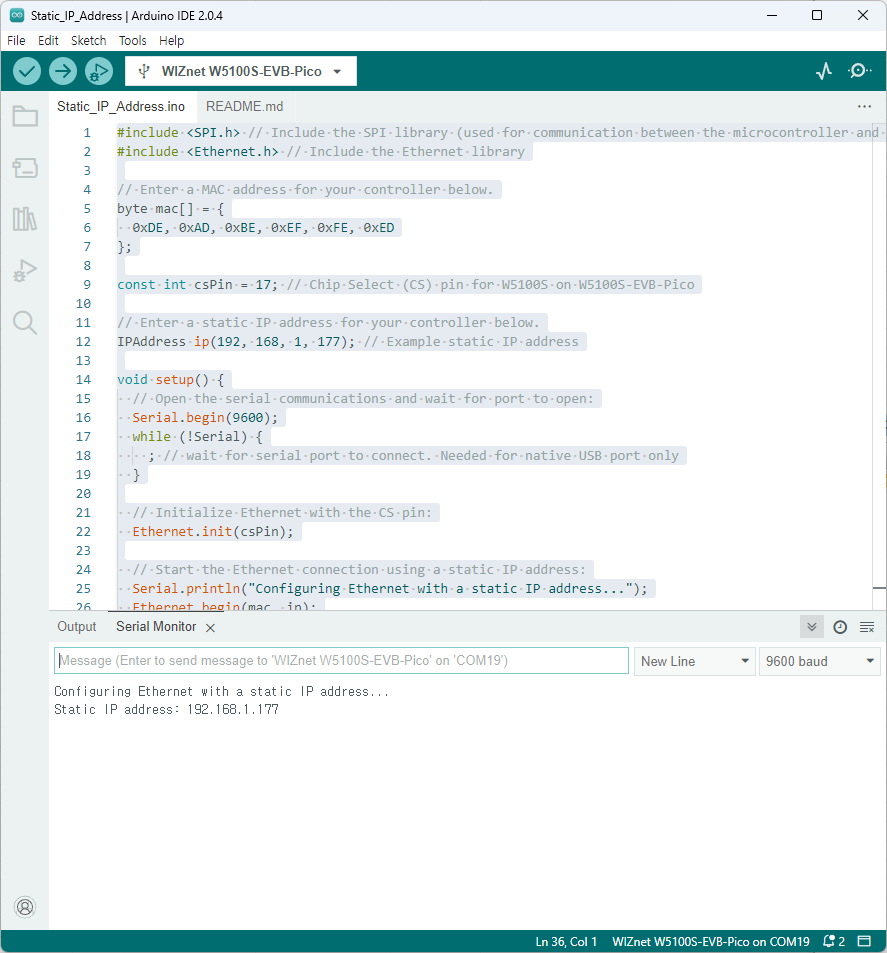
The output on the Serial Monitor should look similar to the following:
Configuring Ethernet with a static IP address...
Static IP address: 192.168.1.177`
The specific IP address will depend on the static IP address you have set in the ip variable.
Result
Notes
This article serves as a starting point for learning how to configure a static IP address with the W5100S-EVB-Pico board in the Arduino IDE. You can expand on this example by implementing additional Ethernet functionality, such as creating web servers or clients, and working with TCP/UDP sockets. Using a static IP address is useful when you want to ensure a specific IP address is assigned to your device and you don't want to rely on DHCP to assign an IP address dynamically.


