Wiznet makers

scarlet

Published February 23, 2024 ©

100 UCC

12 WCC

22 VAR

0 Contests

0 Followers

0 Following

MQTT Communication with Micro:bit and Pico using MakeCode

MQTT Communication with Micro:bit and Pico using MakeCode
COMPONENTS
PROJECT DESCRIPTION

ssI previously created firmware that allows the use of MicroPython on a micro:bit board. 

https://github.com/Wiznet/micropython-microbit-v2/tree/master

However, this method can only be used with Python Editor or MicroPython Editor programs. Additionally, it requires connecting the SPI pin, which makes it somewhat challenging.

So, this time, I have prepared firmware that allows for block coding using MakeCode. 

The network block in MakeCode is for the ESP8266. It's firmware that makes the block for the ESP8266 usable with WIZnet products.


HW

Prepare the micro:bit module (including adapter) and the W5500-EVB-Pico.

 Connect the UART of the two devices. The pin settings are as follows:
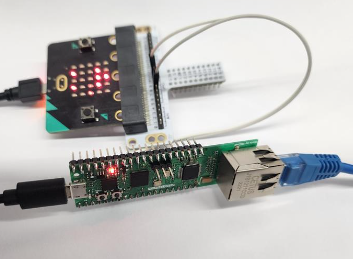
Micro:bit: RX= p8/ Tx=p12
W5500-EVB-Pico: RX= p5/ Tx=p4

Please download the firmware to the Pico. 

The MicroPython official firmware can be downloaded from the link below. Then, please 

https://micropython.org/download/W5500_EVB_PICO/


SW

MQTT config 

Set up a broker for MQTT communication. I use Mosquitto. Please refer to this side for how to use it.
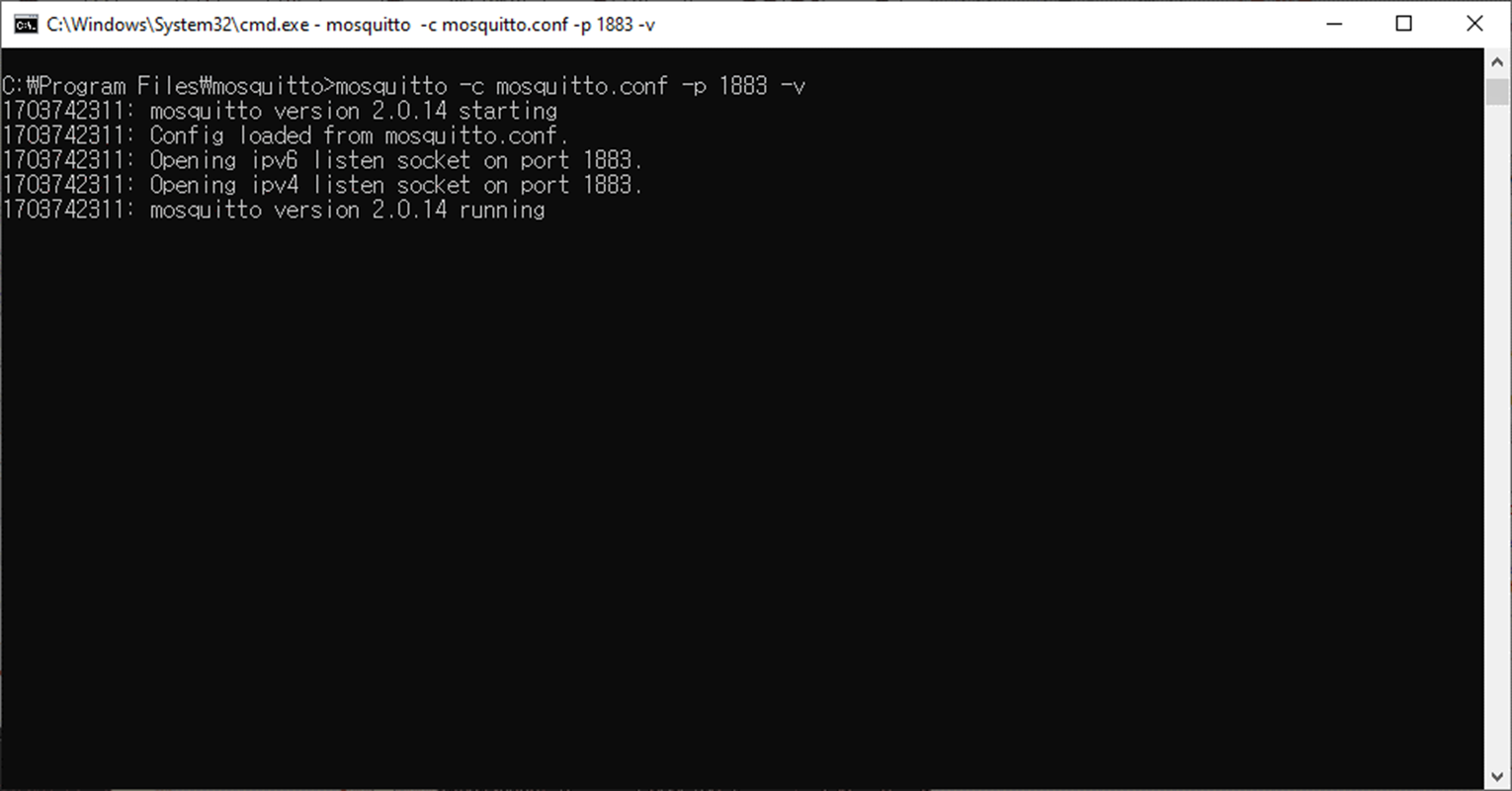
https://github.com/Wiznet/micropython-microbit-v2/tree/master/examples/Mqtt/Publish#step-4-upload-and-run

W5500-EVB-Pico

By default, it is set to use DHCP, so there's no need to configure IP. 

The logic that transmits messages received from the microbit to Ethernet is in operation. 

The ESP8266 block is designed to send ATcommands' to the network module from the microbit. This part has been modified to be handled by the W5500-evb-pico instead, to control the network. Currently, MQTT-related functions have been implemented.

download and run the code below.

https://github.com/wiznetmaker/WIZNET5K_to_Microbit/


Micro:bit make code

You can access it at the following site:

https://makecode.microbit.org/

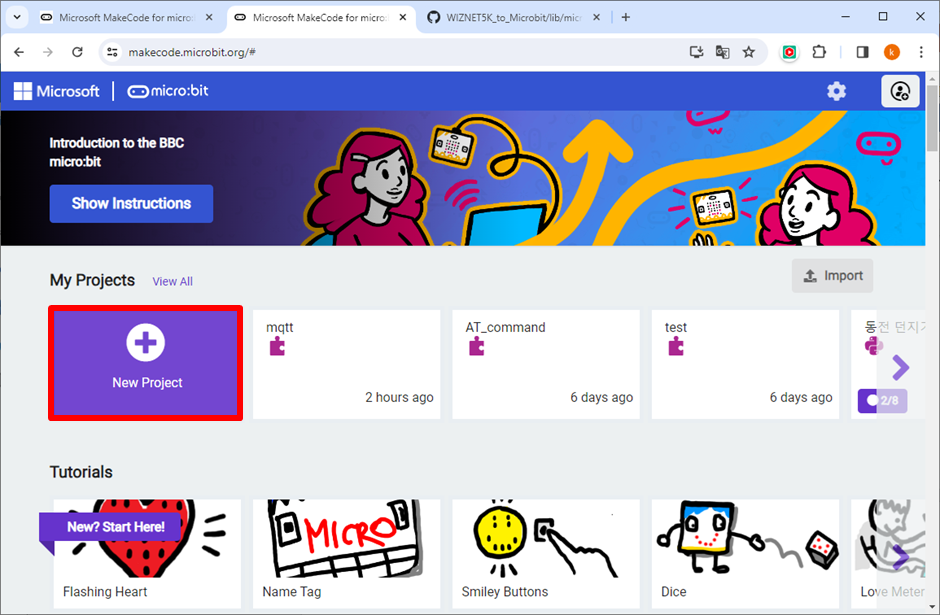
Please run a new project.

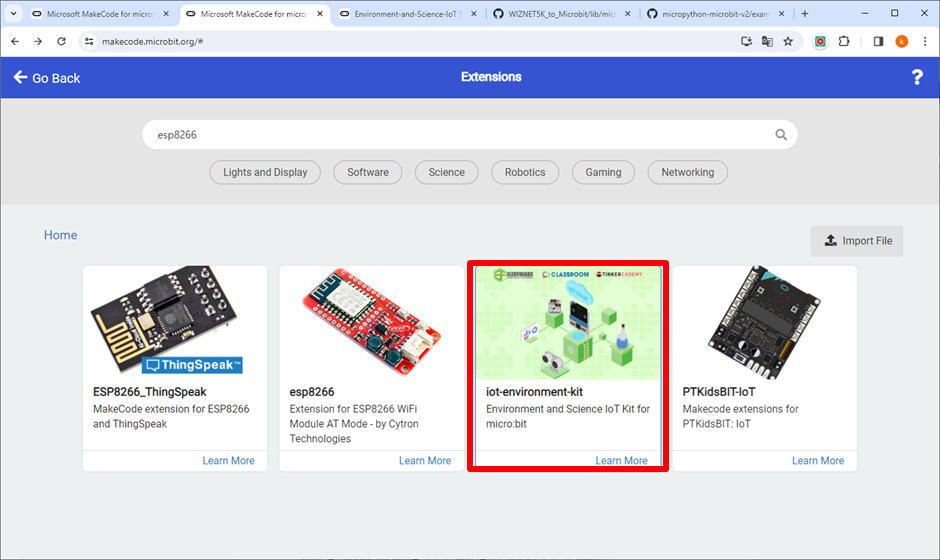
Since ESP8266 is not a default feature, please install the extension  additionally. 
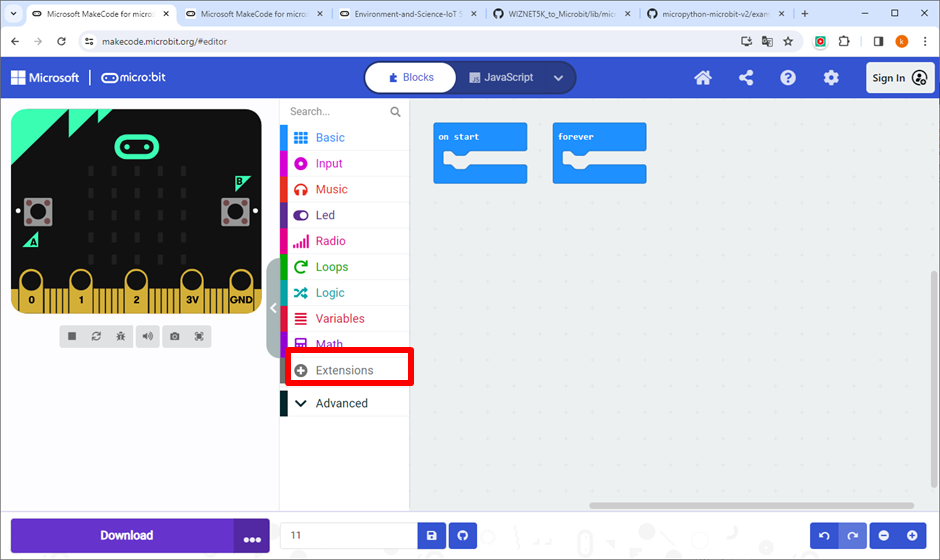
search ESP8266
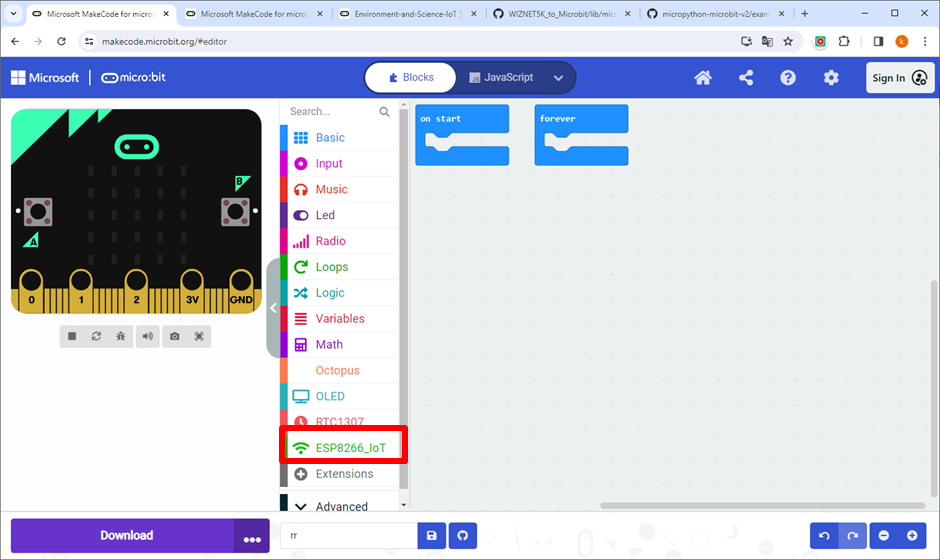
The ESP8266_IoT block has been added.
Let's code with MakeCode.


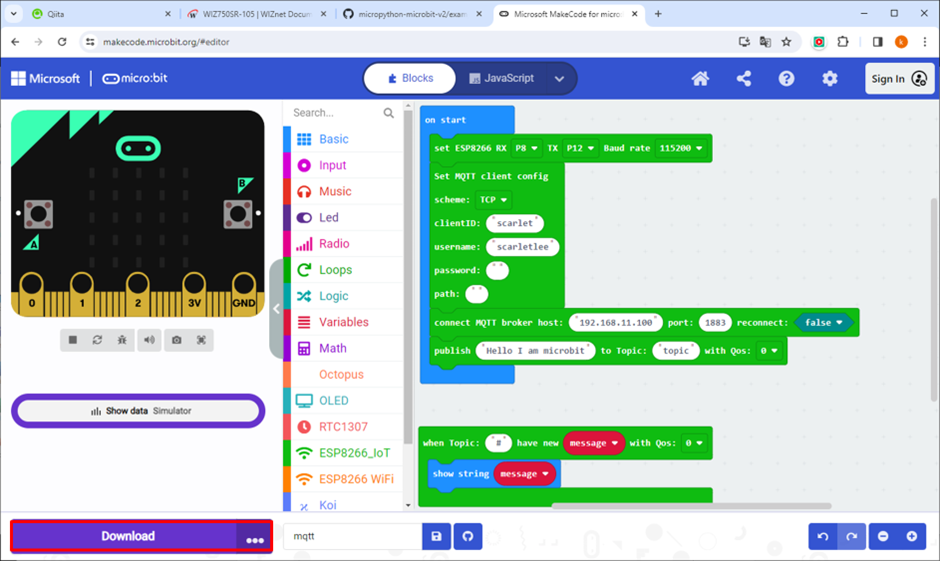
In the ESP8266_IoT block configuration, set up the UART (w5500-evb-pico) and connect it. 

In the MQTT block configuration, create the code in the order of setting up MQTT -> connecting to the Broker -> publishing.
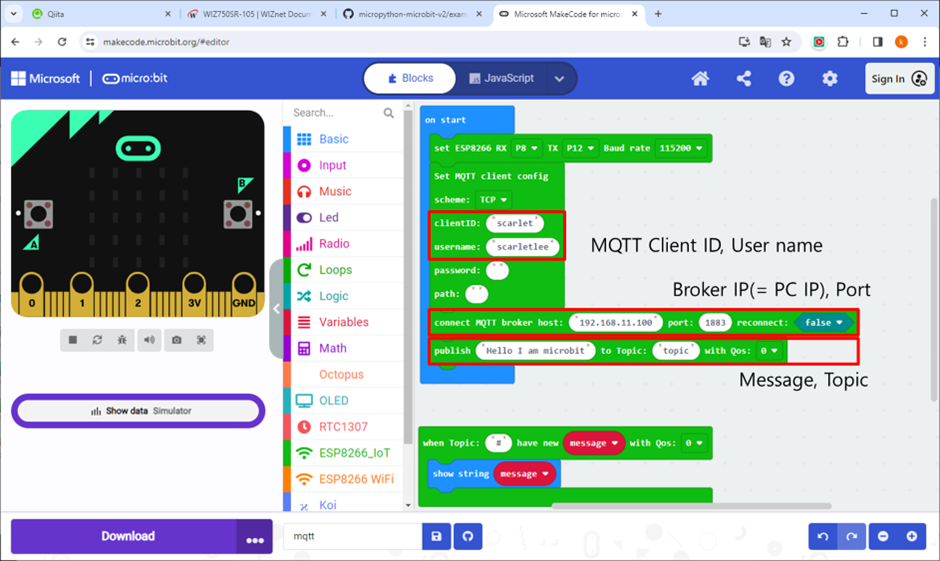
Download the code to the Microbit. 
 

Then, execute subscribe in Mosquitto.

mosquitto_sub -h 192.168.11.100 -t 'topic’
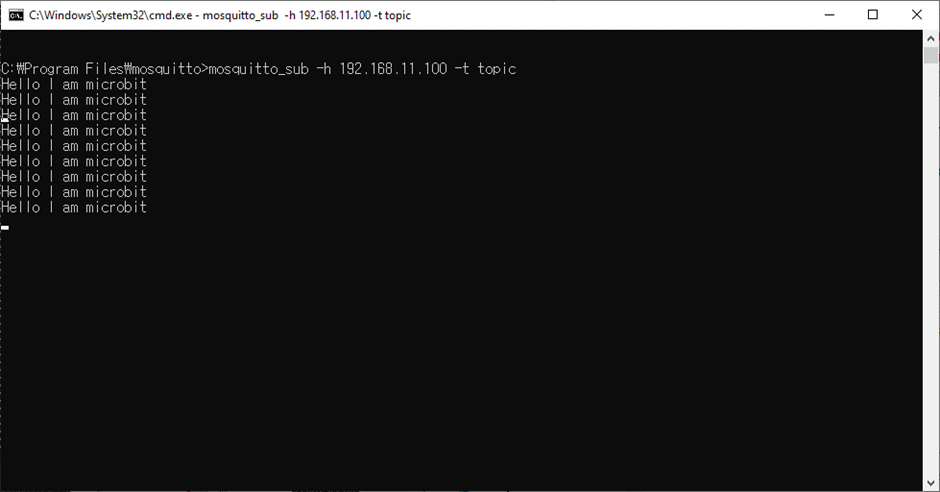
 Verify that the message you entered is displayed in the subscribe output.


Documents
Comments Write

Similar projects you might like

Grabs sensor data via arduino uno and wt100, send the data with mqtt to artik, and send it to kafka broker and logstash, monitors via grafana

MQTT Kafka Raspberry Pi ElasticSearch Cluster

josephsr
  • 2629

  • 0

Use the Adafruit IO MQTT to remotely access and control Controllino MEGA PLC. Program with Visuino - Quick and Easy!

Remote Access And Control Controllino With Adafruit Io Mqtt

taylor
  • 5399

  • 0

Implementing an MQTT sub using an STM32F051 microcontroller and a WIZnet W5500 Ethernet chip

stm32f051-w5500-mqtt-sub-ex

Benjamin
  • 6104

  • 0

Example/Demo code for MQTT Publication on STM32F051+W5500 Setup

stm32f051-w5500-mqtt-pub-ex

Benjamin
  • 4444

  • 0

A lightweight Rust driver for the WIZnet W5500 Ethernet chip using SPI. Designed for no_std embedded systems with built-in TCP/IP offload (TOE).

High-Performance Ethernet Control with W5500 in Rust: Minimal TCP/IP Offload for Embedded Devices

matthew
  • 8814

  • 0

Learn to setup your mcGateway to be able to send data to the Ubidots cloud over MQTT.

How to Connect a mcGateway to Ubidots over MQTT – Fast and Secure IoT Integration with W5500

scott
  • 5699

  • 0

Let's try MQTT communication with ESP32 ( Arduino core for the ESP32) using WIZnet's W5500 .

🚀 Building Stable Ethernet MQTT Communication with ESP32 and W5500

scott
  • 12658

  • 0

Industrial gateway solution based on STM32 and W5500, supporting multiple protocols (Modbus TCP/RTU/ASCII, BACnet/IP, MQTT) for building automation and IIoT.

Industrial Multi-Protocol Gateway (MTGateway)

Benjamin
  • 1361

  • 0