


PMS04-B
PMS04-B
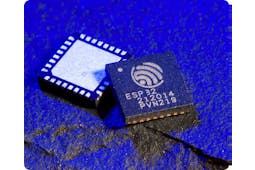
Espressif - ESP32
x 1


WIZnet - W5500
x 1
프로젝트 개요
DIGNSYS PMS04-B는 ESP32-WROOM-32UE를 중심으로 최대 4채널의 AC 전력 데이터를 수집하고, 네트워크를 통해 상위 시스템으로 전달할 수 있도록 설계된 전력 모니터링 장치입니다.
각 채널에서는 PZEM004 계열 측정부를 통해 전압, 전류, 유효전력, 누적 에너지, 주파수, 역률을 측정하며, 유선 네트워크 인터페이스에는 WIZnet W5500이 사용됩니다. PZEM004는 AC 전력선의 전압과 전류를 측정하고 전력 및 에너지 정보를 MCU에서 읽을 수 있도록 제공하는 전력 계측 모듈입니다.
전체 데이터 흐름은 다음과 같이 정리할 수 있습니다.
AC 전력 × 4 → PZEM004 → ESP32 → W5500 / Wi-Fi → 상위 모니터링 시스템
ESP32는 네 개의 PZEM 측정 채널을 순차적으로 읽고 측정값과 장치 상태를 관리합니다. PMS04-B는 Ethernet 외에도 Wi-Fi, BLE, RS232, RS485, GPIO, RTC, I2C 인터페이스를 제공하므로 전력 계측뿐 아니라 외부 장치 연동이나 설비 제어에도 활용할 수 있습니다.

이미지 출처 : https://dignsys.com/eng/bbs/board.php?bo_table=b5&sca=PMS04-B
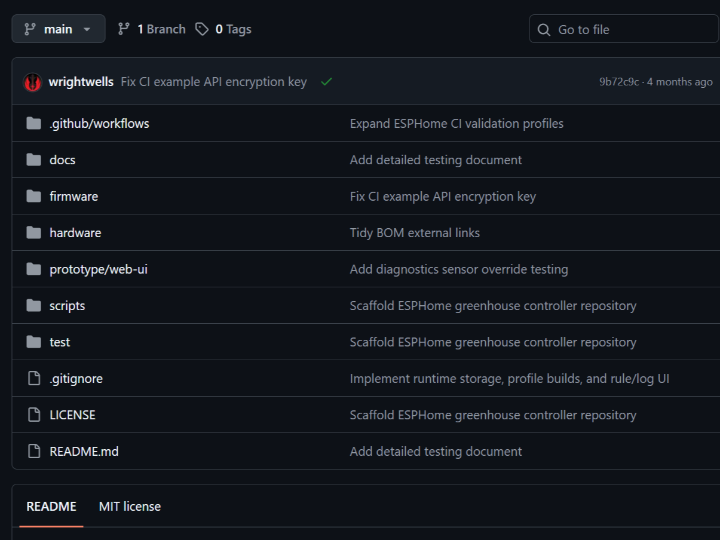
저장소에는 Mosquitto, Node-RED, InfluxDB를 이용한 MQTT 테스트 환경도 포함되어 있습니다. 이를 활용하면 다음과 같은 Industrial IoT 모니터링 구조를 구성할 수 있습니다.
PMS04-B → MQTT Broker → Node-RED → InfluxDB → Dashboard

이미지 출처 : https://dignsys.com/eng/bbs/board.php?bo_table=b5&sca=PMS04-B
따라서 PMS04-B는 단순한 전력 측정기가 아니라, 공장 설비나 전기실에서 여러 전력 채널을 수집하고 상위 서버로 전달할 수 있는 네트워크 기반 전력 모니터링 노드로 활용할 수 있습니다.
WIZnet이 들어가는 위치
PMS04-B의 유선 네트워크 인터페이스에는 WIZnet W5500이 사용됩니다. W5500은 ESP32와 SPI로 연결되며 핀 구성은 다음과 같습니다.
MOSI: GPIO19
MISO: GPIO18
SCK: GPIO5
CS: GPIO17
Reset: GPIO Expander
W5500의 역할은 PMS04-B에 RJ45 기반 유선 Ethernet 통신 경로를 제공하는 것입니다. 공개된 펌웨어에서는 Static IP 설정, DHCP, Link 상태 확인, PHY 정보 확인, UDP 송수신 기능이 구현되어 있습니다.
Industrial IoT 환경에서는 전력 측정과 주변장치 제어를 ESP32가 담당하고, 유선 네트워크 연결은 W5500이 담당하는 구조로 역할을 나눌 수 있습니다. 특히 전기실, 제어반, 생산 설비처럼 Ethernet 배선이 설치된 환경에서는 Wi-Fi AP나 RF 환경에 의존하지 않고 고정된 유선 네트워크를 구성할 수 있습니다.
다만 현재 공개된 MQTT 예제에서는 W5500이 아니라 ESP32의 WiFiClient를 사용합니다. 따라서 W5500을 통해 MQTT 데이터를 직접 전송하려면 MQTT Client를 Ethernet 경로로 연결하는 추가 구현이 필요합니다.
구현 노트
W5500 초기화
파일: pms04/pms04.ino
위치: 3281~3284행
Ethernet.init(PIN_ETH_CS);
pCUR_SPI = pspi;
Ethernet.begin(nc_mac, nc_ip, nc_dns, nc_gateway, nc_subnet);
pspi->setFrequency(40000000);
이 코드는 W5500의 Chip Select를 지정한 뒤 MAC, IP, DNS, Gateway, Subnet 정보를 설정하고 SPI Clock을 40MHz로 구성합니다.
초기화 이후에는 Link 상태, PHY 상태, 통신 속도, Duplex 정보를 확인할 수 있으며, DHCP를 이용한 IP 할당과 UDP 송수신도 테스트할 수 있습니다.
여러 대의 PMS04-B를 설비에 고정 설치한다면 Static IP 또는 DHCP Reservation과 장치 ID를 함께 관리하는 방식이 유지보수에 유리합니다.
전력 데이터 수집
파일: pms04/pms04.ino
float voltage = ppzem[idx]->voltage();
float current = ppzem[idx]->current();
float power = ppzem[idx]->power();
float energy = ppzem[idx]->energy();
float frequency = ppzem[idx]->frequency();
float pf = ppzem[idx]->pf();
펌웨어에서는 네 개의 PZEM 객체를 배열로 관리하고 각 채널에서 다음 데이터를 읽습니다.
Voltage / Current / Power / Energy / Frequency / Power Factor
하나의 ESP32에서 네 개의 전력 채널을 관리하므로, 상위 서버로 데이터를 전달할 때는 측정값뿐 아니라 장치와 채널을 식별할 수 있는 정보도 함께 포함하는 것이 좋습니다.
예를 들어 다음과 같은 데이터 구조를 사용할 수 있습니다.
device_id + channel + timestamp + voltage + current + power + energy + pf
이 구조를 사용하면 여러 대의 PMS04-B가 하나의 MQTT Broker나 InfluxDB에 연결되어도 장치별·채널별 데이터를 명확하게 구분할 수 있습니다.
실무 팁 / 주의사항
W5500 Link 상태를 먼저 확인하는 것이 좋습니다. IP나 MQTT 연결 문제를 확인하기 전에 linkStatus()와 PHY 상태를 점검하면 케이블이나 Ethernet Switch 문제를 빠르게 구분할 수 있습니다.
IP 관리 정책을 미리 정하는 것이 좋습니다. 여러 대의 계측 장치를 설치한다면 Static IP 또는 DHCP Reservation과 장치 ID를 함께 관리하면 유지보수가 편리합니다.
MQTT 데이터에는 채널 정보를 포함하는 것이 좋습니다. PMS04-B는 4채널 장치이므로 device_id, channel, timestamp를 포함하면 장기간 데이터를 관리하기 쉽습니다.
네트워크 장애 복구 기능을 추가하는 것이 좋습니다. Link Down이나 MQTT Broker 연결 실패가 발생했을 때 Ethernet과 MQTT를 자동으로 다시 연결하는 로직을 두면 장기간 무인 운전에 유리합니다.
AC 전력 측정 안전을 우선해야 합니다. PMS04-B는 고전압 AC를 측정하므로 CT 방향, 단자 체결, 절연, 접지, 케이스 보호 등 전기 안전을 충분히 고려해야 합니다.
FAQ
Q1. PMS04-B에서 왜 W5500을 사용하나요?
W5500은 ESP32에 독립적인 유선 Ethernet 인터페이스를 제공합니다. 전기실이나 제어반처럼 장기간 고정 설치되는 전력 계측 시스템에서는 RJ45 기반으로 안정적인 유선 네트워크를 구성할 수 있다는 점이 실용적입니다.
Q2. W5500은 ESP32와 어떻게 연결되나요?
SPI 인터페이스로 연결됩니다. PMS04-B에서는 MOSI GPIO19, MISO GPIO18, SCK GPIO5, CS GPIO17을 사용하며 Reset은 GPIO Expander에서 제어합니다.
Q3. 이 프로젝트에서 W5500은 어떤 역할을 하나요?
PMS04-B의 유선 LAN 인터페이스를 담당합니다. 실제 펌웨어에서는 IP 설정, DHCP, Link 및 PHY 진단, UDP 송수신 기능을 확인할 수 있습니다.
Q4. 초보자도 PMS04-B와 W5500을 사용할 수 있나요?
Arduino와 ESP32 개발 경험이 있고 기본적인 IP 네트워크 구조를 이해하고 있다면 펌웨어 구조는 따라갈 수 있습니다. 다만 실제 장치는 고전압 AC를 측정하므로 전력 배선 작업에는 별도의 전기 안전 지식이 필요합니다.
Q5. Industrial IoT 환경에서 Wi-Fi와 W5500 중 어떤 방식이 적합한가요?
설치 환경에 따라 달라집니다. Wi-Fi는 별도의 통신 배선이 필요하지 않아 설치가 간단하지만 AP 상태와 무선 환경의 영향을 받습니다. 반면 W5500은 Ethernet 배선이 가능한 전기실, 제어반, 생산 설비처럼 장기간 고정 설치되는 네트워크 노드에 적합합니다. 현재 공개된 MQTT 예제는 Wi-Fi를 사용하므로 완전한 유선 시스템으로 구성하려면 MQTT Client를 W5500 Ethernet 경로에 연결해야 합니다.
Project Overview
The DIGNSYS PMS04-B is a power monitoring device built around the ESP32-WROOM-32UE, designed to collect AC power data from up to four channels and transmit it to an upstream system over a network.
Each channel measures voltage, current, active power, accumulated energy, frequency, and power factor through a PZEM004-series power measurement module, while the WIZnet W5500 is used for the wired network interface. The PZEM004 is a power measurement module that measures voltage and current on an AC power line and provides power and energy data that can be read by an MCU.
The overall data flow can be summarized as follows:
AC Power × 4 → PZEM004 → ESP32 → W5500 / Wi-Fi → Monitoring System
The ESP32 sequentially reads the four PZEM measurement channels and manages both the measured values and device status. In addition to Ethernet, the PMS04-B provides Wi-Fi, BLE, RS232, RS485, GPIO, RTC, and I2C interfaces, allowing it to be used not only for power measurement but also for external device integration and equipment control.
Image Source: https://dignsys.com/eng/bbs/board.php?bo_table=b5&sca=PMS04-B
The repository also includes an MQTT test environment based on Mosquitto, Node-RED, and InfluxDB. This can be used to build an Industrial IoT monitoring architecture such as the following:
PMS04-B → MQTT Broker → Node-RED → InfluxDB → Dashboard
Image Source: https://dignsys.com/eng/bbs/board.php?bo_table=b5&sca=PMS04-B
The PMS04-B can therefore be used not simply as a power meter, but as a network-connected power monitoring node that collects multiple power channels in factories, electrical rooms, or industrial facilities and sends the data to an upstream server.
Where WIZnet Fits
The PMS04-B uses the WIZnet W5500 for its wired network interface. The W5500 is connected to the ESP32 over SPI with the following pin configuration:
MOSI: GPIO19
MISO: GPIO18
SCK: GPIO5
CS: GPIO17
Reset: GPIO Expander
The role of the W5500 is to provide the PMS04-B with an RJ45-based wired Ethernet communication path. The publicly available firmware implements Static IP configuration, DHCP, Link status checking, PHY information monitoring, and UDP transmission and reception.
In an Industrial IoT environment, the ESP32 can handle power measurement and peripheral device control, while the W5500 handles wired network connectivity. This separation is particularly useful in electrical rooms, control panels, and production facilities where Ethernet cabling is already available, allowing the system to operate over a fixed wired network without depending on Wi-Fi access points or RF conditions.
However, the currently available MQTT example uses the ESP32 WiFiClient rather than the W5500. Therefore, additional implementation is required to connect the MQTT Client to the Ethernet path if MQTT data is to be transmitted directly through the W5500.
Implementation Notes
W5500 Initialization
File: pms04/pms04.ino
Location: Lines 3281–3284
Ethernet.init(PIN_ETH_CS);
pCUR_SPI = pspi;
Ethernet.begin(nc_mac, nc_ip, nc_dns, nc_gateway, nc_subnet);
pspi->setFrequency(40000000);
This code assigns the W5500 Chip Select pin, configures the MAC address, IP address, DNS server, gateway, and subnet, and sets the SPI clock to 40 MHz.
After initialization, the firmware can check the Link status, PHY status, communication speed, and duplex mode. It can also test DHCP-based IP assignment and UDP communication.
When multiple PMS04-B devices are installed at fixed locations, managing a Static IP or DHCP Reservation together with a device ID can simplify long-term maintenance.
Power Data Acquisition
File: pms04/pms04.ino
float voltage = ppzem[idx]->voltage();
float current = ppzem[idx]->current();
float power = ppzem[idx]->power();
float energy = ppzem[idx]->energy();
float frequency = ppzem[idx]->frequency();
float pf = ppzem[idx]->pf();
The firmware manages four PZEM objects in an array and reads the following data from each channel:
Voltage / Current / Power / Energy / Frequency / Power Factor
Because a single ESP32 manages four power channels, it is useful to include information that identifies both the device and the channel when transmitting measurements to an upstream server.
For example, the following data structure can be used:
device_id + channel + timestamp + voltage + current + power + energy + pf
With this structure, data from multiple PMS04-B devices connected to the same MQTT Broker or InfluxDB instance can be clearly separated by device and channel.
Practical Tips / Precautions
Check the W5500 Link status first. Before troubleshooting IP or MQTT connection problems, checking linkStatus() and the PHY status can help quickly distinguish cable or Ethernet switch issues from higher-level network problems.
Define an IP management policy in advance. When deploying multiple power monitoring devices, managing Static IP addresses or DHCP Reservations together with device IDs can simplify maintenance.
Include channel information in MQTT data. Because the PMS04-B is a four-channel device, including device_id, channel, and timestamp makes long-term data management much easier.
Add network failure recovery logic. If a Link Down event or MQTT Broker connection failure occurs, automatically reconnecting Ethernet and MQTT can improve reliability during long-term unattended operation.
Prioritize electrical safety when measuring AC power. Because the PMS04-B measures high-voltage AC, installation should account for CT orientation, terminal connections, insulation, grounding, enclosure protection, and other electrical safety requirements.
FAQ
Q1. Why is the W5500 used in the PMS04-B?
The W5500 provides the ESP32 with an independent wired Ethernet interface. For power monitoring systems installed long-term in electrical rooms or control panels, an RJ45-based wired network provides a practical way to establish stable network connectivity.
Q2. How is the W5500 connected to the ESP32?
It is connected through the SPI interface. The PMS04-B uses GPIO19 for MOSI, GPIO18 for MISO, GPIO5 for SCK, and GPIO17 for CS, while Reset is controlled through a GPIO Expander.
Q3. What role does the W5500 play in this project?
It serves as the wired LAN interface of the PMS04-B. The firmware includes IP configuration, DHCP, Link and PHY diagnostics, and UDP transmission and reception.
Q4. Can beginners work with the PMS04-B and W5500?
Developers with experience using Arduino and ESP32 and a basic understanding of IP networking should be able to follow the firmware structure. However, because the actual device measures high-voltage AC, power wiring requires separate electrical safety knowledge and appropriate precautions.
Q5. Which is more suitable for an Industrial IoT environment: Wi-Fi or W5500?
It depends on the installation environment. Wi-Fi is easier to deploy because it does not require communication cabling, but it is affected by access point availability and RF conditions. The W5500 is more suitable for fixed network nodes installed in electrical rooms, control panels, or production facilities where Ethernet cabling is available. The current MQTT example uses Wi-Fi, so the MQTT Client must be connected to the W5500 Ethernet path to build a fully wired system.


