


LabVIEW TCP/IP Read with Wiznet 5500 EVB Pico via TCP/IP
LabVIEW TCP/IP Read with Wiznet 5500 EVB Pico via TCP/IP
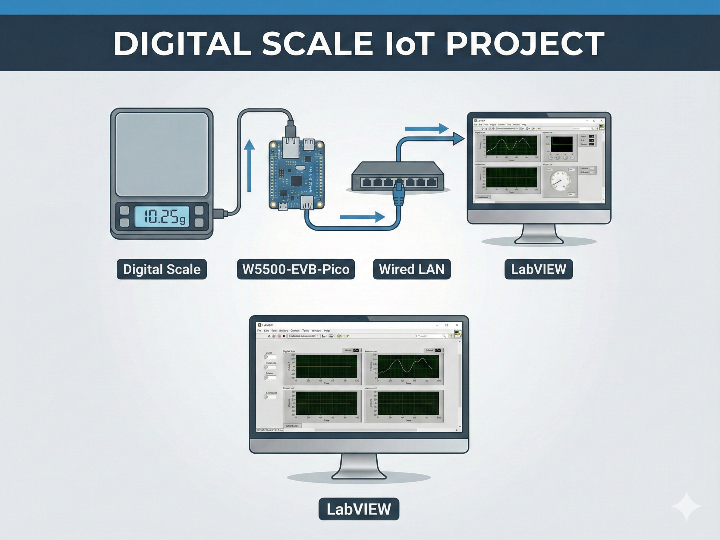
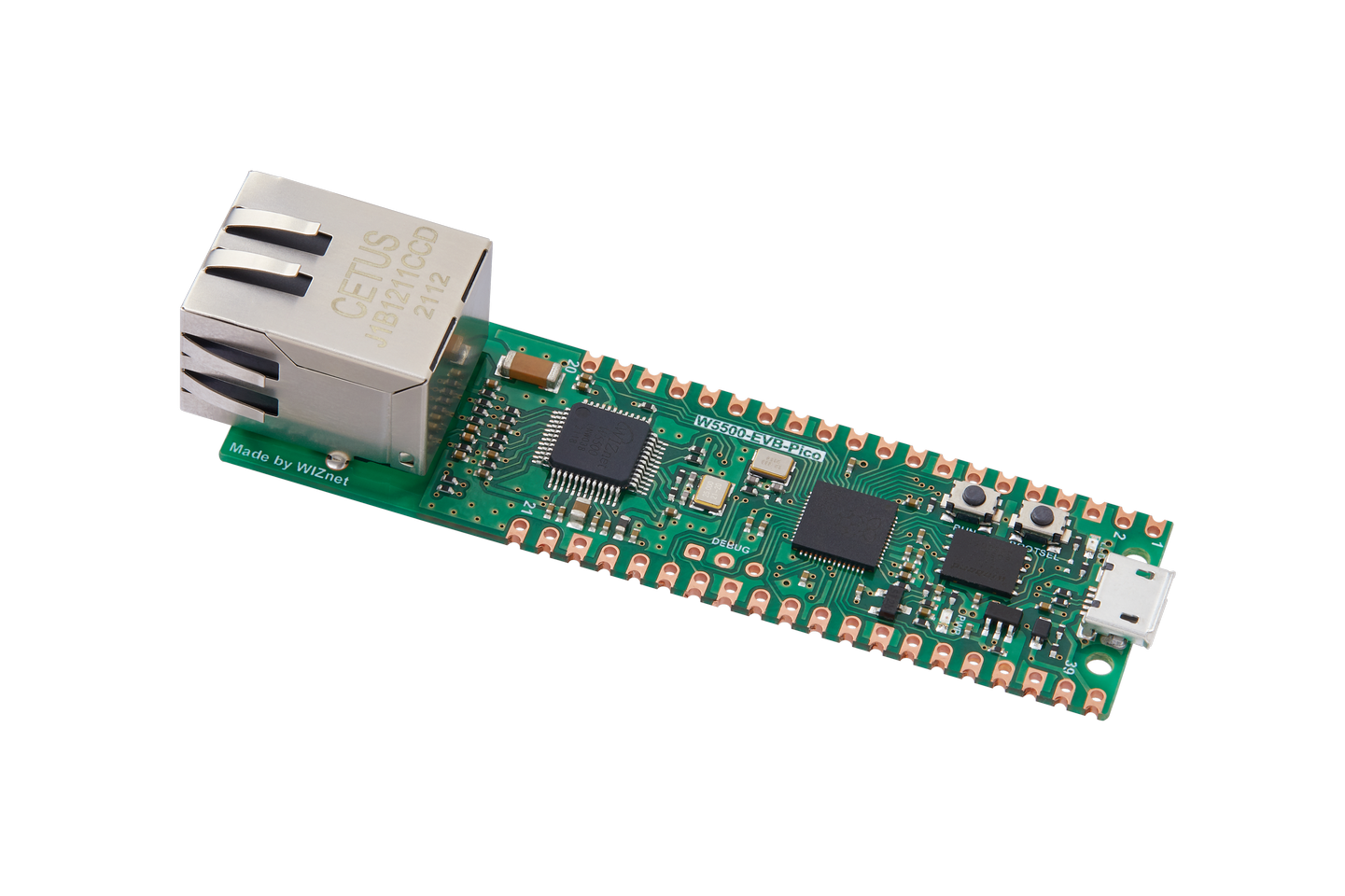
WIZnet - W5500-EVB-Pico
x 1

프로젝트 개요
디지털 저울/게이지의 거리 측정값을 RP2040에서 읽어 한 줄(개행) 레코드로 만들고, W5500-EVB-Pico의 하드웨어 TCP/IP로 로컬 LAN에 TCP 스트리밍한 뒤 LabVIEW가 클라이언트로 수신·파싱·로깅하는 산업용 계측 데이터 파이프라인을 정리합니다.
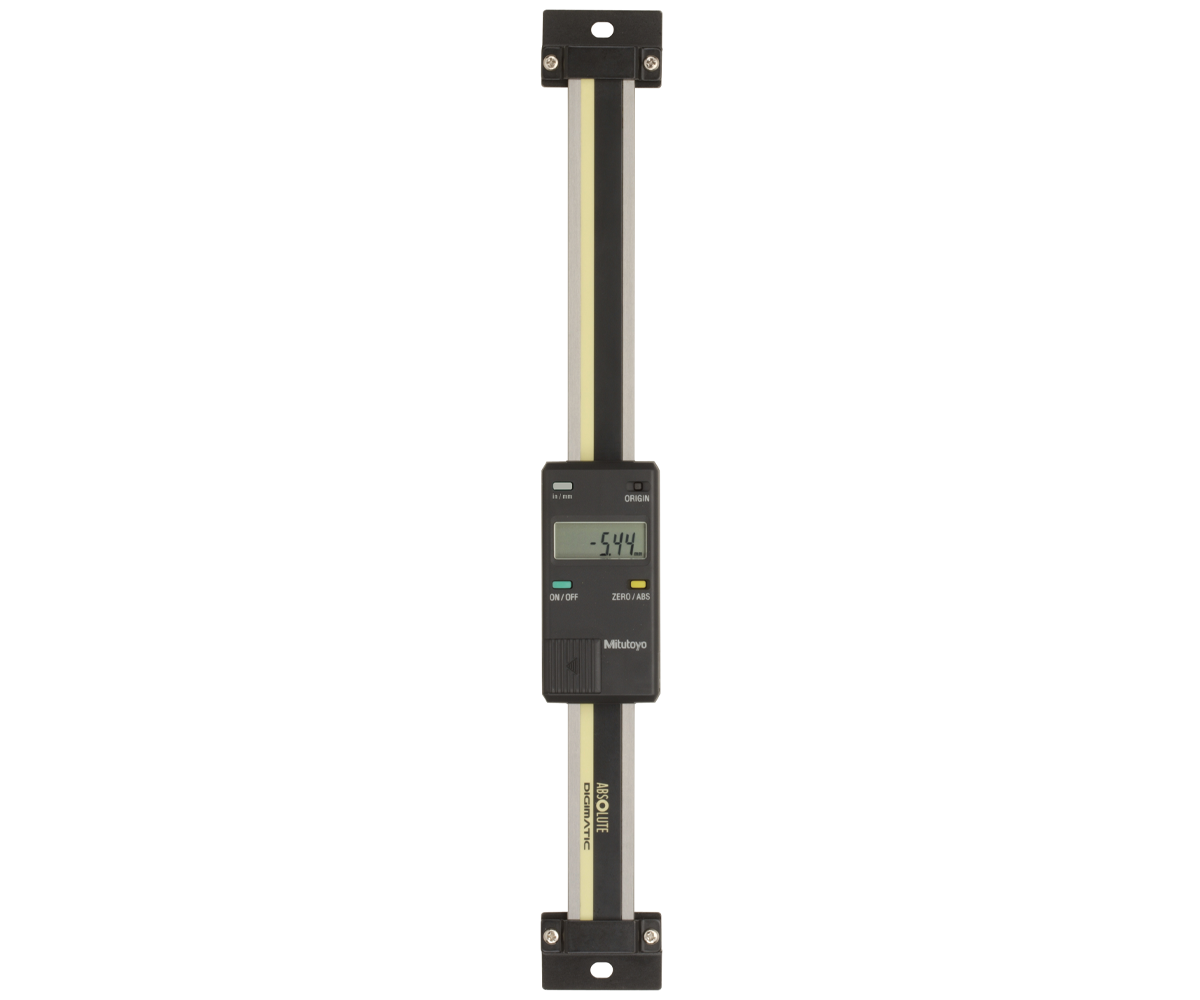
이미지 출처 : https://www.greatgages.com/
1) 한눈에 보는 전체 구조
[디지털 저울/게이지] → RP2040(값 읽기/정규화) → W5500(SPI) → 유선 LAN(TCP) → LabVIEW(수집·로깅)
현장단(장치): 측정값을 “네트워크로 내보내는 센서 게이트웨이”
PC단(LabVIEW): 수신한 데이터를 “저장/표시/알람”하는 로거(HMI)
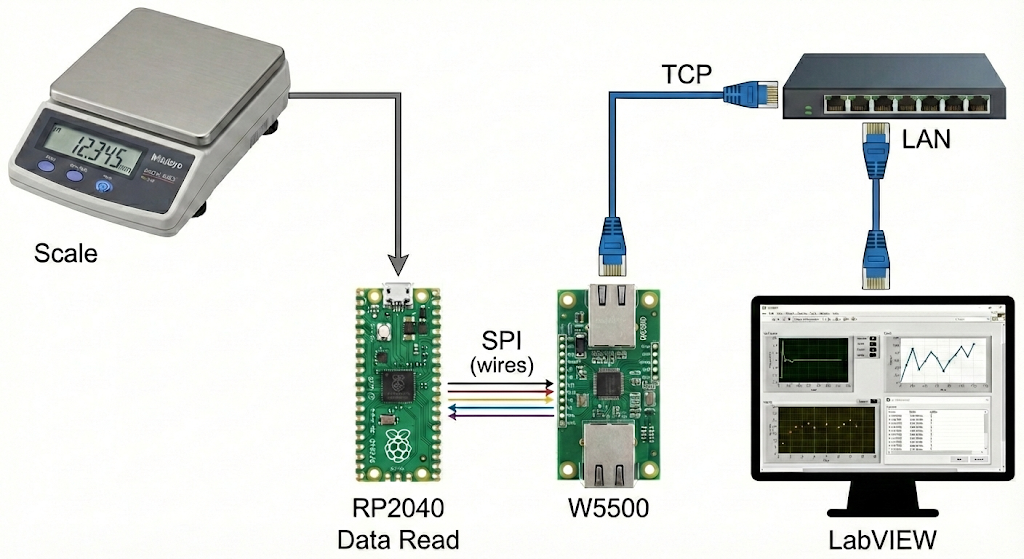
이미지 출처 : AI 생성
2) 데이터는 어떤 형태로 보내야 읽기 쉬울까?
계측 로깅에서 제일 중요한 건 “데이터가 끊어지는 기준(레코드 경계)”입니다.
가장 관리가 쉬운 방식은 한 줄 = 한 측정값(개행으로 끝) 입니다.
권장 레코드 예시:
SEQ=1024,TS=17321ms,VAL=123.456,UNIT=mm,STAT=OK\n
필드 의미
SEQ: 누락/중복 감지
TS: 장치 기준 시간(PC 로그와 비교 가능)
VAL/UNIT: 측정값/단위
STAT: 안정/오류/오버레인지 같은 상태
3) W5500-EVB-Pico가 하는 일 (왜 쓰나?)
이 프로젝트에서 W5500의 역할은 “랜선 연결”을 넘어서 TCP/IP 처리를 하드웨어로 맡아주는 것입니다.
Hardwired TCP/IP: MCU가 소프트웨어 TCP/IP 스택 부담을 크게 줄임
8 하드웨어 소켓 + 내부 버퍼(총 32KB): 스트리밍과 확장(예: 모니터 PC 추가)에 유리
SPI 인터페이스: MCU와 연결이 단순해 유지보수성이 좋음
→ 산업/계측 로깅에서 원하는 “장시간 안정 운전 + 예측 가능한 동작”에 잘 맞습니다.
4) LabVIEW는 무엇을 하면 되나? (역할만 깔끔하게)
LabVIEW는 TCP 클라이언트 로거로 동작하면 됩니다.
TCP Open Connection (장치 IP, PORT)
수신 루프
들어오는 문자열을 내부 버퍼에 누적
\n 기준으로 “완성된 한 줄”씩 꺼내기
VAL/UNIT/STAT/SEQ 파싱
TDMS/CSV/DB에 저장 + 차트 표시 + 알람
TCP Close
TCP Read 자체는 “스트림에서 바이트를 읽는 함수”라서, 계측 로깅에선 보통 라인(개행) 기반으로 레코드를 분리하는 구조가 운영에 튼튼합니다.
5) 운영 확장(Industrial IoT에서 자주 필요한 것)
고정 IP(또는 DHCP 예약): 라인 장비는 주소가 바뀌면 운영이 힘듦
Heartbeat 레코드: 예) HB,TS=...,STAT=OK\n (연결/장치 상태 감시)
장비 추적성: DEVICE_ID, FW_VER, CAL_REV 같은 필드 추가
다중 PC 구성: 로거 1대 + 모니터 1대(필요 시)로 확장
WIZnet 중심 FAQ (5개)
Q1. 왜 W5500를 쓰면 계측 로깅이 쉬워지나요?
W5500는 TCP/IP를 칩 내부에서 처리하는 Hardwired 방식이라, MCU가 네트워크 스택을 크게 떠안지 않아도 됩니다. 결과적으로 펌웨어는 “측정값 읽기/필터링/레코드 생성”에 집중하고, 네트워크는 W5500가 담당하는 구조가 됩니다. 장시간 스트리밍에서 유지보수 포인트가 줄어드는 것이 실무 장점입니다. (docs.wiznet.io)
Q2. LabVIEW는 어떻게 연결하나요?
LabVIEW는 장치의 IP와 포트로 TCP Open Connection을 열고, Read로 데이터 스트림을 받습니다. 장치(W5500-EVB-Pico)는 TCP 서버로 동작하며 LAN 스위치/라우터에 유선으로 연결됩니다. 운영 환경에서는 고정 IP 또는 DHCP 예약으로 주소를 고정해두면 유지보수가 쉬워집니다. (ni.com)
Q3. 이 구조에서 W5500의 구체적 역할은 뭔가요?
RP2040가 SPI로 레코드를 전달하면, W5500가 TCP 세션 유지, 전송 제어, 내부 버퍼링 등 네트워크 관련 처리를 하드웨어로 수행합니다. 즉 “측정값 생성”과 “네트워크 전송”이 분리되어, 계측 루프가 네트워크 이벤트에 덜 흔들리게 설계할 수 있습니다. (docs.wiznet.io)
Q4. 초보자가 구현할 때 가장 중요한 포인트는 무엇인가요?
가장 중요한 포인트는 “레코드 경계”입니다. TCP는 바이트 스트림이라, 한 측정값이 쪼개져 오거나 붙어서 올 수 있습니다. 그래서 장치가 \n으로 끝나는 1-Line 레코드를 보내도록 만들고, LabVIEW가 내부 버퍼에서 \n 기준으로 한 줄씩 꺼내 파싱하면 구현이 쉬워지고 운영도 안정적입니다. (ni.com)
Q5. Wi-Fi(ESP32)나 ENC28J60 대신 W5500를 선택하면 어떤 차이가 있나요?
Wi-Fi는 배선이 편하지만 전파 환경에 따라 지연/품질 변동이 커질 수 있어 장시간 로깅에서 변수가 늘 수 있습니다. ENC28J60는 보통 MAC/PHY 중심이라 MCU가 TCP/IP 스택 부담을 더 지는 쪽으로 가기 쉽습니다. W5500는 Hardwired TCP/IP로 MCU 부담을 줄이고, 유선 LAN 기반이라 산업/계측 환경에서 “예측 가능하게” 운영하기 좋습니다. (wiznet.hk)
Project Overview
This article summarizes an industrial measurement data pipeline where distance readings from a Mitutoyo-style digital scale/gauge are captured by an RP2040, formatted into single-line (newline-terminated) records, streamed over TCP on a local LAN using the W5500-EVB-Pico’s hardwired TCP/IP, and then received, parsed, and logged by LabVIEW acting as a TCP client.
Image source: https://www.greatgages.com/
1) System Architecture at a Glance
[Digital scale/gauge] → RP2040 (read + normalize) → W5500 (SPI) → Wired LAN (TCP) → LabVIEW (collect + log)
Device side (edge gateway): Converts measurement output into network-ready records and streams them over Ethernet.
PC side (LabVIEW): Works as a logger/HMI—stores, visualizes, and alarms on incoming measurements.
Image source: AI-generated
2) What Data Format Makes Logging Easy?
In measurement logging, the most important design choice is the record boundary—how you define where one measurement ends and the next begins.
The simplest and most maintainable approach is:
One line = one measurement (ends with a newline).
Recommended record example
Field meanings
SEQ: Detects missing/duplicate samples (useful for reliability checks)
TS: Device-side timestamp (can be compared with PC-side timestamps)
VAL / UNIT: Measurement value and unit
STAT: Status such as stable/unstable/error/overrange
3) What Does the W5500-EVB-Pico Do (and Why Use It)?
In this project, the W5500’s job is more than “just Ethernet.” It offloads TCP/IP processing in hardware, which simplifies firmware and improves long-run stability.
Hardwired TCP/IP: Greatly reduces the MCU burden of running a full software TCP/IP stack
8 hardware sockets + internal buffer (total 32KB): Good for streaming and future expansion (e.g., adding a monitoring PC)
SPI interface: Simple MCU integration and easier maintenance
→ This matches what industrial measurement logging typically needs: stable long-duration operation and predictable behavior.
4) What Should LabVIEW Do? (Clean Role Definition)
LabVIEW should behave as a TCP client logger.
Basic flow
TCP Open Connection (device IP, port)
Receive loop
Accumulate incoming bytes into an internal buffer
Extract complete lines using \n as the delimiter
Parse VAL/UNIT/STAT/SEQ
Save to TDMS/CSV/DB + display charts + trigger alarms
TCP Close
Because TCP Read returns a byte stream, the most robust logging pattern is to separate records using newline-delimited lines rather than assuming packet-sized messages.
5) Operational Extensions Common in Industrial IoT
Static IP (or DHCP reservation): If device IP changes, operations and maintenance become painful
Heartbeat record: e.g., HB,TS=...,STAT=OK\n for connection/device health monitoring
Traceability fields: Add DEVICE_ID, FW_VER, CAL_REV for auditability and calibration tracking
Multi-PC setup: Expand from 1 logger PC to “1 logger + 1 monitor” (if needed)
WIZnet-Focused FAQ (5)
Q1. Why does using W5500 make measurement logging easier?
The W5500 processes TCP/IP inside the chip (hardwired TCP/IP), so the MCU doesn’t need to carry as much networking complexity. That lets firmware focus on measurement tasks—reading values, filtering, and generating well-formed records—while W5500 handles reliable Ethernet communication. In long-running streams, fewer moving parts typically means fewer maintenance points.
Q2. How does LabVIEW connect to the device?
LabVIEW opens a TCP connection to the device’s IP address and port using TCP Open Connection, then receives data with TCP Read. The W5500-EVB-Pico acts as a TCP server on the wired LAN (through a switch/router). In real deployments, it’s best to keep addressing stable via a static IP or DHCP reservation so your LabVIEW application doesn’t require frequent reconfiguration.
Q3. What is W5500’s specific role in this architecture?
The RP2040 builds measurement records and transfers them via SPI. The W5500 then performs network-facing work in hardware—maintaining TCP sessions, handling transmit/receive buffering, and managing socket-level networking behavior. This separation helps prevent networking details from interfering with time-sensitive measurement acquisition and record generation.
Q4. What is the single most important implementation point for beginners?
Record boundaries. TCP is a byte stream, so a “single measurement” can arrive split across reads—or multiple measurements can arrive merged. If the device sends newline-terminated 1-line records, LabVIEW can buffer incoming data and reliably parse one complete measurement at a time by splitting on \n. This makes the system easier to implement and much more stable in operation.
Q5. How does W5500 compare to Wi-Fi (ESP32) or ENC28J60 for this use case?
Wi-Fi can be convenient, but RF conditions can introduce more variability in latency and reliability—especially over long runs or in noisy industrial environments. ENC28J60 is often used as a lower-cost Ethernet option, but it typically pushes more TCP/IP stack responsibility onto the MCU. W5500’s hardwired TCP/IP reduces MCU load and—combined with wired LAN—tends to deliver more predictable behavior for industrial measurement logging.


