


GRBL-Advanced
GRBL-Advanced

WIZnet - W5500
x 1

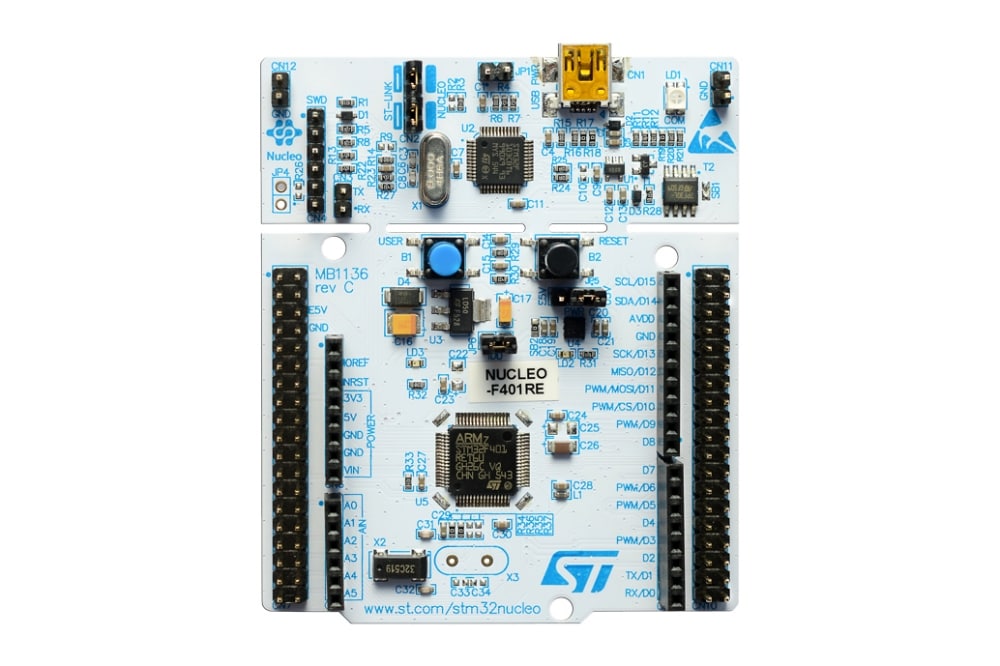
STMicroelectronics - STM32F411RE
x 1
GRBL-Advanced란?
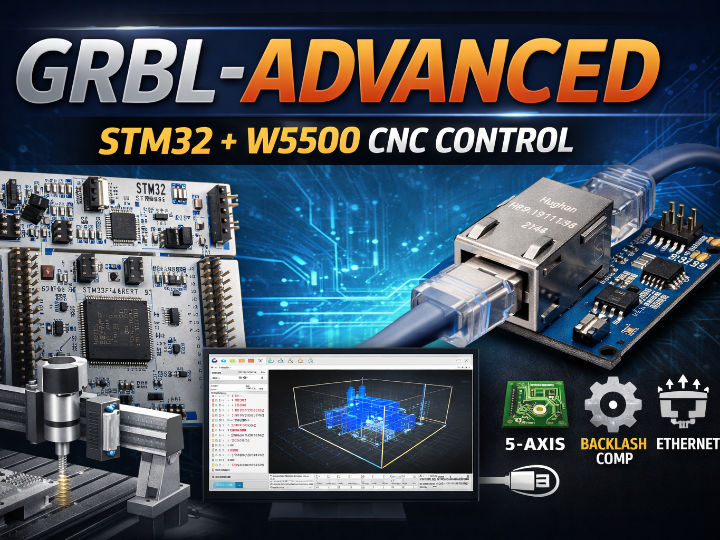
GRBL-Advanced는 CNC 밀링을 위한 “고성능/저비용” 지향의 GRBL 파생 펌웨어로, STM32F411RE / STM32F446RE Nucleo 보드에서 동작하도록 구성되어 있습니다.
기본 GRBL(v1.1, 2017)을 기반으로 하며, **look-ahead 기반 가속 관리(최대 16개의 모션 선행 계획)**로 “부드러운 가속과 코너에서의 충격(저크) 감소”를 목표로 합니다.

이미지 출처 : https://github.com/Schildkroet/GRBL-Advanced
1) 16-step Look-ahead 가속 계획
다음 동작을 미리 보고 속도를 계획해 코너링이 매끄럽고, 가감속 품질을 끌어올리는 방식입니다.
2) 백래시(Backlash) 보정 기본 탑재
백래시 보정이 기본 활성화되어 있고, 설정 값은 **$140~$142(X/Y/Z 백래시 mm)**로 조정합니다.
3) 드릴 캔드 사이클(G81~G83), 5축(실험), 선반 모드 일부 지원
드릴 캔드 사이클(G81~G83) 추가
로터리 축(5축) 실험적 지원(오류 가능/주의 문구 포함)
Lathe mode: G33 / G76(로터리 엔코더 필요)
W5500로 이더넷 CNC 제어
GRBL-Advanced는 USB 또는 ETHERNET으로 제어할 수 있고, 이더넷 사용 시 W5500 모듈이 필요하다고 명시돼 있습니다.
또한 기본 접속 정보로 IP 192.168.1.20, 포트 30501이 안내되어 있으며, 컨트롤 인터페이스로 Candle 2 사용을 권장합니다.
즉, “PC(또는 네트워크) → W5500(이더넷) → STM32 GRBL 컨트롤러” 형태의 구성이 가능해서, 장비 배치/케이블링 자유도가 확 올라갑니다.

이미지 출처 : https://github.com/Schildkroet/GRBL-Advanced
Candle2
Candle2는 Qt 기반의 GRBL 컨트롤 GUI로, PC에서 CNC 컨트롤러(예: GRBL/GRBL-Advanced)에 G-code를 로드·편집·저장·전송하고, 동작 경로를 시각화(Visualizer) 하는 용도로 쓰입니다. 기본적으로 “송신기 + 모니터링 + 시각화”를 한 프로그램에 묶어둔 형태라고 보면 됩니다.
기능은 크게 아래 정도로 정리됩니다:
G-code 파일 로딩/편집/저장/전송
G-code 시각화(Visualizing)
Height map(높이맵) 기능
또한 Candle2 릴리즈 안내에는 GRBL 1.1과 GRBL-Advanced를 지원하며, GRBL-Advanced는 USB뿐 아니라 이더넷(GrIP) 연결도 지원한다고 적혀 있습니다.

이미지 출처 : https://github.com/Schildkroet/Candle2
W5500 + CNC 예시
동영상 출처 : https://www.youtube.com/@3dprintechks
What is GRBL-Advanced?
GRBL-Advanced is a GRBL-derived firmware aimed at high performance at low cost for CNC milling, and it is designed to run on STM32F411RE / STM32F446RE Nucleo boards.
It is based on GRBL v1.1 (2017) and targets smoother acceleration and reduced corner shock (jerk) through look-ahead–based acceleration control (up to 16 motion blocks).
Image source: https://github.com/Schildkroet/GRBL-Advanced
1) 16-step look-ahead acceleration planning
It plans speed by looking ahead at upcoming moves, which helps achieve smoother cornering and better overall acceleration/deceleration quality.
2) Built-in backlash compensation
Backlash compensation is enabled by default, and it can be adjusted using $140–$142 (X/Y/Z backlash in mm).
3) Drill canned cycles (G81–G83), experimental 5-axis, and partial lathe mode support
Adds drill canned cycles G81–G83
Experimental rotary axis (5-axis) support (may contain issues / includes caution notes)
Lathe mode: G33 / G76 (requires a rotary encoder)
Ethernet CNC control with W5500
GRBL-Advanced can be controlled via USB or Ethernet, and it explicitly states that a W5500 module is required for Ethernet use.
Default connection settings are IP 192.168.1.20 and port 30501, and it recommends Candle2 as the control interface.
In other words, you can build a setup like:
“PC (or network) → W5500 (Ethernet) → STM32 GRBL controller”, which greatly improves freedom in machine placement and cable routing.
Image source: https://github.com/Schildkroet/GRBL-Advanced
Candle2
Candle2 is a Qt-based GRBL control GUI. On a PC, it is used to load, edit, save, and send G-code to a CNC controller (e.g., GRBL/GRBL-Advanced) and to visualize toolpaths (Visualizer). In practice, it’s an all-in-one application combining sender + monitoring + visualization.
Key features include:
G-code file loading / editing / saving / sending
G-code visualization (Visualizing)
Height map feature
The Candle2 release notes also state that it supports GRBL 1.1 and GRBL-Advanced, and that GRBL-Advanced supports not only USB but also Ethernet (GrIP) connections.
Image source: https://github.com/Schildkroet/Candle2
Example: W5500 + CNC
Video source: https://www.youtube.com/@3dprintechks
-
Github Code


