


ESP32-Usb-Host-MIDI
ESP32-Usb-Host-MIDI

Espressif - ESP32
x 1


WIZnet - W5500
x 1
프로젝트가 하는 일
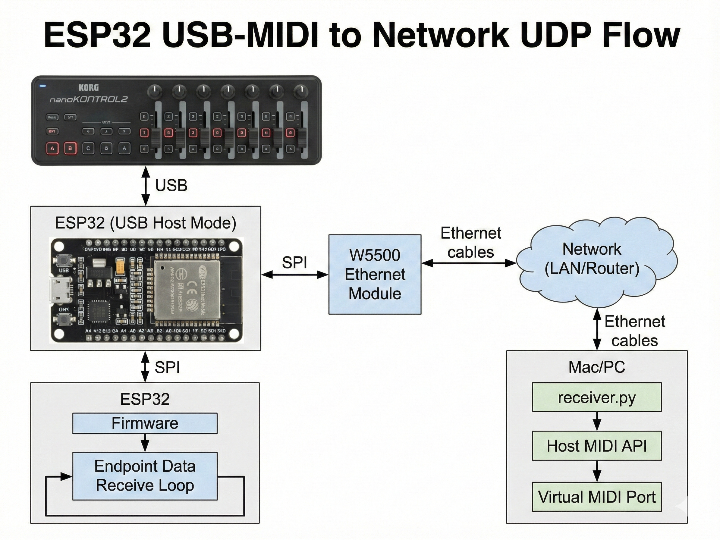
전체 시스템은 “USB MIDI 컨트롤러 ↔ DAW” 사이의 케이블을 대체하는 브리지에 가깝습니다.
입력: USB-MIDI 장치(README 예: KORG NANOKONTROL2)를 ESP32의 USB에 호스트 모드로 연결합니다.
임베디드 측 처리: 펌웨어가 USB 인터페이스/엔드포인트를 클레임하고, 엔드포인트 데이터 수신을 지속하며 수신 바이트를 출력합니다.
전송: ESP32는 수신한 MIDI를 W5500 이더넷을 통해 Mac/PC로 보냅니다.
출력: receiver.py가 UDP 포트를 리슨하고, 받은 바이트를 호스트의 MIDI API로 전달해 가상 MIDI 포트(IAC Driver 등)로 내보냅니다.
상용 프로토타입 관점에서 이 구조는 장점이 명확합니다. USB Host와 실시간 입력 처리를 임베디드에 고정해두고, 호스트 측은 라우팅/필터링/매핑/DAW 연동을 소프트웨어로 빠르게 반복 개발할 수 있습니다.
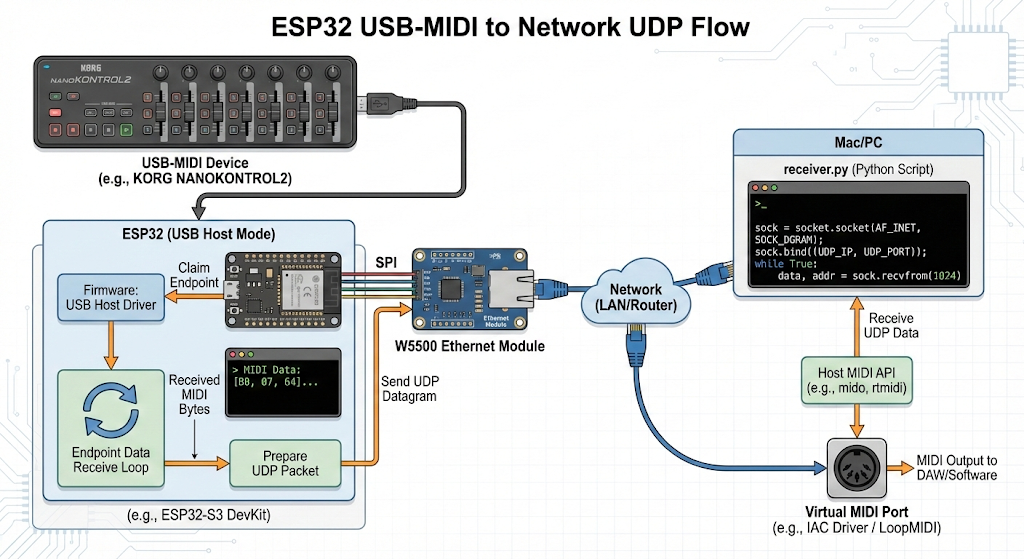
이미지 출처 : AI 생성
어디에 사용할 수 있나
이 프로젝트는 “USB-MIDI 장치를 유선 네트워크로 멀리 보내는 브리지”이기 때문에, 다음 용도에 특히 잘 맞습니다.
스튜디오/리허설에서 원격 MIDI 컨트롤러 구성: 컨트롤러는 무대/랙 쪽에 두고 DAW PC는 다른 위치에 둔 채, 이더넷으로 MIDI만 전달해 배선을 정리합니다.
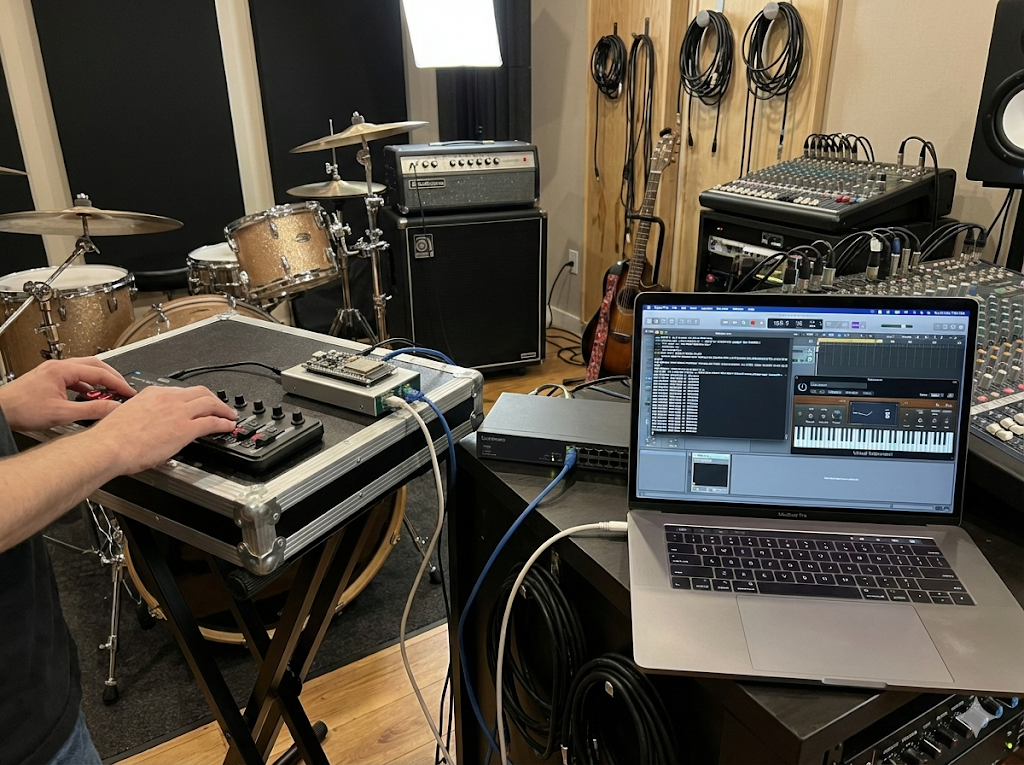
이미지 출처 : AI 생성
라이브/방송용 유선 MIDI 브리지 박스 프로토타입: Wi-Fi 의존 없이 케이블 기반으로 동작시켜, 입력 지연/재연결 이슈를 줄이는 방향의 시제품 검증에 활용합니다.
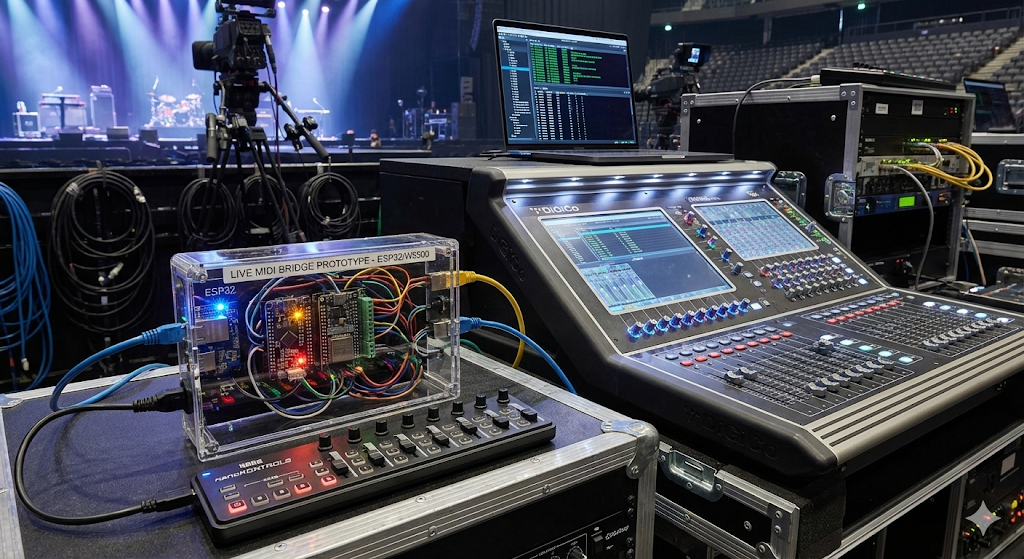
이미지 출처 : AI 생성
상용 제품화 전 단계의 게이트웨이 실험: 여러 컨트롤러 입력 수집, 라우팅/필터링, 특정 장비/DAW에 맞춘 매핑 같은 기능을 호스트 소프트웨어(수신기)와 결합해 빠르게 기능 검증을 합니다.
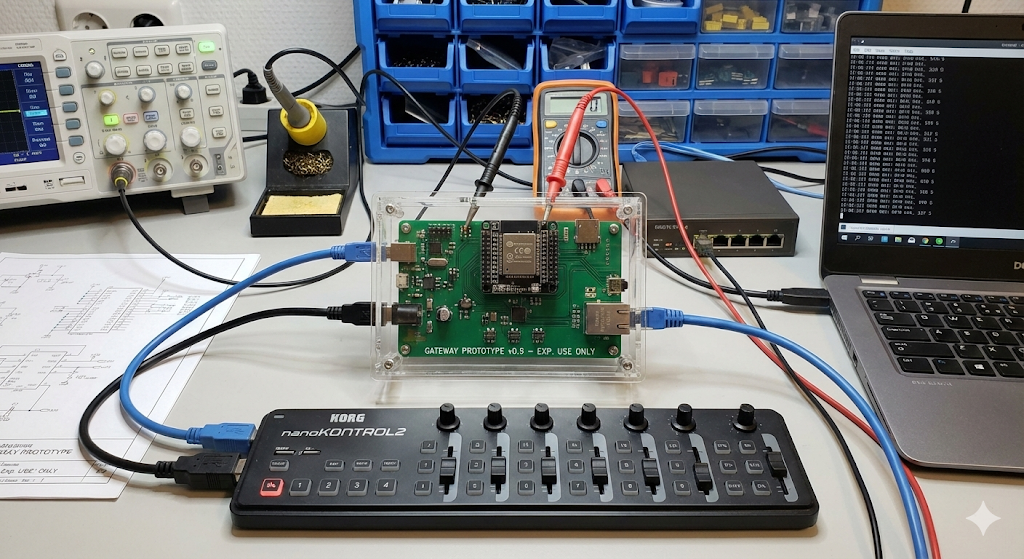
이미지 출처 : AI 생성
FAQ
Q1. 왜 이 프로젝트에서 W5500을 쓰는 게 합리적인가요?
이 프로젝트는 “USB Host MIDI 입력을 PC/Mac으로 안정적으로 전달”하는 것이 핵심입니다. README가 유선 이더넷 기반 전송을 전제로 하고, 펌웨어도 W5500을 UDP 송신기로 구성해 단순한 데이터 경로를 제공합니다. 상용 프로토타입 단계에서 이 단순성이 곧 디버깅/검증 비용을 줄여줍니다.
Q2. W5500은 ESP32와 어떻게 연결하나요?
SPI(SCK/MOSI/MISO/CS) + RST/INT 라인을 사용합니다. README에는 ESP32-S3 Zero 기준으로 CS/SCK/MOSI/MISO 및 RST/INT 배선 표가 포함되어 있습니다.
Q3. 이 프로젝트에서 W5500이 맡는 역할은 정확히 무엇인가요?
USB Host 측에서 받은 USB-MIDI 이벤트를 내부 메시지로 정리해 큐에 넣고, 이더넷 태스크가 이를 소비하면서 W5500 UDP 소켓을 통해 PC/Mac으로 전송합니다. 호스트는 receiver.py로 이를 받아 가상 MIDI 포트로 출력합니다.
Q4. 초보자도 따라 할 수 있나요? 상용 프로토타입 팀은 무엇을 보강해야 하나요?
ESP-IDF 빌드/플래시와 기본 배선에 익숙하면 데모 재현은 가능합니다(README의 idf.py flash monitor 흐름). 다만 상용 프로토타입은 (1) USB VBUS 전원/보호 회로, (2) IP/목적지 설정의 제품화, (3) 링크 다운 감지/재연결, (4) MIDI 메시지 범위 확장과 호환성 테스트가 필요합니다.
Q5. 이 프로젝트 구조에서 W5500 유선 UDP 전송은 어떤 품질 이점을 주나요?
README가 “이더넷 케이블로 Mac/PC 연결”을 전제로 하고, 호스트는 UDP 리슨으로 단순하게 처리합니다. 제품화 관점에서 유선은 무선 환경변수(신호 세기, AP 전환, 인증/재연결)로 인한 상태 폭발을 줄여, 지터/지연/손실 테스트를 더 재현성 있게 만들 수 있습니다.
What the Project Does
Overall, the system is closer to a bridge that replaces the cable between a USB MIDI controller and a DAW.
Input: A USB-MIDI device (README example: KORG nanoKONTROL2) is connected to the ESP32’s USB port in USB host mode.
Embedded-side processing: The firmware claims the USB interface/endpoints, continuously receives endpoint data, and prints the received bytes.
Transport: The ESP32 forwards the received MIDI over W5500 Ethernet to a Mac/PC.
Output: receiver.py listens on a UDP port and passes the incoming bytes into the host’s MIDI API, exposing them via a virtual MIDI port (e.g., IAC Driver).
From a commercial prototyping standpoint, this architecture has a clear advantage: you “lock down” USB Host and real-time input handling on the embedded side, while the host side can iterate quickly in software (routing/filtering/mapping/DAW integration).
Image source: AI-generated.
Where This Can Be Used
Because this project is essentially a “USB-MIDI over wired network” bridge, it fits especially well in the following scenarios:
Remote MIDI controller setups in studios/rehearsals
Keep the controller near the stage/rack while the DAW PC sits elsewhere, and carry only MIDI over Ethernet to simplify cabling.
Image source: AI-generated.
A wired MIDI bridge box prototype for live/broadcast use
Run over cable instead of relying on Wi-Fi, reducing issues like input latency spikes or reconnection behavior during performance.
Image source: AI-generated.
Gateway experiments before productization
Validate features quickly by combining a host-side receiver with functions like multi-controller aggregation, routing/filtering, and device/DAW-specific mapping.
Image source: AI-generated.
FAQ
Q1. Why is it reasonable to use the W5500 in this project?
The core goal is to deliver USB Host MIDI input to a PC/Mac reliably. The README assumes wired Ethernet transport, and the firmware configures the W5500 as a UDP sender to keep the data path simple. In a commercial prototype phase, that simplicity directly reduces debugging and validation cost.
Q2. How is the W5500 connected to the ESP32?
It uses SPI (SCK/MOSI/MISO/CS) plus RST/INT lines. The README includes a wiring table for an ESP32-S3 Zero, listing the CS/SCK/MOSI/MISO and RST/INT connections.
Q3. What exactly does the W5500 do in this project?
USB-MIDI events received on the USB Host side are formatted into internal messages and queued. An Ethernet task consumes the queue and transmits the data to the PC/Mac via a W5500 UDP socket. The host receives it via receiver.py and outputs it to a virtual MIDI port.
Q4. Can beginners follow this? What should a commercial prototype team reinforce?
If you’re comfortable with ESP-IDF build/flash and basic wiring, you can reproduce the demo flow (as shown in the README with idf.py flash monitor). For a commercial prototype, you’ll want to add:
USB VBUS power/protection circuitry,
a product-ready way to configure IP/destination settings,
link-down detection and reconnection handling,
expanded MIDI message coverage and compatibility testing.
Q5. What quality advantages does wired UDP over W5500 provide in this architecture?
The README assumes a direct Ethernet-cable connection to a Mac/PC, and the host side stays simple by listening on UDP. From a productization standpoint, wired transport reduces wireless state explosion (signal strength, AP roaming, authentication/reconnect), making jitter/latency/loss testing more reproducible and easier to characterize.
-
Github Code


