


MAC-scan-W5500 :Pocket Ethernet Identifier with e-Paper
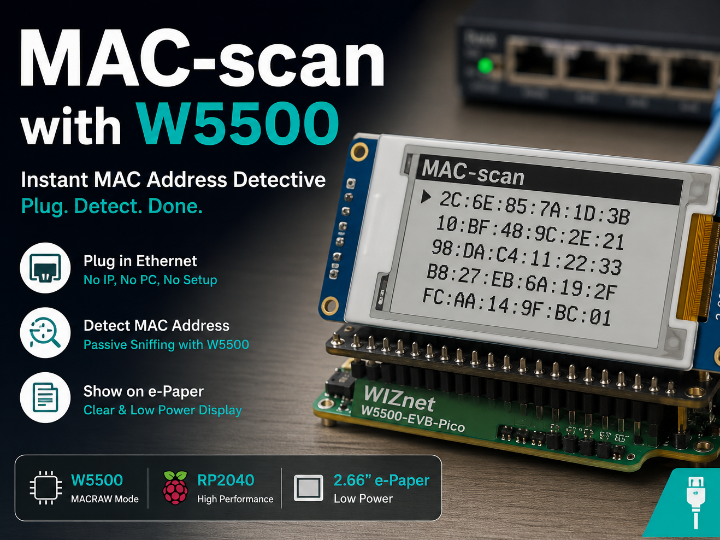
Plug in an RJ-45 cable and the MAC address of the connected device appears on the e-paper screen within 5 seconds.
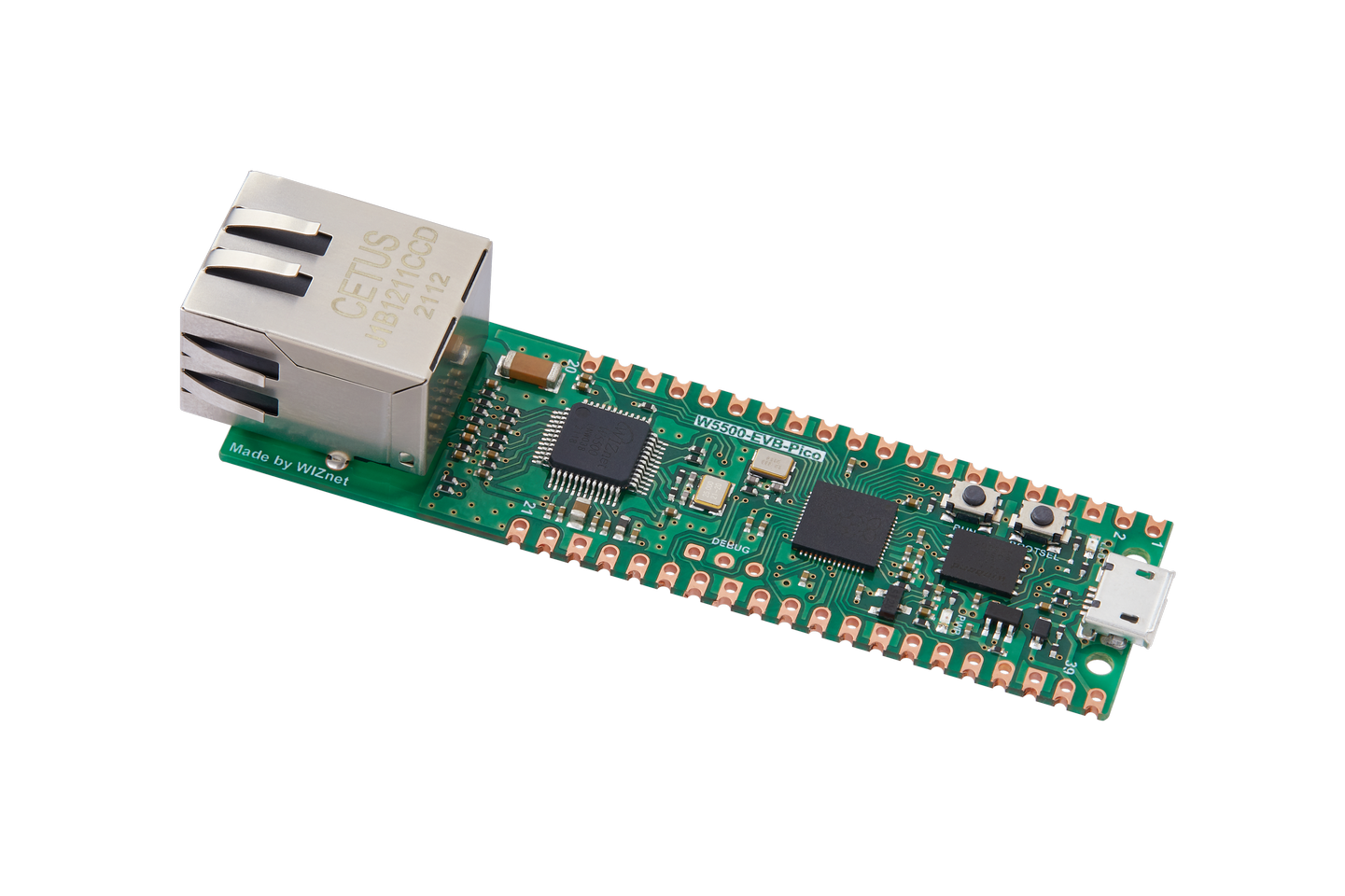
WIZnet - W5500-EVB-Pico
x 1

Project Overview
In the field, answering "what device is connected to this port?" usually means pulling out a laptop, manually setting an IP, logging into a switch CLI, or hauling out dedicated network analysis equipment — a process that takes several minutes at best.
MAC-scan compresses that entire process into 5 seconds. It is a pocket-sized network diagnostic tool that combines the WIZnet W5500's MACRAW socket mode, an RP2040 MCU, and a low-power 2.66-inch e-paper display. The moment a cable is plugged in, the tool automatically detects link-up, extracts the source MAC address from the very first Ethernet frame the peer transmits, and displays it on screen.

Why W5500? — The Reasoning Behind the Hardware Choice
The core requirement of this project is to receive raw Ethernet frames without any protocol processing. This is where the W5500's MACRAW socket mode becomes essential.
With a typical Ethernet solution, data must travel up through the TCP/IP stack to the application layer before user code can touch it. But reading a MAC address requires intercepting a packet at Layer 2 — the Data Link layer — long before the TCP/IP stack ever sees it.
The W5500 solves this with MACRAW mode.
Key advantages of MACRAW mode:
- Opening socket 0 in MACRAW mode delivers every Ethernet frame on the link, raw and unmodified, directly to the RX buffer.
- Bytes 6–11 of each frame (the source MAC field) can be read directly, with zero TCP/IP stack involvement.
- The entire implementation runs over SPI from the RP2040 — no Linux OS, no host PC required.
- The complete driver fits in roughly 40 lines of Python.
The same functionality could theoretically be achieved with a software TCP/IP stack (like lwIP) on a general-purpose MCU, or with a Linux-based system running libpcap. However, W5500's hardwired TCP/IP offload engine and native MACRAW support dramatically reduce both code complexity and power consumption, making a fully standalone, battery-friendly tool feasible.

Why W5500-EVB-Pico specifically:
| Criterion | Reason |
|---|---|
| Integrated W5500 | RP2040 and W5500 on a single board — no external Ethernet module needed |
| 40-pin header | Waveshare e-paper module stacks directly without any pin conflicts |
| Dual independent SPI buses | SPI0 (Ethernet) and SPI1 (display) operate simultaneously without interference |
| MicroPython support | Standard RP2040 build works out of the box |
| Low power | Average 45 mA in normal operation — suitable for battery-powered use |
Hardware Configuration
The two modules stack directly on the 40-pin header with zero pin conflicts.
| Module | Role | Bus | Pins |
|---|---|---|---|
| WIZnet W5500-EVB-Pico | RP2040 MCU + W5500 Ethernet | SPI0 | MISO:16, CS:17, SCK:18, MOSI:19, RST:20, INT:21 |
| Waveshare Pico-ePaper-2.66 | 296×152 monochrome e-paper | SPI1 | DC:8, CS:9, SCK:10, MOSI:11, RST:12, BUSY:13 |
The only additional component needed is a single RJ-45 patch cable.
How It Works
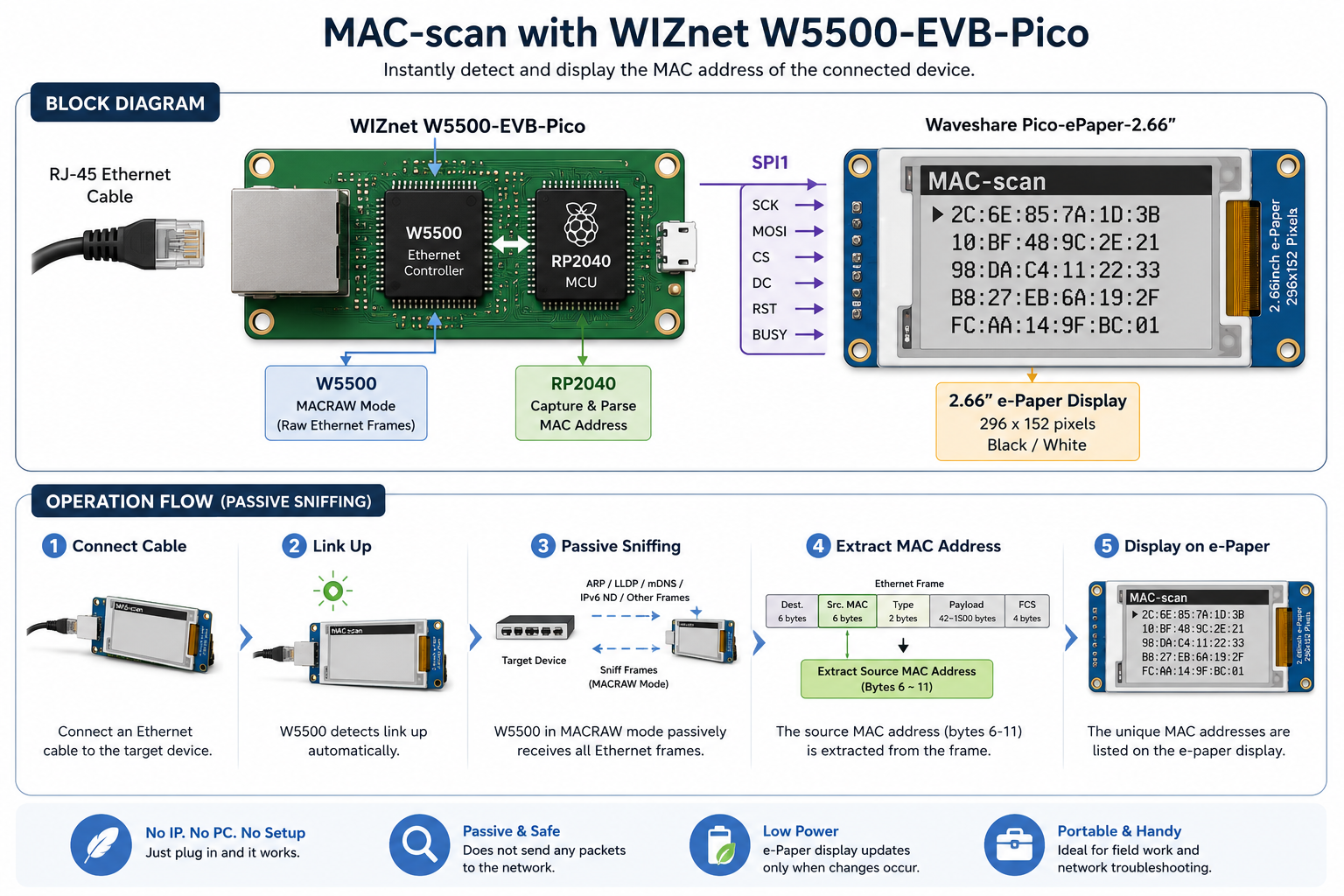
The operation is entirely passive. Once link-up is established, virtually every networked device transmits something within a few seconds — ARP, STP, LLDP, DHCP, IPv6 Neighbor Discovery, mDNS, and so on. The source MAC is captured from the very first frame, leaving zero trace on the network.
RX buffer stability: The RSR (Received Size Register) is read twice consecutively and only trusted when both reads agree, preventing corrupted reads caused by mid-update register states. If the buffer falls out of sync (e.g. an unexpected frame length), the entire buffer is flushed and re-synchronized.
Software Structure
| File | Role |
|---|---|
main.py | Capture loop, MAC list management, e-paper refresh control |
w5500_sniffer.py | Minimal ~40-line MACRAW-only SPI driver for the W5500 |
epaper2in66.py | Waveshare official e-paper driver (MIT license, vendored) |
selftest.py | Desktop Python test using an emulated W5500 — no board needed |
typings/ | MicroPython type stubs for the editor (not flashed to board) |
Measured Results
| Metric | Value |
|---|---|
| Average time from link-up to MAC capture | 1.8 s (10 measurements) |
| Idle current draw | 12 mA |
| Peak current during display refresh | 120 mA |
| Typical average current | 45 mA |
Comparison with Similar Projects on WIZnet Maker
Two notable projects in the WIZnet community also leverage the W5500's raw Ethernet access capabilities. Here is how MAC-scan compares to each.
Comparison 1: multiSniff Masters Project
WIZnet Maker: maker.wiznet.io — multiSniff Masters Project
GitHub: github.com/voytex/multiSniff_project
multiSniff is a graduate thesis project that uses a TI CC2652RB + W5500 combination to capture BLE and IEEE 802.15.4 wireless traffic, encapsulate it in UDP datagrams, and forward it over Ethernet to a PC for real-time analysis in Wireshark. It is a high-capability, multi-protocol wireless sniffer.
| Comparison Point | MAC-scan (this project) | multiSniff |
|---|---|---|
| Primary goal | Identify Ethernet device MAC addresses | Analyze BLE / Zigbee wireless traffic |
| What is captured | Wired Ethernet frames (Layer 2) | Wireless 2.4 GHz frames (BLE, IEEE 802.15.4) |
| Role of W5500 | MACRAW receive — the core capture engine | Ethernet transport channel — relays captured wireless data |
| Result output | Local e-paper display | Wireshark on a connected PC |
| MCU | RP2040 (MicroPython) | TI CC2652RB (C / TI-RTOS) |
| Standalone operation | ✅ Fully standalone — no PC needed | ❌ Requires PC + Wireshark |
| Code footprint | ~300 lines of Python | Large C project (RTOS-based) |
| Ease of use | Very low (plug in a cable) | High (setup, PC environment required) |
| Portability | Very high | Moderate |
Key distinction: multiSniff uses the W5500 as a transmission channel, while MAC-scan uses the W5500 itself as the capture engine. Both leverage W5500's raw Ethernet access, but their purpose and complexity are fundamentally different. MAC-scan is optimized for instant field independence; multiSniff is built for deep protocol analysis in conjunction with Wireshark.
Comparison 2: Raspberry Pi Pico PicoDV
WIZnet Maker: maker.wiznet.io — Raspberry Pi Pico PicoDV
GitHub: github.com/Akkiesoft/w5500-module-mounter-for-pico
PicoDV is a hardware adapter project that designs a custom PCB to mount a WIZnet Ethernet HAT (W5500 module) onto a Raspberry Pi Pico. Its focus is on the physical integration of the two boards.
| Comparison Point | MAC-scan (this project) | PicoDV |
|---|---|---|
| Primary goal | MAC address scanning application | W5500 HAT hardware mount solution |
| MCU platform | W5500-EVB-Pico (W5500 integrated) | Raspberry Pi Pico + external W5500 module |
| W5500 integration | On-board (single PCB) | External module + adapter PCB |
| Software emphasis | High — the core value | Low — hardware-centric |
| Project maturity | Ready-to-use application | Hardware platform / base |
| Extensibility | Software-driven, easy to extend | Provides a base for various applications |
Key distinction: PicoDV provides the hardware infrastructure to connect a W5500 to a Pico; MAC-scan is the finished application that runs on top of it. The two projects are complementary rather than competing — MAC-scan's software could in principle run on a PicoDV-style adapter as well.
Significance for WIZnet & Application Potential
A Rare Real-World Reference for W5500 MACRAW Mode
The vast majority of W5500 use cases focus on TCP/UDP socket communication. MAC-scan is one of the few publicly available reference implementations that uses the W5500's MACRAW mode in a pure embedded environment with no host OS. While MACRAW is clearly documented in the W5500 datasheet, concrete working examples are rare in the community. This project demonstrates the feature's practical value and lowers the barrier for others who want to build on it.
Expanding the W5500-EVB-Pico Ecosystem
This project shows that the W5500-EVB-Pico is more than an IoT connectivity module — it can serve as a Layer 2 (Data Link) network diagnostic tool. Because it is implemented in MicroPython, the project is accessible to network engineers and field technicians who are not embedded specialists, providing a new entry point into the W5500 ecosystem.
Concrete Application Scenarios
Network infrastructure management:
- Data center patch panel audits — instantly identify which device is connected to which port
- Collecting MAC inventories during switch replacement or cable re-patching
- Physical layer diagnostics — detecting faulty cables or ports via link-up/down behavior
Factory automation and industrial IoT:
- MAC address inventory collection for Ethernet-based industrial equipment (PLCs, sensors, actuators)
- Pre-installation device identification before IP assignment
- On-site verification of unauthorized devices connected to the production network
Smart buildings and campus environments:
- Field collection of MAC addresses from IP cameras, VoIP phones, wireless APs, and other devices at scale
- Instant manufacturer identification when combined with an OUI (Organizationally Unique Identifier) lookup database
Education and research:
- A hands-on teaching tool that makes Ethernet frame structure and MAC addressing tangible and visible
- Live demonstration of passive sniffing principles in network security courses
Upgrade paths already identified in the project:
- OUI database integration → automatic manufacturer lookup from MAC address
- Active ARP request transmission → force a response from silent devices
- Forwarding the collected MAC list to a central server via W5500 TCP socket
- 3D-printed enclosure + battery pack integration → a fully finished field diagnostic instrumentTroubleshooting Notes
| Symptom | Cause | Solution |
|---|---|---|
| W5500 version register is not 0x04 | SPI wiring error | Recheck connections on GP16–GP21 |
| Frames received but no MAC detected | Own MAC is filtered out (correct behavior) | Wait for the peer device to transmit something |
| RX buffer length mismatch | Register update timing race condition | Read RSR twice and use only when both values match (already implemented) |
| MicroPython import errors in editor | Modules not present in desktop CPython | Enable type stubs in typings/ via pyrightconfig.json |


