


ESP32 + W5500: Building a Zero-Latency Multi-Room Audio System (Esparagus Snapclient)
ESP32 + W5500: Building a Zero-Latency Multi-Room Audio System (Esparagus Snapclient)

Espressif - ESP32
x 1


WIZnet - W5500
x 1
ESP32 + W5500: Building a Zero-Latency Multi-Room Audio System (Esparagus Snapclient)
1. Project Overview: The Dream of "Perfect Sync"
Every audio enthusiast dreams of a multi-room audio system where music flows through every corner of the house in perfect harmony. While Snapcast (https://github.com/snapcast/snapcast/releases) is a brilliant open-source solution for this, standard Wi-Fi environments often suffer from bandwidth interference and jitter, causing annoying synchronization drifts between rooms.
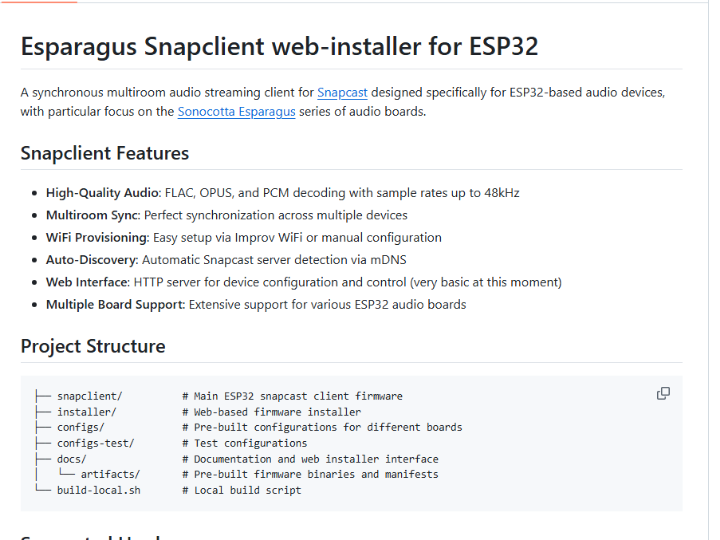
This project combines the ESP32 with the Wiznet W5500 Ethernet controller. By leveraging the stability of a wired network, we can achieve a high-fidelity multi-room audio client with sub-1ms synchronization error.
1. Core Synchronization Protocol: The Snapcast Mechanism
Snapcast doesn’t just stream audio; it streams Time. The goal is to ensure that every client knows exactly when a piece of audio should be heard.
① Timestamp-based Chunk Transmission
The server splits the audio stream into small "chunks" (typically around 20ms). Each chunk is tagged with a high-precision timestamp.
Example: A chunk is labeled with: "This data must be played at exactly 12:00:00.500 according to the Server Clock."
② Clock Synchronization via Control Channel
The client and server maintain a separate control channel to keep their clocks in sync. The client frequently communicates with the server to calculate network latency and adjust its local clock to match the server. This process is highly similar to NTP (Network Time Protocol).
③ Adaptive Resampling
If a client’s local clock drifts—for example, becoming 0.5ms slower than the server—the client does not simply skip audio. Instead, it performs Adaptive Resampling, minutely speeding up or slowing down the playback speed in real-time. This adjustment is so subtle that it is imperceptible to the human ear, yet it keeps the synchronization error below 1ms.
2. How Snapcast is Used in Applications
Snapcast is widely used in both DIY and professional environments where perfectly timed audio is non-negotiable.
Whole-Home Audio (Multi-room): The most popular use case. Users synchronize multiple Raspberry Pi or ESP32-based speakers throughout a house, often integrated with Home Assistant or Music Player Daemon (MPD).
Public Address (PA) Systems: Used in schools, offices, or malls to broadcast announcements across large areas where any delay would cause a disorienting "echo" effect.
Smart Speakers & IoT: Manufacturers use it to build synchronized speaker groups that can compete with commercial solutions like Sonos or Google Home.
Interactive Art Installations: Artists use Snapcast to trigger sounds across multiple independent hardware units (like the ESP32+W5500) to create a spatialized audio field.
3. Technical Deep-Dive: Why W5500 Ethernet?
① Network Stack Offloading via Hardware TCP/IP
Processing a network stack using the ESP32’s internal Wi-Fi consumes significant CPU resources, which can introduce micro-stuttering or jitter during audio decoding. The W5500 features a Hardwired TCP/IP Stack, offloading the entire network load from the MCU. This allows the ESP32 to dedicate its full power to audio decoding and I2S output.
② Ultra-Precise Time Synchronization
The core of the Snapcast protocol is keeping the server and client clocks in sync. In Wi-Fi environments, packet delivery times are inconsistent (High Jitter) due to interference or power-saving modes (like DTIM). In a W5500 wired environment, packet latency is extremely consistent, allowing the Snapcast clock correction algorithm to converge much faster and more accurately.
③ Lossless Transmission via I2S and DMA
Audio data received from the network is sent directly to the I2S DAC via DMA (Direct Memory Access) without CPU intervention. This ensures stable, real-time playback of high-specification codecs such as FLAC, OGG, and Opus.
Feature | Wi-Fi (ESP32 Internal) | W5500 Ethernet (External) |
|---|---|---|
Jitter | High (Causes audio "pops") | Very Low (Stable Sync) |
Bandwidth | Variable (Environment-dependent) | Fixed and Reliable |
Security | Vulnerable / High Encryption Load | Physical Security / Low Load |
Power Consumption | High (RF Module usage) | Relatively Low and Efficient |
5. Hardware Configuration & Wiring
Requirements
MCU: ESP32 (DevKit or similar)
Ethernet: Wiznet W5500 Module
Audio DAC: I2S Interface DAC (e.g., PCM5102, Max98357A)
Wiring Guide
W5500 (SPI) | ESP32 GPIO | I2S DAC | ESP32 GPIO |
|---|---|---|---|
MOSI | GPIO 23 | BCK | GPIO 27 |
MISO | GPIO 19 | WS (LRCK) | GPIO 25 |
SCK | GPIO 18 | DATA (DIN) | GPIO 26 |
CS | GPIO 5 |
6. Software Setup & Build
The project can be built using the ESP-IDF or PlatformIO environments.
Clone the Repository: git clone https://github.com/sonocotta/esparagus-snapclient.git
Configure Ethernet: In config.h, set the network interface to W5500 and verify the SPI pin definitions.
Build & Flash: Once uploaded, the ESP32 will automatically search for the Snapcast server on your local network.
7. Engineering Tips (Troubleshooting)
Power Supply Noise: When the Ethernet module and DAC share a power source, switching noise can leak into the audio. It is highly recommended to use Ferrite Beads on the analog VDD line or use a separate LDO for the DAC.
SPI Speed Optimization: To prevent stuttering when playing lossless high-bitrate files, ensure the W5500 SPI clock is set as high as possible (20MHz+).
Q1. Why is Ethernet preferred over Wi-Fi for multi-room audio synchronization?
The primary reason is the reduction of network jitter. While Wi-Fi is convenient, it suffers from variable packet delivery times due to interference and power-saving modes (DTIM). For systems like Snapcast, which rely on precise timing, this "jitter" causes audio sync to drift. Wiznet W5500 Ethernet provides a stable, wired connection with predictable latency, ensuring all speakers stay synchronized within 1ms.
Q2. How does the W5500 improve the audio performance of the ESP32?
The W5500 improves performance by offloading the TCP/IP network stack to hardware. When using internal Wi-Fi, the ESP32's CPU must handle complex networking tasks, which can steal cycles from the time-sensitive I2S audio decoding process. By using the W5500, the ESP32 is freed from network management, reducing the risk of audio "pops," clicks, or stuttering during high-fidelity playback.
Q3. What are the essential I2S pins for connecting a DAC to the ESP32?
To connect an I2S DAC (like the PCM5102), you need three main signal lines: BCK (Bit Clock), WS/LRCK (Word Select/Left-Right Clock), and DIN (Data In). In the Esparagus Snapclient project, these are typically mapped to GPIO 27 (BCK), GPIO 25 (WS), and GPIO 26 (DIN). A common ground (GND) is also mandatory to prevent signal noise.
Q4. How can I eliminate background noise or "hum" in my Ethernet audio project?
Background noise is usually caused by power supply interference between the Ethernet module and the DAC. To fix this, you should use Ferrite Beads on the analog VDD line of the DAC to filter out high-frequency switching noise from the W5500. Additionally, keeping the I2S signal wires as short as possible and using a dedicated LDO (Voltage Regulator) for the DAC can significantly improve audio clarity.
Q5. What is the difference between Esparagus Snapclient and Esparagus Media Center?
The Snapclient is a dedicated receiver for a Snapcast server, while the Media Center is a standalone player. The Snapclient is optimized for ultra-precise synchronization in a multi-room setup and requires a central server to function. In contrast, the Media Center supports direct streaming protocols like Spotify Connect, AirPlay, and Bluetooth, making it a more versatile, independent playback device.


