


PoE FeatherWing: Add WIZnet W5500 Ethernet + 4W PoE Power to Any Feather (Drop-In Compatible)
A FeatherWing that delivers WIZnet W5500 Ethernet plus up to 4W isolated IEEE 802.3at PoE—so one Ethernet cable can power and network your Feather.
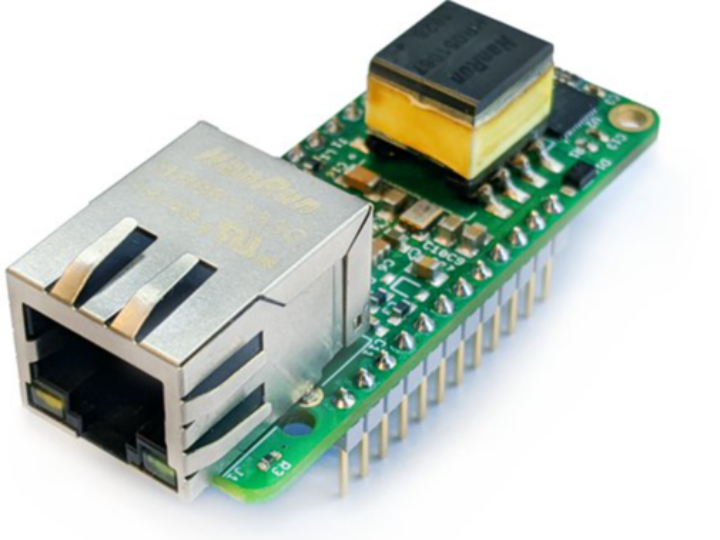
Patrick Van Oosterwijck - PoE FeatherWing (Silicognition)
x 1

WIZnet - W5500
x 1


Arduino - Arduino IDE
x 1

WIZnet - WIZnet io Library
x 1
Introduction
Let’s start with the problem.
Feather boards are great for fast prototyping, but real deployments often need two things: stable wired Ethernet and simple power wiring.
This project solves both in one move. The PoE FeatherWing gives your Feather a real Ethernet port and lets it run from Power over Ethernet, so one cable can handle networking and power.
WIZnet Product Integration
Here’s the key integration point: the board uses WIZnet W5500 as its Ethernet controller.
That choice matters because it keeps things familiar.
If you’ve used the Adafruit Ethernet FeatherWing, you already know the software model—SPI-based networking with a W5x00-style stack.
In short: Feather ↔ SPI ↔ W5500 ↔ Ethernet.
Technical Implementation
Now let’s break down what’s on the board.
PoE section: isolated IEEE 802.3at Class 1 PoE, supporting Mode A and Mode B, with up to 4W output.
Ethernet section: WIZnet W5500 handles the network interface.
Identity section: a 24AA02E48 chip provides a globally unique MAC, which is a big deal for field deployment.
There’s also a small but useful detail: a solder jumper to route the W5500 IRQ to a Feather pin for boards that need it (like certain Feather-form-factor Linux SBC setups).
Reproduction Guide
Let’s reproduce the setup in a simple, practical way.
Stack the PoE FeatherWing onto your Feather (headers installed).
Plug an Ethernet cable into the RJ45 and connect it to a PoE switch or injector.
In firmware, use the same W5500-compatible libraries you’d use for an Ethernet FeatherWing.
Bring up networking with DHCP first, then switch to a static IP if your deployment requires it.
If your Feather platform expects an interrupt line, bridge the IRQ solder jumper so the W5500 IRQ is connected.
Core Features and Performance
Here’s what this board enables.
One-cable deployment: Ethernet + power in a single RJ45 run.
Real globally unique MAC: no per-device MAC editing during manufacturing.
Drop-in compatibility: same size and connections as the common Ethernet FeatherWing.
PoE budget: up to 4W, great for low-power sensors, controllers, and small gateways.
Code Snippet
Here’s the core logic pattern you’ll use—initialize the W5500, then start DHCP.
That’s it—the rest is your application layer.
Applications and Extensions
Let’s talk about where this really shines.
Building automation nodes: wall/ceiling devices powered from the network closet.
Industrial monitoring: stable wired comms where Wi‑Fi is unreliable.
Remote sensor clusters: easy deployment with centralized power.
Tiny gateways: Feather + PoE + Ethernet as a small edge endpoint.
Extensions you might add:
(planned) power budgeting notes per sensor load
(planned) MAC auto-read helper so firmware is 100% per-unit automatic
Conclusion
To wrap up, the PoE FeatherWing is a clean deployment-focused design.
By combining WIZnet W5500 Ethernet with isolated 802.3at PoE (4W) and a globally unique MAC, it turns the Feather ecosystem into something you can actually install at scale.
If you’re building Feather-based devices for real-world installs, try this architecture—and consider W5500 as the compatibility anchor for your Ethernet stack.


