基于NTP服务器+ Ethernet智能手表(智能表源码+ Ethernet源码+3D打印)
Based on NTP server + Ethernet smart watch (smart watch source code + Ethernet source code + 3D printing)
0
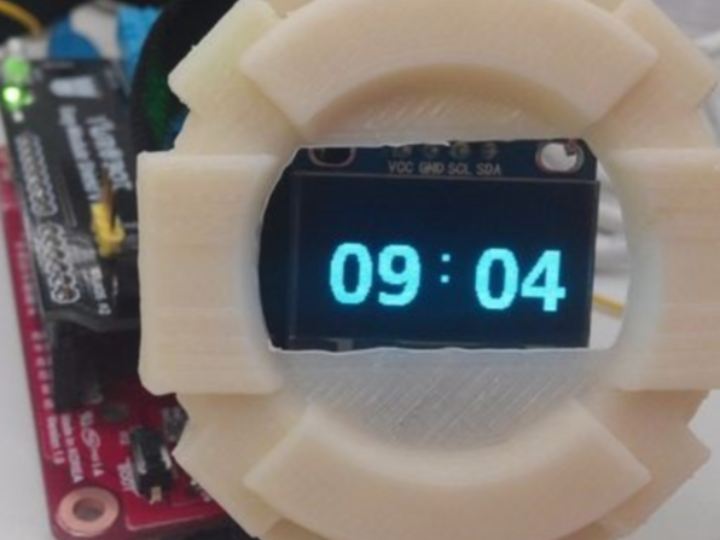
Components
Hardware components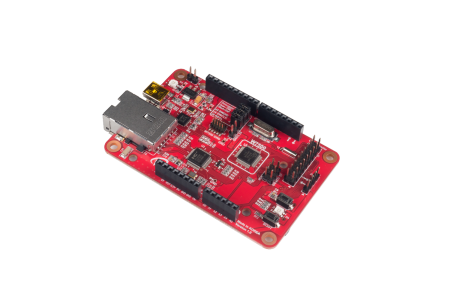
WIZnet - WIZwiki-W7500
x 1

Project description
Smartwatches have become the most important item in wearable devices. I used the mbed web page compiler. It is recommended that you also use the mbed web compiler.
DIY making smart watch hardware composition:
- WIZwiki-W7500 + OLED + bluetooth + Android phone
But... time value data error (getting data from smartphone)
So, I changed my plan.
Production of semi-finished products:

Smart watch system operation:
1. During initialization, the network time is obtained from the NTP server
2. Next, use the RTC in the MCU to time
3. After a few seconds, it changed from yy/mm/dd h/m/s for the small size to h/m for the large size
4. When the button is connected to D3, it changes from the large h/m to the small yy/mm/dd h/m/s
- Important hardware components:
WIZwiki-W7500 + OLED + Ethernet + NTP server

- WIZwiki-W7500 at WIZnet : WIZwiki-W7500
- OLED 128×64 (SSD1306/i2c) at Adafruit : https://www.adafruit.com/products/326
- Easy module Shield at YWRobot (Chinese only) : YWRobot
- Jumper cable : connect OLED and easy module board
Library file
- SSD1306 driver
- Ethernet library (come here WIZnet)
tool
- mbed web page compiler: LINK
- Hardware connection:
| WIZWIKI-W7500 | OLED | |
|---|---|---|
| SCL | PA_9 | SCL |
| SDA | PA_10 | SDA |
| GND | GND | GND |
| VCC | VCC | VCC |
| WIZWIKI-W7500 | |
|---|---|
| Button | PC_0 |
- Implementing a Smart Clock
1. Using the SNTP protocol, the network time can be obtained from the NTP server
2. RTC initial value write data
3. Clock timing using set value
The NTP server address is "time.nist.gov" and the port is 40.
- code

illustrate:
The code is based on bmed (C++). But you use SSD1306.h file (c)
The SSD1306.h file is used the same as the SSD1306 library.
Notice! ! !
When rtc stores data to get ntp time, you need to calculate ntptime(month) -1 and ntptime(year) - 1900
- Mbed Web Compiler and CMSIS-DAP


You can download the firmware using the mbed web compiler.
1. When you plug in the USB cable to WIZwiki-W7500, the PC is recognized as a removable disk. The removable disk is named MBED.
2. You drag and drop or copy the hardware to the removable disk, and the firmware writing process is complete.
3. After completing the firmware writing, open Check Removable Disk.
4. If the "fail.txt" file exists on the removable disk, it means that writing the firmware failed.
5. After pressing the Reset button (SW1) of WIZwiki-W7500, please repeat from the second step.

