Bus Arrival Alarm based on ARM mbed WIZwiki-W7500
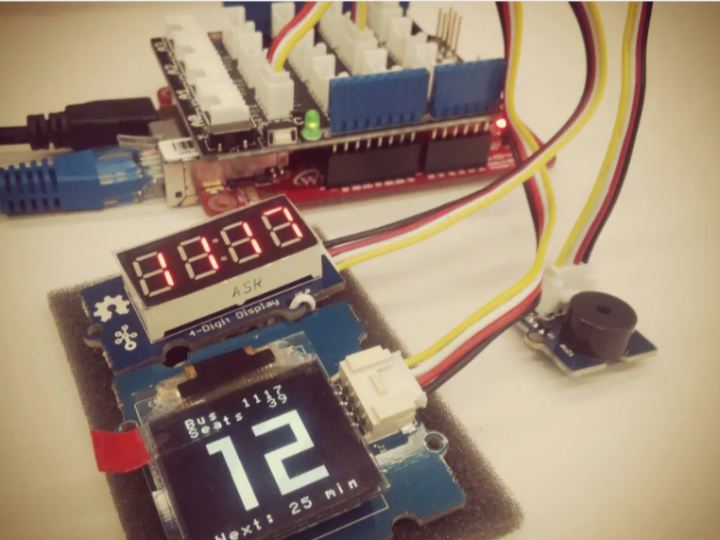
This project is the real-time bus arrival alarm device based on WIZnet WIZwiki-W7500 mbed IoT platform board. It includes two types display.
0
Components
Hardware components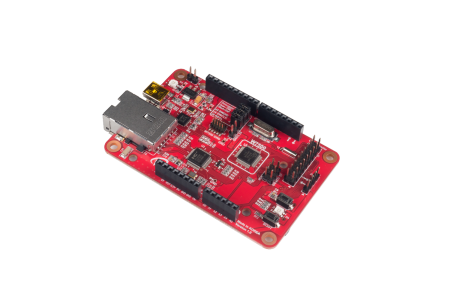
WIZnet - WIZwiki-W7500
x 1

Project description
Introduction
This device project for busy people in the morning. Perhaps, you could be more freely checking bus arrival without mobile phone by this device.
Step 1: Concept

Step 2: Parts
For this project, you’ll need next things.
- WIZnet WIZwiki-W7500 IoT Platform board
- W7500 MCU embedded, 32-bit ARM® Cortex™-M0 core with Hardwired TCP/IP
- ARM mbed official platform board
- for more details, refer to the http://wizwiki.net/wiki/doku.php?id=products:wizwi…
- Seeed Studio Grove Devices
- Grove OLED Display 96×96
- Grove 4-Digit Display
- Grove Buzzer
- Grove Base Shield v2 and Connectors
- for more details, refer to the http://www.seeedstudio.com/wiki/Grove_System
- A Computer connecting to Internet
- ARM mbed platform provided Web compiler (IDE)

Step 3: Hardware Configuration

Step 4: Used Libraries
This project based on ARM mbed platform (with libraries at mbed)
- HTTP client
- NTP client
- Grove OLED display 96×96
- Grove 4-digit display

Step 5: Get the Bus Arrival Informations

- Note: These steps for using GBIS (Gyeonggi Bus Information System) in Korea.
Following next steps.
- Check and get the Bus number and station(bus stop) number you need.
- Get the Bus base information using openAPI (refer to below URL example)
- Lookup the matched route ID and station ID in route / station database using bus number and station number.
- Get the Bus arrival information using openAPI (refer to below URL example)
- Done
Step #2 URL Example: Bus base information request (key)
http://openapi.gbis.go.kr/ws/rest/baseinfoservice?serviceKey=test
Step #4 URL Example: Bus arrival information request (key, routeID, stationID)
Step 6: Import the Project on mbed Web Compiler
Visit follow link; mbed project repository
https://developer.mbed.org/users/hkjung/code/Real-time_Bus_Arrival_Alarm/
Press ‘Import this Program‘ button in Repository toolbox
- Note: MAC address is the unique ID for your network device. It must be modified as your MAC.
- Link: Handbook – mbed Compiler Getting Started
- https://developer.mbed.org/handbook/mbed-Compiler-Getting-Started

Step 7: Build and Run
Writing firmware into WIZwiki-W7500 and RUN!
- Link: How to write the firmware into WIZwiki-W7500
- Please refer to the ‘Using the CMSIS-DAP (Drag and Drop)’ – very easy!
- http://wizwiki.net/wiki/doku.php?id=products:wizwiki_w7500:start_getting_started:write_firmware
Enjoy it!


