


Esp32 -S3 Ethernet W5500 Modbus TCP Connect to Modbus Poll
Esp32 -S3 Ethernet W5500 Modbus TCP Connect to Modbus Poll
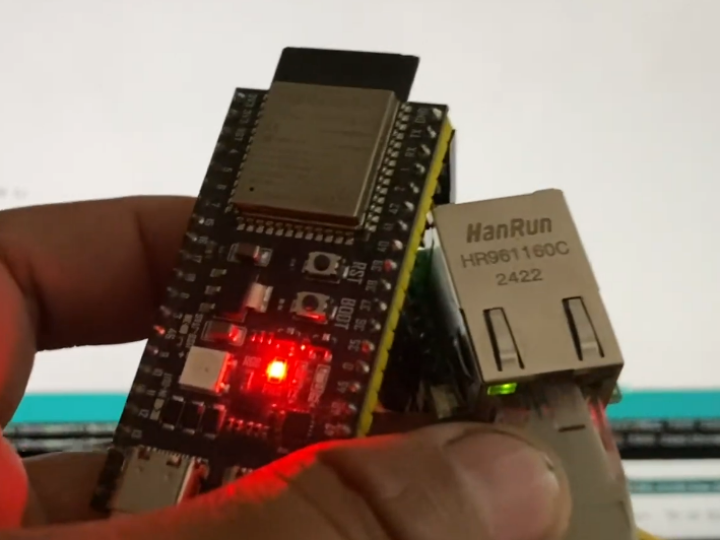

WIZnet - W5500
x 1


Espressif - ESP32S
x 1
Witte Software - Modbus Poll
x 1
Modbus TCP Communication Using the ESP32 S3 and W5500
1. Project Overview and Environment Setup
This project aims to implement Modbus TCP communication using the ESP32 S3 microcontroller and the W5500 Ethernet module.
The primary hardware used is the ESP32 S3 and W5500 modules.
An example using a router is provided for wiring configuration.
2. Hardware Connection and Library Configuration
2.1. ESP32 S3 GPIO Pin Configuration
The pin configuration for SPI communication on the ESP32 S3 is as follows:
The MOSI pin is connected to GPIO 36.
The MISO pin is connected to GPIO 35.
The SCK pin is connected to GPIO 37.
The CS (Chip Select) pin is connected to GPIO 10.
The RST (Reset) pin is also connected to a specific pin.
2.2. Software Libraries Used
Two core libraries were used to implement the project:
SPI Ethernet library.
Modbus Ethernet library.
3. Modbus TCP Transmission Data Definition
There are four types of data to be transmitted via the Modbus TCP protocol on the ESP32 S3.
3.1. Data Types and Address Mapping
Each data item is mapped to a unique Modbus address and transmitted.
Voltage data is assigned to address 0.
Ampere data is assigned to address 1.
Temperature data is assigned to address 2.
Alarm data is assigned to address 3.
3.2. Alarm Data Characteristics
Alarm data is represented as a binary value of 0 or 1.
4. ESP32 S3 Program Logic Details
The program is divided into initial setup and periodic operations within the loop.
4.1. Initial Setup (Setup)
The setup function calls the initialization process for Ethernet communication.
4.2. Main Loop (Void Loop) Operation
The void loop contains logic that continuously checks the network connection status.
It checks for LAN network problems every two seconds.
Data transmission continues only if there are no network problems.
The actual transmitted data values are generated using random data for testing purposes.
This random data is generated for four items: Volts, Amperes, Temperature, and Alarm.
The IP address assigned to the ESP32 S3 device is set to 192.168.1.6.
5. Data Reception and Verification Using Modbus Poll
Modbus poll software is used to verify the data transmitted from the ESP32 S3.
5.1. Modbus Poll Connection Configuration
Select TCP as the communication method in Modbus Poll and attempt a connection.
When attempting a connection, enter the IP address of the ESP32 S3, 192.168.1.6.
As an important prerequisite, the computer or laptop receiving the data must be connected to the same network environment (Wi-Fi or router) as the ESP32.
Once the connection is established, the data read results will be displayed on the screen.
5.2. Data Read Parameters
The following are the basic parameters required to successfully read data via Modbus Poll:
Slave ID: Set to the default value of 1.
Address: The address from which data is read starts from 0.
Quantity: The number of data to read is set to 4 (Voltage, Ampere, Temperature, Alarm).
5.3. Confirming the Communication Results
The values monitored via Modbus Poll match the random values transmitted from the ESP32 S3.
This implementation of Modbus TCP communication suggests future integration with various industrial automation systems, including SCADA systems.
This concludes the project description.
6. ESP32-S3 Applications on the Maker Site
There are approximately 500 ESP32 applications, and the S3 version is the most commonly used among the applications for each version, as shown below.
There are 84 applications for the ESP32-S3, accounting for nearly 20%.
Other applications include the ESP32-S2 with 13,
the ESP32-C3 with 17,
the ESP32-C6 with 10,
the ESP32-C5 with 1, the ESP32-P4 with 3, and the ESP32-C2 with 0.
The C series is for general-purpose IoT, accounting for 60% of the total, while the S series is for low-power or AIoT purposes, accounting for 40% of sales. The W5500 is the most widely used S series, and the ESP32-S3, a module for AIoT, is mostly used.
Type | ESP32-S2 | ESP32-S3 | ESP32-C2 | ESP32-C3 | ESP32-C5 | ESP32-C6 |
| Position | Low power and security | AIoT | Ultra-low price and ultra-low power | Low power + security | Middle | Wi-Fi 6 + High performance |
| CPU | Single Xtensa LX7 | Dual Xtensa LX7 | Single RISC-V | Single RISC-V | Dual RISC-V | Single RISC-V |
| AI computation acceleration | NONE | AI Vector Instructions 지원 | NONE | NONE | NONE | NONE |
| Camera | NONE | 8/16bit DVP Camera Interface | NONE | NONE | NONE | NONE |
| Wi-Fi | Wi-Fi 4 | Wi-Fi 4 | Wi-Fi 4 | Wi-Fi 4 | Wi-Fi 5 (Draft) | Wi-Fi 6 (802.11ax) |
| Bluetooth | NONE | BLE 5.0 | NONE | BLE 5.0 | NONE | BLE 5.0 |
| Security (Crypto) | AES, SHA, RNG | Enhanced security | Basic | Enhanced security (RSA, HMAC 등) | Enhanced security | Most enhanced security |
| UART / SPI / I2C | Middle | The richest | Little | Middle | Middle | Middle |
| Price | $2.3~$3.0 | $2.5~$3.5 | $0.9~$1.2 | $1.2~$1.6 | $2~$3 | $2.5~$3.5 |
| Usage | low-power sensors | AIoT, Camera, Voice | Extremely low price IoT | Security and stability | Intermediate processing | Wi-Fi 6 High Performance IoT |
| W5500 Combinatorial suitability | Low | most high | Low | middle | middle/high | high |
7. Why the ESP32-S3 is So Popular with the W5500: The Recent Trend of Dual Networks with WiFi and Ethernet
Developers no longer have to choose between wired and wireless. Dual stacks, which provide flexibility and a backup communication method through both, are becoming a trend.
Securing Backup and Flexibility: More and more products, such as 3D printer controller boards (e.g., Phi Mainboard 5LC), support both the ESP32's Wi-Fi and the W5500's Ethernet. Users can choose between wired and wireless networks depending on their installation environment, and this is also changing the product marketing strategy toward solutions that offer "the convenience of WiFi + the reliability of Ethernet."
Please see the related article below.
https://tetris00.tistory.com/27
====================================
ESP32 S3와 W5500을 이용한 Modbus TCP 통신
1. 프로젝트 개요 및 환경 설정
본 프로젝트는 ESP32 S3 마이크로컨트롤러와 w5500 이더넷 모듈을 활용하여 modbus tcp 통신을 구현하는 것을 목표로 함.
사용된 주요 하드웨어는 ESP32 S3와 W5500 모듈임.
배선(Wiring) 구성 시에는 라우터를 사용하는 예시를 제시함.
2. 하드웨어 연결 및 라이브러리 구성
2.1. ESP32 S3 GPIO 핀 설정
ESP32 S3의 SPI 통신을 위한 핀 설정은 다음과 같이 구성됨.
MOSI 핀은 GPIO 36에 연결됨.
MISO 핀은 GPIO 35에 연결됨.
SCK 핀은 GPIO 37에 연결됨.
CS (Chip Select) 핀은 GPIO 10에 연결됨.
RST (Reset) 핀 역시 특정 핀에 연결되어 사용됨.
2.2. 사용된 소프트웨어 라이브러리
프로젝트 구현을 위해 두 가지 핵심 라이브러리가 사용됨.
SPI Ethernet 라이브러리.
Modbus Ethernet 라이브러리.
3. Modbus TCP 전송 데이터 정의
esp32 s3에서 modbus tcp 프로토콜을 통해 전송할 데이터는 총 네 가지로 구성됨.
3.1. 데이터 종류 및 주소 매핑
각 데이터 항목은 고유한 Modbus 주소에 매핑되어 전송됨.
Voltase (전압) 데이터는 주소 0에 할당됨.
Amper (전류) 데이터는 주소 1에 할당됨.
Temperatur (온도) 데이터는 주소 2에 할당됨.
Alarm (알람) 데이터는 주소 3에 할당됨.
3.2. 알람 데이터 특성
알람 데이터는 0 또는 1의 이진 값으로 표현됨.
4. ESP32 S3 프로그램 로직 상세
프로그램은 초기 설정과 루프 내의 주기적인 동작으로 구분됨.
4.1. 초기 설정 (Setup)
Setup 함수 내에서 이더넷 통신을 위한 초기화(initialization) 과정이 호출됨.
4.2. 메인 루프 (Void Loop) 동작
Void Loop 내에서는 네트워크 연결 상태를 지속적으로 확인하는 로직이 포함되어 있음.
매 2초마다 LAN 네트워크에 장애(trouble)가 발생하는지 여부를 점검함.
네트워크에 장애가 없을 경우에만 데이터 전송을 계속 진행함.
실제 전송되는 데이터 값은 테스트 목적으로 랜덤 데이터를 사용하여 생성됨.
이 랜덤 데이터는 Volt, Amper, Temperatur, Alarm 네 가지 항목에 대해 생성됨.
ESP32 S3 장치에 할당된 IP 주소는 192.168.1.6으로 설정됨.
5. Modbus Poll을 이용한 데이터 수신 및 검증
ESP32 S3에서 전송하는 데이터를 확인하기 위해 modbus poll 소프트웨어가 사용됨.
5.1. Modbus Poll 접속 설정
Modbus Poll에서 통신 방식으로 TCP를 선택하여 접속을 시도함.
접속 시도 시, ESP32 S3의 IP 주소인 192.168.1.6을 입력해야 함.
중요 전제 조건으로, 데이터를 수신하는 컴퓨터 또는 노트북은 ESP32와 동일한 네트워크 환경(Wi-Fi 또는 라우터)에 연결되어 있어야 함.
설정 완료 후 연결되면, 데이터 읽기 결과가 화면에 표시됨.
5.2. 데이터 읽기 파라미터
modbus poll에서 데이터를 정상적으로 읽기 위해 설정해야 하는 기본 파라미터는 다음과 같음.
Slave ID: 기본값인 1로 설정됨.
Address: 데이터 읽기를 시작하는 주소는 0부터 시작함.
Quantity: 읽어올 데이터의 개수는 4개로 설정됨 (Voltase, Amper, Temperatur, Alarm).
5.3. 통신 결과 확인
Modbus Poll을 통해 모니터링되는 값들은 ESP32 S3에서 전송된 랜덤 값들과 일치함을 확인할 수 있음.
이러한 Modbus TCP 통신 구현은 향후 SCADA 시스템을 포함한 다양한 산업 자동화 시스템과의 연동 가능성을 제시함.
해당 프로젝트 설명은 여기서 마무리됨.
6. Maker 사이트에 ESP32-S3 응용들
ESP32 응용은 500여개 있으며, 각 버전별 응용은 아래와 같이 S3 버전이 가장 많이 사용된다.
ESP32-S3 의 응용이 84개로 거의 20% 정도 된다.
이 외에는 ESP32-S2 가 13개,
ESP32-C3가 17개,
ESP32-C6가 10개 이고,
ESP32-C5가 1개, ESP32-P4가 3개, ESP32-C2 는 0개이다.
C시리즈는 범용 IoT 로 전체의 60%를 S시리즈가 저전력이나 AIoT 용으로 40%의 매출 비중을 가지며, W5500 은 S시리즈가 가장 많이 사용되고 대부분 AIoT 용 모듈인 ESP32-S3 이 사용되고 있다.
항목 | ESP32-S2 | ESP32-S3 | ESP32-C2 | ESP32-C3 | ESP32-C5 | ESP32-C6 |
| 포지션 | 저전력·보안 | AIoT·멀티미디어 | 초저가·초저전력 | 저전력 + 보안 | 중급 성능 | Wi-Fi 6 + 고성능 |
| CPU | Single Xtensa LX7 | Dual Xtensa LX7 | Single RISC-V | Single RISC-V | Dual RISC-V | Single RISC-V (향상) |
| AI 연산 가속 | 없음 | AI Vector Instructions 지원 | 없음 | 없음 | 없음 | 없음 |
| 카메라 지원 | 없음 | 있음 (8/16bit DVP Camera Interface) | 없음 | 없음 | 없음 | 없음 |
| Wi-Fi 규격 | Wi-Fi 4 | Wi-Fi 4 | Wi-Fi 4 | Wi-Fi 4 | Wi-Fi 5 (Draft) | Wi-Fi 6 (802.11ax) |
| Bluetooth | 없음 | BLE 5.0 | 없음 | BLE 5.0 | 없음 | BLE 5.0 |
| 보안 (Crypto) | AES, SHA, RNG | 향상된 보안 | 기본 수준 | 강화된 보안 (RSA, HMAC 등) | 강화 | 가장 강화됨 |
| UART / SPI / I2C | 중간 | 가장 풍부함 | 적음 | 적당 | 중간 | 중간 |
| 가격대 | $2.3~$3.0 | $2.5~$3.5 | $0.9~$1.2 | $1.2~$1.6 | $2~$3 | $2.5~$3.5 |
| 적합한 용도 | 저전력 센서 | AIoT, 카메라, 음성 | 극저가 IoT | 보안·안정성 | 중급 처리 | Wi-Fi 6 고성능 IoT |
| W5500 조합 적합성 | 낮음 | 높음(많이 사용됨) | 낮음 | 중간 | 중간/높음 | 높음 |
ESP-S2 관련 Maker 사이트 글들.(13개)
[1] AsyncUDP_ESP32_SC_W5500 Library
[2] ESP32_SC_W5500_Manager library
[3] ESP32_W6100_Manager
[4] W6100 khoih-prog / HTTPS_Server_Generic
[5] CircuitPython with WIZnet Ethernet HAT for RPi Pico
[6] WizPLC – Universal DIN rail industrial controller
[7] Kenshi Blockchain IoT SDK
[8] LOGO-HomeKit-Bridge
[9] WizPLC ? Universal DIN rail controller
[10] MBusino – M-Bus to MQTT Gateway
[11] Modular Security Engine Cyber-Physical Resiliency Approach Using Digital Replication
[12] Circuitpython with 4 Networks W5100S W5500 ESP32S2 ESP32 SPI
[13] ESP32UDP - ESP32 + Native RMII or SPI Ethernet LinuxCNC Real time High Speed Smooth Motion Controlle
ESP-S3 관련 Maker 사이트 글들. (84개 중 34개)
[1] AsyncWebServer_ESP32_SC_W5500
[2] 3D Printer Controller with On-board WiFi and Ethernet
[3] W6100 khoih-prog / AsyncHTTPRequest_ESP32_Ethernet
[4] W6100 khoih-prog / AsyncUDP_ESP32_Ethernet
[5] W6100 khoih-prog / AsyncMQTT_ESP32
[6] ETH_W5500 module
[7] PCBCrew Easymeal IoT
[8] PCBCrew Power Meter
[9] Easymeal ™ IoT MDB Router
[10] base station
[11] EdgeBox-ESP-100
[12] ESP Thread Border Router/Zigbee Gateway Sub-Ethernet
[13] LuatOS W5500 driver code
[14] YB-ESP32-S3-ETH (YelloByte)
[15] Open Source Bitcoin ASIC miner project that uses 2x BM1387 (Antminer S9)
[16] IoT solution powered by the SMQ protocol
[17] LILYGO® T-ETH-Lite
[18] LILYGO T-ETH-Lite - An ESP32-S3 board with Ethernet, optional PoE support
[19] LilyGo T-ETH-Series
[20] ESP32 S3 이더넷 설계 (W5500)
[21] Unleashing the Power of IoT with LILYGO T-ETH-Lite: A Symphony of ESP32-S3 and WIZnet W5500
[22] Esp32-Stick-Cam(Esp32-S3+Active/PassivePoE+Camera)
[23] Esp32-Stick-PoE-P-Cam
[24] Esp32-Stick-Eth-Cam
[25] Esp32-Stick-PoE-A-Cam
[26] DeunDuino
[27] ESP32 IDF based W5500 example
[28] PoEスイッチとPoEスプリッタ購入
[29] W5500-ESPAsyncWebServer
[30] pcbcrew-esp32-router
[31] NORVI ESP32 HMI
[32] W5500-EVB - Smart home controller made by Pico
[33] ESPi - ESP32-S3 Based WiFi Enable Ethernet Board
[34] ESP32-S3-AsyncWebServer-10Pump-Logging
ESP-C3 관련 Maker 사이트 글들. (11개)
[1] minimal development kit for ESP32
[2] VCON
[3] eBUS adapter 5
[4] Micropython ESP32 C3 connected to W5500 wired Ethernet UDP&TCP protocol communication module
[5] Async ESP8266_W5100s_Manager
[6] Micropython ESP32 C3 + W5500 (UDP&TCP)
[7] ESP32C3-super-mini-W5500
[8] ESPHome-W5500-Ethernet-on-ESP32-boards
[9] ESPHome-W5500-Ethernet-on-ESP32-boards
[10] Network Ethernet Module Wiz850io with W5500 for Raspberry Pi Pico, Arduino, ESP32 #shorts #arduino
[11] ESP32 MQTT Tutorials: Master Beginner to Advanced Guide for IoT Projects
ESP-C5 관련 Maker 사이트 글들. (1개)
[1] [Project Release] Wired Ethernet for Realtek BW16 (RTL8720DN) using W5500 + Arduino — Proof-of-Conce
ESP-C6 관련 Maker 사이트 글들. (9개)
[1] Esp32-C6-Bug
[2] ESP32-C6-Bug WiFi 6, Bluetooth LE, and 802.15.4 board takes a PoE Ethernet shield
[3] EPEM Ethernet Power Energy Monitor
[4] EPEM ESP32-C6 ATM90E36 Ethernet Power Energy Monitor SDK
[5] eBUS Adapter Shield C6
[6] Выбор структуры для системы «Умный дом»
[7] ESP32-C6 PoE 개발 보드의 중요성
[8] lightyear_hub – A Multi-Protocol IoT Sensor Gateway Powered by W5500 Ethernet
[9] Esp32-Bug-Eth
7. ESP32-S3가 W5500과 많이 사용되는 이유 : 최근 Dual network with WiFi and Ethernet 추세
개발자들은 더 이상 유선과 무선 중 하나만 선택하지 않습니다. 이제 두 가지 모두를 통해 유연성과 백업 통신 수단을 확보하는 듀얼 스택(Dual Stack)이 트렌드가 되고 있습니다.
백업 및 유연성 확보: 3D 프린터 컨트롤러 보드(예: Phi Mainboard 5LC)처럼 ESP32의 Wi-Fi와 W5500의 Ethernet을 동시에 지원하는 제품이 늘고 있습니다. 사용자는 설치 환경에 따라 유무선 네트워크를 선택할 수 있으며, 이는 제품의 마케팅 방향 또한 "Wi-Fi 편의성 + Ethernet 신뢰성"을 모두 갖춘 솔루션으로 변화시키고 있습니다.
아래 관련 글을 참조 바랍니다.
https://tetris00.tistory.com/26


