EthernetWebServer_SSL
This EthernetWebServer_SSL library is a simple yet complete TLS/SSL WebClient and non-TLS/SSL WebServer library
0
Project description
- Important Note from v1.9.2
- Why do we need this EthernetWebServer_SSL library
- Changelog
- Prerequisites
- Installation
- Packages' Patches
- 1. For Adafruit nRF52840 and nRF52832 boards
- 2. For Teensy boards
- 3. For Arduino SAM DUE boards
- 4. For Arduino SAMD boards
- 5. For Adafruit SAMD boards
- 6. For Seeeduino SAMD boards
- 7. For STM32 boards
- 8. For RP2040-based boards using Earle Philhower arduino-pico core
- 9. For Portenta_H7 boards using Arduino IDE in Linux
- 10. For RTL8720DN boards using AmebaD core
- 11. For SAMD21 and SAMD51 boards using ArduinoCore-fab-sam core
- 12. For Seeeduino RP2040 boards
- 13. For Seeeduino nRF52840 boards
- Libraries' Patches
- HOWTO Use analogRead() with ESP32 running WiFi and/or BlueTooth (BT/BLE)
- Configuration Notes
- 1. How to select which built-in Ethernet or shield to use
- Important
- 2. How to select another CS/SS pin to use
- 3. How to use W5x00 with ESP8266
- 4. How to increase W5x00 TX/RX buffer
- 5. How to adjust sendContent_P() and send_P() buffer size
- 6. How to use SPI2 for ESP32 using W5x00 and Ethernet_Generic Library
- 7. How to use SPI1 for RP2040 using W5x00 and Ethernet_Generic Library
- 8. How to use SPI1/SPI2 for Teensy 4.x using W5x00 and Ethernet_Generic Library
- WebServer and non TLS/SSL WebClient Usage
- TLS/SSL WebClient Usage
- How It Works
- Other Features
- Implementation Notes
- Examples
- WebServer, TLS/SSL Client Examples
- 1. AdvancedWebServer
- 2. HelloServer
- 3. HelloServer2
- 4. HttpBasicAuth
- 5. MQTTClient_Auth
- 6. MQTTClient_Basic
- 7. MQTTClient_SSL
- 8. MQTTClient_SSL_Auth
- 9. MQTTClient_SSL_Complex
- 10. PostServer
- 11. SimpleAuthentication
- 12. UdpNTPClient
- 13. UdpSendReceive
- 14. WebClient
- 15. WebClientMulti_SSL
- 16. WebClientRepeating
- 17. WebClient_SSL
- 18. WebServer
- 19. MQTTS_ThingStream.
- 20. MQTT_ThingStream.
- 21. AdvancedWebServer_NativeEthernet
- 22. WebClientMulti_SSL_NativeEthernet
- 23. AWS_IoT New
- 24. multiFileProject New
- HTTP and WebSocket Client New Examples
- New Examples for Teensy 4.1 QNEthernet
- New Examples for SPI1/SPI2
- WebServer, TLS/SSL Client Examples
- Example AdvancedWebServer
- Debug Terminal Output Samples
- 1. AdvancedWebServer on NRF52840_FEATHER_EXPRESS with ENC28J60 using EthernetENC Library
- 2. ENC28J60_WM_Config on ESP32 with ENC28J60 using UIPEthernet Library
- 3. WebClientMulti_SSL on SAM DUE with W5x00 using Ethernet_Generic Library
- 4. WebClient_SSL on SEEED_XIAO_M0 with W5x00 using Ethernet_Generic Library
- 5. MQTTClient_SSL_Complex on SAM DUE with W5x00 using Ethernet_Generic Library
- 6. MQTTS_ThingStream on SEEED_XIAO_M0 with W5x00 using Ethernet_Generic Library
- 7. MQTTS_ThingStream on MBED RASPBERRY_PI_PICO with W5x00 using Ethernet_Generic Library
- 8. MQTTClient_SSL on MBED RASPBERRY_PI_PICO with W5x00 using Ethernet_Generic Library
- 9. AdvancedWebServer on MBED RASPBERRY_PI_PICO with W5x00 using Ethernet_Generic Library
- 10. MQTTClient_SSL on RASPBERRY_PI_PICO with W5x00 using Ethernet_Generic Library
- 11. AdvancedWebServer on RASPBERRY_PI_PICO with W5x00 using Ethernet_Generic Library
- 12. AdvancedWebServer_QNEthernet on Teensy 4.1 using QNEthernet Library
- 13. MQTTClient_SSL on Teensy 4.1 using QNEthernet Library
- 14. WebClientMulti_SSL on Teensy 4.1 using QNEthernet Library
- 15. AdvancedWebServer on PORTENTA_H7_M7 using Portenta_Ethernet Library
- 16. AdvancedWebServer on RASPBERRY_PI_PICO with W5x00 using Ethernet_Generic Library on SPI1
- 17. AdvancedWebServer_RP2040_SPI1 on MBED RASPBERRY_PI_PICO with W5x00 using Ethernet_Generic Library on SPI1
- 18. AdvancedWebServer_Teensy4x_SPI1 on TEENSY 4.1 with W5x00 using Ethernet_Generic Library on SPI1
- 19. MQTTClient_SSL on SAMD_ZERO with W5x00 using Ethernet_Generic Library
- Debug
- Troubleshooting
- Issues
- TO DO
- DONE
- Contributions and Thanks
- Contributing
- License
- Copyright
To be safe for systems using old W5100 shields, the examples are using optional conservative values for SPI clock speed of 14MHz and SPI_MODE0
For SAMD21 M0, such as SAMD Zero, SPI clock speed of 8MHz and SPI_MODE0 are used.
// Default to use W5100. Must change to false for W5500, W5100S, for faster SPI clock
// Must use true for SAMD21, such as Zero, SAMD_FEATHER_M0_EXPRESS, etc.
#define USE_W5100                           true
To use with shields different from W5100, such as W5200, W5500, W5100S, change to
// Default to use W5100. Must change to false for W5500, W5100S, for faster SPI clock
#define USE_W5100                           false
For Arduino SAMD21 Zero, in order to print to Terminal, use SERIAL_PORT_USBVIRTUAL == SerialUSB
// Use this for ARDUINO_SAMD_ZERO, etc. if can't print to terminal with Serial.print
#if defined(SERIAL_PORT_USBVIRTUAL)
  #define Serial          SERIAL_PORT_USBVIRTUAL
  #warning Using SAMD Zero SerialUSB
#endif
Why do we need this EthernetWebServer_SSL library
This EthernetWebServer_SSL library is a simple yet complete TLS/SSL WebClient and non-TLS/SSL WebServer library for Teensy, SAM DUE, Arduino SAMD21, Adafruit SAMD21/SAMD51, Adafruit nRF52, ESP32/ESP8266, STM32, etc. boards using Ethernet shields. The functions are similar and compatible to those of ESP32 WebServer and ESP8266WebServer libraries to make life much easier to port sketches from ESP8266/ESP32.
The RP2040-based boards, such as RASPBERRY_PI_PICO, are currently supported using Arduino-mbed RP2040 core or Earle Philhower's arduino-pico core v1.3.1+.
This EthernetWebServer_SSL library adds TLS 1.2 functionality to EthernetClient, using BearSSL as an underlying TLS engine.
This EthernetWebServer_SSL library, from v1.2.0, also provides high-level HTTP and WebSocket Client with the functions are similar and compatible to those of ArduinoHttpClient Library
The library provides these features:
- TCP Server and Client
- UDP Server and Client
- HTTP Server and HTTP/HTTPS Client
- HTTPS GET and POST requests, provides argument parsing, handles one client at a time.
- High-level HTTP (GET, POST, PUT, PATCH, DELETE) and WebSocket Client. From v1.2.0.
Library is based on and modified from:
- Ivan Grokhotkov's ESP8266WebServer
- Ivan Grokhotkov's ESP32 WebServer
- OPEnSLab-OSU's SSLClient v1.6.9
- ArduinoHttpClient Library
The EthernetWebServer class, found in EthernetWebServer.h header, is a simple WebServer class, knowing how to handle HTTP requests such as GET and POST and can only support one one client at a time.
The EthernetSSLClient class, found in SSLClient.h header, is a simple WebClient class, knowing how to handle HTTP/HTTPS requests such as GET and POST and can only support one client at a time.
This EthernetWebServer_SSL library currently supports these following boards:
- nRF52 boards, such as AdaFruit Feather nRF52832, nRF52840 Express, BlueFruit Sense, Itsy-Bitsy nRF52840 Express, Metro nRF52840 Express, NINA_B302_ublox, NINA_B112_ublox, etc.. Currently SSL WebClient is not working.
- SAM DUE
- SAMD21
- Arduino SAMD21: ZERO, MKRs, NANO_33_IOT, etc.
- Adafruit SAMD21 (M0): ItsyBitsy M0, Feather M0, Feather M0 Express, Metro M0 Express, Circuit Playground Express, Trinket M0, PIRkey, Hallowing M0, Crickit M0, etc.
- SeeedStudio: LoRaWAN, Zero, Femto M0, XIAO M0, Wio GPS Board, etc.
- SAMD51
- Adafruit SAMD51 (M4): Metro M4, Grand Central M4, ItsyBitsy M4, Feather M4 Express, Trellis M4, Metro M4 AirLift Lite, MONSTER M4SK Express, Hallowing M4, etc.
- Seeeduino: WIO Terminal, Grove UI Wireless
Teensy (4.1, 4.0, 3.6, 3.5, 3,2, 3.1, 3.0, LC) with SPI, SPI1, SPI2
AVR Mega1280, 2560, ADK.. SSL WebClient not supported yet. Check Trivial sketch won't compile using Arduino 1.8.13
ESP32
ESP8266. SSL WebClient not supported yet. Check HTTPS GET request - ESP8266 - ENC28j60
RP2040-based boards, such as RASPBERRY_PI_PICO, ADAFRUIT_FEATHER_RP2040 and GENERIC_RP2040, using Arduino-mbed RP2040 core or Earle Philhower's arduino-pico core with SPI, SPI1.
Portenta_H7
Seeeduino nRF52840-based boards such as XIAO_NRF52840 and XIAO_NRF52840_SENSE, etc. using Seeed mbed or nRF52 core
- W5x00 using
Ethernet_Genericlibrary - W5x00 using
Ethernet,EthernetLarge,Ethernet2orEthernet3library - ENC28J60 using
EthernetENCorUIPEthernetlibrary - Teensy 4.1 built-in Ethernet using
NativeEthernetlibrary - Teensy 4.1 built-in Ethernet using
QNEthernetlibrary - Portenta_H7 Ethernet using
Portenta_Ethernetlibrary
Arduino IDE 1.8.19+for Arduino.Arduino AVR core 1.8.6+for Arduino (Use Arduino Board Manager) AVR boards.Teensy core v1.57+for Teensy (4.1, 4.0, 3.6, 3.5, 3,2, 3.1, 3.0) boards.Arduino SAM DUE core v1.6.12+for SAM DUE ARM Cortex-M3 boards.Arduino SAMD core 1.8.13+for SAMD ARM Cortex-M0+ boards.Adafruit SAMD core 1.7.11+for SAMD ARM Cortex-M0+ and M4 boards (Nano 33 IoT, etc.).Seeeduino SAMD core 1.8.3+for SAMD21/SAMD51 boards (XIAO M0, Wio Terminal, etc.).Adafruit nRF52 v1.3.0+for nRF52 boards such as Adafruit NRF52840_FEATHER, NRF52832_FEATHER, NRF52840_FEATHER_SENSE, NRF52840_ITSYBITSY, NRF52840_CIRCUITPLAY, NRF52840_CLUE, NRF52840_METRO, NRF52840_PCA10056, PARTICLE_XENON, NINA_B302_ublox, etc.ESP32 Core 2.0.6+for ESP32-based boards.ESP8266 Core 3.0.2+for ESP8266-based boards.. To use ESP8266 core 2.7.1+ for LittleFS.
ArduinoCore-mbed mbed_rp2040, mbed_nano, mbed_portenta core 3.5.1+for Arduino (Use Arduino Board Manager) Portenta_H7, RP2040-based boards, such as Nano_RP2040_Connect, RASPBERRY_PI_PICO.Earle Philhower's arduino-pico core v2.6.5+for RP2040-based boards such as RASPBERRY_PI_PICO, ADAFRUIT_FEATHER_RP2040 and GENERIC_RP2040, etc.ArduinoCore-fab-sam core v1.11.0+for SAMD21/SAMD51-based boards.Seeeduino nRF52 core 1.0.0+for Seeed nRF52840-based boards such as Seeed_XIAO_NRF52840 and Seeed_XIAO_NRF52840_SENSE.Seeeduino mbed core 2.7.2+for Seeed nRF52840-based boards such as SEEED_XIAO_NRF52840 and SEEED_XIAO_NRF52840_SENSEFunctional-VLPP library v1.0.2+to use server's lambda function. To install. check- Depending on which Ethernet card you're using:
Ethernet_Generic library v2.7.1+for W5100, W5200 and W5500/WIZ550io/WIZ850io/USR-ES1 with Wiznet W5500 chip.EthernetENC library v2.0.3+for ENC28J60.. New and Better
UIPEthernet library v2.0.12+for ENC28J60.NativeEthernet Library version stable111+for Teensy 4.1 built-in Ethernet.QNEthernet Library version v0.17.0+for Teensy 4.1 built-in Ethernet. New
The best and easiest way is to use Arduino Library Manager. Search for EthernetWebServer_SSL, then select / install the latest version. You can also use this link for more detailed instructions
- Navigate to EthernetWebServer_SSL page.
- Download the latest release
EthernetWebServer_SSL-main.zip. - Extract the zip file to
EthernetWebServer_SSL-maindirectory - Copy the whole
EthernetWebServer_SSL-mainfolder to Arduino libraries' directory such as~/Arduino/libraries/.
- Install VS Code
- Install PlatformIO
- Install EthernetWebServer_SSL library by using Library Manager. Search for EthernetWebServer_SSL in Platform.io Author's Libraries
- Use included platformio.ini file from examples to ensure that all dependent libraries will installed automatically. Please visit documentation for the other options and examples at Project Configuration File
To be able to compile, run and automatically detect and display BOARD_NAME on nRF52840/nRF52832 boards, you have to copy the whole nRF52 Packages_Patches directory into Adafruit nRF52 directory (~/.arduino15/packages/adafruit/hardware/nrf52/1.3.0).
Supposing the Adafruit nRF52 version is 1.3.0. These files must be copied into the directory:
~/.arduino15/packages/adafruit/hardware/nrf52/1.3.0/platform.txt~/.arduino15/packages/adafruit/hardware/nrf52/1.3.0/boards.txt~/.arduino15/packages/adafruit/hardware/nrf52/1.3.0/cores/nRF5/Udp.h~/.arduino15/packages/adafruit/hardware/nrf52/1.3.0/cores/nRF5/Print.h~/.arduino15/packages/adafruit/hardware/nrf52/1.3.0/cores/nRF5/Print.cpp~/.arduino15/packages/adafruit/hardware/nrf52/1.3.0/variants/NINA_B302_ublox/variant.h~/.arduino15/packages/adafruit/hardware/nrf52/1.3.0/variants/NINA_B302_ublox/variant.cpp~/.arduino15/packages/adafruit/hardware/nrf52/1.3.0/variants/NINA_B112_ublox/variant.h~/.arduino15/packages/adafruit/hardware/nrf52/1.3.0/variants/NINA_B112_ublox/variant.cpp~/.arduino15/packages/adafruit/hardware/nrf52/1.3.0/cores/nRF5/Udp.h
Whenever a new version is installed, remember to copy these files into the new version directory. For example, new version is x.yy.z These files must be copied into the directory:
~/.arduino15/packages/adafruit/hardware/nrf52/x.yy.z/platform.txt~/.arduino15/packages/adafruit/hardware/nrf52/x.yy.z/boards.txt~/.arduino15/packages/adafruit/hardware/nrf52/x.yy.z/cores/nRF5/Udp.h~/.arduino15/packages/adafruit/hardware/nrf52/x.yy.z/cores/nRF5/Print.h~/.arduino15/packages/adafruit/hardware/nrf52/x.yy.z/cores/nRF5/Print.cpp~/.arduino15/packages/adafruit/hardware/nrf52/x.yy.z/variants/NINA_B302_ublox/variant.h~/.arduino15/packages/adafruit/hardware/nrf52/x.yy.z/variants/NINA_B302_ublox/variant.cpp~/.arduino15/packages/adafruit/hardware/nrf52/x.yy.z/variants/NINA_B112_ublox/variant.h~/.arduino15/packages/adafruit/hardware/nrf52/x.yy.z/variants/NINA_B112_ublox/variant.cpp~/.arduino15/packages/adafruit/hardware/nrf52/x.yy.z/cores/nRF5/Udp.h
To be able to compile and run on Teensy boards, you have to copy the files in Packages_Patches for Teensy directory into Teensy hardware directory (./arduino-1.8.19/hardware/teensy/avr/boards.txt).
Supposing the Arduino version is 1.8.19. These files must be copied into the directory:
./arduino-1.8.19/hardware/teensy/avr/boards.txt./arduino-1.8.19/hardware/teensy/avr/cores/teensy/Stream.h./arduino-1.8.19/hardware/teensy/avr/cores/teensy3/Stream.h./arduino-1.8.19/hardware/teensy/avr/cores/teensy4/Stream.h
Whenever a new version is installed, remember to copy this file into the new version directory. For example, new version is x.yy.zz These files must be copied into the directory:
./arduino-x.yy.zz/hardware/teensy/avr/boards.txt./arduino-x.yy.zz/hardware/teensy/avr/cores/teensy/Stream.h./arduino-x.yy.zz/hardware/teensy/avr/cores/teensy3/Stream.h./arduino-x.yy.zz/hardware/teensy/avr/cores/teensy4/Stream.h
To be able to compile and run on SAM DUE boards, you have to copy the whole SAM DUE directory into Arduino sam directory (~/.arduino15/packages/arduino/hardware/sam/1.6.12).
Supposing the Arduino SAM core version is 1.6.12. This file must be copied into the directory:
~/.arduino15/packages/arduino/hardware/sam/1.6.12/platform.txt
Whenever a new version is installed, remember to copy this file into the new version directory. For example, new version is x.yy.zz This file must be copied into the directory:
~/.arduino15/packages/arduino/hardware/sam/x.yy.zz/platform.txt
To be able to compile, run and automatically detect and display BOARD_NAME on Arduino SAMD (Nano-33-IoT, etc) boards, you have to copy the whole Arduino SAMD Packages_Patches directory into Arduino SAMD directory (~/.arduino15/packages/arduino/hardware/samd/1.8.13).
Supposing the Arduino SAMD version is 1.8.13. Now only one file must be copied into the directory:
~/.arduino15/packages/arduino/hardware/samd/1.8.13/platform.txt
Whenever a new version is installed, remember to copy this files into the new version directory. For example, new version is x.yy.zz
This file must be copied into the directory:
~/.arduino15/packages/arduino/hardware/samd/x.yy.zz/platform.txt
Supposing the Arduino SAMD version is 1.8.9. These files must be copied into the directory:
~/.arduino15/packages/arduino/hardware/samd/1.8.9/platform.txt~/.arduino15/packages/arduino/hardware/samd/1.8.9/cores/arduino/Arduino.h
Whenever a new version is installed, remember to copy these files into the new version directory. For example, new version is x.yy.z
These files must be copied into the directory:
~/.arduino15/packages/arduino/hardware/samd/x.yy.z/platform.txt~/.arduino15/packages/arduino/hardware/samd/x.yy.z/cores/arduino/Arduino.h
This is mandatory to fix the notorious Arduino SAMD compiler error. See Improve Arduino compatibility with the STL (min and max macro)
 ...\arm-none-eabi\include\c++\7.2.1\bits\stl_algobase.h:243:56: error: macro "min" passed 3 arguments, but takes just 2
     min(const _Tp& __a, const _Tp& __b, _Compare __comp)
Whenever the above-mentioned compiler error issue is fixed with the new Arduino SAMD release, you don't need to copy the Arduino.h file anymore.
To be able to compile, run and automatically detect and display BOARD_NAME on Adafruit SAMD (Itsy-Bitsy M4, etc) boards, you have to copy the whole Adafruit SAMD Packages_Patches directory into Adafruit samd directory (~/.arduino15/packages/adafruit/hardware/samd/1.7.11).
Supposing the Adafruit SAMD core version is 1.7.11. These files must be copied into the directory:
~/.arduino15/packages/adafruit/hardware/samd/1.7.11/platform.txt~/.arduino15/packages/adafruit/hardware/samd/1.7.11/cores/arduino/Print.h~/.arduino15/packages/adafruit/hardware/samd/1.7.11/cores/arduino/Print.cpp
Whenever a new version is installed, remember to copy this file into the new version directory. For example, new version is x.yy.zz These files must be copied into the directory:
~/.arduino15/packages/adafruit/hardware/samd/x.yy.zz/platform.txt~/.arduino15/packages/adafruit/hardware/samd/x.yy.zz/cores/arduino/Print.h~/.arduino15/packages/adafruit/hardware/samd/x.yy.zz/cores/arduino/Print.cpp
To be able to compile, run and automatically detect and display BOARD_NAME on Seeeduino SAMD (XIAO M0, Wio Terminal, etc) boards, you have to copy the whole Seeeduino SAMD Packages_Patches directory into Seeeduino samd directory (~/.arduino15/packages/Seeeduino/hardware/samd/1.8.3).
Supposing the Seeeduino SAMD core version is 1.8.3. These files must be copied into the directory:
~/.arduino15/packages/Seeeduino/hardware/samd/1.8.3/platform.txt~/.arduino15/packages/Seeeduino/hardware/samd/1.8.3/cores/arduino/Arduino.h~/.arduino15/packages/Seeeduino/hardware/samd/1.8.3/cores/arduino/Print.h~/.arduino15/packages/Seeeduino/hardware/samd/1.8.3/cores/arduino/Print.cpp
Whenever a new version is installed, remember to copy this file into the new version directory. For example, new version is x.yy.zz These files must be copied into the directory:
~/.arduino15/packages/Seeeduino/hardware/samd/x.yy.zz/platform.txt~/.arduino15/packages/Seeeduino/hardware/samd/x.yy.zz/cores/arduino/Arduino.h~/.arduino15/packages/Seeeduino/hardware/samd/x.yy.zz/cores/arduino/Print.h~/.arduino15/packages/Seeeduino/hardware/samd/x.yy.zz/cores/arduino/Print.cpp
To use LAN8720 on some STM32 boards
- Nucleo-144 (F429ZI, NUCLEO_F746NG, NUCLEO_F746ZG, NUCLEO_F756ZG)
- Discovery (DISCO_F746NG)
- STM32F4 boards (BLACK_F407VE, BLACK_F407VG, BLACK_F407ZE, BLACK_F407ZG, BLACK_F407VE_Mini, DIYMORE_F407VGT, FK407M1)
you have to copy the files stm32f4xx_hal_conf_default.h and stm32f7xx_hal_conf_default.h into STM32 stm32 directory (~/.arduino15/packages/STM32/hardware/stm32/2.3.0/system) to overwrite the old files.
Supposing the STM32 stm32 core version is 2.3.0. These files must be copied into the directory:
~/.arduino15/packages/STM32/hardware/stm32/2.3.0/system/STM32F4xx/stm32f4xx_hal_conf_default.hfor STM32F4.~/.arduino15/packages/STM32/hardware/stm32/2.3.0/system/STM32F7xx/stm32f7xx_hal_conf_default.hfor Nucleo-144 STM32F7.
Whenever a new version is installed, remember to copy this file into the new version directory. For example, new version is x.yy.zz, these files must be copied into the corresponding directory:
~/.arduino15/packages/STM32/hardware/stm32/x.yy.zz/system/STM32F4xx/stm32f4xx_hal_conf_default.h- `~/.arduino15/packages/STM32/hardware/stm32/x.yy.zz/system/STM32F7xx/stm32f7xx_hal_conf_default.h
To use Serial1 on some STM32 boards without Serial1 definition (Nucleo-144 NUCLEO_F767ZI, Nucleo-64 NUCLEO_L053R8, etc.) boards, you have to copy the files STM32 variant.h into STM32 stm32 directory (~/.arduino15/packages/STM32/hardware/stm32/2.3.0). You have to modify the files corresponding to your boards, this is just an illustration how to do.
Supposing the STM32 stm32 core version is 2.3.0. These files must be copied into the directory:
~/.arduino15/packages/STM32/hardware/stm32/2.3.0/variants/STM32F7xx/F765Z(G-I)T_F767Z(G-I)T_F777ZIT/NUCLEO_F767ZI/variant.hfor Nucleo-144 NUCLEO_F767ZI.~/.arduino15/packages/STM32/hardware/stm32/2.3.0/variants/STM32L0xx/L052R(6-8)T_L053R(6-8)T_L063R8T/NUCLEO_L053R8/variant.hfor Nucleo-64 NUCLEO_L053R8.
Whenever a new version is installed, remember to copy this file into the new version directory. For example, new version is x.yy.zz, these files must be copied into the corresponding directory:
~/.arduino15/packages/STM32/hardware/stm32/x.yy.zz/variants/STM32F7xx/F765Z(G-I)T_F767Z(G-I)T_F777ZIT/NUCLEO_F767ZI/variant.h~/.arduino15/packages/STM32/hardware/stm32/x.yy.zz/variants/STM32L0xx/L052R(6-8)T_L053R(6-8)T_L063R8T/NUCLEO_L053R8/variant.h
8. For RP2040-based boards using Earle Philhower arduino-pico core
To be able to automatically detect and display BOARD_NAME on RP2040-based boards (RASPBERRY_PI_PICO, ADAFRUIT_FEATHER_RP2040, GENERIC_RP2040, etc) boards, you have to copy the file RP2040 platform.txt into rp2040 directory (~/.arduino15/packages/rp2040/hardware/rp2040/1.4.0).
Supposing the rp2040 core version is 1.4.0. This file must be copied into the directory:
~/.arduino15/packages/rp2040/hardware/rp2040/1.4.0/platform.txt
Whenever a new version is installed, remember to copy this file into the new version directory. For example, new version is x.yy.zz This file must be copied into the directory:
~/.arduino15/packages/rp2040/hardware/rp2040/x.yy.zz/platform.txt
With core after v1.5.0, this step is not necessary anymore thanks to the PR Add -DBOARD_NAME="{build.board}" #136.
Some libraries, such as Adafruit DHT-sensor-library, require the definition of microsecondsToClockCycles(). To be able to compile and run on RP2040-based boards, you have to copy the files in RP2040 Arduino.h into rp2040 directory (~/.arduino15/packages/rp2040/hardware/rp2040/1.4.0).
Supposing the rp2040 core version is 1.4.0. This file must be copied to replace:
~/.arduino15/packages/rp2040/hardware/rp2040/1.4.0/cores/rp2040/Arduino.h
Whenever a new version is installed, remember to copy this file into the new version directory. For example, new version is x.yy.zz This file must be copied to replace:
~/.arduino15/packages/rp2040/hardware/rp2040/x.yy.zz/cores/rp2040/Arduino.h
With core after v1.5.0, this step is not necessary anymore thanks to the PR Add defs for compatibility #142.
To be able to upload firmware to Portenta_H7 using Arduino IDE in Linux (Ubuntu, etc.), you have to copy the file portenta_post_install.sh into mbed_portenta directory (~/.arduino15/packages/arduino/hardware/mbed_portenta/3.4.1/portenta_post_install.sh).
Then run the following command using sudo
$ cd ~/.arduino15/packages/arduino/hardware/mbed_portenta/3.4.1
$ chmod 755 portenta_post_install.sh
$ sudo ./portenta_post_install.sh
This will create the file /etc/udev/rules.d/49-portenta_h7.rules as follows:
# Portenta H7 bootloader mode UDEV rules

SUBSYSTEMS=="usb", ATTRS{idVendor}=="2341", ATTRS{idProduct}=="035b", GROUP="plugdev", MODE="0666"
Supposing the ArduinoCore-mbed core version is 3.4.1. Now only one file must be copied into the directory:
~/.arduino15/packages/arduino/hardware/mbed_portenta/3.4.1/portenta_post_install.sh
Whenever a new version is installed, remember to copy this files into the new version directory. For example, new version is x.yy.zz
This file must be copied into the directory:
~/.arduino15/packages/arduino/hardware/mbed_portenta/x.yy.zz/portenta_post_install.sh
To avoid compile error relating to PROGMEM, you have to copy the file Realtek AmebaD core pgmspace.h into Realtek AmebaD directory (~/.arduino15/packages/realtek/hardware/AmebaD/3.1.4/cores/ambd/avr/pgmspace.h).
Supposing the Realtek AmebaD core version is 3.1.4. This file must be copied into the directory:
~/.arduino15/packages/realtek/hardware/AmebaD/3.1.4/cores/ambd/avr/pgmspace.h
Whenever a new version is installed, remember to copy this file into the new version directory. For example, new version is x.yy.zz This file must be copied into the directory:
~/.arduino15/packages/realtek/hardware/AmebaD/x.yy.zz/cores/ambd/avr/pgmspace.h
To avoid compile error relating to SAMD21/SAMD51, you have to copy the file ArduinoCore-fab-sam core pgmspace.h into ArduinoCore-fab-sam samd directory (~/.arduino15/packages/Fab_SAM_Arduino/hardware/samd/1.9.0/boards.txt).
Supposing the ArduinoCore-fab-sam samd core version is 1.9.0. This file must be copied into the directory:
~/.arduino15/packages/Fab_SAM_Arduino/hardware/samd/1.9.0/boards.txt
Whenever a new version is installed, remember to copy this file into the new version directory. For example, new version is x.yy.zz This file must be copied into the directory:
~/.arduino15/packages/Fab_SAM_Arduino/hardware/samd/x.yy.zz/boards.txt
To be able to compile, run and automatically detect and display BOARD_NAME on Seeeduino RP2040 (XIAO RP2040, Wio RP2040 Mini) boards, you have to copy the whole Seeeduino RP2040 Packages_Patches directory into Seeeduino samd directory (~/.arduino15/packages/Seeeduino/hardware/rp2040/2.7.2).
Supposing the Seeeduino RP2040 core version is 2.7.2. These files must be copied into the directory:
~/.arduino15/packages/Seeeduino/hardware/rp2040/2.7.2/boards.txt~/.arduino15/packages/Seeeduino/hardware/rp2040/2.7.2/variants/Seeed_XIAO_RP2040/pins_arduino.h
Whenever a new version is installed, remember to copy this file into the new version directory. For example, new version is x.yy.zz These files must be copied into the directory:
~/.arduino15/packages/Seeeduino/hardware/samd/x.yy.zz/boards.txt~/.arduino15/packages/Seeeduino/hardware/samd/x.yy.zz/variants/Seeed_XIAO_RP2040/pins_arduino.h
To be able to compile and run on Xiao nRF52840 boards, you have to copy the whole nRF52 1.0.0 directory into Seeeduino nRF52 directory (~/.arduino15/packages/Seeeduino/hardware/nrf52/1.0.0).
Supposing the Seeeduino nRF52 version is 1.0.0. These files must be copied into the directory:
~/.arduino15/packages/Seeeduino/hardware/nrf52/1.0.0/platform.txt~/.arduino15/packages/Seeeduino/hardware/nrf52/1.0.0/cores/nRF5/Print.h~/.arduino15/packages/Seeeduino/hardware/nrf52/1.0.0/cores/nRF5/Print.cpp~/.arduino15/packages/Seeeduino/hardware/nrf52/1.0.0/cores/nRF5/Udp.h
Whenever a new version is installed, remember to copy these files into the new version directory. For example, new version is x.yy.z These files must be copied into the directory:
~/.arduino15/packages/Seeeduino/hardware/nrf52/x.yy.z/platform.txt~/.arduino15/packages/Seeeduino/hardware/nrf52/x.yy.z/cores/nRF5/Print.h~/.arduino15/packages/Seeeduino/hardware/nrf52/x.yy.z/cores/nRF5/Print.cpp~/.arduino15/packages/Seeeduino/hardware/nrf52/x.yy.z/cores/nRF5/Udp.h
If your application requires 2K+ HTML page, the current Ethernet library must be modified if you are using W5200/W5500 Ethernet shields. W5100 is not supported for 2K+ buffer. If you use boards requiring different CS/SS pin for W5x00 Ethernet shield, for example ESP32, ESP8266, nRF52, etc., you also have to modify the following libraries to be able to specify the CS/SS pin correctly.
To fix Ethernet library, just copy these following files into the Ethernet library directory to overwrite the old files:
You can also use the forked and modified library at Patched Ethernet
To fix EthernetLarge library, just copy these following files into the EthernetLarge library directory to overwrite the old files:
You can also use the forked and modified library at Patched EthernetLarge
To fix Ethernet2 library, just copy these following files into the Ethernet2 library directory to overwrite the old files:
To add UDP Multicast support, necessary for the UPnP_Generic library:
You can also use the forked and modified library at Patched Ethernet2
- To fix
Ethernet3 library, just copy these following files into theEthernet3 librarydirectory to overwrite the old files:
You can also use the forked and modified library at Patched Ethernet3
To be able to compile and run on nRF52 boards with ENC28J60 using UIPEthernet library, you have to copy these following files into the UIPEthernet utility directory to overwrite the old files:
To fix ESP32 compile error, just copy the following file into the ESP32 cores/esp32 directory (e.g. ./arduino-1.8.13/hardware/espressif/cores/esp32) to overwrite the old file:
To fix ESP8266 compile error such as
error: 'class EthernetClass' has no member named 'init'
Ethernet.init (USE_THIS_SS_PIN);
just rename the following file in ./arduino-1.8.13/hardware/esp8266com/esp8266/libraries/Ethernet directory
- From
Ethernet.htoEthernet_ESP8266.h
Please have a look at ESP_WiFiManager Issue 39: Not able to read analog port when using the autoconnect example to have more detailed description and solution of the issue.
ADC1controls ADC function for pins GPIO32-GPIO39ADC2controls ADC function for pins GPIO0, 2, 4, 12-15, 25-27
Look in file adc_common.c
In ADC2, there're two locks used for different cases:
lock shared with app and Wi-Fi: ESP32: When Wi-Fi using the ADC2, we assume it will never stop, so app checks the lock and returns immediately if failed. ESP32S2: The controller's control over the ADC is determined by the arbiter. There is no need to control by lock.
lock shared between tasks: when several tasks sharing the ADC2, we want to guarantee all the requests will be handled. Since conversions are short (about 31us), app returns the lock very soon, we use a spinlock to stand there waiting to do conversions one by one.
adc2_spinlock should be acquired first, then adc2_wifi_lock or rtc_spinlock.
- In order to use
ADC2for other functions, we have to acquire complicated firmware locks and very difficult to do - So, it's not advisable to use
ADC2with WiFi/BlueTooth (BT/BLE). - Use
ADC1, and pins GPIO32-GPIO39 - If somehow it's a must to use those pins serviced by
ADC2(GPIO0, 2, 4, 12, 13, 14, 15, 25, 26 and 27), use the fix mentioned at the end of ESP_WiFiManager Issue 39: Not able to read analog port when using the autoconnect example to work with ESP32 WiFi/BlueTooth (BT/BLE).
The easiest way is to use
#define USE_ETHERNET_WRAPPER true
then select one and only one Ethernet library to use as follows:
- Standard W5x00 Ethernet_Generic library is used by default, in the sketch, just be sure to comment out or leave these #defines to be false :
// Only one if the following to be true
#define USE_UIP_ETHERNET          false
#define USE_ETHERNET_PORTENTA_H7  false
#define USE_NATIVE_ETHERNET       false
#define USE_QN_ETHERNET           false
#define USE_ETHERNET_GENERIC      false
#define USE_ETHERNET_ESP8266      false
#define USE_ETHERNET_ENC          false
#define USE_CUSTOM_ETHERNET       false
To use W5x00 Ethernet, for example using Ethernet_Generic library
// Only one if the following to be true
#define USE_UIP_ETHERNET          false
#define USE_ETHERNET_PORTENTA_H7  false
#define USE_NATIVE_ETHERNET       false
#define USE_QN_ETHERNET           false
#define USE_ETHERNET_GENERIC      true
#define USE_ETHERNET_ESP8266      false
#define USE_ETHERNET_ENC          false
#define USE_CUSTOM_ETHERNET       false
- To use ENC28J60 Ethernet, using EthernetENC library (NEW and Better)
// Only one if the following to be true
#define USE_UIP_ETHERNET          false
#define USE_ETHERNET_PORTENTA_H7  false
#define USE_NATIVE_ETHERNET       false
#define USE_QN_ETHERNET           false
#define USE_ETHERNET_GENERIC      false
#define USE_ETHERNET_ESP8266      false
#define USE_ETHERNET_ENC          true
#define USE_CUSTOM_ETHERNET       false
- To use ENC28J60 Ethernet, using UIPEthernet library:
// Only one if the following to be true
#define USE_UIP_ETHERNET          true
#define USE_ETHERNET_PORTENTA_H7  false
#define USE_NATIVE_ETHERNET       false
#define USE_QN_ETHERNET           false
#define USE_ETHERNET_GENERIC      false
#define USE_ETHERNET_ESP8266      false
#define USE_ETHERNET_ENC          false
#define USE_CUSTOM_ETHERNET       false
- To use another Ethernet library For example, EthernetLarge library
// Only one if the following to be true
#define USE_UIP_ETHERNET          false
#define USE_ETHERNET_PORTENTA_H7  false
#define USE_NATIVE_ETHERNET       false
#define USE_QN_ETHERNET           false
#define USE_ETHERNET_GENERIC      false
#define USE_ETHERNET_ESP8266      false
#define USE_ETHERNET_ENC          false
#define USE_CUSTOM_ETHERNET       true

//Must be placed before #include <EthernetWebServer.h>
#include <EthernetLarge.h>
...

#include <EthernetWebServer.h>
- Only for Teensy 4.1, to use NativeEthernet library
#if defined(__IMXRT1062__)
  // For Teensy 4.1/4.0
  #if defined(ARDUINO_TEENSY41)
    #define BOARD_TYPE      "TEENSY 4.1"
    // Use true for NativeEthernet Library, false if using other Ethernet libraries
    #define USE_NATIVE_ETHERNET     true
    #define USE_QN_ETHERNET         false
  #elif defined(ARDUINO_TEENSY40)
    #define BOARD_TYPE      "TEENSY 4.0"
  #else
    #define BOARD_TYPE      "TEENSY 4.x"
  #endif
#elif defined(__MK66FX1M0__)
  ....
- Only for Teensy 4.1, to use another Ethernet library, for example Ethernet_Generic library
#if defined(__IMXRT1062__)
  // For Teensy 4.1/4.0
  #if defined(ARDUINO_TEENSY41)
    #define BOARD_TYPE      "TEENSY 4.1"
    // Use true for NativeEthernet Library, false if using other Ethernet libraries
    #define USE_NATIVE_ETHERNET     false
    #define USE_QN_ETHERNET         false
  #elif defined(ARDUINO_TEENSY40)
    #define BOARD_TYPE      "TEENSY 4.0"
  #else
    #define BOARD_TYPE      "TEENSY 4.x"
  #endif
#elif defined(__MK66FX1M0__)
  ....

#define USE_UIP_ETHERNET        false

// Only one if the following to be true
#define USE_ETHERNET_GENERIC    true
#define USE_ETHERNET_ESP8266    false
#define USE_ETHERNET_ENC        false
#define USE_CUSTOM_ETHERNET     false
- Only for Teensy 4.1, to use QNEthernet library
#if ( defined(CORE_TEENSY) && defined(__IMXRT1062__) && defined(ARDUINO_TEENSY41) )
  // For Teensy 4.1
  #define BOARD_TYPE      "TEENSY 4.1"
  // Use true for NativeEthernet Library, false if using other Ethernet libraries
  #define USE_NATIVE_ETHERNET     false
  #define USE_QN_ETHERNET         true
#else
  #error Only Teensy 4.1 supported
#endif

#define USE_ETHERNET_WRAPPER    false

// Use true  for ENC28J60 and UIPEthernet library (https://github.com/UIPEthernet/UIPEthernet)
// Use false for W5x00 and Ethernetx library      (https://www.arduino.cc/en/Reference/Ethernet)

#define USE_UIP_ETHERNET        false
#define USE_ETHERNET_GENERIC    false
#define USE_ETHERNET_ESP8266    false
#define USE_ETHERNET_ENC        false
#define USE_CUSTOM_ETHERNET     false

#if USE_NATIVE_ETHERNET
  #include "NativeEthernet.h"
  #warning Using NativeEthernet lib for Teensy 4.1. Must also use Teensy Packages Patch or error
  #define SHIELD_TYPE           "using NativeEthernet"
#elif USE_QN_ETHERNET
  #include "QNEthernet.h"
  using namespace qindesign::network;
  #warning Using QNEthernet lib for Teensy 4.1. Must also use Teensy Packages Patch or error
  #define SHIELD_TYPE           "using QNEthernet"
#endif
- The Ethernet_Shield_W5200, EtherCard, EtherSia libraries are not supported. Don't use unless you know how to modify those libraries.
- Requests to support for any future custom Ethernet library will be ignored. Use at your own risk.
The default CS/SS pin is GPIO4(D2) for ESP8266, GPIO22 for ESP32, 10 for all other boards.
If the default pin is not correct, the easiest way is to select the CS/SS pin (e.g. 22) to use as follows:
// To override the default CS/SS pin. Don't use unless you know exactly which pin to use
#define USE_THIS_SS_PIN   22
To avoid using the default but not-working Ethernet library of ESP8266, rename the Ethernet.h/cpp to Ethernet_ESP8266.h/cpp to avoid library conflict if you're using the Arduino Ethernet library. The Ethernet_Generic, Ethernet2, Ethernet3, EthernetLarge library can be used without conflict.
These pins are tested OK with ESP8266 and W5x00
// For ESP8266
// Pin                D0(GPIO16)    D1(GPIO5)    D2(GPIO4)    D3(GPIO0)    D4(GPIO2)    D8
// Ethernet           0                 X            X            X            X        0
// Ethernet2          X                 X            X            X            X        0
// Ethernet3          X                 X            X            X            X        0
// EthernetLarge      X                 X            X            X            X        0
// Ethernet_ESP8266   0                 0            0            0            0        0
// D2 is safe to used for Ethernet, Ethernet2, Ethernet3, EthernetLarge libs
// Must use library patch for Ethernet, EthernetLarge libraries
//Ethernet.setCsPin (USE_THIS_SS_PIN);
Ethernet.init (USE_THIS_SS_PIN);
- For Ethernet_Generic library only, simply use as follows to have large buffer similar to EthernetLarge library
#define ETHERNET_LARGE_BUFFERS
- For Ethernet3 library only, use as follows
// Use  MAX_SOCK_NUM = 4 for 4K, 2 for 8K, 1 for 16K RX/TX buffer
#ifndef ETHERNET3_MAX_SOCK_NUM
  #define ETHERNET3_MAX_SOCK_NUM      4
#endif

Ethernet.setCsPin (USE_THIS_SS_PIN);
Ethernet.init (ETHERNET3_MAX_SOCK_NUM);
sendContent_P() and send_P() buffer size is set default at 4 Kbytes, and minimum is 256 bytes. If you need to change, just add a definition, e.g.:
#define SENDCONTENT_P_BUFFER_SZ 2048
Note that the buffer size must be larger than 256 bytes. See Sending GZIP HTML ~ 120kb+ (suggested enhancement).
- For Ethernet_Generic library only, to use
SPI2for ESP32
#define USING_SPI2 true
Pin to use for SPI2
MOSI:  13
MISO:  12
SCK:   14
SS:    5
- For Ethernet_Generic library only, to use
SPI1for RP2040 using arduino-pico core or ArduinoCore-mbed
#define USING_SPI2 true
Pin to use for SPI1
MOSI:  15
MISO:  12
SCK:   14
SS:    13
- For Ethernet_Generic library only, to use
SPI1/SPI2for Teensy 4.x
#include <SPI.h>

  // For RPI Pico using Mbed RP2040 core
#if (USING_SPI2)
  #define USING_CUSTOM_SPI          true

  // Teensy4.1
  // SCK1: 27,  MOSI1: 26, MISO1:  1, SS1/CS1:  0 for SPI1
  // SCK2: 45,  MOSI2: 43, MISO2: 32, SS2/CS2: 44 for SPI2
  // Teensy4.0, in the back, untested
  // SCK1: 27,  MOSI1: 26, MISO1: 1, SS1/CS1: 0 for SPI1
  #define CUR_PIN_MISO              1
  #define CUR_PIN_MOSI              26
  #define CUR_PIN_SCK               27
  #define CUR_PIN_SS                0

  #define SPI_NEW_INITIALIZED       true

  // SPI1
  SPIClass SPI_New((uintptr_t)&IMXRT_LPSPI3_S, (uintptr_t)&SPIClass::spiclass_lpspi3_hardware);
  // SPI2
  //SPIClass SPI_New((uintptr_t)&IMXRT_LPSPI1_S, (uintptr_t)&SPIClass::spiclass_lpspi1_hardware);

  #warning Using USE_THIS_SS_PIN = CUR_PIN_SS = 38

  #if defined(USE_THIS_SS_PIN)
    #undef USE_THIS_SS_PIN
  #endif
  #define USE_THIS_SS_PIN       CUR_PIN_SS

#endif
Pin to use for SPI1
MOSI:  26
MISO:   1
SCK:   27
SS:     0
Pin to use for SPI2
MOSI:  43
MISO:  32
SCK:   45
SS:    44
EthernetInit();EthernetWebServer server(80);
Creates the EthernetWebServer class object.
Parameters:
host port number: int port (default is the standard HTTP port 80)
Starting the server
void begin();
Handling incoming client requests
void handleClient();
Disabling the server
void close();
void stop();
Both methods function the same
Client request handlers
void on();
void addHandler();
void onNotFound();
void onFileUpload();
Example:
server.on("/", handlerFunction);
server.onNotFound(handlerFunction);   // called when handler is not assigned
server.onFileUpload(handlerFunction); // handle file uploads
Sending responses to the client
void send();
void send_P();
Parameters:
code - HTTP response code, can be 200 or 404, etc.
content_type - HTTP content type, like "text/plain" or "image/png", etc.
content - actual content body
Getting information about request arguments
const String & arg();
const String & argName();
int args();
bool hasArg();
Function usage:
arg - get request argument value, use arg("plain") to get POST body
argName - get request argument name
args - get arguments count
hasArg - check if argument exist
Getting information about request headers
const String & header();
const String & headerName();
const String & hostHeader();
int headers();
bool hasHeader();
Function usage:
header - get request header value
headerName - get request header name
hostHeader - get request host header if available, else empty string
headers - get header count
hasHeader - check if header exist
Authentication
bool authenticate();
void requestAuthentication();
Function usage:
authenticate - server authentication, returns true if client is authenticated else false
requestAuthentication - sends authentication failure response to the client
Example Usage:
if(!server.authenticate(username, password))
{
  server.requestAuthentication();
}
const String & uri(); // get the current uri
HTTPMethod  method(); // get the current method
WiFiClient client(); // get the current client
HTTPUpload & upload(); // get the current upload
void setContentLength(); // set content length
void sendHeader(); // send HTTP header
void sendContent(); // send content
void sendContent_P();
void collectHeaders(); // set the request headers to collect
void serveStatic();
size_t streamFile();
Have a look at marvellous documentation in SSLClient for more information about the underlying EthernetSSLClient.
The following info is taken and modified from SSLClient README
Using EthernetSSLClient is similar to using any other Arduino-based Client class. There are a few extra things, however, that you will need to get started:
Your board should have a lot of resources (>110kb flash and >7kb RAM), and your network peripheral should have a large internal buffer (>7kb).
You will need a header containing array of trust anchors (trust_anchors), which are used to verify the SSL connection later on. This file must generated for every project if connecting to different TLS/SSL WebServers. Check out TrustAnchors.md on how to generate this file for your project, and for more information about what a trust anchor is.
Once all those are ready, you can create an SSLClient object like this:
// Initialize the SSL client library
// Arguments: EthernetClient, our trust anchors
EthernetClient    client;
EthernetSSLClient sslClient(client, TAs, (size_t)TAs_NUM)
Where:
EthernetClient- The type ofclientclient- An instance of the EthernetClient class you are using for EthernetSSLClient. It is important that this instance be stored outside theEthernetSSLClientdeclaration.
For instance:
EthernetSSLClient(EthernetClient() ...)wouldn't work.
- TAs - The name of the trust anchor array created in step 2. If you generated a header using the tutorial this will probably be
TAs. - TAs_NUM - The number of trust anchors in TAs. If you generated a header using the tutorial this will probably be
TAs_NUM.
Given this client, simply use EthernetSSLClient as you would the base client class:
if (sslClient.connect(www.arduino.cc, 443))
{
  // Make a HTTP request:
  sslClient.println(GET /asciilogo.txt HTTP/1.1);
  sslClient.println("User-Agent: SSLClientOverEthernet");
  sslClient.print("Host: ");
  sslClient.println(server);
  sslClient.println("Connection: close");
  sslClient.println();
  sslClient.flush();
}
else
{
  // if you didn't get a connection to the server:
  Serial.println("connection failed");
}
sslClient.connect("www.arduino.cc", 443) can take 5-15 seconds to finish. This an unavoidable consequence of the SSL protocol, and is detailed in Implementation Notes.
For more information on EthernetSSLClient, check out the examples, API documentation, or the rest of this README.
EthernetSSLClient was created to integrate SSL seamlessly with the Arduino infrastructure, and so it does just that: implementing the brilliant BearSSL as a proxy in front of any Arduino socket library. BearSSL is designed with low flash footprint in mind, and as a result does little verification of improper programming, relying on the developer to ensure the code is correct. Since EthernetSSLClient is built specifically for the Arduino ecosystem, most of EthernetSSLClient's code adds those programming checks back in, making debugging a fast and simple process.
EthernetSSLClient also allows for changing the debugging level by adding an additional parameter to the constructor:
EthernetClient    client;
EthernetSSLClient sslClient(client, TAs, (size_t)TAs_NUM, 1, SSLClient::SSL_INFO);)
Logging is always outputted through the Arduino Serial interface, so you'll need to setup Serial before you can view the SSL logs. Log levels are enumerated in ::DebugLevel. The log level is set to SSL_WARN by default.
When EthernetSSLClient encounters an error, it will attempt to terminate the SSL session gracefully if possible, and then close the socket. Simple error information can be found from EthernetSSLClient::getWriteError(), which will return a value from the ::Error enum. For more detailed diagnostics, you can look at the serial logs, which will be displayed if the log level is at SSL_ERROR or lower.
As you may have noticed in the documentation for EthernetSSLClient::write, calling this function does not actually write to the network. Instead, you must call EthernetSSLClient::available or EthernetSSLClient::flush, which will detect that the buffer is ready and write to the network (see EthernetSSLClient::write for details).
This was implemented as a buffered function because examples in Arduino libraries will often write to the network like so:
EthernetClient client;
// ...
// connect to ardiuino.cc over ssl (port 443 for websites)
client.connect("www.arduino.cc", 443);
// ...
// write an http request to the network
client.write("GET /asciilogo.txt HTTP/1.1\r\n");
client.write("Host: arduino.cc\r\n");
client.write("Connection: close\r\n");
// wait for response
while (!client.available()) { /* ... */ }
// ...
Notice that every single write() call immediately writes to the network, which is fine with most network clients. With SSL, however, if we are encrypting and writing to the network every write() call, this will result in a lot of small encryption tasks. Encryption takes a lot of time and code, so to reduce the overhead of an SSL connection, SSLClient::write implicitly buffers until the developer states that they are waiting for data to be received with EthernetSSLClient::available. A simple example can be found below:
// Initialize the SSL client library
// Arguments: EthernetClient, our trust anchors
EthernetClient    client;
EthernetSSLClient sslClient(client, TAs, (size_t)TAs_NUM)

// ...
// connect to arduino.cc over ssl (port 443 for websites)
sslClient.connect("www.arduino.cc", 443);
// ...
// add http request to the buffer
sslClient.write("GET /asciilogo.txt HTTP/1.1\r\n");
sslClient.write("Host: arduino.cc\r\n");
sslClient.write("Connection: close\r\n");

// write the bytes to the network, then wait for response
while (!sslClient.available());
// ...
If you would like to trigger a network write manually without using the EthernetSSLClient::available, you can also call EthernetSSLClient::flush, which will write all data and return when finished.
As detailed in the Resources section, SSL handshakes take an extended period (1-4sec) to negotiate. To remedy this problem, BearSSL is able to keep a SSL session cache of the clients it has connected to. If BearSSL successfully resumes an SSL session, it can reduce connection time to 100-500ms.
In order to use SSL session resumption:
- The website you are connecting to must support it. Support is widespread, but you can verify easily using the SSLLabs tool.
- You must reuse the same
EthernetSSLClientobject (SSLSessions are stored in the object itself). - You must reconnect to the exact same server.
EthernetSSLClient automatically stores an IP address and hostname in each session, ensuring that if you call connect("www.google.com"), EthernetSSLClient will use the SSL session with that hostname. However, because some websites have multiple servers on a single IP address (github.com being an example), you may find that even if you are connecting to the same host the connection does not resume. This is a flaw in the SSL session protocol — though it has been resolved in TLS 1.3, the lack of widespread adoption of the new protocol prevents it from being used here. SSL sessions can also expire based on server criteria, which will result in a standard 4-10 second connection.
SSL sessions take a lot of memory to store, so by default EthernetSSLClient will only store one at a time. You can change this behavior by adding the following to your EthernetSSLClient declaration:
// Initialize the SSL client library
// Arguments: EthernetClient, our trust anchors
EthernetClient    client;
EthernetSSLClient sslClient(client, TAs, (size_t)TAs_NUM, SomeNumber);
Where SomeNumber is the number of sessions you would like to store. For example this declaration can store 3 sessions:
EthernetClient    client;
EthernetSSLClient sslClient(client, TAs, (size_t)TAs_NUM, 3);
Sessions are managed internally using the SSLSession::getSession function. This function will cycle through sessions in a rotating order, allowing the session cache to continually overwrite old sessions. In general, it is a good idea to use a SessionCache size equal to the number of domains you plan on connecting to.
If you need to clear a session, you can do so using the SSLSession::removeSession function.
As of v1.6.0, EthernetSSLClient supports mutual TLS authentication. mTLS is a variant of TLS that verifies both the server and device identities before a connection, and is commonly used in IoT protocols as a secure layer (MQTT over TLS, HTTPS over TLS, etc.).
To use mTLS with SSLClient you will need to a client certificate and client private key associated with the server you are attempting to connect to.
Depending on your use case, you will either generate these yourself (ex. Mosquito MQTT setup), or have them generated for you (ex. AWS IoT Certificate Generation). Given this cryptographic information, you can modify the standard EthernetSSLClient connection sketch to enable mTLS authentication:
...
/* Somewhere above setup() */

// The client certificate, can be PEM or DER format
// DER format will be an array of raw bytes, and PEM format will be a string
// PEM format is shown below
const char my_cert[] =
"-----BEGIN CERTIFICATE-----\n"
"MIIDpDCCAowCCQC7mCk5Iu3YmDANBgkqhkiG9w0BAQUFADCBkzELMAkGA1UEBhMC\n"
...
"-----END CERTIFICATE-----\n";

// The client private key, must be the same format as the client certificate
// Both RSA and ECC are supported, ECC is shown below
const char my_key[] =
"-----BEGIN EC PRIVATE KEY-----\n"
...
"-----END EC PRIVATE KEY-----\n";

// This line will parse and store the above information so SSLClient can use it later
// Replace `fromPEM` with `fromDER` if you are using DER formatted certificates.
SSLClientParameters mTLS = SSLClientParameters::fromPEM(my_cert, sizeof(cert), my_key, sizeof(key));
EthernetSSLClient my_client(...);
...
void setup() {
    ...
    /* Before SSLClient connects */

    my_client.setMutualAuthParams(mTLS);
    ...
}
...
The client certificate must be formatted correctly (according to BearSSL's specification) in order for mTLS to work. If the certificate is improperly formatted, SSLClient will attempt to make a regular TLS connection instead of an mTLS one, and fail to connect as a result. Because of this, if you are seeing errors similar to "peer did not send certificate chain" on your server, check that your certificate and key are formatted correctly (see MQTT SSL possible?). For more information on SSLClient's mTLS functionality, please see the SSLClientParameters documentation.
Note that both the above client certificate information as well as the correct trust anchors associated with the server are needed for the connection to succeed. Trust anchors will typically be generated from the CA used to generate the server certificate. More information on generating trust anchors can be found in TrustAnchors.md.
Some ideas that didn't quite fit in the API documentation.
The SSL protocol requires that EthernetSSLClient generate some random bits before connecting with a server. BearSSL provides a random number generator but requires a some entropy for a seed. Normally this seed is generated by taking the microsecond time using the internal clock, however since most microcontrollers are not build with this feature another source must be found.
EthernetSSLClient uses BearSSL's minimal x509 verification engine to verify the certificate of an SSL connection. This engine requires the developer create a trust anchor array using values stored in trusted root certificates. Check out TrustAnchors document for more details on this component of EthernetSSLClient.
BearSSL also features a known certificate validation engine, which only allows for a single domain in exchange for a significantly reduced resource usage (flash and CPU time). This functionality is planned to be implemented in the future.
The SSL protocol recommends a device support many different encryption algorithms, as well as protocols for SSL itself. The complexity of both of those components results in many medium sized components forming an extremely large whole. Additionally, most embedded processors lack the sophisticated math hardware commonly found in a modern CPU, and as a result require more instructions to create the encryption algorithms SSL requires. This not only increases size but makes the algorithms slow and memory intensive.
If flash footprint is becoming a problem, there are numerous debugging strings (~3kb estimated) that can be removed from SSLClient.h and SSLClient.cpp.
SSL is a buffered protocol, and since most microcontrollers have limited resources (see Resources), EthernetSSLClient is limited in the size of its buffers. A common problem encountered with SSL connections is buffer overflow, caused by the server sending too much data at once. This problem is caused by the microcontroller being unable to copy and decrypt data faster than it is being received, forcing some data to be discarded. This usually puts BearSSL in an unrecoverable state, forcing EthernetSSLClient to close the connection with a write error. If you are experiencing frequent timeout problems, this could be the reason why.
In order to remedy this problem, the device must be able to read the data faster than it is being received, or alternatively have a cache large enough to store the entire payload. Since SSL's encryption forces the device to read slowly, this means we must increase the cache size. Depending on your platform, there are a number of ways this can be done:
- Sometimes your communication shield will have an internal buffer, which can be expanded through the driver code. This is the case with the Arduino Ethernet library (in the form of the
MAX_SOCK_NUMandETHERNET_LARGE_BUFFERSmacros), however the library must be modified for the change to take effect. EthernetSSLClienthas an internal buffer EthernetSSLClient::m_iobuf, which can be expanded.BearSSLlimits the amount of data that can be processed based on the stage in the SSL handshake, and so this will change will have limited usefulness.- In some cases, a website will send so much data that even with the above solutions,
EthernetSSLClientwill be unable to keep up (a website with a lot of HTML is an example). In these cases you will have to find another method of retrieving the data you need. - If none of the above are viable, it is possible to implement your own Client class which has an internal buffer much larger than both the driver and
BearSSL. This would require in-depth knowledge of programming and the communication shield you are working with, as well as a microcontroller with a significant amount of RAM.
By default, EthernetSSLClient supports only TLS1.2 and the ciphers listed in TLS12_only_profile.c under suites[], and the list is relatively small to keep the connection secure and the flash footprint down. These ciphers should work for most applications, however if for some reason you would like to use an older version of TLS or a different cipher, you can change the BearSSL profile being used by SSLClient to an alternate one with support for older protocols. To do this, edit EthernetSSLClient::EthernetSSLClient to change these lines:
br_client_init_TLS12_only(&m_sslctx, &m_x509ctx, m_trust_anchors, m_trust_anchors_num);
// comment the above line and uncomment the line below if you're having trouble connecting over SSL
// br_ssl_client_init_full(&m_sslctx, &m_x509ctx, m_trust_anchors, m_trust_anchors_num);
to this:
// br_client_init_TLS12_only(&m_sslctx, &m_x509ctx, m_trust_anchors, m_trust_anchors_num);
// comment the above line and uncomment the line below if you're having trouble connecting over SSL
br_ssl_client_init_full(&m_sslctx, &m_x509ctx, m_trust_anchors, m_trust_anchors_num);
If for some unfortunate reason you need SSL 3.0 or SSL 2.0, you will need to modify the BearSSL profile to enable support. Check out the BearSSL profiles documentation and I wish you the best of luck.
In some drivers (Ethernet), calls to Client::flush will hang if internet is available but there is no route to the destination. Unfortunately SSLClient cannot correct for this without modifying the driver itself, and as a result the recommended solution is ensuring you choose a driver with built-in timeouts to prevent freezing. Check Calls to stop before connected cause lockups..
When using PubSubClient on the ESP32, a stack overflow will occur if the user does not flush the buffer immediately after writing. The cause of this issue is under active investigation. More information in issue PubSubClient on ESP32 overflows the stack.
- AdvancedWebServer
- HelloServer
- HelloServer2
- HttpBasicAuth
- MQTTClient_Auth
- MQTTClient_Basic
- MQTTClient_SSL
- MQTTClient_SSL_Auth
- MQTTClient_SSL_Complex
- PostServer
- SimpleAuthentication
- UdpNTPClient
- UdpSendReceive
- WebClient
- WebClientMulti_SSL
- WebClientRepeating
- WebClient_SSL
- WebServer
- MQTTS_ThingStream.
- MQTT_ThingStream.
- AdvancedWebServer_NativeEthernet.
- WebClientMulti_SSL_NativeEthernet.
- AWS_IoT. New
- multiFileProject New
- BasicAuthGet
- CustomHeader
- DweetGet
- DweetPost
- HueBlink
- node_test_server
- PostWithHeaders
- SimpleDelete
- SimpleGet
- SimpleHTTPExample
- SimplePost
- SimplePut
- SimpleWebSocket
- AdvancedWebServer_QNEthernet
- MQTTClient_SSL
- MQTTClient_SSL_Auth
- MQTTClient_SSL_Complex
- MQTTS_ThingStream
- WebClientMulti_SSL
- WebClient_SSL
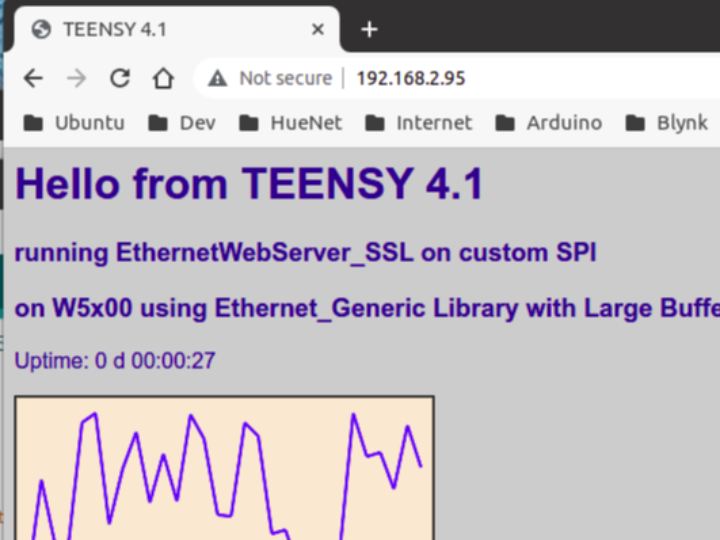
Example AdvancedWebServer
1. File AdvancedWebServer.ino
| #include "defines.h" |
| EthernetWebServer server(80); |
| int reqCount = 0; // number of requests received |
| void handleRoot() |
| { |
| #define BUFFER_SIZE 512 |
| char temp[BUFFER_SIZE]; |
| int sec = millis() / 1000; |
| int min = sec / 60; |
| int hr = min / 60; |
| int day = hr / 24; |
| hr = hr % 24; |
| snprintf(temp, BUFFER_SIZE - 1, |
| "<html>\ |
| <head>\ |
| <meta http-equiv='refresh' content='5'/>\ |
| <title>%s</title>\ |
| <style>\ |
| body { background-color: #cccccc; font-family: Arial, Helvetica, Sans-Serif; Color: #000088; }\ |
| </style>\ |
| </head>\ |
| <body>\ |
| <h1>Hello from %s</h1>\ |
| <h3>running EthernetWebServer_SSL</h3>\ |
| <h3>on %s</h3>\ |
| <p>Uptime: %d d %02d:%02d:%02d</p>\ |
| <img src=\"/test.svg\" />\ |
| </body>\ |
| </html>", BOARD_NAME, BOARD_NAME, SHIELD_TYPE, day, hr, min % 60, sec % 60); |
| server.send(200, F("text/html"), temp); |
| } |
| void handleNotFound() |
| { |
| String message = F("File Not Found\n\n"); |
| message += F("URI: "); |
| message += server.uri(); |
| message += F("\nMethod: "); |
| message += (server.method() == HTTP_GET) ? F("GET") : F("POST"); |
| message += F("\nArguments: "); |
| message += server.args(); |
| message += F("\n"); |
| for (uint8_t i = 0; i < server.args(); i++) |
| { |
| message += " " + server.argName(i) + ": " + server.arg(i) + "\n"; |
| } |
| server.send(404, F("text/plain"), message); |
| } |
| #define ORIGINAL_STR_LEN 2048 |
| void drawGraph() |
| { |
| static String out; |
| static uint16_t previousStrLen = ORIGINAL_STR_LEN; |
| if (out.length() == 0) |
| { |
| ET_LOGWARN1(F("String Len = 0, extend to"), ORIGINAL_STR_LEN); |
| out.reserve(ORIGINAL_STR_LEN); |
| } |
| out = F( "<svg xmlns=\"http://www.w3.org/2000/svg\" version=\"1.1\" width=\"310\" height=\"150\">\n" \ |
| "<rect width=\"310\" height=\"150\" fill=\"rgb(250, 230, 210)\" stroke-width=\"3\" stroke=\"rgb(0, 0, 0)\" />\n" \ |
| "<g stroke=\"blue\">\n"); |
| char temp[70]; |
| int y = rand() % 130; |
| for (int x = 10; x < 300; x += 10) |
| { |
| int y2 = rand() % 130; |
| sprintf(temp, "<line x1=\"%d\" y1=\"%d\" x2=\"%d\" y2=\"%d\" stroke-width=\"2\" />\n", x, 140 - y, x + 10, 140 - y2); |
| out += temp; |
| y = y2; |
| } |
| out += F("</g>\n</svg>\n"); |
| ET_LOGDEBUG1(F("String Len = "), out.length()); |
| if (out.length() > previousStrLen) |
| { |
| ET_LOGERROR3(F("String Len > "), previousStrLen, F(", extend to"), out.length() + 48); |
| previousStrLen = out.length() + 48; |
| out.reserve(previousStrLen); |
| } |
| else |
| { |
| server.send(200, "image/svg+xml", out); |
| } |
| } |
| void initEthernet() |
| { |
| #if USE_ETHERNET_PORTENTA_H7 |
| ET_LOGWARN(F("======== USE_PORTENTA_H7_ETHERNET ========")); |
| #elif USE_NATIVE_ETHERNET |
| ET_LOGWARN(F("======== USE_NATIVE_ETHERNET ========")); |
| #elif USE_ETHERNET_GENERIC |
| ET_LOGWARN(F("=========== USE_ETHERNET_GENERIC ===========")); |
| #elif USE_ETHERNET_ESP8266 |
| ET_LOGWARN(F("=========== USE_ETHERNET_ESP8266 ===========")); |
| #elif USE_ETHERNET_ENC |
| ET_LOGWARN(F("=========== USE_ETHERNET_ENC ===========")); |
| #else |
| ET_LOGWARN(F("=========================")); |
| #endif |
| #if !(USE_NATIVE_ETHERNET || USE_ETHERNET_PORTENTA_H7) |
| #if (USING_SPI2) |
| #if defined(CUR_PIN_MISO) |
| ET_LOGWARN(F("Default SPI pinout:")); |
| ET_LOGWARN1(F("MOSI:"), CUR_PIN_MOSI); |
| ET_LOGWARN1(F("MISO:"), CUR_PIN_MISO); |
| ET_LOGWARN1(F("SCK:"), CUR_PIN_SCK); |
| ET_LOGWARN1(F("SS:"), CUR_PIN_SS); |
| ET_LOGWARN(F("=========================")); |
| #endif |
| #else |
| ET_LOGWARN(F("Default SPI pinout:")); |
| ET_LOGWARN1(F("MOSI:"), MOSI); |
| ET_LOGWARN1(F("MISO:"), MISO); |
| ET_LOGWARN1(F("SCK:"), SCK); |
| ET_LOGWARN1(F("SS:"), SS); |
| ET_LOGWARN(F("=========================")); |
| #endif |
| #if defined(ESP8266) |
| // For ESP8266, change for other boards if necessary |
| #ifndef USE_THIS_SS_PIN |
| #define USE_THIS_SS_PIN D2 // For ESP8266 |
| #endif |
| ET_LOGWARN1(F("ESP8266 setCsPin:"), USE_THIS_SS_PIN); |
| #if ( USE_ETHERNET_GENERIC || USE_ETHERNET_ENC ) |
| // For ESP8266 |
| // Pin D0(GPIO16) D1(GPIO5) D2(GPIO4) D3(GPIO0) D4(GPIO2) D8 |
| // EthernetGeneric X X X X X 0 |
| // Ethernet_ESP8266 0 0 0 0 0 0 |
| // D2 is safe to used for Ethernet, Ethernet2, Ethernet3, EthernetLarge libs |
| // Must use library patch for Ethernet, EthernetLarge libraries |
| Ethernet.init (USE_THIS_SS_PIN); |
| #elif USE_CUSTOM_ETHERNET |
| // You have to add initialization for your Custom Ethernet here |
| // This is just an example to setCSPin to USE_THIS_SS_PIN, and can be not correct and enough |
| Ethernet.init(USE_THIS_SS_PIN); |
| #endif //( USE_ETHERNET_GENERIC || USE_ETHERNET_ENC ) |
| #elif defined(ESP32) |
| // You can use Ethernet.init(pin) to configure the CS pin |
| //Ethernet.init(10); // Most Arduino shields |
| //Ethernet.init(5); // MKR ETH shield |
| //Ethernet.init(0); // Teensy 2.0 |
| //Ethernet.init(20); // Teensy++ 2.0 |
| //Ethernet.init(15); // ESP8266 with Adafruit Featherwing Ethernet |
| //Ethernet.init(33); // ESP32 with Adafruit Featherwing Ethernet |
| #ifndef USE_THIS_SS_PIN |
| #define USE_THIS_SS_PIN 5 //22 // For ESP32 |
| #endif |
| ET_LOGWARN1(F("ESP32 setCsPin:"), USE_THIS_SS_PIN); |
| // For other boards, to change if necessary |
| #if ( USE_ETHERNET_GENERIC || USE_ETHERNET_ENC ) |
| // Must use library patch for Ethernet, EthernetLarge libraries |
| // ESP32 => GPIO2,4,5,13,15,21,22 OK with Ethernet, Ethernet2, EthernetLarge |
| // ESP32 => GPIO2,4,5,15,21,22 OK with Ethernet3 |
| //Ethernet.setCsPin (USE_THIS_SS_PIN); |
| Ethernet.init (USE_THIS_SS_PIN); |
| #elif USE_CUSTOM_ETHERNET |
| // You have to add initialization for your Custom Ethernet here |
| // This is just an example to setCSPin to USE_THIS_SS_PIN, and can be not correct and enough |
| Ethernet.init(USE_THIS_SS_PIN); |
| #endif //( USE_ETHERNET_GENERIC || USE_ETHERNET_ENC ) |
| #elif ETHERNET_USE_RPIPICO |
| pinMode(USE_THIS_SS_PIN, OUTPUT); |
| digitalWrite(USE_THIS_SS_PIN, HIGH); |
| // ETHERNET_USE_RPIPICO, use default SS = 5 or 17 |
| #ifndef USE_THIS_SS_PIN |
| #if defined(ARDUINO_ARCH_MBED) |
| #define USE_THIS_SS_PIN 5 // For Arduino Mbed core |
| #else |
| #define USE_THIS_SS_PIN 17 // For E.Philhower core |
| #endif |
| #endif |
| ET_LOGWARN1(F("RPIPICO setCsPin:"), USE_THIS_SS_PIN); |
| // For other boards, to change if necessary |
| #if ( USE_ETHERNET_GENERIC || USE_ETHERNET_ENC ) |
| // Must use library patch for Ethernet, EthernetLarge libraries |
| // For RPI Pico using Arduino Mbed RP2040 core |
| // SCK: GPIO2, MOSI: GPIO3, MISO: GPIO4, SS/CS: GPIO5 |
| // For RPI Pico using E. Philhower RP2040 core |
| // SCK: GPIO18, MOSI: GPIO19, MISO: GPIO16, SS/CS: GPIO17 |
| // Default pin 5/17 to SS/CS |
| //Ethernet.setCsPin (USE_THIS_SS_PIN); |
| Ethernet.init (USE_THIS_SS_PIN); |
| #endif //( USE_ETHERNET_GENERIC || USE_ETHERNET_ENC ) |
| #else //defined(ESP8266) |
| // unknown board, do nothing, use default SS = 10 |
| #ifndef USE_THIS_SS_PIN |
| #define USE_THIS_SS_PIN 10 // For other boards |
| #endif |
| #if defined(BOARD_NAME) |
| ET_LOGWARN3(F("Board :"), BOARD_NAME, F(", setCsPin:"), USE_THIS_SS_PIN); |
| #else |
| ET_LOGWARN1(F("Unknown board setCsPin:"), USE_THIS_SS_PIN); |
| #endif |
| // For other boards, to change if necessary |
| #if ( USE_ETHERNET_GENERIC || USE_ETHERNET_ENC || USE_NATIVE_ETHERNET ) |
| // Must use library patch for Ethernet, Ethernet2, EthernetLarge libraries |
| Ethernet.init (USE_THIS_SS_PIN); |
| #elif USE_CUSTOM_ETHERNET |
| // You have to add initialization for your Custom Ethernet here |
| // This is just an example to setCSPin to USE_THIS_SS_PIN, and can be not correct and enough |
| Ethernet.init(USE_THIS_SS_PIN); |
| #endif //( USE_ETHERNET_GENERIC || USE_ETHERNET_ENC ) |
| #endif // defined(ESP8266) |
| #endif // #if !(USE_NATIVE_ETHERNET) |
| // start the ethernet connection and the server: |
| // Use DHCP dynamic IP and random mac |
| uint16_t index = millis() % NUMBER_OF_MAC; |
| // Use Static IP |
| //Ethernet.begin(mac[index], ip); |
| Ethernet.begin(mac[index]); |
| #if !(USE_NATIVE_ETHERNET || USE_ETHERNET_PORTENTA_H7) |
| ET_LOGWARN(F("=========================")); |
| #if defined( ESP32 ) |
| // Just info to know how to connect correctly |
| // To change for other SPI |
| ET_LOGWARN(F("Currently Used SPI pinout:")); |
| ET_LOGWARN1(F("MOSI:"), PIN_MOSI); |
| ET_LOGWARN1(F("MISO:"), PIN_MISO); |
| ET_LOGWARN1(F("SCK:"), PIN_SCK); |
| ET_LOGWARN1(F("SS:"), PIN_SS); |
| #else |
| #if defined(CUR_PIN_MISO) |
| ET_LOGWARN(F("Currently Used SPI pinout:")); |
| ET_LOGWARN1(F("MOSI:"), CUR_PIN_MOSI); |
| ET_LOGWARN1(F("MISO:"), CUR_PIN_MISO); |
| ET_LOGWARN1(F("SCK:"), CUR_PIN_SCK); |
| ET_LOGWARN1(F("SS:"), CUR_PIN_SS); |
| #else |
| ET_LOGWARN(F("Currently Used SPI pinout:")); |
| ET_LOGWARN1(F("MOSI:"), MOSI); |
| ET_LOGWARN1(F("MISO:"), MISO); |
| ET_LOGWARN1(F("SCK:"), SCK); |
| ET_LOGWARN1(F("SS:"), SS); |
| #endif |
| #endif |
| ET_LOGWARN(F("=========================")); |
| #elif (USE_ETHERNET_PORTENTA_H7) |
| if (Ethernet.hardwareStatus() == EthernetNoHardware) |
| { |
| Serial.println("No Ethernet found. Stay here forever"); |
| while (true) |
| { |
| delay(1); // do nothing, no point running without Ethernet hardware |
| } |
| } |
| if (Ethernet.linkStatus() == LinkOFF) |
| { |
| Serial.println("Not connected Ethernet cable"); |
| } |
| #endif |
| Serial.print(F("Using mac index = ")); |
| Serial.println(index); |
| Serial.print(F("Connected! IP address: ")); |
| Serial.println(Ethernet.localIP()); |
| } |
| void setup() |
| { |
| Serial.begin(115200); |
| while (!Serial); |
| Serial.print("\nStarting AdvancedWebServer on " + String(BOARD_NAME)); |
| Serial.println(" with " + String(SHIELD_TYPE)); |
| Serial.println(ETHERNET_WEBSERVER_SSL_VERSION); |
| initEthernet(); |
| server.on(F("/"), handleRoot); |
| server.on(F("/test.svg"), drawGraph); |
| server.on(F("/inline"), []() |
| { |
| server.send(200, F("text/plain"), F("This works as well")); |
| }); |
| server.onNotFound(handleNotFound); |
| server.begin(); |
| Serial.print(F("HTTP EthernetWebServer is @ IP : ")); |
| Serial.println(Ethernet.localIP()); |
| } |
| void heartBeatPrint(void) |
| { |
| static int num = 1; |
| Serial.print(F(".")); |
| if (num == 80) |
| { |
| Serial.println(); |
| num = 1; |
| } |
| else if (num++ % 10 == 0) |
| { |
| Serial.print(F(" ")); |
| } |
| } |
| void check_status() |
| { |
| static unsigned long checkstatus_timeout = 0; |
| #define STATUS_CHECK_INTERVAL 10000L |
| // Send status report every STATUS_REPORT_INTERVAL (60) seconds: we don't need to send updates frequently if there is no status change. |
| if ((millis() > checkstatus_timeout) || (checkstatus_timeout == 0)) |
| { |
| heartBeatPrint(); |
| checkstatus_timeout = millis() + STATUS_CHECK_INTERVAL; |
| } |
| } |
| void loop(void) |
| { |
| server.handleClient(); |
| check_status(); |
| } |
2. File defines.h
EthernetWebServer_SSL/examples/AdvancedWebServer/defines.h
Lines 10 to 571 in 06a8ddc
| #ifndef defines_h |
| #define defines_h |
| #define DEBUG_ETHERNET_WEBSERVER_PORT Serial |
| // Debug Level from 0 to 4 |
| #define _ETHERNET_WEBSERVER_LOGLEVEL_ 1 |
| #define USING_SPI2 false //true |
| #if ( defined(ARDUINO_PORTENTA_H7_M7) || defined(ARDUINO_PORTENTA_H7_M4) ) |
| #if defined(BOARD_NAME) |
| #undef BOARD_NAME |
| #endif |
| #if defined(CORE_CM7) |
| #if (_ETHERNET_WEBSERVER_LOGLEVEL_ > 3) |
| #warning Using Portenta H7 M7 core |
| #endif |
| #define BOARD_NAME "PORTENTA_H7_M7" |
| #else |
| #if (_ETHERNET_WEBSERVER_LOGLEVEL_ > 3) |
| #warning Using Portenta H7 M4 core |
| #endif |
| #define BOARD_NAME "PORTENTA_H7_M4" |
| #endif |
| #define ETHERNET_USE_PORTENTA_H7 true |
| #define USE_ETHERNET_PORTENTA_H7 true |
| #endif |
| #if ( defined(ARDUINO_SAMD_ZERO) || defined(ARDUINO_SAMD_MKR1000) || defined(ARDUINO_SAMD_MKRWIFI1010) \ |
| || defined(ARDUINO_SAMD_NANO_33_IOT) || defined(ARDUINO_SAMD_MKRFox1200) || defined(ARDUINO_SAMD_MKRWAN1300) || defined(ARDUINO_SAMD_MKRWAN1310) \ |
| || defined(ARDUINO_SAMD_MKRGSM1400) || defined(ARDUINO_SAMD_MKRNB1500) || defined(ARDUINO_SAMD_MKRVIDOR4000) || defined(__SAMD21G18A__) \ |
| || defined(ARDUINO_SAMD_CIRCUITPLAYGROUND_EXPRESS) || defined(__SAMD21E18A__) || defined(__SAMD51__) || defined(__SAMD51J20A__) || defined(__SAMD51J19A__) \ |
| || defined(__SAMD51G19A__) || defined(__SAMD51P19A__) || defined(__SAMD21G18A__) ) |
| #if defined(ETHERNET_USE_SAMD) |
| #undef ETHERNET_USE_SAMD |
| #endif |
| #define ETHERNET_USE_SAMD true |
| #endif |
| #if (defined(NRF52840_FEATHER) || defined(NRF52832_FEATHER) || defined(NRF52_SERIES) || defined(ARDUINO_NRF52_ADAFRUIT) || \ |
| defined(NRF52840_FEATHER_SENSE) || defined(NRF52840_ITSYBITSY) || defined(NRF52840_CIRCUITPLAY) || \ |
| defined(NRF52840_CLUE) || defined(NRF52840_METRO) || defined(NRF52840_PCA10056) || defined(PARTICLE_XENON) || \ |
| defined(NRF52840_LED_GLASSES) || defined(MDBT50Q_RX) || defined(NINA_B302_ublox) || defined(NINA_B112_ublox) || \ |
| defined(ARDUINO_Seeed_XIAO_nRF52840) || defined(ARDUINO_Seeed_XIAO_nRF52840_Sense) || \ |
| defined(ARDUINO_SEEED_XIAO_NRF52840) || defined(ARDUINO_SEEED_XIAO_NRF52840_SENSE) ) |
| #if defined(ETHERNET_USE_NRF528XX) |
| #undef ETHERNET_USE_NRF528XX |
| #endif |
| #define ETHERNET_USE_NRF528XX true |
| #endif |
| #if ( defined(ARDUINO_SAM_DUE) || defined(__SAM3X8E__) ) |
| #if defined(ETHERNET_USE_SAM_DUE) |
| #undef ETHERNET_USE_SAM_DUE |
| #endif |
| #define ETHERNET_USE_SAM_DUE true |
| #endif |
| #if ( defined(ARDUINO_ARCH_RP2040) || defined(ARDUINO_RASPBERRY_PI_PICO) || defined(ARDUINO_ADAFRUIT_FEATHER_RP2040) || defined(ARDUINO_GENERIC_RP2040) ) |
| #if defined(ETHERNET_USE_RPIPICO) |
| #undef ETHERNET_USE_RPIPICO |
| #endif |
| #define ETHERNET_USE_RPIPICO true |
| #endif |
| #if defined(ETHERNET_USE_SAMD) |
| // For SAMD |
| // Default pin SS/CS,if no SS pin, use pin 10 |
| #if defined(PIN_SPI_MOSI) |
| //#warning Using SS pin |
| #define USE_THIS_SS_PIN 10 //SS |
| #else |
| #define USE_THIS_SS_PIN 10 |
| #endif |
| #if ( defined(ARDUINO_SAMD_ZERO) && !defined(SEEED_XIAO_M0) ) |
| #define BOARD_TYPE "SAMD Zero" |
| // Default to use W5100. Must change to false for W5500, W5100S, for faster SPI clock |
| // Must use true for SAMD21, such as Zero, SAMD_FEATHER_M0_EXPRESS, etc. |
| #define USE_W5100 true |
| // Use this for ARDUINO_SAMD_ZERO, etc. if can't print to terminal with Serial.print |
| #if defined(SERIAL_PORT_USBVIRTUAL) |
| #define Serial SERIAL_PORT_USBVIRTUAL |
| #if (_ETHERNET_WEBSERVER_LOGLEVEL_ > 3) |
| #warning Using SAMD Zero SerialUSB |
| #endif |
| #endif |
| #elif defined(ARDUINO_SAMD_MKR1000) |
| #define BOARD_TYPE "SAMD MKR1000" |
| #elif defined(ARDUINO_SAMD_MKRWIFI1010) |
| #define BOARD_TYPE "SAMD MKRWIFI1010" |
| #elif defined(ARDUINO_SAMD_NANO_33_IOT) |
| #define BOARD_TYPE "SAMD NANO_33_IOT" |
| #elif defined(ARDUINO_SAMD_MKRFox1200) |
| #define BOARD_TYPE "SAMD MKRFox1200" |
| #elif ( defined(ARDUINO_SAMD_MKRWAN1300) || defined(ARDUINO_SAMD_MKRWAN1310) ) |
| #define BOARD_TYPE "SAMD MKRWAN13X0" |
| #elif defined(ARDUINO_SAMD_MKRGSM1400) |
| #define BOARD_TYPE "SAMD MKRGSM1400" |
| #elif defined(ARDUINO_SAMD_MKRNB1500) |
| #define BOARD_TYPE "SAMD MKRNB1500" |
| #elif defined(ARDUINO_SAMD_MKRVIDOR4000) |
| #define BOARD_TYPE "SAMD MKRVIDOR4000" |
| #elif defined(ARDUINO_SAMD_CIRCUITPLAYGROUND_EXPRESS) |
| #define BOARD_TYPE "SAMD ARDUINO_SAMD_CIRCUITPLAYGROUND_EXPRESS" |
| #elif defined(ADAFRUIT_FEATHER_M0_EXPRESS) |
| #define BOARD_TYPE "SAMD21 ADAFRUIT_FEATHER_M0_EXPRESS" |
| #elif defined(ADAFRUIT_METRO_M0_EXPRESS) |
| #define BOARD_TYPE "SAMD21 ADAFRUIT_METRO_M0_EXPRESS" |
| #elif defined(ADAFRUIT_CIRCUITPLAYGROUND_M0) |
| #define BOARD_TYPE "SAMD21 ADAFRUIT_CIRCUITPLAYGROUND_M0" |
| #elif defined(ADAFRUIT_GEMMA_M0) |
| #define BOARD_TYPE "SAMD21 ADAFRUIT_GEMMA_M0" |
| #elif defined(ADAFRUIT_TRINKET_M0) |
| #define BOARD_TYPE "SAMD21 ADAFRUIT_TRINKET_M0" |
| #elif defined(ADAFRUIT_ITSYBITSY_M0) |
| #define BOARD_TYPE "SAMD21 ADAFRUIT_ITSYBITSY_M0" |
| #elif defined(ARDUINO_SAMD_HALLOWING_M0) |
| #define BOARD_TYPE "SAMD21 ARDUINO_SAMD_HALLOWING_M0" |
| #elif defined(ADAFRUIT_METRO_M4_EXPRESS) |
| #define BOARD_TYPE "SAMD51 ADAFRUIT_METRO_M4_EXPRESS" |
| #elif defined(ADAFRUIT_GRAND_CENTRAL_M4) |
| #define BOARD_TYPE "SAMD51 ADAFRUIT_GRAND_CENTRAL_M4" |
| #elif defined(ADAFRUIT_FEATHER_M4_EXPRESS) |
| #define BOARD_TYPE "SAMD51 ADAFRUIT_FEATHER_M4_EXPRESS" |
| #elif defined(ADAFRUIT_ITSYBITSY_M4_EXPRESS) |
| #define BOARD_TYPE "SAMD51 ADAFRUIT_ITSYBITSY_M4_EXPRESS" |
| #define USE_THIS_SS_PIN 10 |
| #elif defined(ADAFRUIT_TRELLIS_M4_EXPRESS) |
| #define BOARD_TYPE "SAMD51 ADAFRUIT_TRELLIS_M4_EXPRESS" |
| #elif defined(ADAFRUIT_PYPORTAL) |
| #define BOARD_TYPE "SAMD51 ADAFRUIT_PYPORTAL" |
| #elif defined(ADAFRUIT_PYPORTAL_M4_TITANO) |
| #define BOARD_TYPE "SAMD51 ADAFRUIT_PYPORTAL_M4_TITANO" |
| #elif defined(ADAFRUIT_PYBADGE_M4_EXPRESS) |
| #define BOARD_TYPE "SAMD51 ADAFRUIT_PYBADGE_M4_EXPRESS" |
| #elif defined(ADAFRUIT_METRO_M4_AIRLIFT_LITE) |
| #define BOARD_TYPE "SAMD51 ADAFRUIT_METRO_M4_AIRLIFT_LITE" |
| #elif defined(ADAFRUIT_PYGAMER_M4_EXPRESS) |
| #define BOARD_TYPE "SAMD51 ADAFRUIT_PYGAMER_M4_EXPRESS" |
| #elif defined(ADAFRUIT_PYGAMER_ADVANCE_M4_EXPRESS) |
| #define BOARD_TYPE "SAMD51 ADAFRUIT_PYGAMER_ADVANCE_M4_EXPRESS" |
| #elif defined(ADAFRUIT_PYBADGE_AIRLIFT_M4) |
| #define BOARD_TYPE "SAMD51 ADAFRUIT_PYBADGE_AIRLIFT_M4" |
| #elif defined(ADAFRUIT_MONSTER_M4SK_EXPRESS) |
| #define BOARD_TYPE "SAMD51 ADAFRUIT_MONSTER_M4SK_EXPRESS" |
| #elif defined(ADAFRUIT_HALLOWING_M4_EXPRESS) |
| #define BOARD_TYPE "SAMD51 ADAFRUIT_HALLOWING_M4_EXPRESS" |
| #elif defined(SEEED_WIO_TERMINAL) |
| #define BOARD_TYPE "SAMD SEEED_WIO_TERMINAL" |
| #elif defined(SEEED_FEMTO_M0) |
| #define BOARD_TYPE "SAMD SEEED_FEMTO_M0" |
| #elif defined(SEEED_XIAO_M0) |
| #define BOARD_TYPE "SAMD SEEED_XIAO_M0" |
| #ifdef USE_THIS_SS_PIN |
| #undef USE_THIS_SS_PIN |
| #endif |
| #define USE_THIS_SS_PIN A1 |
| #if (_ETHERNET_WEBSERVER_LOGLEVEL_ > 3) |
| #warning define SEEED_XIAO_M0 USE_THIS_SS_PIN == A1 |
| #endif |
| #elif defined(Wio_Lite_MG126) |
| #define BOARD_TYPE "SAMD SEEED Wio_Lite_MG126" |
| #elif defined(WIO_GPS_BOARD) |
| #define BOARD_TYPE "SAMD SEEED WIO_GPS_BOARD" |
| #elif defined(SEEEDUINO_ZERO) |
| #define BOARD_TYPE "SAMD SEEEDUINO_ZERO" |
| #elif defined(SEEEDUINO_LORAWAN) |
| #define BOARD_TYPE "SAMD SEEEDUINO_LORAWAN" |
| #elif defined(SEEED_GROVE_UI_WIRELESS) |
| #define BOARD_TYPE "SAMD SEEED_GROVE_UI_WIRELESS" |
| #elif defined(__SAMD21E18A__) |
| #define BOARD_TYPE "SAMD21E18A" |
| #elif defined(__SAMD21G18A__) |
| #define BOARD_TYPE "SAMD21G18A" |
| #elif defined(__SAMD51G19A__) |
| #define BOARD_TYPE "SAMD51G19A" |
| #elif defined(__SAMD51J19A__) |
| #define BOARD_TYPE "SAMD51J19A" |
| #elif defined(__SAMD51J20A__) |
| #define BOARD_TYPE "SAMD51J20A" |
| #elif defined(__SAM3X8E__) |
| #define BOARD_TYPE "SAM3X8E" |
| #elif defined(__CPU_ARC__) |
| #define BOARD_TYPE "CPU_ARC" |
| #elif defined(__SAMD51__) |
| #define BOARD_TYPE "SAMD51" |
| #else |
| #define BOARD_TYPE "SAMD Unknown" |
| #endif |
| #elif (ETHERNET_USE_SAM_DUE) |
| // Default pin 10 to SS/CS |
| #define USE_THIS_SS_PIN 10 |
| #define BOARD_TYPE "SAM DUE" |
| #elif (ETHERNET_USE_NRF528XX) |
| // For Adafruit nRF52 |
| // Default pin SS/CS,if no SS pin, use pin 10 |
| #if defined(PIN_SPI_MOSI) |
| #if (_ETHERNET_WEBSERVER_LOGLEVEL_ > 3) |
| #warning Using SS pin |
| #endif |
| #define USE_THIS_SS_PIN SS |
| #else |
| #define USE_THIS_SS_PIN 10 |
| #endif |
| #if defined(ARDUINO_Seeed_XIAO_nRF52840) |
| #define BOARD_TYPE "Seeed_XIAO_nRF52840" |
| #elif defined(ARDUINO_Seeed_XIAO_nRF52840_Sense) |
| #define BOARD_TYPE "Seeed_XIAO_nRF52840_Sense" |
| #elif defined(ARDUINO_SEEED_XIAO_NRF52840) |
| #define BOARD_TYPE "SEEED_XIAO_NRF52840" |
| #elif defined(ARDUINO_SEEED_XIAO_NRF52840_SENSE) |
| #define BOARD_TYPE "SEEED_XIAO_NRF52840_SENSE" |
| #elif defined(NRF52840_FEATHER) |
| #define BOARD_TYPE "NRF52840_FEATHER" |
| #elif defined(NRF52832_FEATHER) |
| #define BOARD_TYPE "NRF52832_FEATHER" |
| #elif defined(NRF52840_FEATHER_SENSE) |
| #define BOARD_TYPE "NRF52840_FEATHER_SENSE" |
| #elif defined(NRF52840_ITSYBITSY) |
| #define BOARD_TYPE "NRF52840_ITSYBITSY" |
| #define USE_THIS_SS_PIN 10 // For other boards |
| #elif defined(NRF52840_CIRCUITPLAY) |
| #define BOARD_TYPE "NRF52840_CIRCUITPLAY" |
| #elif defined(NRF52840_CLUE) |
| #define BOARD_TYPE "NRF52840_CLUE" |
| #elif defined(NRF52840_METRO) |
| #define BOARD_TYPE "NRF52840_METRO" |
| #elif defined(NRF52840_PCA10056) |
| #define BOARD_TYPE "NRF52840_PCA10056" |
| #elif defined(NINA_B302_ublox) |
| #define BOARD_TYPE "NINA_B302_ublox" |
| #elif defined(NINA_B112_ublox) |
| #define BOARD_TYPE "NINA_B112_ublox" |
| #elif defined(PARTICLE_XENON) |
| #define BOARD_TYPE "PARTICLE_XENON" |
| #elif defined(ARDUINO_NRF52_ADAFRUIT) |
| #define BOARD_TYPE "ARDUINO_NRF52_ADAFRUIT" |
| #else |
| #define BOARD_TYPE "nRF52 Unknown" |
| #endif |
| #elif ( defined(CORE_TEENSY) ) |
| // Default pin 10 to SS/CS |
| #define USE_THIS_SS_PIN SS //10 |
| #if defined(__IMXRT1062__) |
| // For Teensy 4.1/4.0 |
| #if defined(ARDUINO_TEENSY41) |
| #define BOARD_TYPE "TEENSY 4.1" |
| // Use true for NativeEthernet Library, false if using other Ethernet libraries |
| #define USE_NATIVE_ETHERNET true |
| #elif defined(ARDUINO_TEENSY40) |
| #define BOARD_TYPE "TEENSY 4.0" |
| #else |
| #define BOARD_TYPE "TEENSY 4.x" |
| #endif |
| #elif defined(__MK66FX1M0__) |
| #define BOARD_TYPE "Teensy 3.6" |
| #elif defined(__MK64FX512__) |
| #define BOARD_TYPE "Teensy 3.5" |
| #elif defined(__MKL26Z64__) |
| #define BOARD_TYPE "Teensy LC" |
| #elif defined(__MK20DX256__) |
| #define BOARD_TYPE "Teensy 3.2" // and Teensy 3.1 (obsolete) |
| #elif defined(__MK20DX128__) |
| #define BOARD_TYPE "Teensy 3.0" |
| #elif defined(__AVR_AT90USB1286__) |
| #error Teensy 2.0++ not supported yet |
| #elif defined(__AVR_ATmega32U4__) |
| #error Teensy 2.0 not supported yet |
| #else |
| // For Other Boards |
| #define BOARD_TYPE "Unknown Teensy Board" |
| #endif |
| #elif ( defined(ESP8266) ) |
| // For ESP8266 |
| #if (_ETHERNET_WEBSERVER_LOGLEVEL_ > 3) |
| #warning Use ESP8266 architecture |
| #endif |
| #include <ESP8266mDNS.h> |
| #define ETHERNET_USE_ESP8266 |
| #define BOARD_TYPE ARDUINO_BOARD |
| #elif ( defined(ESP32) ) |
| // For ESP32 |
| #if (_ETHERNET_WEBSERVER_LOGLEVEL_ > 3) |
| #warning Use ESP32 architecture |
| #endif |
| #define ETHERNET_USE_ESP32 |
| #define BOARD_TYPE ARDUINO_BOARD |
| #define W5500_RST_PORT 21 |
| #elif ETHERNET_USE_RPIPICO |
| // Default pin 17 to SS/CS |
| #if defined(ARDUINO_ARCH_MBED) |
| // For RPI Pico using newer Arduino Mbed RP2040 core |
| // SCK: GPIO18, MOSI: GPIO19, MISO: GPIO16, SS/CS: GPIO17 |
| #define USE_THIS_SS_PIN PIN_SPI_SS //17 |
| #if defined(BOARD_NAME) |
| #undef BOARD_NAME |
| #endif |
| #if defined(ARDUINO_RASPBERRY_PI_PICO) |
| #define BOARD_TYPE "MBED RASPBERRY_PI_PICO" |
| #elif defined(ARDUINO_ADAFRUIT_FEATHER_RP2040) |
| #define BOARD_TYPE "MBED ADAFRUIT_FEATHER_RP2040" |
| #elif defined(ARDUINO_GENERIC_RP2040) |
| #define BOARD_TYPE "MBED GENERIC_RP2040" |
| #else |
| #define BOARD_TYPE "MBED Unknown RP2040" |
| #endif |
| #else |
| // For RPI Pico using E. Philhower RP2040 core |
| #if (USING_SPI2) |
| // SCK: GPIO14, MOSI: GPIO15, MISO: GPIO12, SS/CS: GPIO13 for SPI1 |
| #define USE_THIS_SS_PIN PIN_SPI1_SS //13 |
| #else |
| // SCK: GPIO18, MOSI: GPIO19, MISO: GPIO16, SS/CS: GPIO17 for SPI0 |
| #define USE_THIS_SS_PIN PIN_SPI0_SS //17 |
| #endif |
| #endif |
| #define SS_PIN_DEFAULT USE_THIS_SS_PIN |
| // For RPI Pico |
| #if (_ETHERNET_WEBSERVER_LOGLEVEL_ > 3) |
| #warning Use RPI-Pico RP2040 architecture |
| #endif |
| #elif defined(DXCORE) |
| // Default pin 10 to SS/CS |
| #define USE_THIS_SS_PIN SS |
| #if defined(__AVR_AVR128DA48__) |
| #define BOARD_TYPE "Curiosity AVR_AVR128DA48" |
| #elif defined(__AVR_AVR128DB48__) |
| #define BOARD_TYPE "Curiosity AVR_AVR128DB48" |
| #else |
| #define BOARD_TYPE "Unknown AVRDv board" |
| #endif |
| #else |
| // For Mega, etc. |
| // Default pin SS/CS,if no SS pin, use pin 10 |
| #define USE_THIS_SS_PIN 10 |
| // Reduce size for Mega |
| #define SENDCONTENT_P_BUFFER_SZ 512 |
| #define BOARD_TYPE "AVR Mega" |
| #endif |
| #ifndef BOARD_NAME |
| #define BOARD_NAME BOARD_TYPE |
| #endif |
| #include <SPI.h> |
| // Use true for ENC28J60 and UIPEthernet library (https://github.com/UIPEthernet/UIPEthernet) |
| // Use false for W5x00 and Ethernetx library (https://www.arduino.cc/en/Reference/Ethernet) |
| //#define USE_UIP_ETHERNET true |
| #define USE_UIP_ETHERNET false |
| // Note: To rename ESP628266 Ethernet lib files to Ethernet_ESP8266.h and Ethernet_ESP8266.cpp |
| // In order to USE_ETHERNET_ESP8266 |
| #if ( !defined(USE_UIP_ETHERNET) || !USE_UIP_ETHERNET ) |
| // To override the default CS/SS pin. Don't use unless you know exactly which pin to use |
| // You can define here or customize for each board at same place with BOARD_TYPE |
| // Check @ defined(SEEED_XIAO_M0) |
| //#define USE_THIS_SS_PIN 22 //21 //5 //4 //2 //15 |
| // Only one if the following to be true |
| #define USE_ETHERNET_GENERIC true |
| #define USE_ETHERNET_ESP8266 false |
| #define USE_ETHERNET_ENC false |
| #define USE_CUSTOM_ETHERNET false |
| //////////////////////////// |
| #if ( USE_ETHERNET_GENERIC || USE_ETHERNET_ESP8266 || USE_ETHERNET_ENC || \ |
| USE_NATIVE_ETHERNET || USE_ETHERNET_PORTENTA_H7 ) |
| #ifdef USE_CUSTOM_ETHERNET |
| #undef USE_CUSTOM_ETHERNET |
| #endif |
| #define USE_CUSTOM_ETHERNET false |
| #endif |
| #if USE_ETHERNET_PORTENTA_H7 |
| #include <Portenta_Ethernet.h> |
| #include <Ethernet.h> |
| #if (_ETHERNET_WEBSERVER_LOGLEVEL_ > 3) |
| #warning Using Portenta_Ethernet lib for Portenta_H7 |
| #endif |
| #define SHIELD_TYPE "Ethernet using Portenta_Ethernet Library" |
| #elif USE_NATIVE_ETHERNET |
| #include "NativeEthernet.h" |
| #if (_ETHERNET_WEBSERVER_LOGLEVEL_ > 3) |
| #warning Using NativeEthernet lib for Teensy 4.1. Must also use Teensy Packages Patch or error |
| #endif |
| #define SHIELD_TYPE "Custom Ethernet using Teensy 4.1 NativeEthernet Library" |
| #elif USE_ETHERNET_GENERIC |
| #if (ESP32) |
| #include <soc/spi_pins.h> |
| // Optional SPI2 |
| //#define USING_SPI2 true |
| #if USING_SPI2 |
| // HSPI_IOMUX_PIN_NUM_???? deprecated from core v2.0.6+ |
| // For ESP32 core v2.0.6+ |
| #define PIN_MISO SPI2_IOMUX_PIN_NUM_MISO |
| #define PIN_MOSI SPI2_IOMUX_PIN_NUM_MOSI |
| #define PIN_SCK SPI2_IOMUX_PIN_NUM_CLK |
| #define PIN_SS SPI2_IOMUX_PIN_NUM_CS |
| #define SHIELD_TYPE "W5x00 using Ethernet_Generic Library on SPI2" |
| #else |
| #define PIN_MISO MISO |
| #define PIN_MOSI MOSI |
| #define PIN_SCK SCK |
| #define PIN_SS SS |
| #define SHIELD_TYPE "W5x00 using Ethernet_Generic Library on SPI" |
| #endif |
| #else |
| #if USING_SPI2 |
| #define SHIELD_TYPE "W5x00 using Ethernet_Generic Library on SPI1" |
| #else |
| #define SHIELD_TYPE "W5x00 using Ethernet_Generic Library on SPI0/SPI" |
| #endif |
| #endif |
| #define ETHERNET_LARGE_BUFFERS |
| //#define _ETG_LOGLEVEL_ 1 |
| #include "Ethernet_Generic.h" |
| #if (_ETHERNET_WEBSERVER_LOGLEVEL_ > 3) |
| #warning Using Ethernet_Generic lib |
| #endif |
| #elif USE_ETHERNET_ESP8266 |
| #include "Ethernet_ESP8266.h" |
| #if (_ETHERNET_WEBSERVER_LOGLEVEL_ > 3) |
| #warning Using Ethernet_ESP8266 lib |
| #endif |
| #define SHIELD_TYPE "W5x00 using Ethernet_ESP8266 Library" |
| #elif USE_ETHERNET_ENC |
| #include "EthernetENC.h" |
| #if (_ETHERNET_WEBSERVER_LOGLEVEL_ > 3) |
| #warning Using EthernetENC lib |
| #endif |
| #define SHIELD_TYPE "ENC28J60 using EthernetENC Library" |
| #elif USE_CUSTOM_ETHERNET |
| //#include "Ethernet_XYZ.h" |
| #include "EthernetENC.h" |
| #if (_ETHERNET_WEBSERVER_LOGLEVEL_ > 3) |
| #warning Using Custom Ethernet library. You must include a library and initialize |
| #endif |
| #define SHIELD_TYPE "Custom Ethernet using Ethernet_XYZ Library" |
| #else |
| #ifdef USE_ETHERNET_GENERIC |
| #undef USE_ETHERNET_GENERIC |
| #endif |
| #define USE_ETHERNET_GENERIC true |
| #include "Ethernet_Generic.h" |
| #if (_ETHERNET_WEBSERVER_LOGLEVEL_ > 3) |
| #warning Using default Ethernet_Generic lib |
| #endif |
| #define SHIELD_TYPE "W5x00 using default Ethernet_Generic Library" |
| #endif |
| // Ethernet_Shield_W5200, EtherCard, EtherSia not supported |
| // Select just 1 of the following #include if uncomment #define USE_CUSTOM_ETHERNET |
| // Otherwise, standard Ethernet library will be used for W5x00 |
| //////////////////////////// |
| #elif USE_UIP_ETHERNET |
| #include "UIPEthernet.h" |
| #if (_ETHERNET_WEBSERVER_LOGLEVEL_ > 3) |
| #warning Using UIPEthernet library |
| #endif |
| #define SHIELD_TYPE "ENC28J60 using UIPEthernet Library" |
| #endif // #if !USE_UIP_ETHERNET |
| #include <EthernetWebServer_SSL.h> |
| #ifndef SHIELD_TYPE |
| #define SHIELD_TYPE "Unknown Ethernet shield/library" |
| #endif |
| // Enter a MAC address and IP address for your controller below. |
| #define NUMBER_OF_MAC 20 |
| byte mac[][NUMBER_OF_MAC] = |
| { |
| { 0xDE, 0xAD, 0xBE, 0xEF, 0xFE, 0x01 }, |
| { 0xDE, 0xAD, 0xBE, 0xEF, 0xBE, 0x02 }, |
| { 0xDE, 0xAD, 0xBE, 0xEF, 0xFE, 0x03 }, |
| { 0xDE, 0xAD, 0xBE, 0xEF, 0xBE, 0x04 }, |
| { 0xDE, 0xAD, 0xBE, 0xEF, 0xFE, 0x05 }, |
| { 0xDE, 0xAD, 0xBE, 0xEF, 0xBE, 0x06 }, |
| { 0xDE, 0xAD, 0xBE, 0xEF, 0xFE, 0x07 }, |
| { 0xDE, 0xAD, 0xBE, 0xEF, 0xBE, 0x08 }, |
| { 0xDE, 0xAD, 0xBE, 0xEF, 0xFE, 0x09 }, |
| { 0xDE, 0xAD, 0xBE, 0xEF, 0xBE, 0x0A }, |
| { 0xDE, 0xAD, 0xBE, 0xEF, 0xFE, 0x0B }, |
| { 0xDE, 0xAD, 0xBE, 0xEF, 0xBE, 0x0C }, |
| { 0xDE, 0xAD, 0xBE, 0xEF, 0xFE, 0x0D }, |
| { 0xDE, 0xAD, 0xBE, 0xEF, 0xBE, 0x0E }, |
| { 0xDE, 0xAD, 0xBE, 0xEF, 0xFE, 0x0F }, |
| { 0xDE, 0xAD, 0xBE, 0xEF, 0xBE, 0x10 }, |
| { 0xDE, 0xAD, 0xBE, 0xEF, 0xFE, 0x11 }, |
| { 0xDE, 0xAD, 0xBE, 0xEF, 0xBE, 0x12 }, |
| { 0xDE, 0xAD, 0xBE, 0xEF, 0xFE, 0x13 }, |
| { 0xDE, 0xAD, 0xBE, 0xEF, 0xBE, 0x14 }, |
| }; |
| // Select the IP address according to your local network |
| IPAddress ip(192, 168, 2, 222); |
| // Google DNS Server IP |
| IPAddress myDns(8, 8, 8, 8); |
| #endif //defines_h |
The following are debug terminal output and screen shot when running example AdvancedWebServer on Adafruit NRF52840_FEATHER_EXPRESS with ENC28J60 using EthernetENC Library

Starting AdvancedWebServer on NRF52840_FEATHER with ENC28J60 using EthernetENC Library
EthernetWebServer_SSL v1.10.0
[ETHERNET_WEBSERVER] =========================
[ETHERNET_WEBSERVER] Default SPI pinout:
[ETHERNET_WEBSERVER] MOSI: 25
[ETHERNET_WEBSERVER] MISO: 24
[ETHERNET_WEBSERVER] SCK: 26
[ETHERNET_WEBSERVER] SS: 5
[ETHERNET_WEBSERVER] =========================
[ETHERNET_WEBSERVER] Board : NRF52840_FEATHER , setCsPin: 10
=========================
Currently Used SPI pinout:
MOSI:25
MISO:24
SCK:26
SS:5
=========================
Using mac index = 11
Connected! IP address: 192.168.2.96
HTTP EthernetWebServer is @ IP : 192.168.2.96
EthernetWebServer::handleClient: New Client
method:  GET
url:  /
search:
headerName: Host
headerValue: 192.168.2.113
headerName: Connection
headerValue: keep-alive
headerName: DNT
headerValue: 1
headerName: Upgrade-Insecure-Requests
headerValue: 1
headerName: User-Agent
headerValue: Mozilla/5.0 (X11; Linux x86_64) AppleWebKit/537.36 (KHTML, like Gecko) Chrome/84.0.4147.89 Safari/537.36
headerName: Accept
headerValue: text/html,application/xhtml+xml,application/xml;q=0.9,image/webp,image/apng,*/*;q=0.8,application/signed-exchange;v=b3;q=0.9
headerName: Accept-Encoding
headerValue: gzip, deflate
headerName: Accept-Language
headerValue: en-GB,en-US;q=0.9,en;q=0.8
args:
args count:  0
args:
args count:  0
Request: /
Arguments:
Final list of key/value pairs:
EthernetWebServer::_handleRequest handle
EthernetWebServer::send1: len =  347
content =  <html><head><meta http-equiv='refresh' content='5'/><title>AdvancedWebServer NRF52840_FEATHER</title><style>body { background-color: #cccccc; font-family: Arial, Helvetica, Sans-Serif; Color: #000088; }</style></head><body><h2>Hi from EthernetWebServer!</h2><h3>on NRF52840_FEATHER</h3><p>Uptime: 0 d 00:00:11</p><img src="/test.svg" /></body></html>
EthernetWebServer::_prepareHeader sendHeader Conn close
EthernetWebServer::send1: write header =  HTTP/1.1 200 OK
Content-Type: text/html
Content-Length: 347
Connection: close

EthernetWebServer::sendContent: Client.write content:  <html><head><meta http-equiv='refresh' content='5'/><title>AdvancedWebServer NRF52840_FEATHER</title><style>body { background-color: #cccccc; font-family: Arial, Helvetica, Sans-Serif; Color: #000088; }</style></head><body><h2>Hi from EthernetWebServer_SSL!</h2><h3>on NRF52840_FEATHER</h3><p>Uptime: 0 d 00:00:11</p><img src="/test.svg" /></body></html>
EthernetWebServer::_handleRequest OK
EthernetWebServer::handleClient: Client disconnected
EthernetWebServer::handleClient: Don't keepCurrentClient
EthernetWebServer::handleClient: Client disconnected
EthernetWebServer::handleClient: New Client
method:  GET
url:  /test.svg
search:
headerName: Host
headerValue: 192.168.2.113
headerName: Connection
headerValue: keep-alive
headerName: User-Agent
headerValue: Mozilla/5.0 (X11; Linux x86_64) AppleWebKit/537.36 (KHTML, like Gecko) Chrome/84.0.4147.89 Safari/537.36
headerName: DNT
headerValue: 1
headerName: Accept
headerValue: image/webp,image/apng,image/*,*/*;q=0.8
headerName: Referer
headerValue: http://192.168.2.113/
headerName: Accept-Encoding
headerValue: gzip, deflate
headerName: Accept-Language
headerValue: en-GB,en-US;q=0.9,en;q=0.8
args:
args count:  0
args:
args count:  0
Request: /test.svg
Arguments:
Final list of key/value pairs:
EthernetWebServer::_handleRequest handle
EthernetWebServer::send1: len =  1950
content =  <svg xmlns="http://www.w3.org/2000/svg" version="1.1" width="310" height="150">
<rect width="310" height="150" fill="rgb(250, 230, 210)" stroke-width="1" stroke="rgb(0, 0, 0)" />
<g stroke="black">
<line x1="10" y1="98" x2="20" y2="111" stroke-width="1" />
<line x1="20" y1="111" x2="30" y2="90" stroke-width="1" />
<line x1="30" y1="90" x2="40" y2="22" stroke-width="1" />
<line x1="40" y1="22" x2="50" y2="98" stroke-width="1" />
<line x1="50" y1="98" x2="60" y2="64" stroke-width="1" />
<line x1="60" y1="64" x2="70" y2="104" stroke-width="1" />
<line x1="70" y1="104" x2="80" y2="31" stroke-width="1" />
<line x1="80" y1="31" x2="90" y2="59" stroke-width="1" />
<line x1="90" y1="59" x2="100" y2="139" stroke-width="1" />
<line x1="100" y1="139" x2="110" y2="117" stroke-width="1" />
<line x1="110" y1="117" x2="120" y2="75" stroke-width="1" />
<line x1="120" y1="75" x2="130" y2="72" stroke-width="1" />
<line x1="130" y1="72" x2="140" y2="137" stroke-width="1" />
<line x1="140" y1="137" x2="150" y2="20" stroke-width="1" />
<line x1="150" y1="20" x2="160" y2="94" stroke-width="1" />
<line x1="160" y1="94" x2="170" y2="81" stroke-width="1" />
<line x1="170" y1="81" x2="180" y2="38" stroke-width="1" />
<line x1="180" y1="38" x2="190" y2="33" stroke-width="1" />
<line x1="190" y1="33" x2="200" y2="53" stroke-width="1" />
<line x1="200" y1="53" x2="210" y2="88" stroke-width="1" />
<line x1="210" y1="88" x2="220" y2="32" stroke-width="1" />
<line x1="220" y1="32" x2="230" y2="110" stroke-width="1" />
<line x1="230" y1="110" x2="240" y2="87" stroke-width="1" />
<line x1="240" y1="87" x2="250" y2="11" stroke-width="1" />
<line x1="250" y1="11" x2="260" y2="98" stroke-width="1" />
<line x1="260" y1="98" x2="270" y2="76" stroke-width="1" />
<line x1="270" y1="76" x2="280" y2="121" stroke-width="1" />
<line x1="280" y1="121" x2="290" y2="139" stroke-width="1" />
<line x1="290" y1="139" x2="300" y2="103" stroke-width="1" />
</g>
</svg>

EthernetWebServer::_prepareHeader sendHeader Conn close
EthernetWebServer::send1: write header =  HTTP/1.1 200 OK
Content-Type: image/svg+xml
Content-Length: 1950
Connection: close
The terminal output of ESP32 running a ENC28J60_WM_Config example of BlynkEthernet_WM Library
Start ENC28J60_WM_Config on ESP32
[38] EEPROMsz:1024
[38] CCSum=0x29f2,RCSum=0x29f2
[38] CrCCsum=0,CrRCsum=0
[38] Hdr=ENC28J60,BName=ESP32-ENC28J60-WM
[38] Svr=account.duckdns.org,Tok=token
[45] Svr1=account.ddns.net,Tok1=token1
[51] Prt=8080,SIP=blank
[53] MAC:FE-80-D6-B4-FC-EE
ENC28J60_CONTROL_CS =13
SS =5
SPI_MOSI =23
SPI_MISO =19
SPI_SCK =18
[5332] IP:192.168.2.103
[5332] bg:ECon.TryB
[5332]
    ___  __          __
   / _ )/ /_ _____  / /__
  / _  / / // / _ \/  '_/
 /____/_/\_, /_//_/_/\_\
        /___/ v0.6.1 on ESP32

[5343] BlynkArduinoClient.connect: Connecting to account.duckdns.org:8080
[6454] Ready (ping: 37ms).
[6522] Connected to Blynk Server = account.duckdns.org, Token = token
[6522] bg:EBCon
Conn2Blynk: server = account.duckdns.org, port = 8080
Token = token, IP = 192.168.2.103
BBBBBBBBBB BBBBBBBBBB BBBBBBBBBB
The terminal output of SAM DUE with W5x00 using Ethernet_Generic Library running WebClientMulti_SSL example
Start WebClientMulti_SSL on SAM DUE with W5x00 using Ethernet_Generic Library
EthernetWebServer_SSL v1.10.0
[ETHERNET_WEBSERVER] =========== USE_ETHERNET_GENERIC ===========
[ETHERNET_WEBSERVER] Default SPI pinout:
[ETHERNET_WEBSERVER] MOSI: 75
[ETHERNET_WEBSERVER] MISO: 74
[ETHERNET_WEBSERVER] SCK: 76
[ETHERNET_WEBSERVER] SS: 10
[ETHERNET_WEBSERVER] =========================
[ETHERNET_WEBSERVER] Board : SAM DUE , setCsPin: 10
=========================
Currently Used SPI pinout:
MOSI:75
MISO:74
SCK:76
SS:10
=========================
Using mac index = 5
Connected! IP address: 192.168.2.81
Connecting to www.arduino.cc...
Took: 1222
HTTP/1.1 200 OK
Date: Wed, 27 Apr 2022 18:34:22 GMT
Content-Type: text/plain
Transfer-Encoding: chunked
Connection: close
Last-Modified: Thu, 24 Feb 2022 11:33:35 GMT
Vary: Accept-Encoding
Strict-Transport-Security: max-age=500; includeSubDomains
X-Content-Type-Options: nosniff
X-XSS-Protection: 1; mode=block
CF-Cache-Status: DYNAMIC
Expect-CT: max-age=604800, report-uri="https://report-uri.cloudflare.com/cdn-cgi/beacon/expect-ct"
Set-Cookie: __cf_bm=pRwGTPfsPCIyCUu_TvMY3.s0xRBEZqgCZcH1tSmtCO4-1651084462-0-AUc4eNeo19uPnZGnhQPWmMCJHWoU5Ki+uqJea1FlKDWs4Qqm7cvF2gFK0eyELQUJYjYYSSVQCdmiNZOPjRs7Bso=; path=/; expires=Wed, 27-Apr-22 19:04:22 GMT; domain=.arduino.cc; HttpOnly; Secure; SameSite=None
Server: cloudflare
CF-RAY: 7029a6e1cb043ff1-YYZ
alt-svc: h3=":443"; ma=86400, h3-29=":443"; ma=86400

90e
Please use http://arduino.tips/asciilogo.txt via HTTP

           `:;;;,`                      .:;;:.
        .;;;;;;;;;;;`                :;;;;;;;;;;:     TM
      `;;;;;;;;;;;;;;;`            :;;;;;;;;;;;;;;;
     :;;;;;;;;;;;;;;;;;;         `;;;;;;;;;;;;;;;;;;
    ;;;;;;;;;;;;;;;;;;;;;       .;;;;;;;;;;;;;;;;;;;;
   ;;;;;;;;:`   `;;;;;;;;;     ,;;;;;;;;.`   .;;;;;;;;
  .;;;;;;,         :;;;;;;;   .;;;;;;;          ;;;;;;;
  ;;;;;;             ;;;;;;;  ;;;;;;,            ;;;;;;.
 ,;;;;;               ;;;;;;.;;;;;;`              ;;;;;;
 ;;;;;.                ;;;;;;;;;;;`      ```       ;;;;;`
 ;;;;;                  ;;;;;;;;;,       ;;;       .;;;;;
`;;;;:                  `;;;;;;;;        ;;;        ;;;;;
,;;;;`    `,,,,,,,,      ;;;;;;;      .,,;;;,,,     ;;;;;
:;;;;`    .;;;;;;;;       ;;;;;,      :;;;;;;;;     ;;;;;
:;;;;`    .;;;;;;;;      `;;;;;;      :;;;;;;;;     ;;;;;
.;;;;.                   ;;;;;;;.        ;;;        ;;;;;
 ;;;;;                  ;;;;;;;;;        ;;;        ;;;;;
 ;;;;;                 .;;;;;;;;;;       ;;;       ;;;;;,
 ;;;;;;               `;;;;;;;;;;;;                ;;;;;
 `;;;;;,             .;;;;;; ;;;;;;;              ;;;;;;
  ;;;;;;:           :;;;;;;.  ;;;;;;;            ;;;;;;
   ;;;;;;;`       .;;;;;;;,    ;;;;;;;;        ;;;;;;;:
    ;;;;;;;;;:,:;;;;;;;;;:      ;;;;;;;;;;:,;;;;;;;;;;
    `;;;;;;;;;;;;;;;;;;;.        ;;;;;;;;;;;;;;;;;;;;
      ;;;;;;;;;;;;;;;;;           :;;;;;;;;;;;;;;;;:
       ,;;;;;;;;;;;;;,              ;;;;;;;;;;;;;;
         .;;;;;;;;;`                  ,;;;;;;;;:


    ;;;   ;;;;;`  ;;;;:  .;;  ;; ,;;;;;, ;;. `;,  ;;;;
    ;;;   ;;:;;;  ;;;;;; .;;  ;; ,;;;;;: ;;; `;, ;;;:;;
   ,;:;   ;;  ;;  ;;  ;; .;;  ;;   ,;,   ;;;,`;, ;;  ;;
   ;; ;:  ;;  ;;  ;;  ;; .;;  ;;   ,;,   ;;;;`;, ;;  ;;.
   ;: ;;  ;;;;;:  ;;  ;; .;;  ;;   ,;,   ;;`;;;, ;;  ;;`
  ,;;;;;  ;;`;;   ;;  ;; .;;  ;;   ,;,   ;; ;;;, ;;  ;;
  ;;  ,;, ;; .;;  ;;;;;:  ;;;;;: ,;;;;;: ;;  ;;, ;;;;;;
  ;;   ;; ;;  ;;` ;;;;.   `;;;:  ,;;;;;, ;;  ;;,  ;;;;

0

(EthernetSSLClient)(SSL_WARN)(connected): Socket was dropped unexpectedly (this can be an alternative to closing the connection)

Disconnecting.
Received 3324 bytes in 0.3154 s, rate = 10.54 kbytes/second
Connecting to www.cloudflare.com...
Took: 207
HTTP/1.1 200 OK
Date: Tue, 10 Nov 2020 09:38:03 GMT
Content-Type: text/plain
Transfer-Encoding: chunked
Connection: close
Set-Cookie: __cfduid=dfa9b1dae33cb96315678c7c8c518f4c31605001083; expires=Thu, 10-Dec-20 09:38:03 GMT; path=/; domain=.www.cloudflare.com; HttpOnly; SameSite=Lax; Secure
Access-Control-Allow-Origin: *
Server: cloudflare
CF-RAY: 5efecc66fb77b65f-YWG
X-Frame-Options: SAMEORIGIN
Expires: Thu, 01 Jan 1970 00:00:01 GMT
Cache-Control: no-cache

bb
fl=168f4
h=www.cloudflare.com
ip=76.10.180.220
ts=1605001083.997
visit_scheme=https
uag=SSLClientOverEthernet
colo=YWG
http=http/1.1
loc=CA
tls=TLSv1.2
sni=plaintext
warp=off
gateway=off

0

(EthernetSSLClient)(SSL_WARN)(connected): Socket was dropped unexpectedly (this can be an alternative to closing the connection)

Disconnecting.
The terminal output of SEEED_XIAO_M0 with W5x00 using Ethernet_Generic Library running WebClient_SSL example
Start WebClient_SSL on SEEED_XIAO_M0 with W5x00 using Ethernet_Generic Library
EthernetWebServer_SSL v1.10.0
[ETHERNET_WEBSERVER] =========== USE_ETHERNET_GENERIC ===========
[ETHERNET_WEBSERVER] Default SPI pinout:
[ETHERNET_WEBSERVER] MOSI: 10
[ETHERNET_WEBSERVER] MISO: 9
[ETHERNET_WEBSERVER] SCK: 8
[ETHERNET_WEBSERVER] SS: 4
[ETHERNET_WEBSERVER] =========================
[ETHERNET_WEBSERVER] Board : SEEED_XIAO_M0 , setCsPin: 1
=========================
Currently Used SPI pinout:
MOSI:10
MISO:9
SCK:8
SS:4
SPI_CS:1
=========================
Using mac index = 1
Connected! IP address: 192.168.2.102

Connecting...
HTTP/1.1 200 OK
Date: Wed, 27 Apr 2022 18:37:01 GMT
Content-Type: text/plain
Content-Length: 2263
Connection: close
x-amz-id-2: 568nXCDMowTNrM6k5jKBG53CvGK2JCqofEeXLMMqUGTLnj4fPneu14BLZx6xNCyLxz2ATHm9Bwg=
x-amz-request-id: QRHDGQWJB85M0R53
Last-Modified: Wed, 23 Feb 2022 14:56:42 GMT
ETag: "667cf48afcc12c38c8c1637947a04224"
CF-Cache-Status: DYNAMIC
Report-To: {"endpoints":[{"url":"https:\/\/a.nel.cloudflare.com\/report\/v3?s=%2BLovqbqUX87X5WYjI7qwL7kLRcg6wzOHav%2FQOgegcDRwWQ1Lu0pEbgQfN0pKllA%2FRm2%2BTKa%2FhB6I%2Be4od1lqAiDcQQOoeyQ9f3v60wSPcx4wwfjp%2F%2FzgfcilcEfsMUw%3D"}],"group":"cf-nel","max_age":604800}
NEL: {"success_fraction":0,"report_to":"cf-nel","max_age":604800}
Server: cloudflare
CF-RAY: 7029aac5ac2b54bb-YYZ
alt-svc: h3=":443"; ma=86400, h3-29=":443"; ma=86400


           `:;;;,`                      .:;;:.
        .;;;;;;;;;;;`                :;;;;;;;;;;:     TM
      `;;;;;;;;;;;;;;;`            :;;;;;;;;;;;;;;;
     :;;;;;;;;;;;;;;;;;;         `;;;;;;;;;;;;;;;;;;
    ;;;;;;;;;;;;;;;;;;;;;       .;;;;;;;;;;;;;;;;;;;;
   ;;;;;;;;:`   `;;;;;;;;;     ,;;;;;;;;.`   .;;;;;;;;
  .;;;;;;,         :;;;;;;;   .;;;;;;;          ;;;;;;;
  ;;;;;;             ;;;;;;;  ;;;;;;,            ;;;;;;.
 ,;;;;;               ;;;;;;.;;;;;;`              ;;;;;;
 ;;;;;.                ;;;;;;;;;;;`      ```       ;;;;;`
 ;;;;;                  ;;;;;;;;;,       ;;;       .;;;;;
`;;;;:                  `;;;;;;;;        ;;;        ;;;;;
,;;;;`    `,,,,,,,,      ;;;;;;;      .,,;;;,,,     ;;;;;
:;;;;`    .;;;;;;;;       ;;;;;,      :;;;;;;;;     ;;;;;
:;;;;`    .;;;;;;;;      `;;;;;;      :;;;;;;;;     ;;;;;
.;;;;.                   ;;;;;;;.        ;;;        ;;;;;
 ;;;;;                  ;;;;;;;;;        ;;;        ;;;;;
 ;;;;;                 .;;;;;;;;;;       ;;;       ;;;;;,
 ;;;;;;               `;;;;;;;;;;;;                ;;;;;
 `;;;;;,             .;;;;;; ;;;;;;;              ;;;;;;
  ;;;;;;:           :;;;;;;.  ;;;;;;;            ;;;;;;
   ;;;;;;;`       .;;;;;;;,    ;;;;;;;;        ;;;;;;;:
    ;;;;;;;;;:,:;;;;;;;;;:      ;;;;;;;;;;:,;;;;;;;;;;
    `;;;;;;;;;;;;;;;;;;;.        ;;;;;;;;;;;;;;;;;;;;
      ;;;;;;;;;;;;;;;;;           :;;;;;;;;;;;;;;;;:
       ,;;;;;;;;;;;;;,              ;;;;;;;;;;;;;;
         .;;;;;;;;;`                  ,;;;;;;;;:


    ;;;   ;;;;;`  ;;;;:  .;;  ;; ,;;;;;, ;;. `;,  ;;;;
    ;;;   ;;:;;;  ;;;;;; .;;  ;; ,;;;;;: ;;; `;, ;;;:;;
   ,;:;   ;;  ;;  ;;  ;; .;;  ;;   ,;,   ;;;,`;, ;;  ;;
   ;; ;:  ;;  ;;  ;;  ;; .;;  ;;   ,;,   ;;;;`;, ;;  ;;.
   ;: ;;  ;;;;;:  ;;  ;; .;;  ;;   ,;,   ;;`;;;, ;;  ;;`
  ,;;;;;  ;;`;;   ;;  ;; .;;  ;;   ,;,   ;; ;;;, ;;  ;;
  ;;  ,;, ;; .;;  ;;;;;:  ;;;;;: ,;;;;;: ;;  ;;, ;;;;;;
  ;;   ;; ;;  ;;` ;;;;.   `;;;:  ,;;;;;, ;;  ;;,  ;;;;

0

(EthernetSSLClient)(SSL_WARN)(connected): Socket was dropped unexpectedly (this can be an alternative to closing the connection)

Disconnecting.
Received 3405 bytes in 0.2072 s, rate = 16.43 kbytes/second
- The terminal output of SAM DUE with W5x00 using Ethernet_Generic Library running MQTTClient_SSL_Complex example
Start MQTTClient_SSL_Complex on SAM DUE with W5x00 using Ethernet_Generic Library
EthernetWebServer_SSL v1.10.0
[ETHERNET_WEBSERVER] =========== USE_ETHERNET_GENERIC ===========
[ETHERNET_WEBSERVER] Default SPI pinout:
[ETHERNET_WEBSERVER] MOSI: 75
[ETHERNET_WEBSERVER] MISO: 74
[ETHERNET_WEBSERVER] SCK: 76
[ETHERNET_WEBSERVER] SS: 10
[ETHERNET_WEBSERVER] =========================
[ETHERNET_WEBSERVER] Board : SAM DUE , setCsPin: 10
=========================
Currently Used SPI pinout:
MOSI:75
MISO:74
SCK:76
SS:10
=========================
Using mac index = 6
Connected! IP address: 192.168.2.71
Attempting MQTT connection to broker.emqx.io...connected
Message Send : MQTT_Pub => Hello from MQTTClient_SSL_Complex on SAM DUE, millis = 7694
Message arrived [MQTT_Pub] Hello from MQTTClient_SSL_Complex on SAM DUE, millis = 7694
Attempting MQTT connection to broker.emqx.io...connected
Message Send : MQTT_Pub => Hello from MQTTClient_SSL_Complex on SAM DUE, millis = 15580
Message arrived [MQTT_Pub] Hello from MQTTClient_SSL_Complex on SAM DUE, millis = 15580
Attempting MQTT connection to broker.emqx.io...connected
Message Send : MQTT_Pub => Hello from MQTTClient_SSL_Complex on SAM DUE, millis = 20587
Message arrived [MQTT_Pub] Hello from MQTTClient_SSL_Complex on SAM DUE, millis = 20587
The terminal output of SEEED_XIAO_M0 with W5x00 using Ethernet_Generic Library running MQTTS_ThingStream example
Start MQTTS_ThingStream on SEEED_XIAO_M0 with W5x00 using Ethernet_Generic Library
EthernetWebServer_SSL v1.10.0
[ETHERNET_WEBSERVER] Board : SEEED_XIAO_M0 , setCsPin: 1
[ETHERNET_WEBSERVER] Default SPI pinout:
[ETHERNET_WEBSERVER] MOSI: 10
[ETHERNET_WEBSERVER] MISO: 9
[ETHERNET_WEBSERVER] SCK: 8
[ETHERNET_WEBSERVER] SS: 4
[ETHERNET_WEBSERVER] =========================
You're connected to the network, IP = 192.168.2.102
***************************************
esp32-sniffer/12345678/ble
***************************************
Attempting MQTT connection to mqtt.thingstream.io
...connected
Published connection message successfully!
Subscribed to: esp32-sniffer/12345678/ble
MQTT Message Send : esp32-sniffer/12345678/ble => Hello from MQTTS_ThingStream on SEEED_XIAO_M0 with W5x00 using Ethernet_Generic Library
MQTT Message receive [esp32-sniffer/12345678/ble] Hello from MQTTS_ThingStream on SEEED_XIAO_M0 with W5x00 using Ethernet_Generic Library
MQTT Message Send : esp32-sniffer/12345678/ble => Hello from MQTTS_ThingStream on SEEED_XIAO_M0 with W5x00 using Ethernet_Generic Library
MQTT Message receive [esp32-sniffer/12345678/ble] Hello from MQTTS_ThingStream on SEEED_XIAO_M0 with W5x00 using Ethernet_Generic Library
MQTT Message Send : esp32-sniffer/12345678/ble => Hello from MQTTS_ThingStream on SEEED_XIAO_M0 with W5x00 using Ethernet_Generic Library
MQTT Message receive [esp32-sniffer/12345678/ble] Hello from MQTTS_ThingStream on SEEED_XIAO_M0 with W5x00 using Ethernet_Generic Library
The terminal output of MBED RASPBERRY_PI_PICO with W5x00 using Ethernet_Generic Library running MQTTS_ThingStream example
Start MQTTS_ThingStream on MBED RASPBERRY_PI_PICO with W5x00 using Ethernet_Generic Library
EthernetWebServer_SSL v1.10.0
[ETHERNET_WEBSERVER] =========== USE_ETHERNET_GENERIC ===========
[ETHERNET_WEBSERVER] Default SPI pinout:
[ETHERNET_WEBSERVER] MOSI: 3
[ETHERNET_WEBSERVER] MISO: 4
[ETHERNET_WEBSERVER] SCK: 2
[ETHERNET_WEBSERVER] SS: 5
[ETHERNET_WEBSERVER] =========================
[ETHERNET_WEBSERVER] Board : MBED RASPBERRY_PI_PICO , setCsPin: 5
You're connected to the network, IP = 192.168.2.92
***************************************
esp32-sniffer/12345678/ble
***************************************
Attempting MQTT connection to mqtt.thingstream.io
...connected
Published connection message successfully!
Subscribed to: esp32-sniffer/12345678/ble
MQTT Message Send : esp32-sniffer/12345678/ble => Hello from MQTTS_ThingStream on MBED RASPBERRY_PI_PICO with W5x00 using Ethernet_Generic Library
MQTT Message receive [esp32-sniffer/12345678/ble] Hello from MQTTS_ThingStream on MBED RASPBERRY_PI_PICO with W5x00 using Ethernet_Generic Library
MQTT Message Send : esp32-sniffer/12345678/ble => Hello from MQTTS_ThingStream on MBED RASPBERRY_PI_PICO with W5x00 using Ethernet_Generic Library
MQTT Message receive [esp32-sniffer/12345678/ble] Hello from MQTTS_ThingStream on MBED RASPBERRY_PI_PICO with W5x00 using Ethernet_Generic Library
The terminal output of MBED RASPBERRY_PI_PICO with W5x00 using Ethernet_Generic Library running MQTTClient_SSL example
Start MQTTClient_SSL on MBED RASPBERRY_PI_PICO with W5x00 using Ethernet_Generic Library
EthernetWebServer_SSL v1.10.0
[ETHERNET_WEBSERVER] =========== USE_ETHERNET_GENERIC ===========
[ETHERNET_WEBSERVER] Default SPI pinout:
[ETHERNET_WEBSERVER] MOSI: 3
[ETHERNET_WEBSERVER] MISO: 4
[ETHERNET_WEBSERVER] SCK: 2
[ETHERNET_WEBSERVER] SS: 5
[ETHERNET_WEBSERVER] =========================
[ETHERNET_WEBSERVER] Board : MBED RASPBERRY_PI_PICO , setCsPin: 5
=========================
Currently Used SPI pinout:
MOSI:3
MISO:4
SCK:2
SS:5
=========================
Using mac index = 17
Connected! IP address: 192.168.2.101
Attempting MQTTS connection to broker.emqx.io...connected
Message Send : MQTT_Pub => Hello from MQTTClient_SSL on MBED RASPBERRY_PI_PICO
Message arrived [MQTT_Pub] Hello from MQTTClient_SSL on MBED RASPBERRY_PI_PICO
Message Send : MQTT_Pub => Hello from MQTTClient_SSL on MBED RASPBERRY_PI_PICO
Message arrived [MQTT_Pub] Hello from MQTTClient_SSL on MBED RASPBERRY_PI_PICO
Message Send : MQTT_Pub => Hello from MQTTClient_SSL on MBED RASPBERRY_PI_PICO
Message arrived [MQTT_Pub] Hello from MQTTClient_SSL on MBED RASPBERRY_PI_PICO
Message Send : MQTT_Pub => Hello from MQTTClient_SSL on MBED RASPBERRY_PI_PICO
Message arrived [MQTT_Pub] Hello from MQTTClient_SSL on MBED RASPBERRY_PI_PICO
Message Send : MQTT_Pub => Hello from MQTTClient_SSL on MBED RASPBERRY_PI_PICO
Message arrived [MQTT_Pub] Hello from MQTTClient_SSL on MBED RASPBERRY_PI_PICO
Message Send : MQTT_Pub => Hello from MQTTClient_SSL on MBED RASPBERRY_PI_PICO
The following are debug terminal output and screen shot when running example AdvancedWebServer on MBED RASPBERRY_PI_PICO with W5x00 using Ethernet_Generic Library

Starting AdvancedWebServer on MBED RASPBERRY_PI_PICO with W5x00 using Ethernet_Generic Library
EthernetWebServer_SSL v1.10.0
[EWS] =========== USE_ETHERNET_GENERIC ===========
[EWS] Default SPI pinout:
[EWS] MOSI: 3
[EWS] MISO: 4
[EWS] SCK: 2
[EWS] SS: 5
[EWS] =========================
[EWS] RPIPICO setCsPin: 5
=========================
Currently Used SPI pinout:
MOSI:3
MISO:4
SCK:2
SS:5
SPI_CS:5
=========================
Using mac index = 12
Connected! IP address: 192.168.2.95
HTTP EthernetWebServer is @ IP : 192.168.2.95
.[EWS] String Len = 0, extend to 2048
......... .......... .......... .......... .......... .......... .......... ..........
The terminal output of RASPBERRY_PI_PICO with W5x00 using Ethernet_Generic Library running MQTTClient_SSL example
Start MQTTClient_SSL on RASPBERRY_PI_PICO with W5x00 using Ethernet_Generic Library
EthernetWebServer_SSL v1.10.0
[ETHERNET_WEBSERVER] =========== USE_ETHERNET_GENERIC ===========
[ETHERNET_WEBSERVER] Default SPI pinout:
[ETHERNET_WEBSERVER] MOSI: 19
[ETHERNET_WEBSERVER] MISO: 16
[ETHERNET_WEBSERVER] SCK: 18
[ETHERNET_WEBSERVER] SS: 17
[ETHERNET_WEBSERVER] =========================
[ETHERNET_WEBSERVER] RPIPICO setCsPin: 17
=========================
Currently Used SPI pinout:
MOSI:19
MISO:16
SCK:18
SS:17
=========================
Using mac index = 1
Connected! IP address: 192.168.2.105
Attempting MQTTS connection to broker.emqx.io...connected
Message Send : MQTT_Pub => Hello from MQTTClient_SSL on RASPBERRY_PI_PICO
Message arrived [MQTT_Pub] Hello from MQTTClient_SSL on RASPBERRY_PI_PICO
Message Send : MQTT_Pub => Hello from MQTTClient_SSL on RASPBERRY_PI_PICO
Message arrived [MQTT_Pub] Hello from MQTTClient_SSL on RASPBERRY_PI_PICO
The following are debug terminal output and screen shot when running example AdvancedWebServer on RASPBERRY_PI_PICO with W5x00 using Ethernet_Generic Library

Starting AdvancedWebServer on RASPBERRY_PI_PICO with W5x00 using Ethernet_Generic Library
EthernetWebServer_SSL v1.10.0
[ETHERNET_WEBSERVER] =========== USE_ETHERNET_GENERIC ===========
[ETHERNET_WEBSERVER] Default SPI pinout:
[ETHERNET_WEBSERVER] MOSI: 19
[ETHERNET_WEBSERVER] MISO: 16
[ETHERNET_WEBSERVER] SCK: 18
[ETHERNET_WEBSERVER] SS: 17
[ETHERNET_WEBSERVER] =========================
[ETHERNET_WEBSERVER] RPIPICO setCsPin: 17
=========================
Currently Used SPI pinout:
MOSI:19
MISO:16
SCK:18
SS:17
=========================
Using mac index = 8
Connected! IP address: 192.168.2.99
HTTP EthernetWebServer is @ IP : 192.168.2.99
.[EWS] String Len = 0, extend to 2048
......... .......... .......... .......... .......... .......... .......... ..........
The following are debug terminal output and screen shot when running example AdvancedWebServer_QNEthernet on Teensy 4.1 using QNEthernet Library

Starting AdvancedWebServer_QNEthernet on TEENSY 4.1 using QNEthernet
EthernetWebServer_SSL v1.10.0
[ETHERNET_WEBSERVER] =========== USE_QN_ETHERNET ===========
Initialize Ethernet using static IP => IP Address = 192.168.2.222
HTTP EthernetWebServer is @ IP : 192.168.2.222
.[EWS] String Len = 0, extend to 2048
......... .......... .......... .......... .......... .......... .......... ..........
The following are debug terminal output and screen shot when running example MQTTClient_SSL on Teensy 4.1 using QNEthernet Library
Starting MQTTClient_SSL on TEENSY 4.1 using QNEthernet
EthernetWebServer_SSL v1.10.0
[ETHERNET_WEBSERVER] =========== USE_QN_ETHERNET ===========
Initialize Ethernet using static IP => IP Address = 192.168.2.222
Attempting MQTTS connection to broker.emqx.io...connected
Message Send : MQTT_Pub => Hello from MQTTClient_SSL on TEENSY 4.1
Message arrived [MQTT_Pub] Hello from MQTTClient_SSL on TEENSY 4.1
Message Send : MQTT_Pub => Hello from MQTTClient_SSL on TEENSY 4.1
Message arrived [MQTT_Pub] Hello from MQTTClient_SSL on TEENSY 4.1
Message Send : MQTT_Pub => Hello from MQTTClient_SSL on TEENSY 4.1
Message arrived [MQTT_Pub] Hello from MQTTClient_SSL on TEENSY 4.1
Message Send : MQTT_Pub => Hello from MQTTClient_SSL on TEENSY 4.1
Message arrived [MQTT_Pub] Hello from MQTTClient_SSL on TEENSY 4.1
Message Send : MQTT_Pub => Hello from MQTTClient_SSL on TEENSY 4.1
Message arrived [MQTT_Pub] Hello from MQTTClient_SSL on TEENSY 4.1
Message Send : MQTT_Pub => Hello from MQTTClient_SSL on TEENSY 4.1
Message arrived [MQTT_Pub] Hello from MQTTClient_SSL on TEENSY 4.1
Message Send : MQTT_Pub => Hello from MQTTClient_SSL on TEENSY 4.1
Message arrived [MQTT_Pub] Hello from MQTTClient_SSL on TEENSY 4.1
The following are debug terminal output and screen shot when running example WebClientMulti_SSL on Teensy 4.1 using QNEthernet Library
Starting WebClientMulti_SSL on TEENSY 4.1 using QNEthernet
EthernetWebServer_SSL v1.10.0
[ETHERNET_WEBSERVER] =========== USE_QN_ETHERNET ===========
Initialize Ethernet using static IP => IP Address = 192.168.2.222

Connecting...
HTTP/1.1 200 OK
Date: Wed, 27 Apr 2022 18:37:01 GMT
Content-Type: text/plain
Content-Length: 2263
Connection: close
x-amz-id-2: 568nXCDMowTNrM6k5jKBG53CvGK2JCqofEeXLMMqUGTLnj4fPneu14BLZx6xNCyLxz2ATHm9Bwg=
x-amz-request-id: QRHDGQWJB85M0R53
Last-Modified: Wed, 23 Feb 2022 14:56:42 GMT
ETag: "667cf48afcc12c38c8c1637947a04224"
CF-Cache-Status: DYNAMIC
Report-To: {"endpoints":[{"url":"https:\/\/a.nel.cloudflare.com\/report\/v3?s=%2BLovqbqUX87X5WYjI7qwL7kLRcg6wzOHav%2FQOgegcDRwWQ1Lu0pEbgQfN0pKllA%2FRm2%2BTKa%2FhB6I%2Be4od1lqAiDcQQOoeyQ9f3v60wSPcx4wwfjp%2F%2FzgfcilcEfsMUw%3D"}],"group":"cf-nel","max_age":604800}
NEL: {"success_fraction":0,"report_to":"cf-nel","max_age":604800}
Server: cloudflare
CF-RAY: 7029aac5ac2b54bb-YYZ
alt-svc: h3=":443"; ma=86400, h3-29=":443"; ma=86400


           `:;;;,`                      .:;;:.
        .;;;;;;;;;;;`                :;;;;;;;;;;:     TM
      `;;;;;;;;;;;;;;;`            :;;;;;;;;;;;;;;;
     :;;;;;;;;;;;;;;;;;;         `;;;;;;;;;;;;;;;;;;
    ;;;;;;;;;;;;;;;;;;;;;       .;;;;;;;;;;;;;;;;;;;;
   ;;;;;;;;:`   `;;;;;;;;;     ,;;;;;;;;.`   .;;;;;;;;
  .;;;;;;,         :;;;;;;;   .;;;;;;;          ;;;;;;;
  ;;;;;;             ;;;;;;;  ;;;;;;,            ;;;;;;.
 ,;;;;;               ;;;;;;.;;;;;;`              ;;;;;;
 ;;;;;.                ;;;;;;;;;;;`      ```       ;;;;;`
 ;;;;;                  ;;;;;;;;;,       ;;;       .;;;;;
`;;;;:                  `;;;;;;;;        ;;;        ;;;;;
,;;;;`    `,,,,,,,,      ;;;;;;;      .,,;;;,,,     ;;;;;
:;;;;`    .;;;;;;;;       ;;;;;,      :;;;;;;;;     ;;;;;
:;;;;`    .;;;;;;;;      `;;;;;;      :;;;;;;;;     ;;;;;
.;;;;.                   ;;;;;;;.        ;;;        ;;;;;
 ;;;;;                  ;;;;;;;;;        ;;;        ;;;;;
 ;;;;;                 .;;;;;;;;;;       ;;;       ;;;;;,
 ;;;;;;               `;;;;;;;;;;;;                ;;;;;
 `;;;;;,             .;;;;;; ;;;;;;;              ;;;;;;
  ;;;;;;:           :;;;;;;.  ;;;;;;;            ;;;;;;
   ;;;;;;;`       .;;;;;;;,    ;;;;;;;;        ;;;;;;;:
    ;;;;;;;;;:,:;;;;;;;;;:      ;;;;;;;;;;:,;;;;;;;;;;
    `;;;;;;;;;;;;;;;;;;;.        ;;;;;;;;;;;;;;;;;;;;
      ;;;;;;;;;;;;;;;;;           :;;;;;;;;;;;;;;;;:
       ,;;;;;;;;;;;;;,              ;;;;;;;;;;;;;;
         .;;;;;;;;;`                  ,;;;;;;;;:


    ;;;   ;;;;;`  ;;;;:  .;;  ;; ,;;;;;, ;;. `;,  ;;;;
    ;;;   ;;:;;;  ;;;;;; .;;  ;; ,;;;;;: ;;; `;, ;;;:;;
   ,;:;   ;;  ;;  ;;  ;; .;;  ;;   ,;,   ;;;,`;, ;;  ;;
   ;; ;:  ;;  ;;  ;;  ;; .;;  ;;   ,;,   ;;;;`;, ;;  ;;.
   ;: ;;  ;;;;;:  ;;  ;; .;;  ;;   ,;,   ;;`;;;, ;;  ;;`
  ,;;;;;  ;;`;;   ;;  ;; .;;  ;;   ,;,   ;; ;;;, ;;  ;;
  ;;  ,;, ;; .;;  ;;;;;:  ;;;;;: ,;;;;;: ;;  ;;, ;;;;;;
  ;;   ;; ;;  ;;` ;;;;.   `;;;:  ,;;;;;, ;;  ;;,  ;;;;

0

(EthernetSSLClient)(SSL_WARN)(connected): Socket was dropped unexpectedly (this can be an alternative to closing the connection)

Disconnecting.
LoopCount 1, Received 2876 bytes in 0.0002 s, rate = 12186.44 kbytes/second
The following are debug terminal output and screen shot when running example AdvancedWebServer on PORTENTA_H7_M7 using Portenta_Ethernet Library

Starting AdvancedWebServer on PORTENTA_H7_M7 with Ethernet using Portenta_Ethernet Library
EthernetWebServer_SSL v1.10.0
[ETHERNET_WEBSERVER] ======== USE_PORTENTA_H7_ETHERNET ========
Using mac index = 2
Connected! IP address: 192.168.2.101
HTTP EthernetWebServer is @ IP : 192.168.2.101
.[EWS] String Len = 0, extend to 2048
......... .......... .......... .......... .......... .......... .......... ..........
The following are debug terminal output and screen shot when running example AdvancedWebServer on PORTENTA_H7_M7 using Portenta_Ethernet Library

Starting AdvancedWebServer on RASPBERRY_PI_PICO with W5x00 using Ethernet_Generic Library on SPI1
EthernetWebServer_SSL v1.10.0
[EWS] =========== USE_ETHERNET_GENERIC ===========
[EWS] Default SPI pinout:
[EWS] MOSI: 15
[EWS] MISO: 12
[EWS] SCK: 14
[EWS] SS: 13
[EWS] =========================
[EWS] RPIPICO setCsPin: 13
[EWS] =========================
[EWS] Currently Used SPI pinout:
[EWS] MOSI: 15
[EWS] MISO: 12
[EWS] SCK: 14
[EWS] SS: 13
[EWS] =========================
Using mac index = 13
Connected! IP address: 192.168.2.104
HTTP EthernetWebServer is @ IP : 192.168.2.104
.[EWS] String Len = 0, extend to 2048
......... ..
17. AdvancedWebServer_RP2040_SPI1 on MBED RASPBERRY_PI_PICO with W5x00 using Ethernet_Generic Library on SPI1
The following are debug terminal output and screen shot when running example AdvancedWebServer_RP2040_SPI1 on MBED RASPBERRY_PI_PICO with W5500 using Ethernet_Generic Library on SPI1 and ArduinoCore-mbed

Starting AdvancedWebServer_RP2040_SPI1 on MBED RASPBERRY_PI_PICO with W5x00 using Ethernet_Generic Library with Large Buffer
EthernetWebServer_SSL v1.10.0
[EWS] =========== USE_ETHERNET_GENERIC ===========
[EWS] Default SPI pinout:
[EWS] MOSI: 15
[EWS] MISO: 12
[EWS] SCK: 14
[EWS] SS: 13
[EWS] =========================
[EWS] RPIPICO setCsPin: 13
[EWS] =========================
[EWS] Currently Used SPI pinout:
[EWS] MOSI: 15
[EWS] MISO: 12
[EWS] SCK: 14
[EWS] SS: 13
[EWS] =========================
Using mac index = 18
Connected! IP address: 192.168.2.85
HTTP EthernetWebServer is @ IP : 192.168.2.85
.
The following are debug terminal output and screen shot when running example AdvancedWebServer_Teensy4x_SPI1 on Teensy 4.1 with W5500 using Ethernet_Generic Library on SPI1


Starting AdvancedWebServer_Teensy4x_SPI1 on TEENSY 4.1 with W5x00 using Ethernet_Generic Library with Large Buffer
EthernetWebServer_SSL v1.10.0
[EWS] =========== USE_ETHERNET_GENERIC ===========
[EWS] Default SPI pinout:
[EWS] MOSI: 26
[EWS] MISO: 1
[EWS] SCK: 27
[EWS] SS: 0
[EWS] =========================
[EWS] Board : TEENSY 4.1 , setCsPin: 0
[EWS] =========================
[EWS] Currently Used SPI pinout:
[EWS] MOSI: 26
[EWS] MISO: 1
[EWS] SCK: 27
[EWS] SS: 0
[EWS] =========================
Using mac index = 10
Connected! IP address: 192.168.2.95
HTTP EthernetWebServer is @ IP : 192.168.2.95
.[EWS] String Len = 0, extend to 2048
.....
The following are debug terminal output and screen shot when running example MQTTClient_SSL on SAMD_ZERO with W5100 using Ethernet_Generic Library on SPI
Start MQTTClient_SSL on SAMD_ZERO with W5x00 using Ethernet_Generic Library on SPI0/SPI
EthernetWebServer_SSL v1.10.0
[EWS] =========== USE_ETHERNET_GENERIC ===========
[EWS] Default SPI pinout:
[EWS] MOSI: 23
[EWS] MISO: 22
[EWS] SCK: 24
[EWS] SS: 16
[EWS] =========================
[EWS] Board : SAMD_ZERO , setCsPin: 10
[EWS] =========================
[EWS] Currently Used SPI pinout:
[EWS] MOSI: 23
[EWS] MISO: 22
[EWS] SCK: 24
[EWS] SS: 16
[EWS] =========================
Using mac index = 1
Connected! IP address: 192.168.2.89
Attempting MQTTS connection to broker.emqx.io...connected
Message Send : MQTT_Pub => Hello from MQTTClient_SSL on SAMD_ZERO
Message arrived [MQTT_Pub] Hello from MQTTClient_SSL on SAMD_ZERO
Debug is enabled by default on Serial. Debug Level from 0 to 4. To disable, change the ETHERNET_WEBSERVER_LOGLEVEL to 0
// Use this to output debug msgs to Serial
#define DEBUG_ETHERNET_WEBSERVER_PORT       Serial
// Use this to disable all output debug msgs
// Debug Level from 0 to 4
#define _ETHERNET_WEBSERVER_LOGLEVEL_       0
If you get compilation errors, more often than not, you may need to install a newer version of the board's core, applying Libraries' Patches, Packages' Patches or this library latest version.
Submit issues to: EthernetWebServer_SSL issues
- Bug Searching and Killing
- Add TLS/SSL Server support
- Support more types of boards using Ethernet shields.
- Support more non-compatible Ethernet Libraries such as Ethernet_Shield_W5200, EtherCard, EtherSia
- Add mDNS features.
- Add support to Arduino SAMD21 (ZERO, MKR, NANO_33_IOT, etc.)
- Add support to Adafruit SAMD21 (Itsy-Bitsy M0, Metro M0, Feather M0 Express, etc.).
- Add support to Adafruit SAMD51 (Itsy-Bitsy M4, Metro M4, Grand Central M4, Feather M4 Express, etc.).
- Add support to Adafruit nRF52 ( Feather nRF52832, nRF52840 Express, BlueFruit Sense, Itsy-Bitsy nRF52840 Express, Metro nRF52840 Express, NINA_B302_ublox, NINA_B112_ublox, etc. non-SSL EthernetServer.
- Add support to SAM DUE.
- Add support to Ethernet W5x00, using either
Ethernet,Ethernet2,Ethernet3orEthernetLargelibrary - Add support to Ethernet ENC28J60, using
UIPEthernetlibrary - Add support to ESP32 and ESP8266 non-SSL EthernetServer.
- Add support to Seeeduino SAMD21/SAMD51: LoRaWAN, Zero, Femto M0, XIAO M0, Wio GPS Board, Wio Terminal, Grove UI Wireless
- Add support to
EthernetENC - Add support to PROGMEM-related commands, such as sendContent_P() and send_P()
- Add TLS/SSL Client support to SAMD21/SAMD51, SAM DUE, Teensy, ESP32, etc.
- Add High-level HTTP (GET, POST, PUT, PATCH, DELETE) and WebSocket Client
- Add support to NativeEthernet Library for Teensy 4.1 built-in Ethernet
- Add support to RP2040-based boards such as RASPBERRY_PI_PICO, using Arduino-mbed RP2040 core
- Add support to RP2040-based boards such as RASPBERRY_PI_PICO, using Earle Philhower's arduino-pico core
- Add support to Teensy 4.1 built-in Ethernet using
QNEthernetlibrary - Add support to Portenta_H7 boards, using Arduino-mbed mbed_portenta core.
- Reduce usage of Arduino String with std::string
- Optimize library code and examples by using reference-passing instead of value-passing.
- Add support to SAMD21/SAMD51 boards using Fab_SAM_Arduino core
- Fix bug when using
QNEthernetstaticIP. - Add staticIP option to
NativeEthernetexamples - Change licence from
MITtoGPLv3 - Sync with SSLClient v1.6.11
- Use new Ethernet_Generic library as default for W5x00.
- Support SPI2 for ESP32
- Rewrite library and add example multiFileProject to demo for multiple-file project to fix
multiple-definitionslinker error - Add support to SPI1 for RP2040 using arduino-pico core
- Change from
arduino.cctoarduino.tipsin examples - Add support to SPI1, SPI2 for Teensy using W5x00 with Ethernet_Generic library
- Add support to custom SPI for Mbed RP2040, Portenta-H7, etc. using W5x00 with Ethernet_Generic library
- Add examples AdvancedWebServer_Teensy4x_SPI1 and AdvancedWebServer_RP2040_SPI1 to demo new features
- Auto-select SPI(s)
SS/CSpins according to board package if available - Slow SPI clock for old W5100 shield or SAMD Zero
- Use correct Debug Terminal
Serialfor so-called SAMD21 Zero boards from Arduino as well as Adafruit - Add support to Seeeduino nRF52840-based boards such as SEEED_XIAO_NRF52840 and SEEED_XIAO_NRF52840_SENSE, etc. using Seeed
mbedornRF52core - Add astyle using
allmanstyle. Restyle the library - Update
Packages' Patchesto add SeeeduinonRF52core - Fix compile errors for new ESP32 core
v2.0.6
Many thanks for everyone for bug reporting, new feature suggesting, testing and contributing to the development of this library.
- Based on and modified from the good Ivan Grokhotkov's ESP8266WebServer and ESP32 WebServer libraries.
- OPEnSLab-OSU for OPEnSLab-OSU's SSLClient
- Thanks to good work of Miguel Alexandre Wisintainer for initiating, inspriring, working with, developing, debugging and testing. Without that, support to nRF52, especially U-Blox B302 running as nRF52840 and U-Blox B112 running as nRF52832, has never been started and finished. Also see ESP32-based U-BLOX NINA W102 running ENC28J60.
- Adrian McEwen for HttpClient Library on which the ArduinoHttpClient Library and this EthernetWebServer library are relied.
- Thanks to jimmie11 to report and suggest a fix in Compile Error on Teensy 4.1 #14 leading to the new version v1.3.0 to provide support to Teensy 4.1 using NativeEthernet Library
- Thanks to Shahram to report issue multiple definition of base64 error with ver. 1.8.3 #44 which was fixed in v1.7.3
- Thanks to Marcel Stör to report issue Pull in OPEnSLab-OSU's SSLClient v1.6.11 #17 which was fixed in v1.7.8
 ⭐️ Ivan Grokhotkov |  ⭐️ OPEnSLab-OSU |  ⭐️ Adrian McEwen |  Miguel Wisintainer |  jimmie11 |  Shahram |
 Marcel Stör |
If you want to contribute to this project:
- Report bugs and errors
- Ask for enhancements
- Create issues and pull requests
- Tell other people about this library
- The library is licensed under GPLv3
Copyright (c) 2020- Khoi Hoang

