Industrial Modbus From Anywhere with WIZnet 750SR
The WIZnet 750SR allows legacy serial devices to easily connect to the internet.
4
Components
Hardware components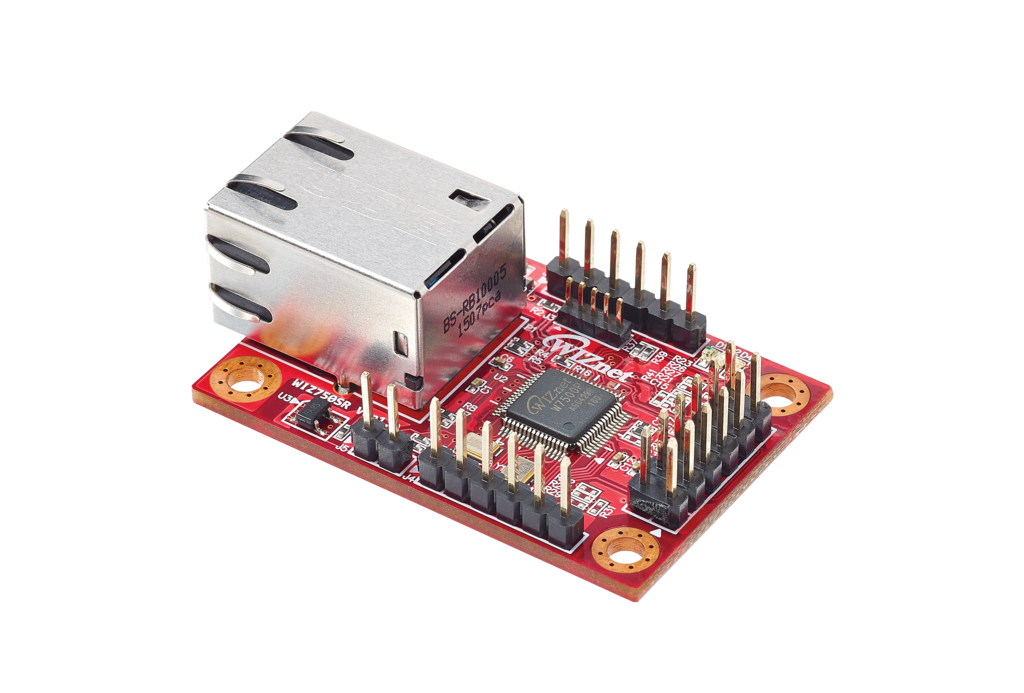
WIZnet - WIZ750SR
x 1

Project description
WIZnet 750SR SCADA Project Overview
Story
In the industrial world, many legacy Modbus devices can only communicate using Modbus Serial. This means it must be directly connect to a host computer or industrial controller (PLC or RTU). A Serial to TCP/IP port server can allow these devices to communicate over the internet eliminating the direct connection requirement.
The WIZnet WIZ750SR is a serial port server that can be configured in a couple of minutes to test then implemented in your products.
This demo setup uses several rugged remote IO modules with built in 900 MHz Radios (Rio Express). The Modbus polling engine used is ACM and the SCADA Host platform is Ignition.
Configuring the WIZ750SR
You can read more about the WIZ750SR here.
Download and install the WIZnet configuration tool from the WIZnet Wiki.
Plug the WIZ750SR into your computer via USB
Search for devices / Select your device
Modify the baud rate, ip address. Send config to your device.
You can tell your device is online by opening a command prompt and pinging the IP address you set.
Ignition
Ignition is a powerful integrated development environment with everything you need to create virtually any kind of industrial application. It is commonly used for SCADA systems. Ignition is a paid product however it can be freely downloaded and it will run for two hours at a time in demo mode.
You can download ignition from here.
Ignition University is Ignition's free online training and can be found here.
Install Ignition, it will run for two hours at a time
Connect Ignition to your OPC Server - remember to install the OPC Core Components so Ignition can communicate using OPC DCOM properly.

