LED On/Off Control Using SNMP with W55RP20
This project demonstrates how to control an LED's On/Off state using SNMP (Simple Network Management Protocol) with the W55RP20-EVB-Pico board.
0

Components
Hardware components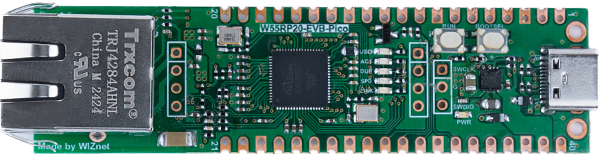
WIZnet - W55RP20-EVB-Pico
x 1

Project description
1 Setup board configuration
Setup board to W55RP20_EVB_PICO in CMakeLists.txt in WIZnet-PICO-C-SNMP/ directory.
# Set board
#set(BOARD_NAME WIZnet_Ethernet_HAT)
#set(BOARD_NAME W5100S_EVB_PICO)
#set(BOARD_NAME W5500_EVB_PICO)
set(BOARD_NAME W55RP20_EVB_PICO)
#set(BOARD_NAME W5100S_EVB_PICO2)
#set(BOARD_NAME W5500_EVB_PICO2)
2 Setup board configuration
Setup network configuration such as IP in 'w5x00_snmp.c' which is the Web I/O example in 'WIZnet-PICO-C/examples/snmp/' directory.
Setup IP and other network settings to suit your network environment.
/* Network */
static wiz_NetInfo g_net_info =
    {
        .mac = {0x00, 0x08, 0xDC, 0x12, 0x34, 0x56}, // MAC address
        .ip = {192, 168, 11, 2},                     // IP address
        .sn = {255, 255, 255, 0},                    // Subnet Mask
        .gw = {192, 168, 11, 1},                     // Gateway
        .dns = {8, 8, 8, 8},                         // DNS server
        .dhcp = NETINFO_STATIC                       // DHCP enable/disable
};
/* SNMP */ uint8_t manager[4] = {192, 168, 11, 162}; // manager ip, (is your pc ip or others managers)
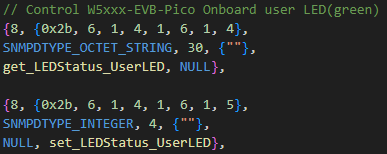
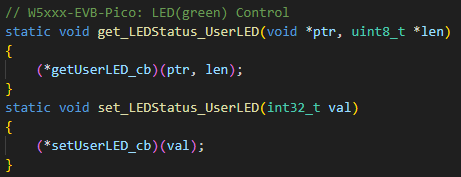
OID and callback function are registered to control the status of the user LED in SNMP.
3 Run

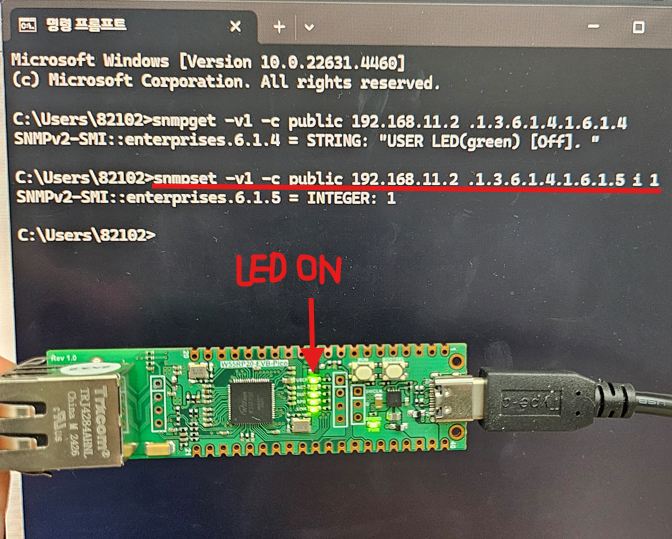
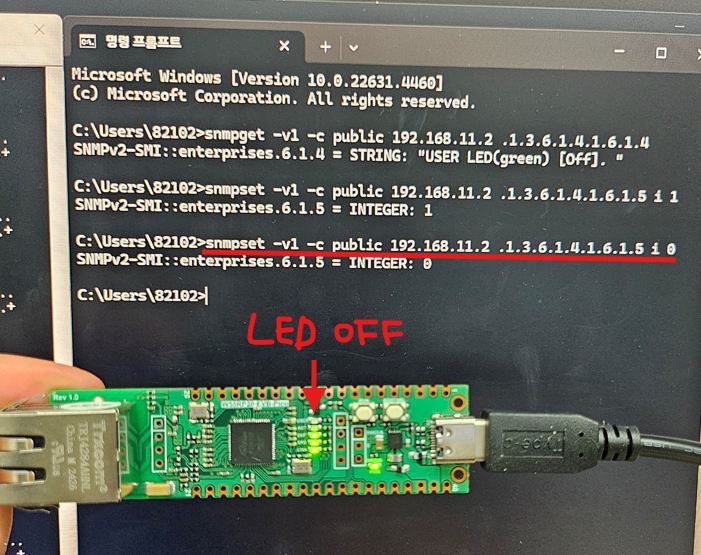
After the burning is successful, configure the parameters of the serial port and open the terminal with "Windows+R".

Enter a command at the terminal to control the light on and off. If there is an error in sending the command, it is likely that Net-SNMP is not installed or the command is wrong.
/* SNMP get command */
> snmpget -v1 -c public 192.168.11.2 .1.3.6.1.4.1.6.1.4

/* SNMP set command */
> snmpset -v1 -c public 192.168.11.2 .1.3.6.1.4.1.6.1.5 i 1			//LED ON
> snmpset -v1 -c public 192.168.11.2 .1.3.6.1.4.1.6.1.5 i 0			//LED OFF