Integrating W5500 with ESP32 Using Core 3: Native Ethernet Protocol Support with SSL
ESP32 + W5500 Ethernet for Secure and Reliable Wired Networking Guide
0
Project description
Introduction: Building Reliable IoT with Wired Ethernet
With its dual-core processor and versatile connectivity options, the ESP32 is ideal for various IoT applications.
The release of Core 3 brought native Ethernet protocol support, making it easier to use wired connections with full capabilities like SSL/TLS.
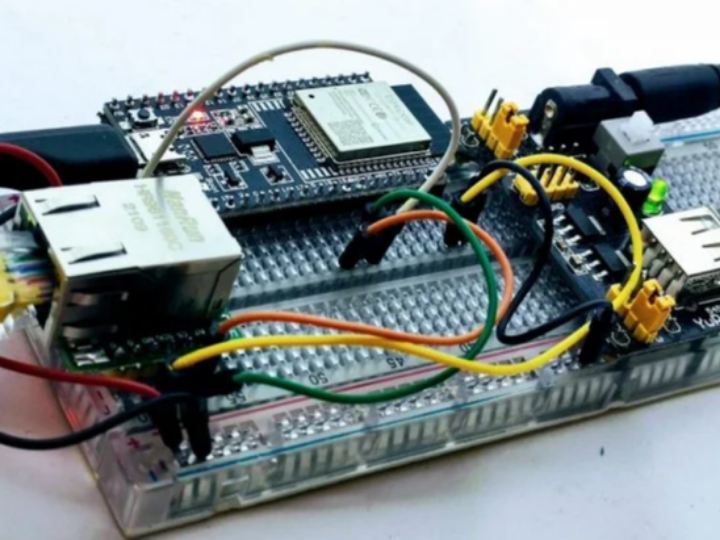
This guide focuses on using the ESP32 with the W5500 Ethernet module to enable secure and reliable HTTPS-based networking.
Core Hardware & Technology
Hardware Requirements
- ESP32 development board
(e.g., ESP32 Dev Kit v1, TTGO T-Display, NodeMCU ESP-32S, ESP32-S3-DevKitC-1, etc.) - W5500 Ethernet module (or W5500 Lite)
- Jumper wires
- Breadboard (optional)
W5500 Device Overview
- Hardware-based TCP/IP support (TCP, UDP, IPv4, ICMP, etc.)
- 32KB internal buffer, 8 independent hardware sockets
- Up to 80MHz SPI speed, low-power mode, Wake-on-LAN
- Auto-negotiation for full/half-duplex
- 3.3V operation, 5V tolerant IO
Ethernet Setup Configuration
#define ETH_PHY_TYPE        ETH_PHY_W5500
#define ETH_PHY_ADDR        1
#define ETH_PHY_CS          5
#define ETH_PHY_IRQ         15
#define ETH_PHY_RST         4

SPI.begin(ETH_SPI_SCK, ETH_SPI_MISO, ETH_SPI_MOSI);
ETH.begin(ETH_PHY_TYPE, ETH_PHY_ADDR, ETH_PHY_CS, ETH_PHY_IRQ, ETH_PHY_RST, SPI);
Then use Network.onEvent(onEvent) to monitor connection events, and optionally set hostname via ETH.setHostname().
Simple HTTP Request Example
Testing HTTP request using httpbin.org:
void testClient(const char * host, uint16_t port) {
  NetworkClient client;
  if (!client.connect(host, port)) return;
  client.println("GET /get HTTP/1.1");
  client.println("Host: httpbin.org");
  client.println("Connection: close");
  client.println();
  while (client.connected() && !client.available());
  while (client.available()) Serial.write(client.read());
  client.stop();
}
HTTPS Request Implementation
For secure requests, use NetworkClientSecure, and for testing you can bypass the certificate using client.setInsecure():
NetworkClientSecure client;
client.setInsecure();
client.connect("httpbin.org", 443);
Example Output
ETH Started
ETH Connected
ETH Got IP: 'eth0'
inet 192.168.1.137 netmask 255.255.255.0 gateway 192.168.1.1

connecting to httpbin.org
HTTP/1.1 200 OK
{
  "url": "https://httpbin.org/get",
  ...
}
How to Register a Certificate
Download the site’s root certificate (e.g., Amazon Root CA 1) using your browser → Export as PEM → Paste into a const char* rootCA = R"(...)" variable → Use client.setCACert(rootCA);
Conclusion
ESP32 Core 3 with WIZnet W5500 enables easy and secure integration of wired Ethernet into your IoT systems.
With native protocol support for Ethernet, SSL/TLS, and more, this guide helps you fully leverage the ESP32's capabilities across:
- Smart home and lighting control
- Remote sensor networks
- Industrial safety systems
- Real-time communication infrastructure

