


W5500 Ethernet Adapter for Sega Dreamcast via DreamShell
Hardware wiring guide and installer tool for adding WIZnet W5500 Ethernet connectivity to the Sega Dreamcast homebrew ecosystem.
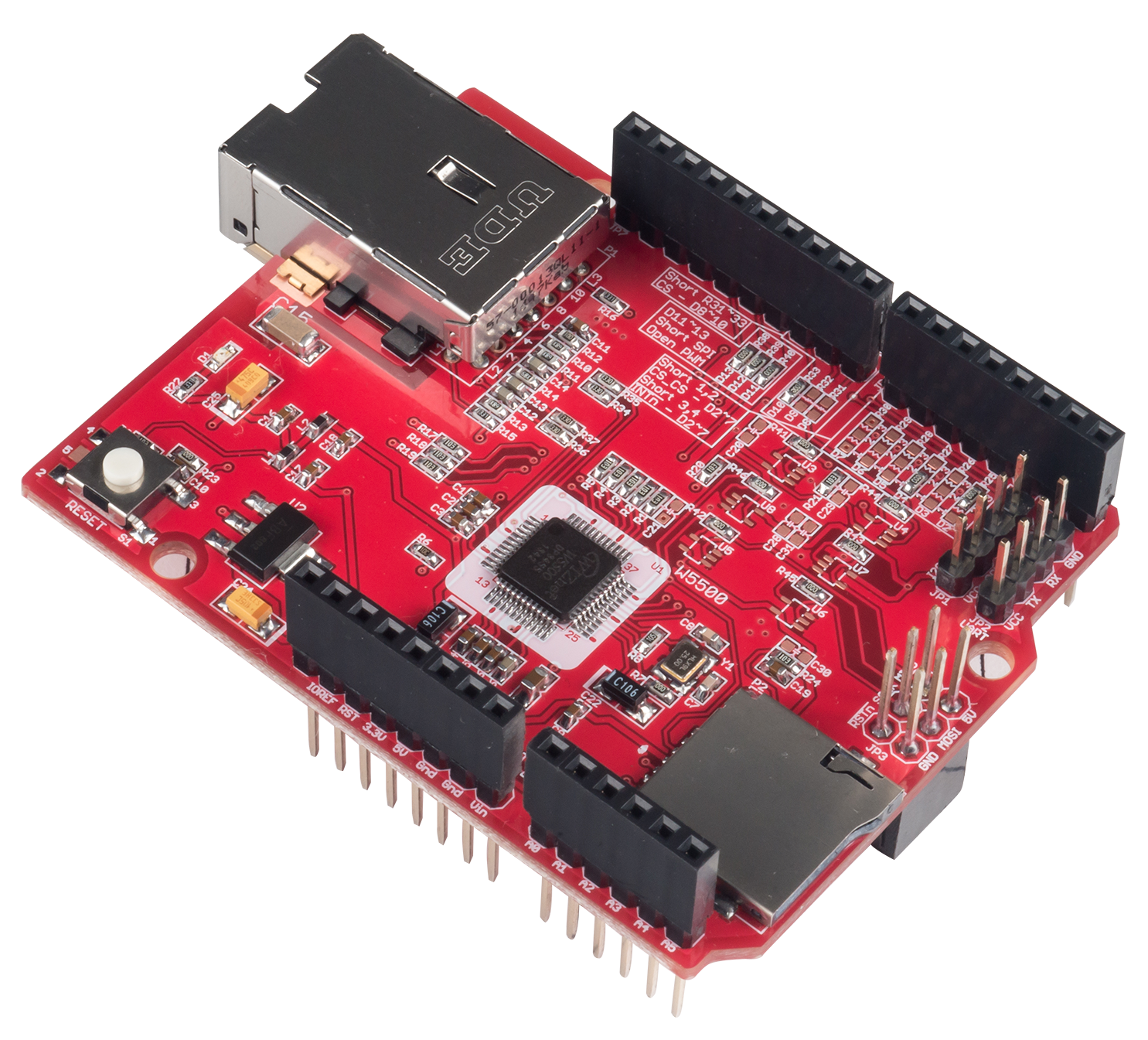
WIZnet - W5500 Ethernet Shield
x 1


microsoft - Windows 10
x 1
Connecting W5500 Ethernet to Your Sega Dreamcast
The Sega Dreamcast was released with a dial-up modem, but modern homebrew development has opened the door to proper Ethernet connectivity. This project provides the hardware wiring schemes and setup guide needed to attach a WIZnet W5500 Ethernet adapter to a Dreamcast, enabling network features through the DreamShell homebrew environment.
The goal is straightforward: give the Dreamcast a real Ethernet connection without requiring advanced soldering skills, by offering both a soldered and a solder-free assembly path.
Hardware Setup
Two connection paths are supported depending on what you have available:
- DC SD Adapter V2 — connects the W5500 to the Dreamcast via the SD interface
- Coders Cable — an alternative interface cable for the same purpose
For users who want to avoid soldering entirely, a Micro SD Sniffer combined with Dupont female-to-female cables provides a tool-free way to make the connections. This makes the project accessible even to beginners with no electronics background.
Why W5500
The W5500 handles TCP/IP processing in hardware, meaning the Dreamcast's SH-4 CPU doesn't need to run a software network stack. This matters on a console with limited resources — the chip takes care of ARP, TCP, UDP, and ICMP independently, leaving the host CPU available for application tasks. The SPI interface also makes it easy to wire into existing Dreamcast addon hardware.
Installation Steps
- Assemble the hardware according to the provided wiring schemes
- Insert the Micro SD card with DreamShell installed
- Download the software package from the releases page
- Extract and follow the included README instructions
- Boot the Dreamcast and configure Ethernet settings to match your local network
FAQ
Q: Do I need soldering skills? A: Not necessarily. Using the Micro SD Sniffer with Dupont cables is a no-solder option, though soldering gives a more reliable connection for long-term use.
Q: What software runs on the Dreamcast side? A: DreamShell, a widely used Dreamcast homebrew OS, handles the network driver and provides the interface for configuring the W5500 connection.
Q: Which W5500 variant is supported? A: Both the standard W5500 Ethernet Adapter and the Lite W5500 Ethernet Adapter are listed as compatible options.


