


How to Wake a PC with Wake-on-LAN from a W6300-EVB-Pico (RP2040 + WIZnet W6300)
A Wake-on-LAN sender on the W6300-EVB-Pico (RP2040 + WIZnet W6300): a UDP Magic Packet over wired Ethernet powers on a PC remotely.
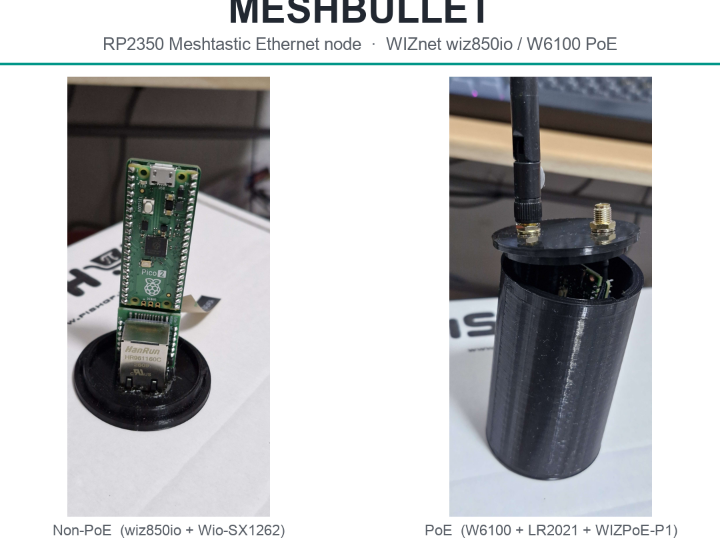
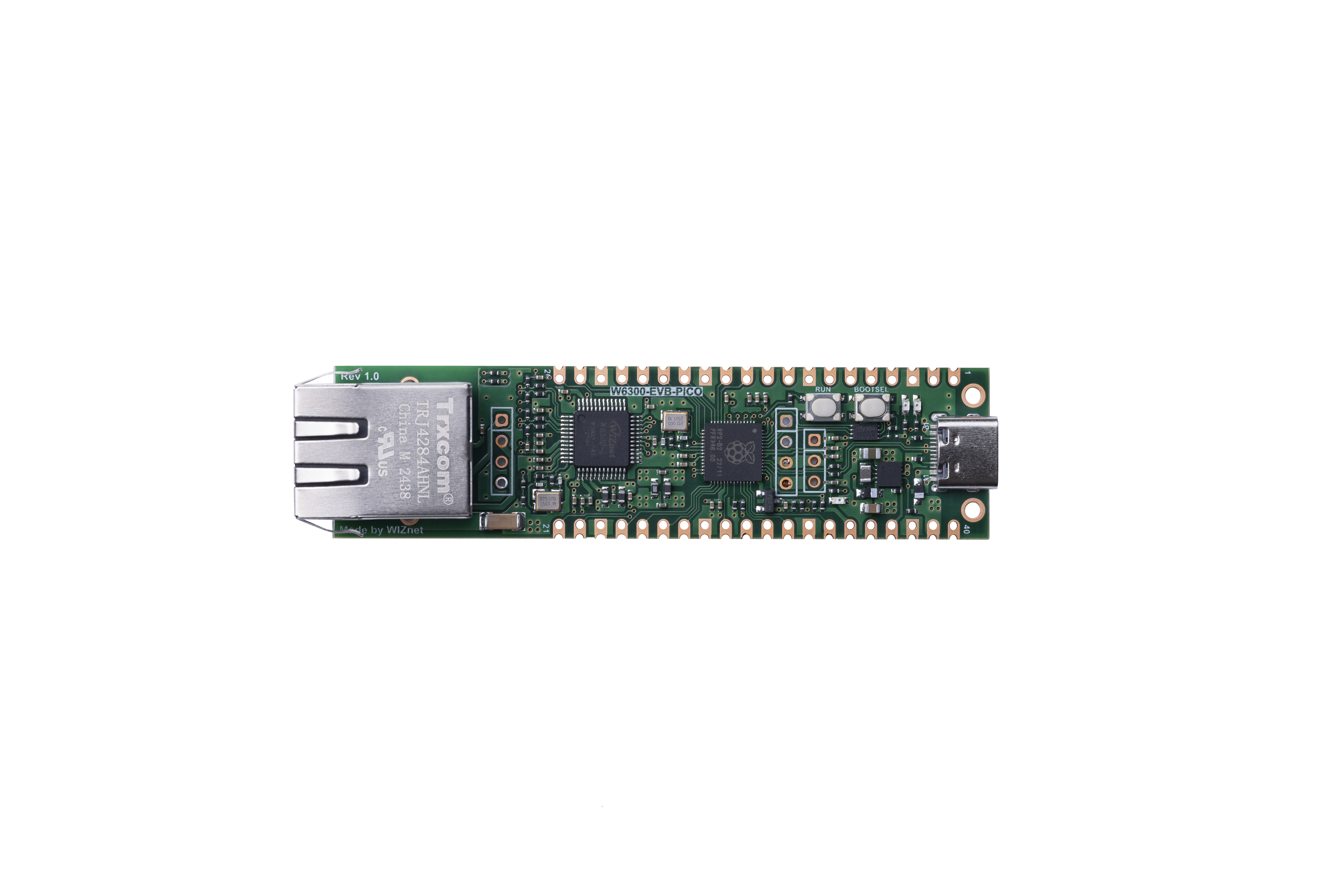
WIZnet - W6300-EVB-Pico
x 1

RP2040 board with WIZnet W6300 hardwired TCP/IP Ethernet
WIZnet - W6300-EVB-Pico
x 1
RP2040 board with WIZnet W6300 hardwired TCP/IP Ethernet
WIZnet - W6300-EVB-Pico
x 1
RP2040 board with WIZnet W6300 hardwired TCP/IP Ethernet
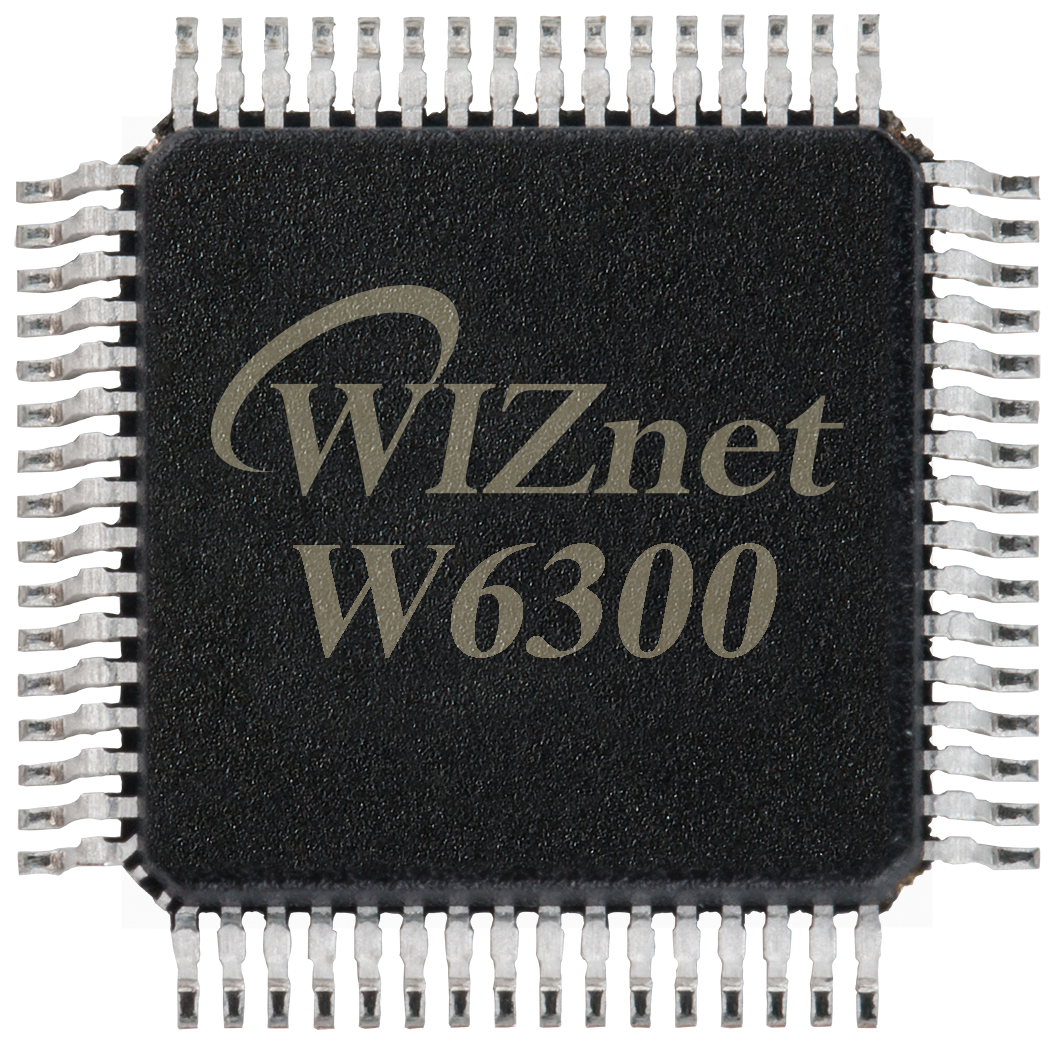
WIZnet - W6300
x 1
Hardwired TCP/IP Ethernet controller (UDP socket for the Magic Packet)
📌 Overview
namo02268 is a maker who shares WIZnet, Raspberry Pi Pico / RP2040, M5Stack, and Lego EV3 projects on Qiita. After trying the W6300-EVB-Pico and handling HTTP request interrupts on it, this article continues that W6300 series with a practical trick: waking a PC over the network.
The project turns a W6300-EVB-Pico (an RP2040 board with a WIZnet W6300 Ethernet controller) into a Wake-on-LAN sender. The board builds a Magic Packet and broadcasts it as a UDP datagram over wired Ethernet, and a powered-off PC with Wake-on-LAN enabled turns itself on. It is a small, complete example: the WIZnet chip handles the network, and the firmware just assembles the packet and sends it.
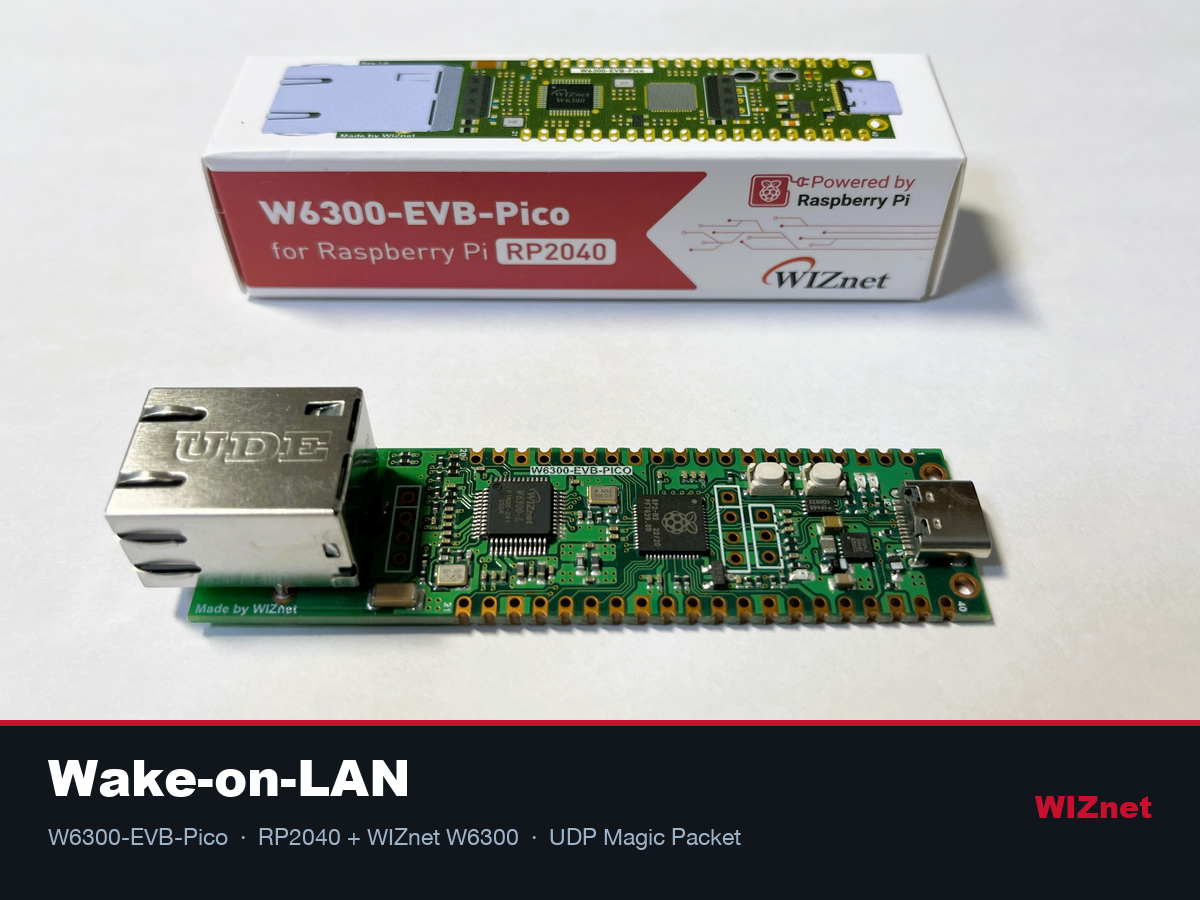
How Wake-on-LAN Works
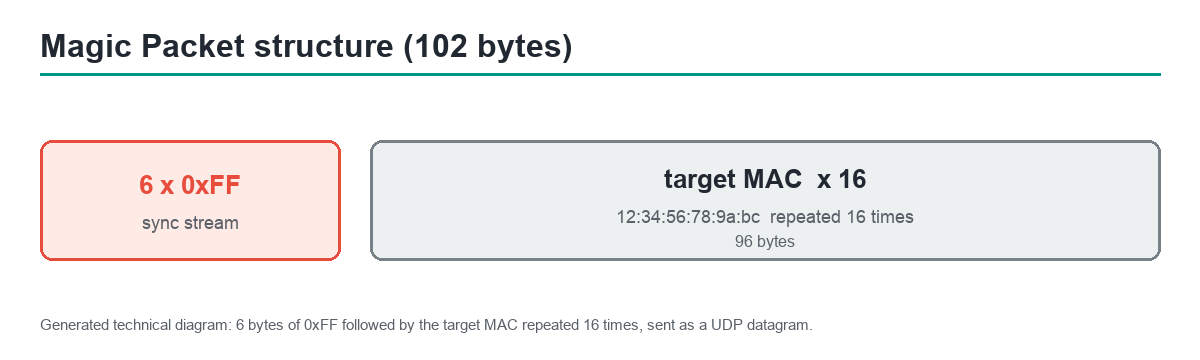
Wake-on-LAN powers on a computer by sending it a specially formed Ethernet frame called a Magic Packet. The packet is simple: 6 bytes of 0xFF, then the target PC's MAC address repeated 16 times, for 102 bytes total. It is sent as a UDP datagram to the broadcast address so it reaches the sleeping machine, whose network card stays powered and watches for its own MAC address in the stream.
System Configuration
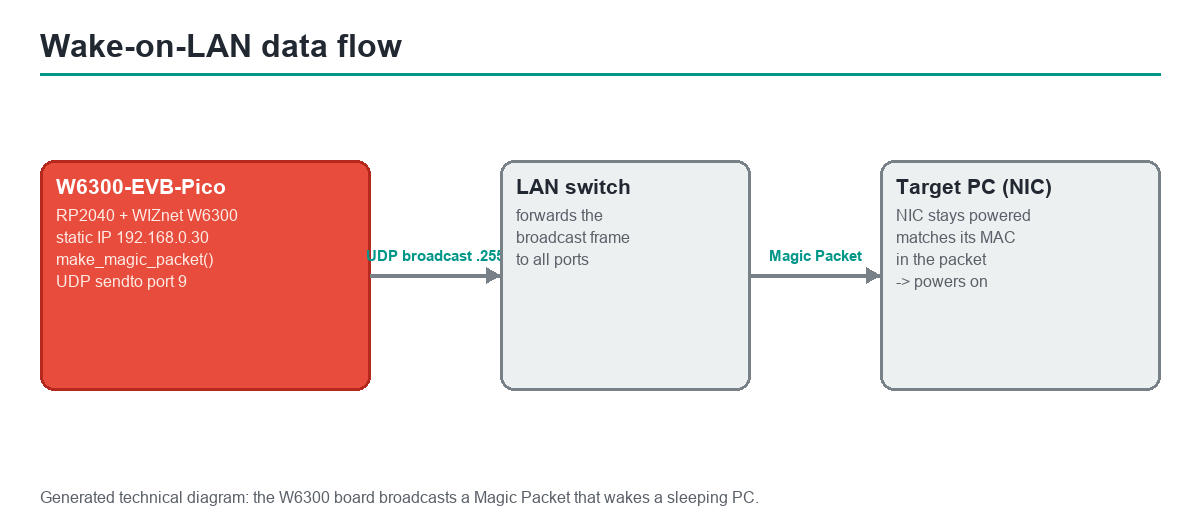
The sender is a WIZnet W6300-EVB-Pico, which combines an RP2040 microcontroller with a W6300 hardwired TCP/IP Ethernet controller. The board uses a static IP (192.168.0.30 in the example), opens a UDP socket on port 9, and sends the Magic Packet to the LAN broadcast address (192.168.0.255). The target in the article is an ASRock DeskMini A300 running Ubuntu Server 24.04. A make_magic_packet() function assembles the 102-byte payload from the target MAC, and the firmware transmits it through the WIZnet socket API. The WIZnet part used is listed in the Hardware Components panel.
⚙️ Role of the WIZnet Chip
The W6300 is what makes the firmware short. It is a hardwired TCP/IP controller, so the RP2040 only fills a UDP socket and the chip handles Ethernet framing and transmission. There is no software network stack to port or tune. For a Wake-on-LAN tool this is ideal: the board can be a tiny, always-on, low-power device that sits on the wired network and reliably emits the broadcast packet on demand. Because the W6300 runs the stack in hardware, this is a TCP/IP offload (TOE) design rather than a software stack on the MCU.
Sending and Verifying the Packet
In practice the board broadcasts the Magic Packet onto the LAN, the switch forwards the broadcast frame to every port, and the target PC's network card matches its own MAC inside the packet and powers the machine on.
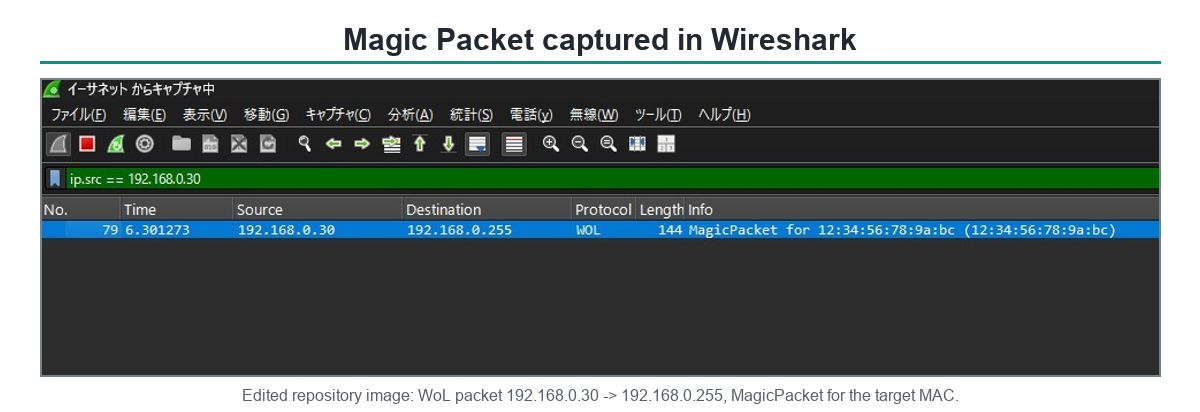
The author confirms the result with Wireshark: the capture shows a WOL packet from 192.168.0.30 to the broadcast address, labelled as a Magic Packet for the target MAC. That is a good habit worth copying, because it proves the packet is well formed before blaming the PC's BIOS settings.
Where It Fits and Limits
This is a clean home-lab and automation building block: a small wired device that can boot a server or desktop on demand, without relying on the PC's own always-on power or a cloud service. It is also a friendly first networking project on the W6300-EVB-Pico, since UDP broadcast is simpler than a full TCP service.
Two limits are worth stating. Wake-on-LAN must be enabled in the target PC's BIOS and network adapter, which is outside the firmware. And the addresses are static example values, so the IP, broadcast address, and target MAC must be set for your own network.
Related WIZnet Maker Projects
This article is the latest in namo02268's W6300-EVB-Pico series, so the closest related content is the maker's own earlier work.
Try the W6300-EVB-Pico (Grade B) is the same maker's starting point: setting up the W6300-EVB-Pico and running an HTTP "Hello World" TCP server to confirm the board is working. Both articles use the same hardware - W6300-EVB-Pico with RP2040 and the W6300 hardwired TCP/IP controller. The difference is direction and protocol: that article opens a persistent TCP server socket waiting for GET requests; this one opens a UDP socket, sends a single 102-byte Magic Packet broadcast, and closes. Reading them together shows the W6300 TOE socket API applied to both server and sender roles.
How to Handle Interrupts on HTTP Requests on the W6300-EVB-Pico (Grade B) moves the same W6300 board from polled server to interrupt-driven HTTP handling. All three articles - setup, interrupt server, and this WoL sender - cover the same hardware and show its range: a board that can be a web server, an interrupt-gated server, or a fire-and-forget network automation tool. This WoL article is the simplest firmware of the three: no persistent connection, no interrupt handling, just sendto() on the broadcast address.
W5100S/W5500 + RP2040 Raspberry Pi Pico WOL Example (Grade A) is the same Wake-on-LAN Magic Packet idea on older WIZnet controllers (W5100S or W5500 over SPI on a standard Raspberry Pi Pico). Both projects follow the same WoL pattern - assemble 6 bytes of 0xFF plus 16 repeats of the target MAC, broadcast as UDP on port 9 - and both use the WIZnet socket API. The hardware difference is the Ethernet interface: W5100S/W5500 use standard SPI (one data line); W6300 uses QSPI (four data lines), which raises the maximum throughput and reduces the per-byte SPI overhead. Comparing the two shows the WoL pattern is portable across the WIZnet family.
The shared thread is a WIZnet hardwired TCP/IP controller on an RP2040 providing a reliable, code-light Ethernet function. This article is the Wake-on-LAN entry of that family - the simplest firmware, the clearest verification path (Wireshark), and the first W6300-specific WoL reference on the Maker site.
❓ FAQ
Q. What does this project do? It turns a W6300-EVB-Pico (RP2040 + WIZnet W6300) into a Wake-on-LAN sender that broadcasts a UDP Magic Packet to power on a PC remotely.
Q. What is the role of the WIZnet chip? The W6300 is a hardwired TCP/IP controller, so it handles Ethernet and UDP transmission while the RP2040 just builds the Magic Packet and calls the socket send (a TCP/IP offload design).
Q. What is a Magic Packet? It is the Wake-on-LAN payload: 6 bytes of 0xFF followed by the target PC's MAC address repeated 16 times (102 bytes), sent as a UDP broadcast datagram.
Q. What is the hardest part to replicate? Mostly the environment, not the code. Wake-on-LAN must be enabled in the target PC's BIOS and NIC, and the static IP, broadcast address, and target MAC must match your LAN.
Q. How can I confirm it works? Capture the traffic in Wireshark, as the author does. If you see a WOL Magic Packet for the right MAC going to the broadcast address, the firmware side is correct.
한국어 (Korean)
개요
namo02268은 WIZnet, 라즈베리파이 Pico/RP2040, M5Stack, 레고 EV3 프로젝트를 Qiita에 공유하는 메이커입니다. W6300-EVB-Pico를 처음 다뤄보고, HTTP 요청 인터럽트 처리까지 다룬 데 이어, 이번 글은 그 W6300 시리즈를 "네트워크로 PC 켜기"로 확장합니다.
이 프로젝트는 W6300-EVB-Pico(WIZnet W6300 이더넷 컨트롤러가 달린 RP2040 보드)를 Wake-on-LAN 송신기로 만듭니다. 보드가 매직 패킷을 만들어 유선 이더넷으로 UDP 브로드캐스트하면, Wake-on-LAN이 켜진 꺼진 PC가 스스로 전원을 켭니다. WIZnet 칩이 네트워크를 맡고 펌웨어는 패킷을 조립해 보내기만 하는, 작고 완결된 예제입니다.
Wake-on-LAN의 원리
Wake-on-LAN은 매직 패킷이라는 특수한 이더넷 프레임을 보내 컴퓨터를 켭니다. 구조는 단순합니다: 0xFF 6바이트 뒤에 대상 PC의 MAC 주소를 16번 반복해 총 102바이트입니다. 이를 브로드캐스트 주소로 UDP 전송하면, 전원이 유지되는 네트워크 카드가 자신의 MAC을 패킷에서 찾아 PC를 깨웁니다.
시스템 구성
송신기는 RP2040과 W6300 하드와이어드 TCP/IP 이더넷 컨트롤러를 결합한 WIZnet W6300-EVB-Pico입니다. 보드는 정적 IP(예: 192.168.0.30)를 쓰고, 포트 9로 UDP 소켓을 열어 LAN 브로드캐스트 주소(192.168.0.255)로 매직 패킷을 보냅니다. 글의 대상 PC는 Ubuntu Server 24.04를 돌리는 ASRock DeskMini A300입니다. make_magic_packet() 함수가 대상 MAC으로 102바이트 페이로드를 만들고, 펌웨어가 WIZnet 소켓 API로 전송합니다. 쓰인 WIZnet 부품은 Hardware Components 패널에 정리되어 있습니다.
WIZnet 칩의 역할
W6300 덕분에 펌웨어가 짧습니다. 하드와이어드 TCP/IP 컨트롤러라서 RP2040은 UDP 소켓만 채우고 칩이 이더넷 프레이밍·전송을 처리합니다. 포팅하거나 튜닝할 소프트웨어 네트워크 스택이 없습니다. WoL 도구에는 이상적입니다. 보드가 유선 네트워크에 상주하는 작고 저전력인 장치가 되어, 필요할 때 브로드캐스트 패킷을 안정적으로 내보낼 수 있습니다. W6300이 스택을 하드웨어로 돌리므로 이는 TOE(TCP/IP 오프로드) 설계입니다.
패킷 전송과 검증
실제로는 보드가 매직 패킷을 LAN에 브로드캐스트하고, 스위치가 그 브로드캐스트 프레임을 모든 포트로 전달하며, 대상 PC의 네트워크 카드가 패킷 안의 자기 MAC을 확인해 전원을 켭니다.
저자는 Wireshark로 결과를 확인합니다. 캡처에는 192.168.0.30에서 브로드캐스트 주소로 가는 WOL 패킷이 대상 MAC용 매직 패킷으로 표시됩니다. 패킷이 올바른지 먼저 확인하면 PC의 BIOS 설정을 의심하기 전에 펌웨어 쪽을 검증할 수 있어 좋은 습관입니다.
활용과 한계
홈랩·자동화에 좋은 빌딩 블록입니다. 클라우드 서비스나 PC의 상시 전원에 의존하지 않고, 작은 유선 장치로 서버나 데스크톱을 원할 때 켤 수 있습니다. UDP 브로드캐스트는 완전한 TCP 서비스보다 단순해서 W6300-EVB-Pico 첫 네트워크 프로젝트로도 좋습니다. 다만 두 가지 한계가 있습니다. Wake-on-LAN은 대상 PC의 BIOS와 네트워크 어댑터에서 켜져 있어야 하며 이는 펌웨어 밖의 일입니다. 그리고 주소는 예시 정적 값이라 IP·브로드캐스트 주소·대상 MAC을 자기 네트워크에 맞게 설정해야 합니다.
관련 WIZnet 메이커 프로젝트
이 글은 namo02268의 W6300-EVB-Pico 시리즈의 최신편이라, 가장 가까운 관련 콘텐츠는 같은 제작자의 이전 작업입니다.
Try the W6300-EVB-Pico (Grade B) - 같은 제작자의 출발점으로, W6300-EVB-Pico 셋업과 HTTP "Hello World" TCP 서버 실행으로 보드 동작을 확인합니다. 두 글 모두 같은 하드웨어(W6300-EVB-Pico, RP2040, W6300 하드웨어 TCP/IP)를 씁니다. 방향과 프로토콜이 다릅니다. 그 글은 GET 요청을 기다리는 지속적인 TCP 서버 소켓이고, 이 글은 102바이트 매직 패킷 하나를 UDP 브로드캐스트로 보내고 끝납니다. 함께 읽으면 W6300 TOE 소켓 API가 서버와 송신기 양쪽에 어떻게 쓰이는지 볼 수 있습니다.
How to Handle Interrupts on HTTP Requests on the W6300-EVB-Pico (Grade B) - 같은 보드에서 폴링 서버를 인터럽트 기반 HTTP 핸들링으로 발전시킵니다. 세 편(셋업, 인터럽트 서버, 이 WoL 송신기)은 같은 하드웨어의 범위를 보여줍니다. 이 WoL 글이 셋 중 가장 단순한 펌웨어입니다. 지속 연결도, 인터럽트 핸들링도 없고, 브로드캐스트 주소로 sendto() 하나면 됩니다.
W5100S/W5500 + RP2040 Raspberry Pi Pico WOL Example (Grade A) - 구형 WIZnet 칩(W5100S 또는 W5500, 표준 SPI)을 탑재한 라즈베리파이 피코에서 동일한 WoL 매직 패킷을 구현합니다. 두 프로젝트 모두 같은 WoL 패턴(0xFF 6바이트 + 타깃 MAC 16회, UDP 포트 9 브로드캐스트)과 WIZnet 소켓 API를 씁니다. 하드웨어 차이는 이더넷 인터페이스입니다. W5100S/W5500은 표준 SPI(데이터 선 1개), W6300은 QSPI(데이터 선 4개)로 처리량이 더 높고 바이트당 SPI 오버헤드가 줄어듭니다. 두 프로젝트를 비교하면 WoL 패턴이 WIZnet 계열 간에 이식 가능하다는 것을 알 수 있습니다.
공통점은 RP2040에서 WIZnet 하드웨어 TCP/IP 컨트롤러로 코드가 가벼운 이더넷 기능을 구현한다는 것입니다. 이 글은 그 계열의 Wake-on-LAN 편으로, 셋 중 가장 단순한 펌웨어, 가장 명확한 검증 방법(Wireshark), 그리고 메이커 사이트 최초의 W6300 전용 WoL 레퍼런스입니다.
자주 묻는 질문 (FAQ)
Q. 이 프로젝트는 무엇을 하나요? W6300-EVB-Pico(RP2040 + WIZnet W6300)를 Wake-on-LAN 송신기로 만들어, UDP 매직 패킷을 브로드캐스트해 PC를 원격으로 켭니다.
Q. WIZnet 칩의 역할은? W6300은 하드와이어드 TCP/IP 컨트롤러라서 이더넷·UDP 전송을 처리하고, RP2040은 매직 패킷을 만들어 소켓 전송만 호출합니다(TOE 설계).
Q. 매직 패킷이 무엇인가요? Wake-on-LAN 페이로드입니다. 0xFF 6바이트 + 대상 PC MAC 16회 반복(102바이트)을 UDP 브로드캐스트로 보냅니다.
Q. 재현이 가장 어려운 부분은? 코드보다 환경입니다. 대상 PC의 BIOS·NIC에서 Wake-on-LAN을 켜야 하고, 정적 IP·브로드캐스트 주소·대상 MAC을 LAN에 맞춰야 합니다.
Q. 동작을 어떻게 확인하나요? 저자처럼 Wireshark로 캡처하세요. 올바른 MAC용 WOL 매직 패킷이 브로드캐스트 주소로 나가면 펌웨어 쪽은 정상입니다.
-
Original article (Qiita)
namo02268: remotely starting a PC with Wake-on-LAN from a microcontroller

-
Author profile (Qiita)
namo02268 - WIZnet / RP2040 / M5Stack / EV3 maker
-
WIZnet W6300-EVB-Pico
RP2040 + W6300 evaluation board
-
WIZnet ioLibrary_Driver
WIZnet socket API used to send the UDP Magic Packet
-
Wake-on-LAN (reference)
Magic Packet format and Wake-on-LAN background