


How to Build a GPS-Synchronized NTP Time Server with W5500-EVB-Pico and MicroPython
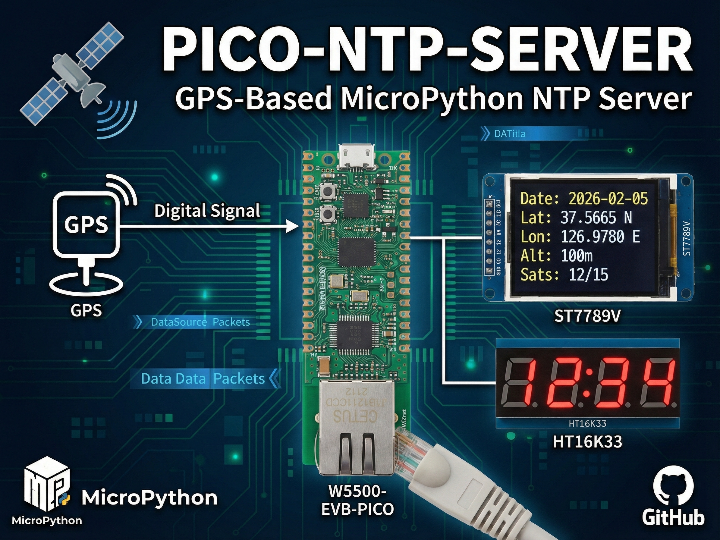
A MicroPython-based NTP server that uses a GPS receiver as an accurate time source, serves time over Ethernet via the WIZNET5K (W5500).
WIZnet - W5500-EVB-Pico
x 1

1. What This Project Does
This project turns a W5500-EVB-Pico into a Stratum 1 NTP time server — the highest-accuracy tier of NTP, deriving its clock directly from GPS satellites rather than from another NTP server upstream.
From the README:
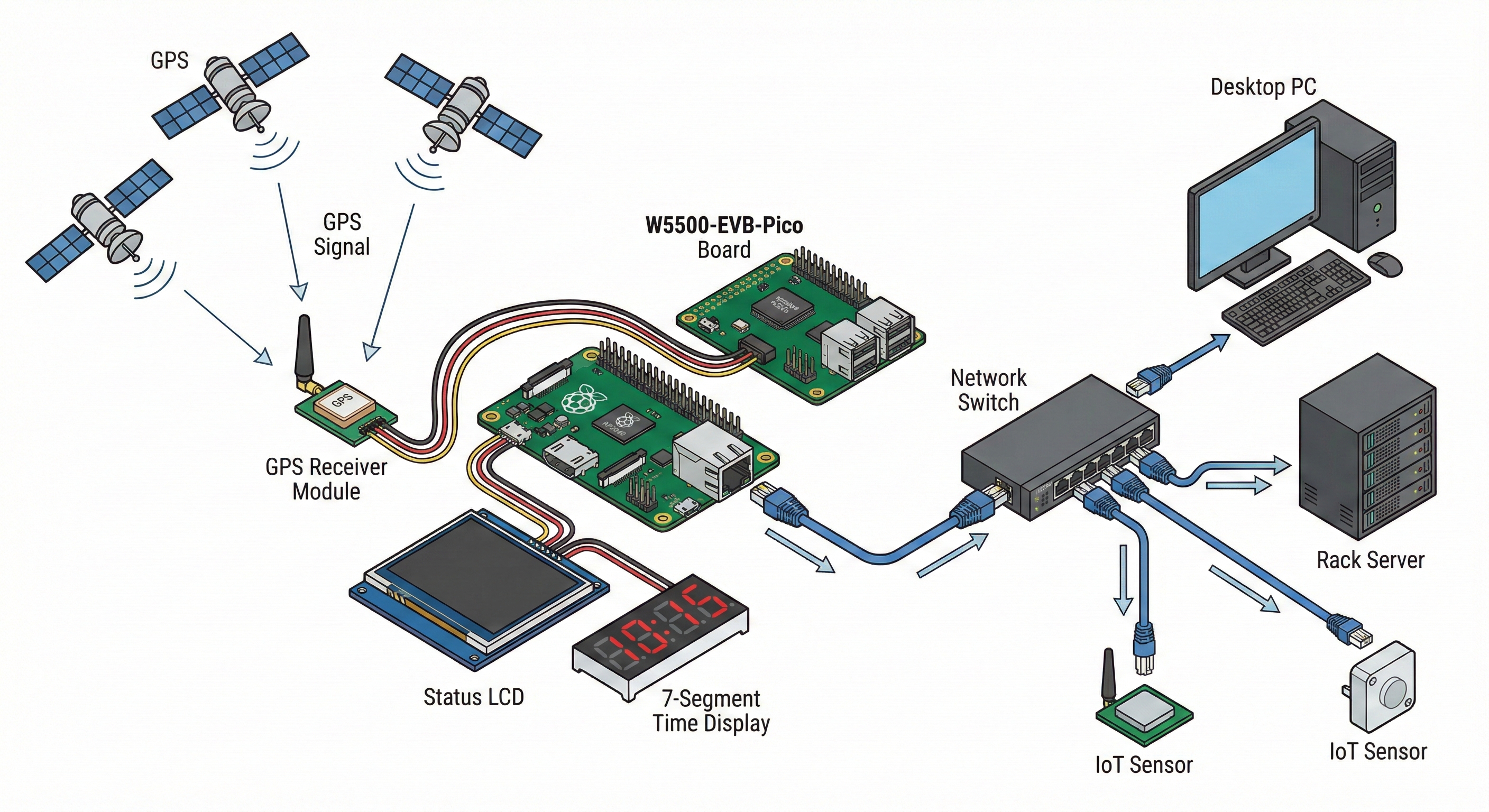
This project implements a MicroPython-based NTP server using a GPS module for accurate time, displaying live GPS data on both an ST7789V color LCD and a 4-digit 7-segment display (HT16K33). Designed for the Raspberry Pi Pico (or similar), with WIZNET5K Ethernet, GPS, and display modules.
The system simultaneously:
- Serves NTP time to any device on the local network via Ethernet
- Parses live GPS data including date, position, altitude, and satellite count
- Displays information on two separate outputs — a full-color LCD for detailed GPS telemetry and a 7-segment display for a quick-glance clock
The project is modular, with configuration separated into config.py for easy adaptation to different hardware setups.
2. Why GPS as a Time Source Matters for NTP
NTP (Network Time Protocol) servers are organized in a hierarchy called strata:
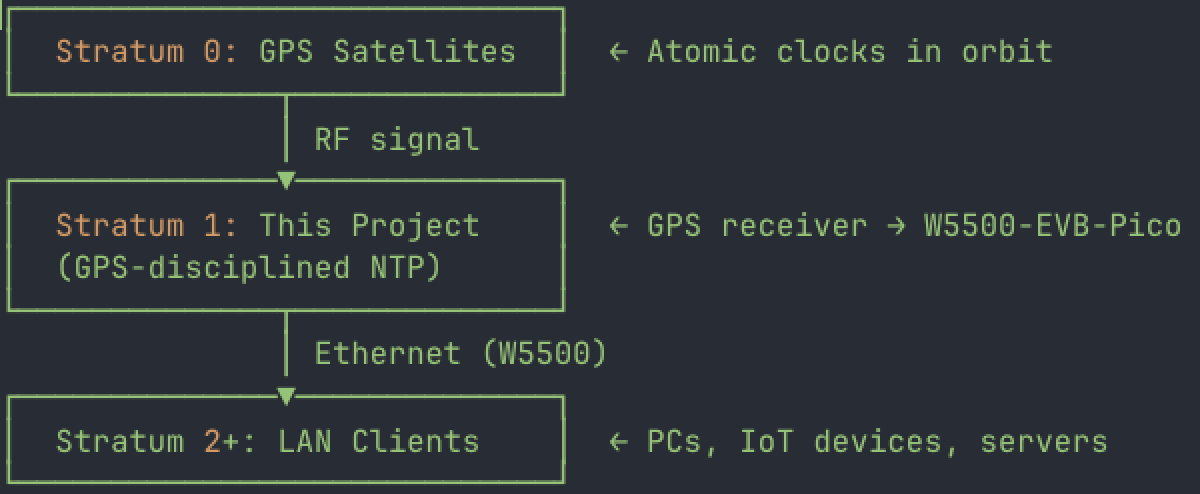
Most consumer and small-office NTP setups rely on internet-based Stratum 2 or 3 servers (e.g., pool.ntp.org), introducing variable network latency. By connecting a GPS receiver directly to the Pico, this project eliminates upstream network jitter entirely. The GPS constellation delivers UTC time derived from onboard atomic clocks, providing time accuracy that is typically in the sub-microsecond range at the GPS receiver output.
This matters for scenarios like isolated networks (air-gapped environments, labs), local IoT deployments that need consistent timestamps without internet dependency, and environments where even a few milliseconds of NTP drift cause issues.
3. Why W5500 Makes Sense for a Local NTP Server
NTP is a UDP-based protocol on port 123. The W5500's hardwired TCP/IP stack handles the Ethernet and UDP processing in silicon, which provides several advantages for this use case:
- Deterministic network latency: The W5500 processes UDP packets in hardware rather than in a software TCP/IP stack. For a time-serving application, minimizing and stabilizing the delay between receiving a request and sending a response is critical — jitter in the network stack directly degrades time accuracy for clients.
- Offloaded processing: The RP2040 on the Pico is already busy parsing NMEA GPS sentences, driving two displays (SPI + I2C), and maintaining the NTP server logic — all in MicroPython. Offloading the network stack to the W5500 frees CPU cycles for these tasks.
- Reliable wired connection: NTP over Wi-Fi introduces variable latency from wireless contention and retransmissions. A wired Ethernet link through the W5500 provides the stable, low-jitter transport that time synchronization demands.
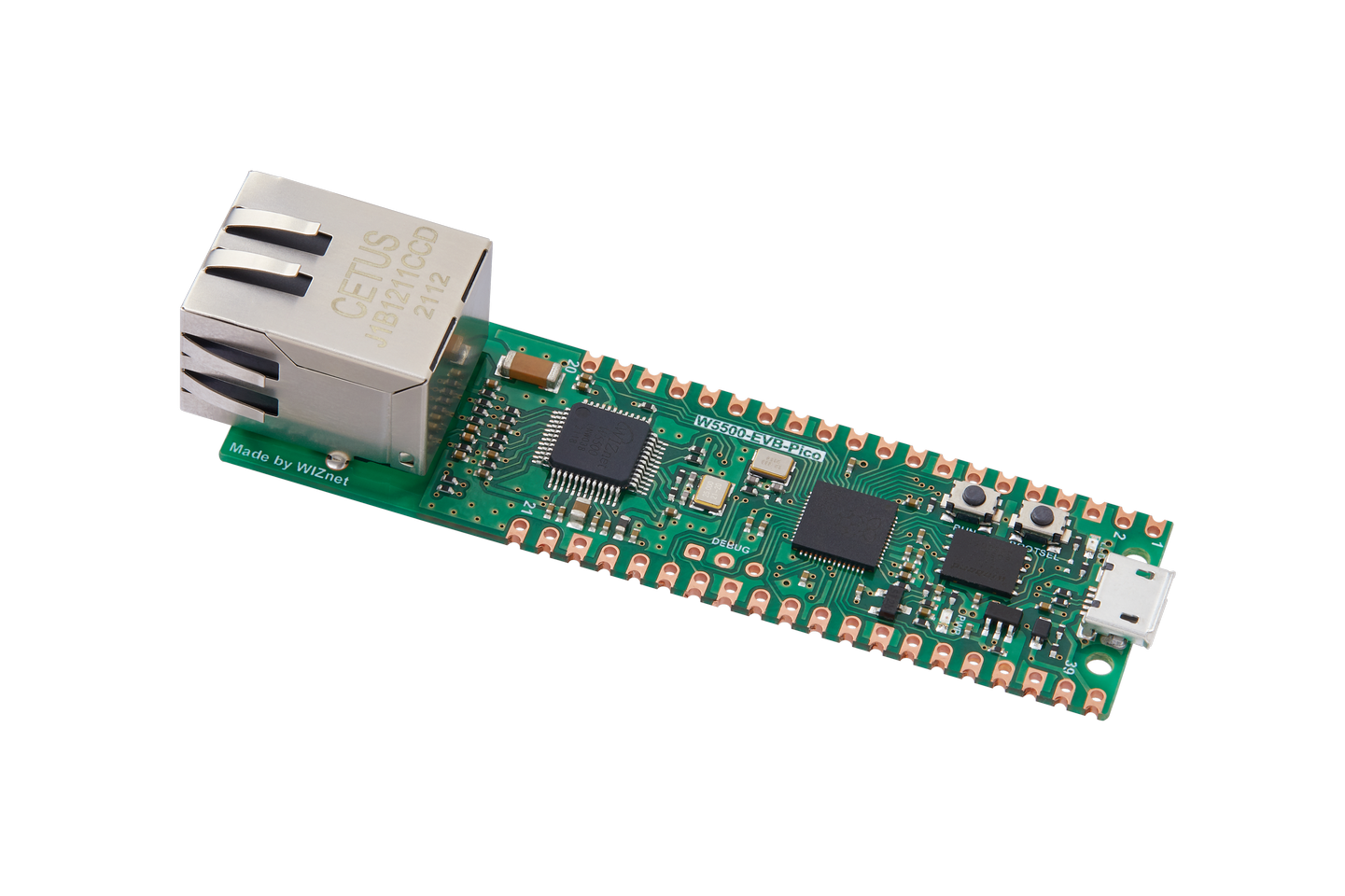
- Simple integration: The W5500-EVB-Pico integrates the W5500 directly on the board with the RP2040, requiring no external wiring for the Ethernet interface. The MicroPython
WIZNET5Kdriver provides straightforward socket access for implementing the NTP server.
4. Project Architecture and File Structure
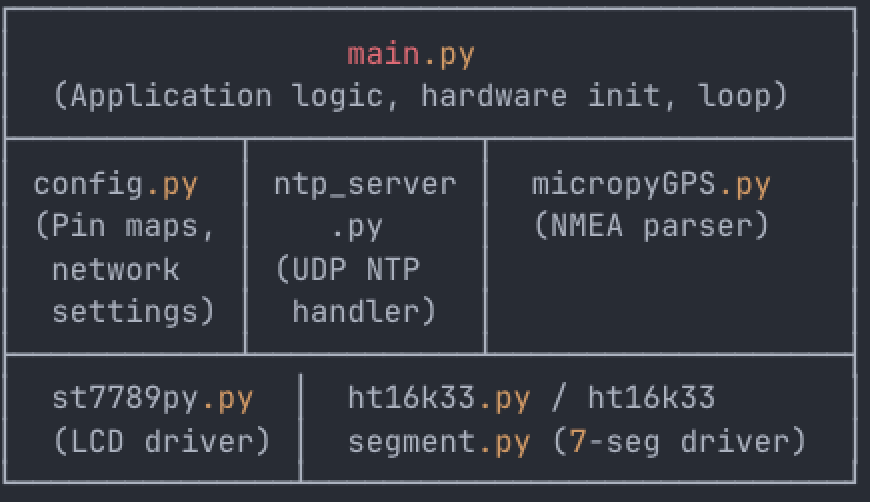
The project follows a clean modular design as described in the README:
| File | Purpose |
|---|---|
main.py | Main application logic, hardware setup, and main loop |
config.py | All hardware pin assignments and global constants |
ntp_server.py | NTP server implementation (UDP listener on port 123) |
micropyGPS.py | GPS NMEA sentence parsing library |
st7789py.py | ST7789V SPI display driver |
ht16k33.py / ht16k33segment.py | HT16K33 I2C 7-segment display drivers |
5. Display System: Dual-Output GPS Telemetry
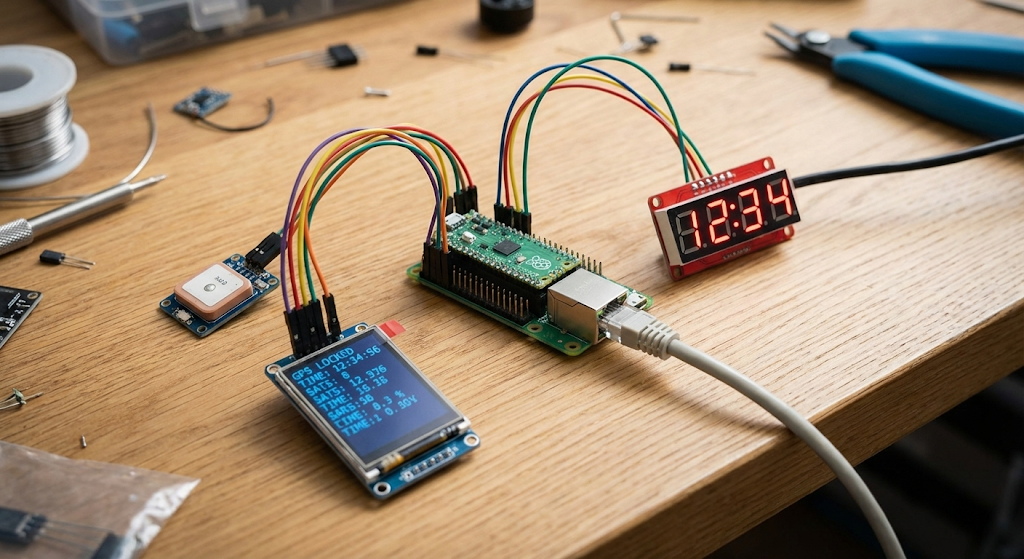
The project uses two complementary displays, each serving a different purpose:
ST7789V Color LCD (SPI) — Shows the full GPS telemetry dashboard:
- Current date from GPS
- Latitude and longitude
- Altitude
- Satellite count (used / visible)
HT16K33 4-Digit 7-Segment Display (I2C) — Shows the current time in a large, always-readable format suitable for wall-mounting or rack placement.
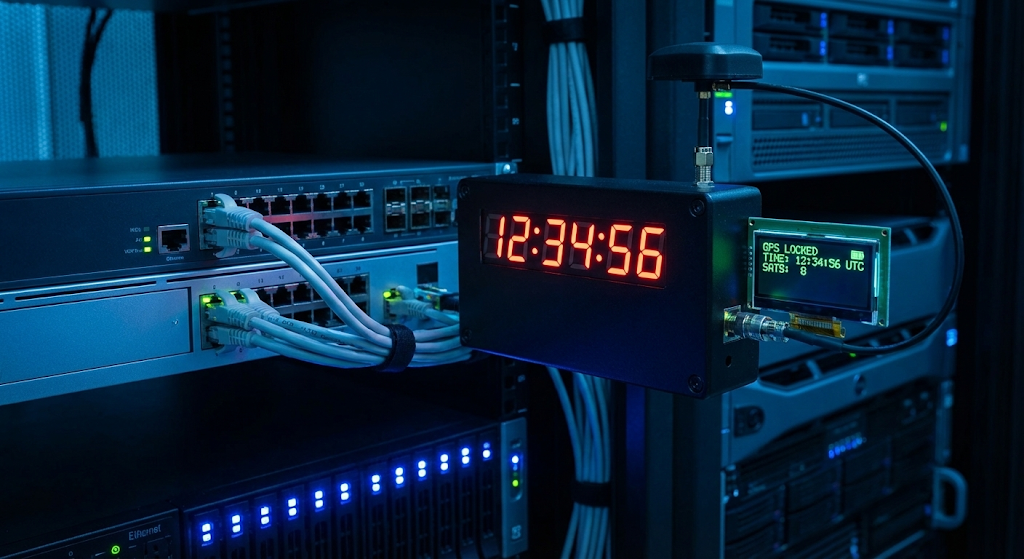
This dual-display approach provides both detailed monitoring and quick-glance time reference, which is practical for a device that may be installed in a server room or network closet.
6. Getting Started
From the README:
- Edit
config.pyto match your hardware pinout and network settings.- Flash all files to your MicroPython device.
- Connect the required hardware (Ethernet, GPS, LCD, 7-segment display).
- Run
main.py.
An important operational note from the README:
The NTP server will only serve accurate time after a GPS 3D fix is acquired.
This means the device requires a clear view of the sky (or a GPS antenna with sky access) and will wait for a valid 3D fix — meaning at least 4 satellites — before it begins responding to NTP requests. This is a sound design choice that prevents serving inaccurate time during cold-start or poor signal conditions.
FAQ
Q1: What is a Stratum 1 NTP server and how does this project achieve it? A Stratum 1 NTP server derives its time directly from a reference clock (Stratum 0), such as GPS satellites. This project connects a GPS receiver to the W5500-EVB-Pico, parsing UTC time from NMEA sentences and serving it via NTP over Ethernet. Because the time source is GPS (atomic-clock-derived), the server operates at Stratum 1 — the highest accuracy tier achievable without owning an atomic clock.
Q2: Can I use this as an NTP server for an air-gapped or offline network? Yes. Since the time source is GPS (satellite-based RF signal) rather than an upstream internet NTP server, this device works on completely isolated networks. The only external requirement is GPS satellite visibility for the receiver antenna. All NTP service is delivered over the W5500's wired Ethernet connection on the local network.
Q3: What programming language and framework does this project use? The project is written entirely in MicroPython (Python 100% per the GitHub language analysis). It uses the MicroPython WIZNET5K network driver for Ethernet, the micropyGPS library for NMEA parsing, and custom drivers for the ST7789V (SPI) and HT16K33 (I2C) displays.
Q4: How does the W5500's hardware TCP/IP stack benefit an NTP server? NTP accuracy depends on minimizing and stabilizing the delay between receiving a request and sending a response. The W5500 processes UDP packets in hardware, providing more deterministic latency than a software TCP/IP stack running on the same MCU. This is especially important on a MicroPython system where the interpreter already consumes significant CPU time.
Q5: What happens before the GPS module acquires a fix? The README states: "The NTP server will only serve accurate time after a GPS 3D fix is acquired." This means the device will wait for a valid satellite fix before serving NTP responses, preventing clients from receiving inaccurate time data during cold-start.
Q6: What displays does this project support and what do they show? Two displays are used simultaneously. The ST7789V color LCD (SPI) shows a full GPS telemetry dashboard: date, latitude, longitude, altitude, and satellite count. The HT16K33 4-digit 7-segment display (I2C) shows the current time in a large, easy-to-read format.
Q7: Can I use this with a different WIZnet board or a standalone W5500 module? The project is designed for the W5500-EVB-Pico (which integrates W5500 + RP2040) but the README describes it as compatible with "Raspberry Pi Pico (or similar), with WIZNET5K Ethernet." The modular config.py file allows you to remap pin assignments, so adapting to a standalone W5500 module connected to a separate Pico should be feasible by updating the pin configuration.


