


How Does BREMA Make a KNX Stick Its Own MCP Server, and Where Does PoE W5500 Fit?
BREMA firmware makes busware's TUL KNX stick answer MCP over HTTP, so an agent can commission KNX devices. A PoE W5500 extension is the wired path.

WIZnet - W5500
x 1

Ethernet controller on the PoE extension for the busware TUL stick. The documentation states the firmware uses it without configuration and brings Ethernet up alongside Wi-Fi; schematic, pin map and f
A KNX Stick an Agent Can Commission
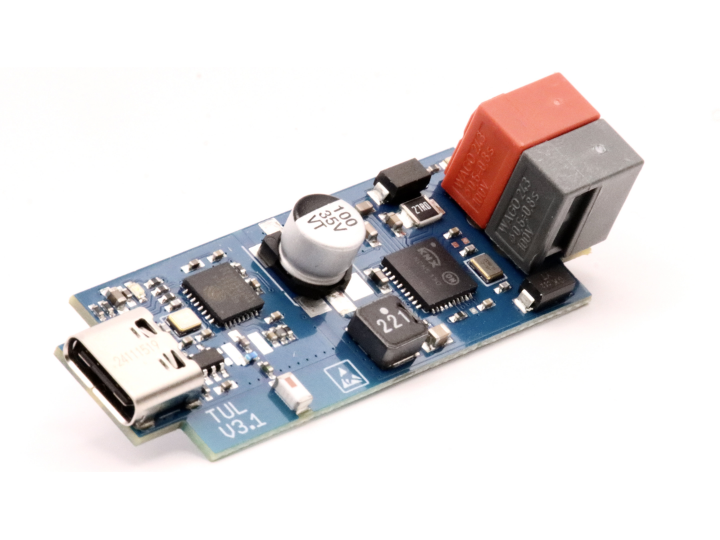
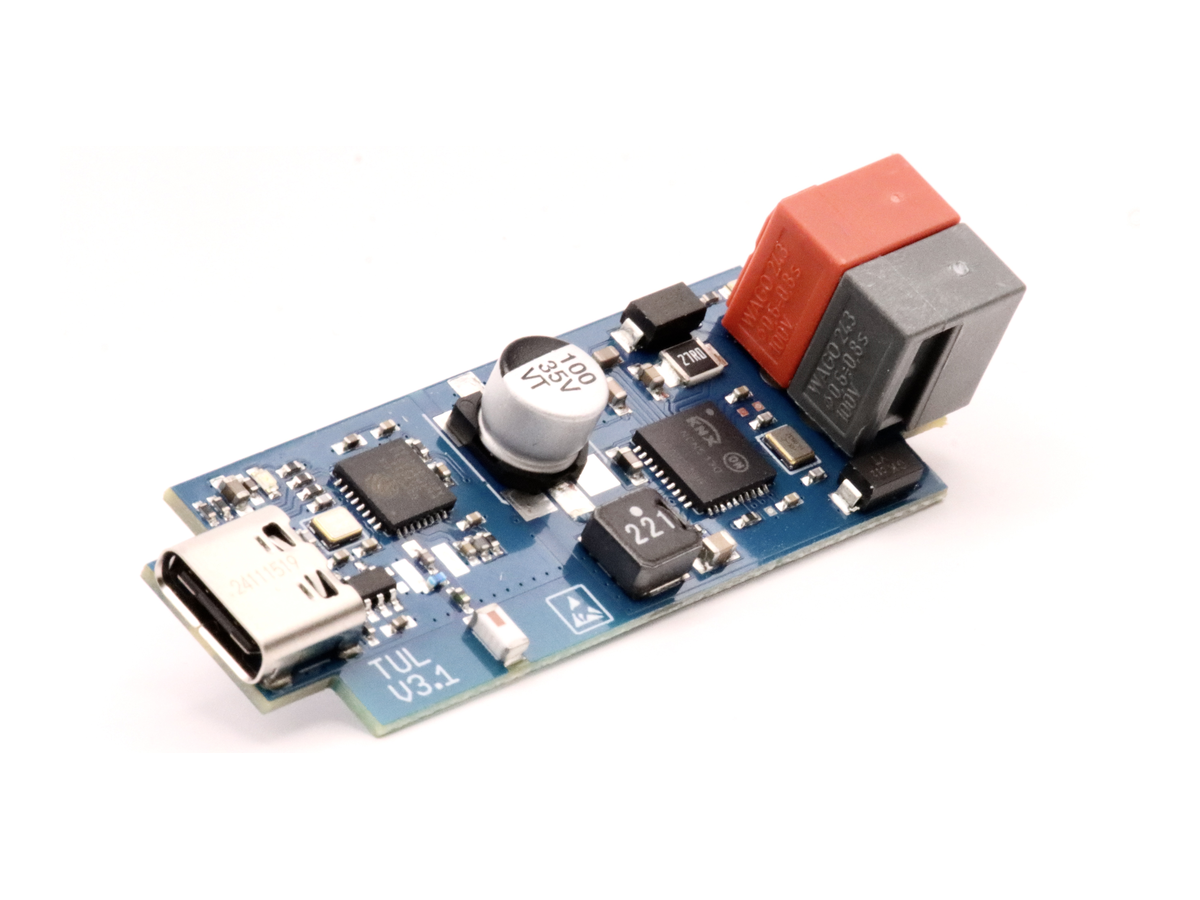
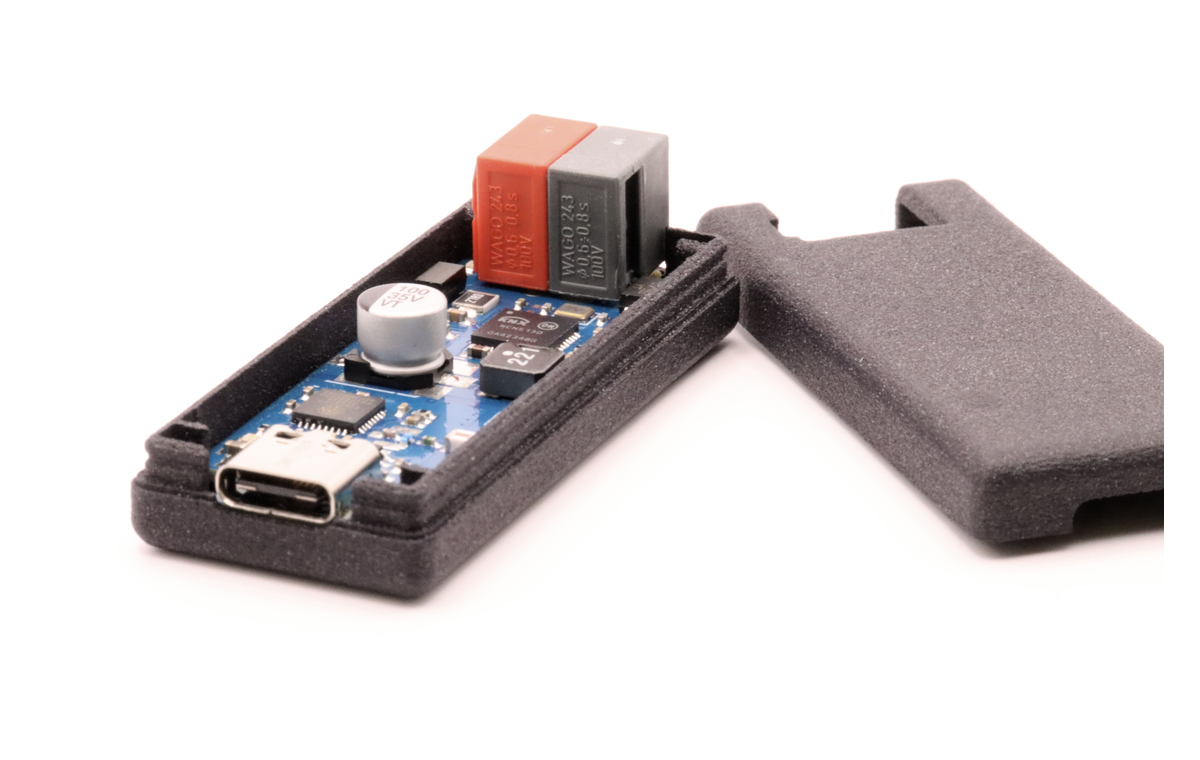
BREMA is firmware documentation from busware, a small German hardware shop best known, in its own words, for the CUL and the open-source firmware culfw and a-culfw. It runs on the busware TUL stick, and it does something most KNX gateways do not attempt: the stick answers MCP on your LAN, so an AI agent can commission KNX devices directly, with no ETS project and no cloud account in the path. A PoE extension built around a WIZnet W5500 gives that stick its wired option.
Readers who have not touched building automation need one piece of context. KNX is the wired standard behind a lot of European lighting, blind, and HVAC installations, and its devices sit on a twisted pair bus called KNX-TP. A factory-fresh actuator on that bus does nothing useful until somebody commissions it, which means assigning an individual address, writing group and association tables, and setting parameters. That work has traditionally happened in ETS, the paid engineering tool, and the knowledge of what a device means lives in a manufacturer file called a .knxprod.
Commissioning, Not Relaying
Most KNX gateways move group telegrams around. They talk to devices that somebody else already configured. The busware firmware page states the difference plainly: this one "speaks the connection-oriented management services ETS itself uses. It can give a device its individual address, read and write its memory and properties, drive its Load State Machines, install its address and association tables, restart it so the change takes effect, and change device parameters."
It also reads an installation it did not build, through a passive survey of everything it hears and an active sweep that finds the devices on a line and reads back the identity that maps each one to its product file.
The published example is a Merten 649802 blind actuator taken from bare bus to a Home Assistant tile. The agent reads the product file, works out that channel 1 needs four group objects (DPT 1.008 for up and down, 1.007 for stop and step, 5.001 for position, and 5.001 again for the position it reports back), proposes addresses 1/1/1 through 1/1/4, and writes the tables in a load session. When the position slider jumps, the answer is a travel time parameter, 16 bit in units of 100 ms.
The German write-up of that session is worth reading for how it treats that one number. Its instruction is to distil rather than assert: every value the agent takes from a product file has to arrive with its origin. An agent that says the travel time sits somewhere around 18986 has guessed. An agent that shows <Memory CodeSegment="AS-4A00" BitOffset="0" Offset="42"/>, then 18944 plus 42 giving 18986, 16 bit, default 1200, has worked. The check that follows is against reality rather than against the file, and it is a full run of the blind with a stopwatch: 128 seconds measured against 120 configured, and 95 against 90 when set lower.
Two limits are stated by the project itself, and both are worth repeating. The firmware does not guess product semantics, so the .knxprod file stays the user's input. And the sequence above is the real one from the development session, with the wrong turns left out.
The wrong turns are not buried, though. A separate German write-up of the same session keeps four of them and calls that the part with the most to learn from: a fabricated cause that blamed the antenna, a verification write that could not have failed because the value was already in place, and a wait loop that mistook a retained message for end to end delivery. For anyone weighing how much to trust an agent with physical hardware, that section is more useful than the successful run.
The Stick Answers MCP Over Plain HTTP
MCP is the interface an AI agent uses to call tools that live outside the model. Here the tool server is the stick itself. One line connects it:
claude mcp add --transport http busware-knx http://busware-knx-<id>.local/mcp
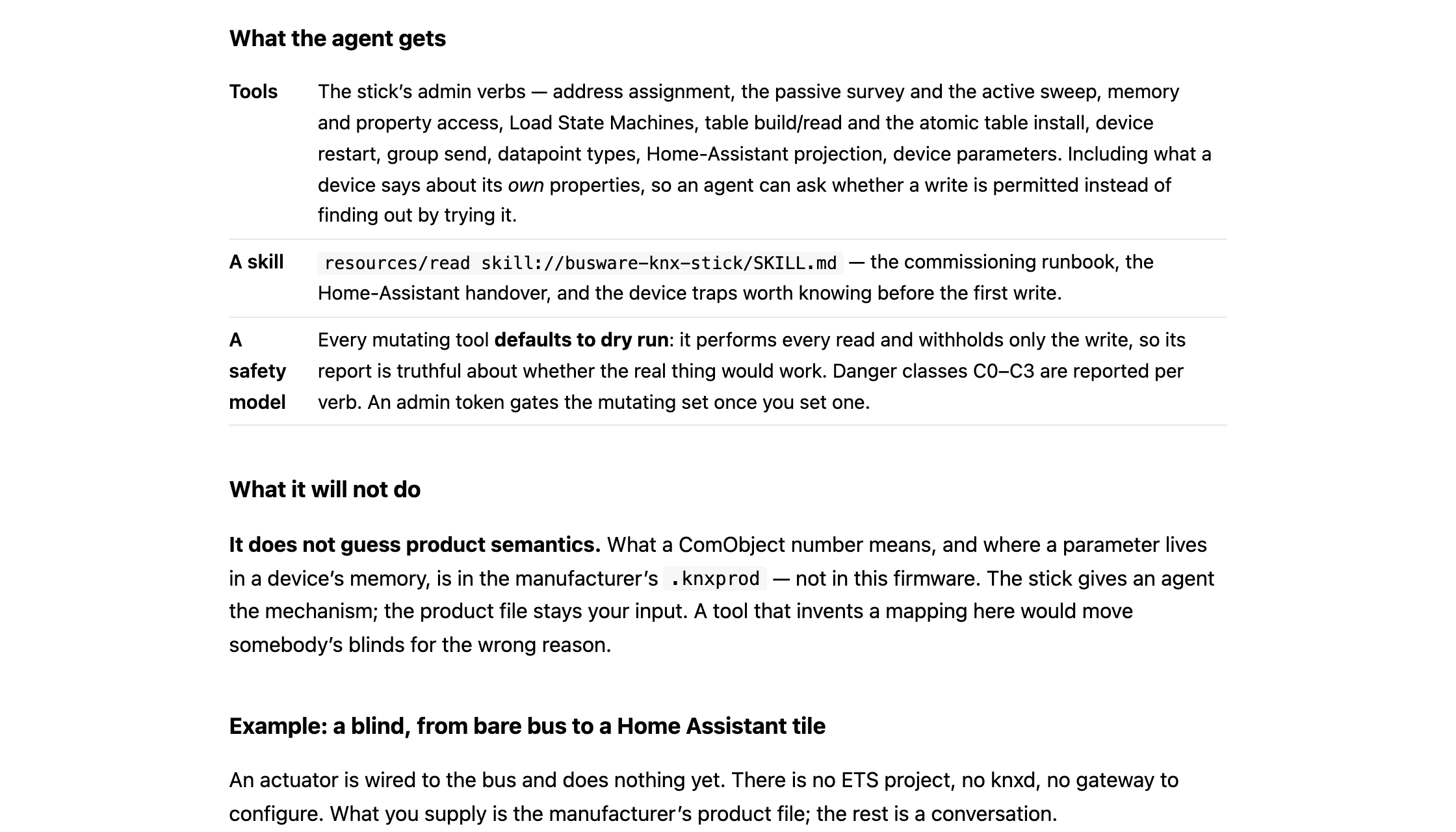
There is no proxy, no vendor cloud, and no account. The endpoint is plain JSON-RPC 2.0 over HTTP POST, so any MCP client works. The tool list is generated from the firmware's own verb registry, which is a quieter design decision than it looks: what the agent is offered cannot drift away from what the device can actually do. The stick also serves a runbook as an MCP resource at skill://busware-knx-stick/SKILL.md, and it can publish what it hears to MQTT and render Home Assistant discovery.
One detail keeps the timeline straight. The same verb surface is also reachable over MQTT through a Python plugin that is not published, and the German session write-up notes it ran that way because the on-device server did not exist yet. The transport differs; the verb set does not.
Writing to a Live Bus Without Breaking It
Letting an agent write to a building bus is where good intentions stop being enough, and this is the part of the project that earns attention.
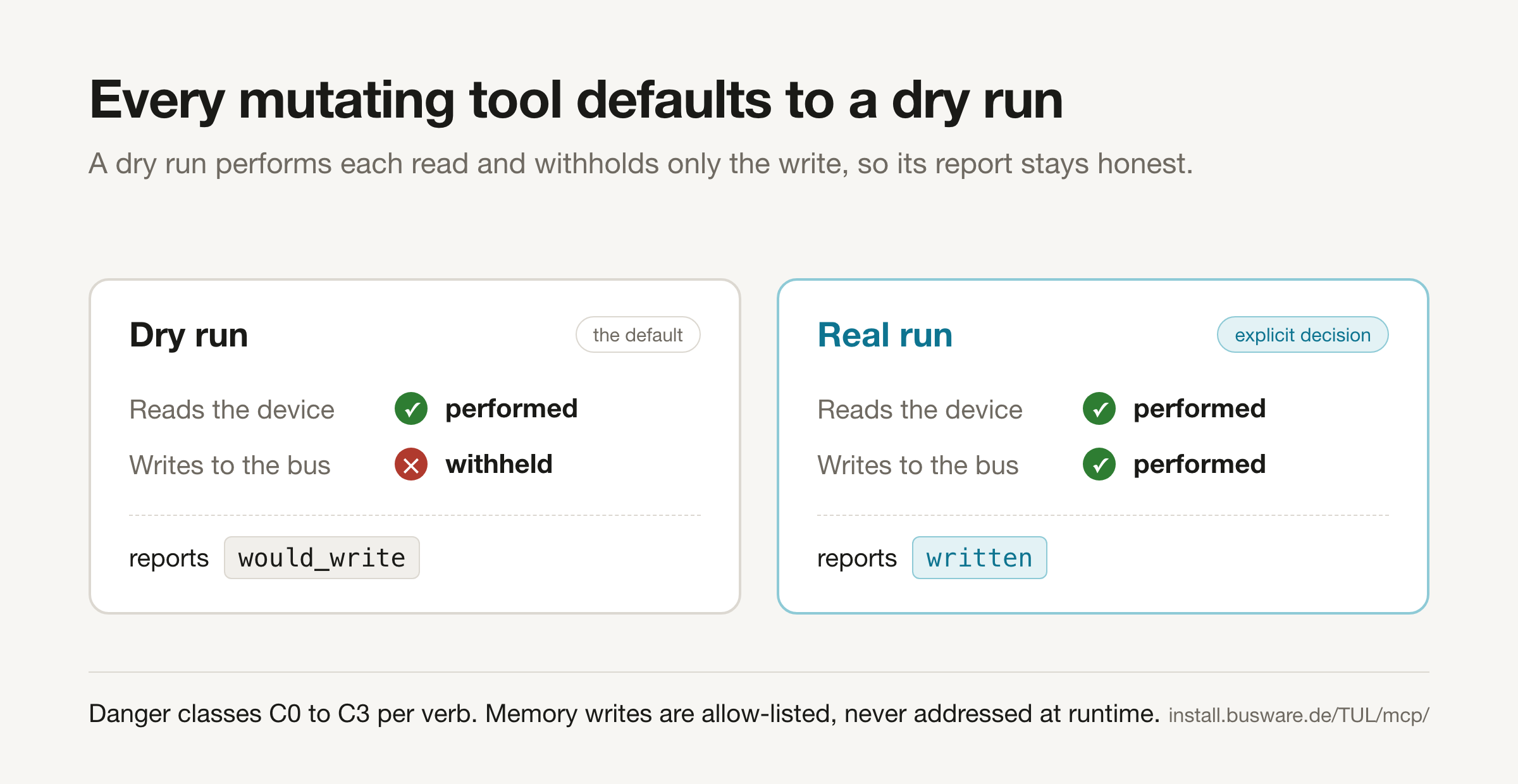
Every mutating verb defaults to a dry run that performs each read and withholds only the write, so its report is honest about whether the real thing would have worked. A dry run reports would_write where a real run reports written. Danger classes C0 to C3 are reported per verb by the stick. Memory writes are allow-listed rather than addressed at runtime, because a wrong A_Memory_Write does not switch the wrong light, it can leave a device needing ETS to recover.
Installing a table is treated as one operation for the same reason. The session opens, chunks are written and each verified by read-back, the session closes even when a write fails, and the device restarts. A device abandoned mid-download resolves no group address at all, and a power cycle does not reliably rescue it.
The documentation also describes a run on a KNX installation in daily service, where an address table was written back byte-identically, read back byte for byte, and the device confirmed afterwards to resolve its group addresses again. Choosing a byte-identical rewrite as the test is a careful way to exercise the dangerous path without changing somebody's building.
Where the PoE W5500 Extension Fits
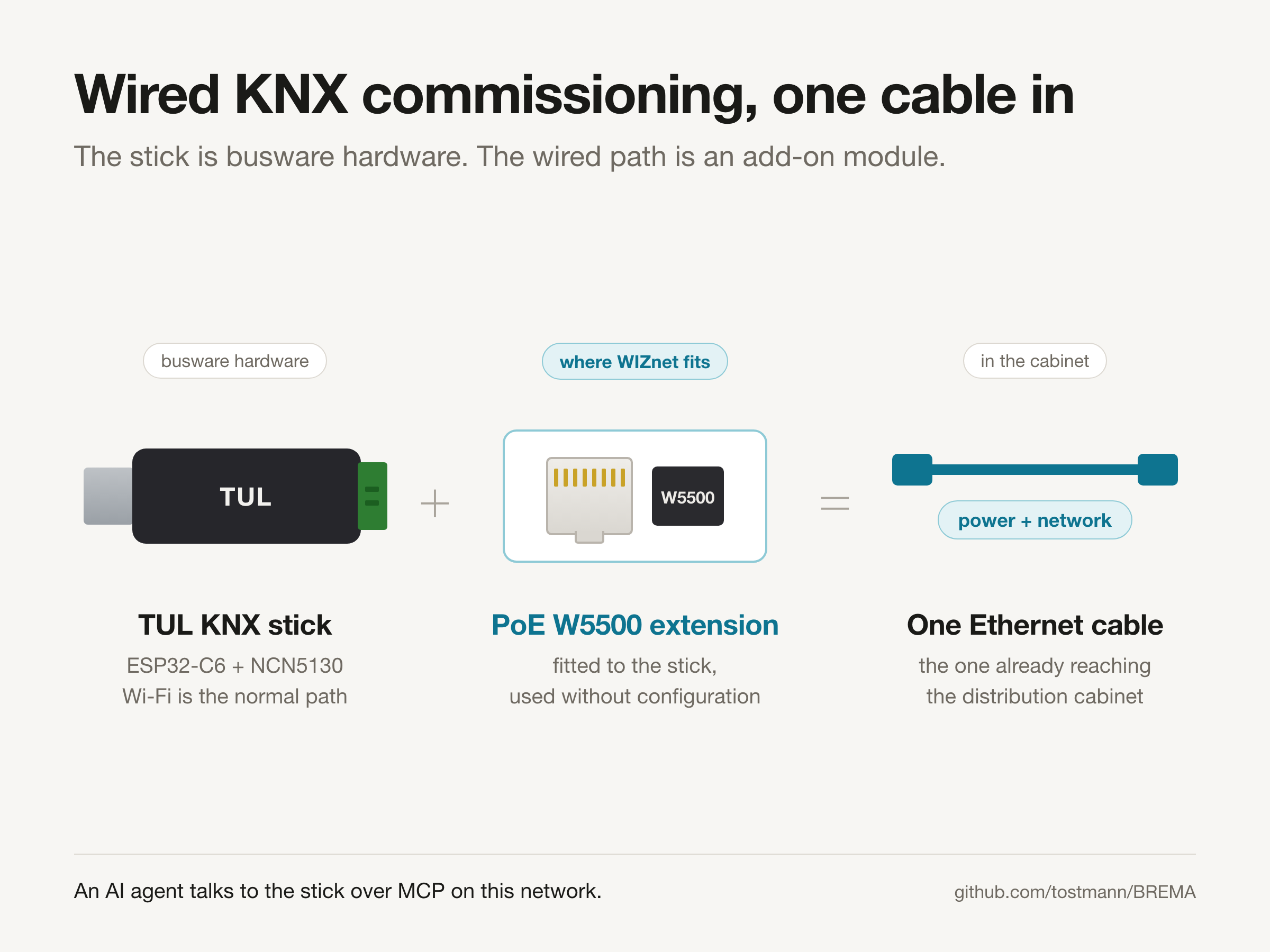
A KNX line ends in a distribution cabinet, and busware's argument for wired networking starts there. In their words, "a cabinet is a poor place for Wi-Fi: coverage is an accident of sheet metal, and radio credentials end up stored in exactly the box that was cabled for everything else."
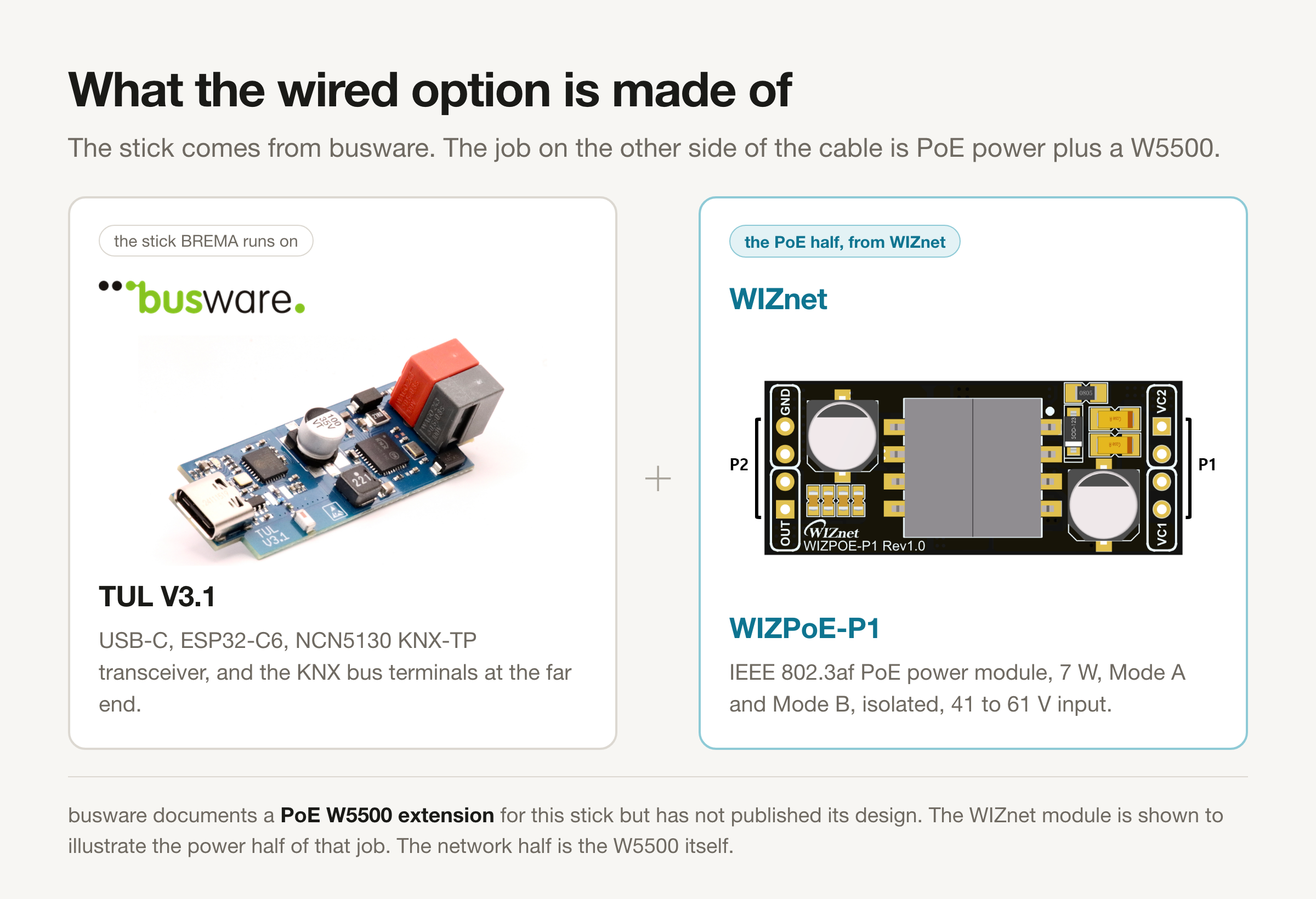
The PoE W5500 extension answers that. It brings power and network over the one cable that already reaches the cabinet. The firmware needs no configuration for it: "when the module is fitted, the stick brings Ethernet up alongside Wi-Fi, and its own page shows the wired address next to the wireless one." The firmware page puts the same option more bluntly, saying you can skip the radio entirely once the extension is in place. So the traffic the W5500 carries is the MCP session itself, plus MQTT publishing and Home Assistant discovery.
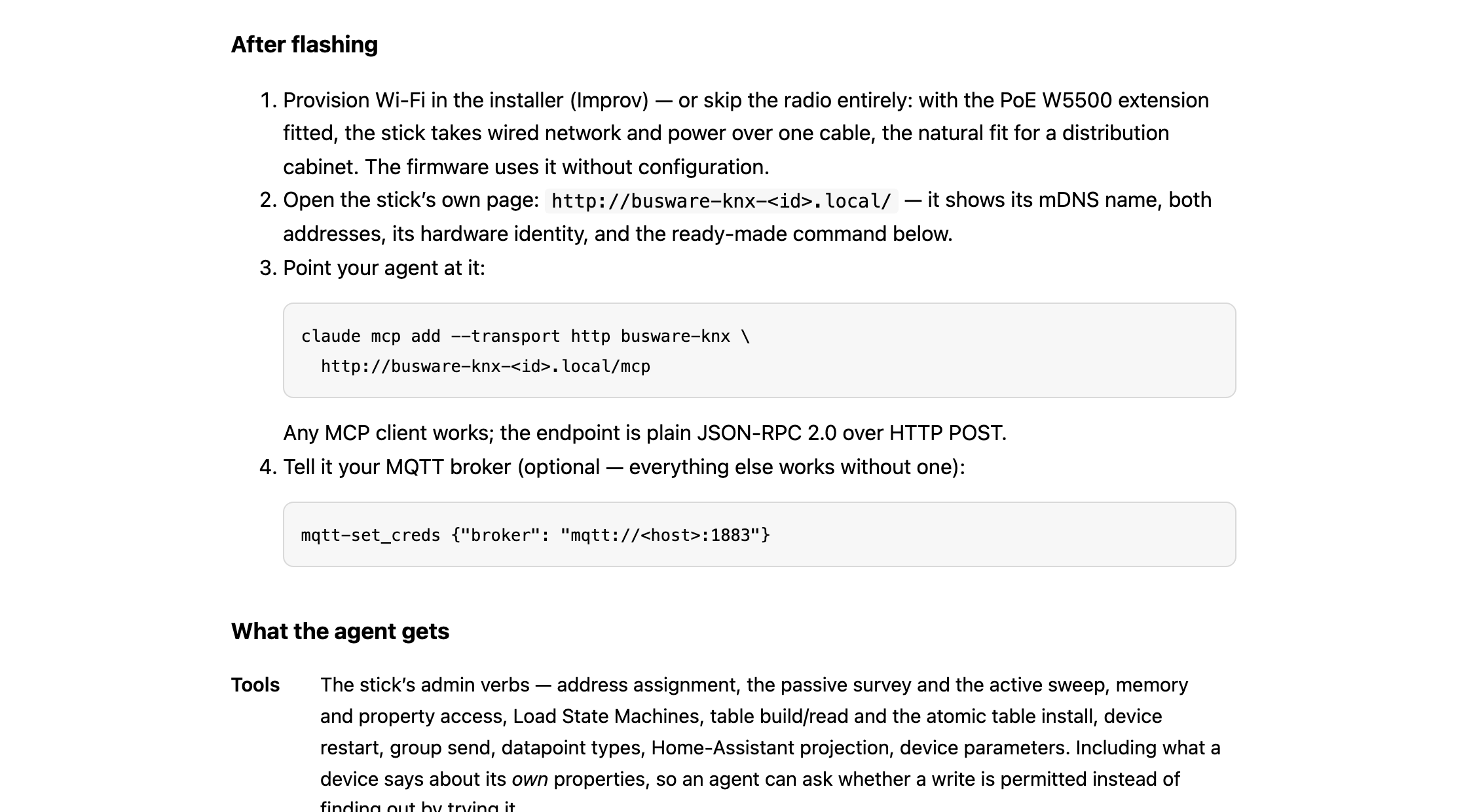
What the sources do not show is equally worth stating. The extension has no published schematic, pin map, or SPI configuration, the firmware sources are not part of this repository, and busware's shop currently lists the TUL stick without an entry for the extension. The W5500's role here is documented at the level of behavior, not circuitry.
Regular readers may recognise the vendor. PIGATOR Ethernet, a Raspberry Pi carrier board with RTC and W5500 Ethernet aimed at KNX server duty, is also busware and is already on this site. The interesting shift is architectural. That board gave a Raspberry Pi its wired network and let the host do the work; BREMA puts the engine in a USB stick and leaves no host at all.
What Is Published and What Is Not
The KNX backend is the released one. Zigbee over 802.15.4, EnOcean over 868 MHz ESP3, and HomeMatic BidCoS are listed as in development, and Modbus, M-Bus, and DALI as designed but not built. The device-class descriptions that teach the stick a new device are authored by a language model, installed inert by default, and promoted only after a deterministic gate replays the candidate against captured frames and checks it against an independent oracle. The ground-truth service behind that authoring is not openly available yet. The hardware is the busware TUL32, an ESP32-C6 paired with an NCN5130 KNX-TP transceiver, and the flasher writes firmware together with a pass issued for that individual stick, so the image refuses to start on other boards.
For a WIZnet reader, the useful thread is that an embedded device is now a first-class MCP endpoint with a wired option, and that the interesting engineering sits in the safety model rather than in the model call.
Related Reading
How to Add W5500 Ethernet to mcpd on ESP32 or RP2040? covers the same idea from the SDK side, where an MCU exposes hardware as MCP tools, though that project describes its own Ethernet runtime as incomplete and routes traffic through a host bridge. For the KNX protocol groundwork, KNX W5500 walks through carrying cEMI frames over IP, and zweidraehte approaches the toolchain from the opposite end by generating the product files that BREMA consumes.
Two more projects from the same workshop are already curated on this site, matter4max and RFNETHM, which says something about how much of this ecosystem comes out of one small engineering office in northern Germany.
FAQ
Q. Does the AI model itself write to the KNX bus? No. The model calls verbs the firmware exposes, and the firmware decides what reaches the bus, with dry run as the default and memory writes restricted to an allow list.
Q. Do I still need ETS or a .knxprod file? The documented sessions run without ETS, but the manufacturer's product file remains the user's input because that is where a ComObject number and a parameter address get their meaning.
Q. What exactly does the W5500 do here? It is the Ethernet controller on a PoE extension for the TUL stick. The documentation says the firmware uses it without configuration and brings Ethernet up alongside Wi-Fi. Schematics, pin mapping, and firmware sources are not published.
Q. Can I buy the stick and flash this? The TUL stick is sold by busware as OEM hardware without firmware, and the web flasher at install.busware.de writes this firmware plus a per-device pass. Commissioning is the buyer's own responsibility, as the shop states.
-
BREMA repository
Documentation repository for the firmware. Firmware sources are not part of it.

-
BREMA for KNX
Hardware table and the wired networking rationale, including the PoE W5500 extension
-
MCP for TUL (official firmware page and web flasher)
What the firmware does, the MCP command line, the safety model, and the blind actuator example
-
busware TUL product page
The KNX stick itself, sold as OEM hardware without firmware
-
Model Context Protocol
The protocol the stick answers over HTTP
-
WIZnet W5500
Hardwired TCP/IP Ethernet controller used on the PoE extension


