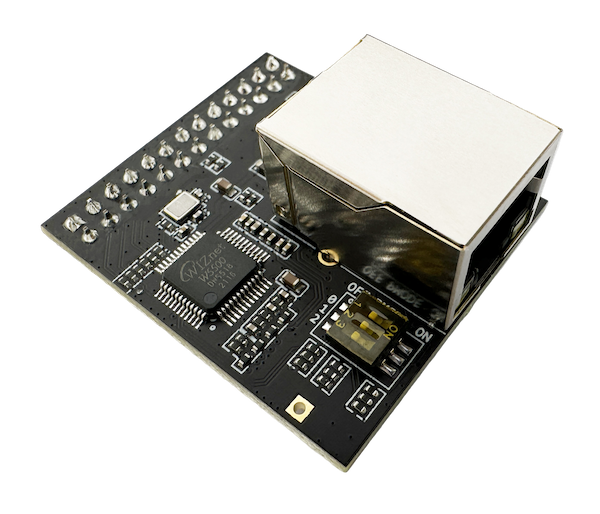
Wired Thread Border Router: W5500 Ethernet Backhaul for Matter Smart Homes
ESPHome-based Thread Border Router concept using W5500 Ethernet for rock-solid backhaul — replacing Wi-Fi dependency in smart home mesh networking
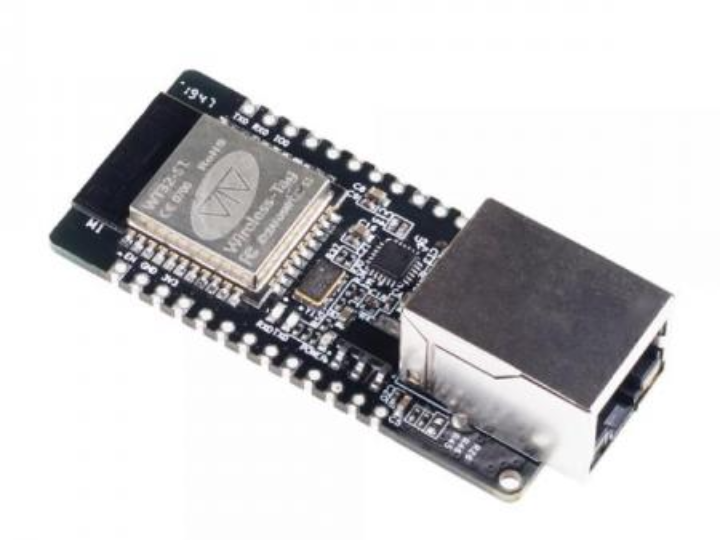

Espressif - ESP32
x 1


WIZnet - W5500
x 1

Nabu Casa - ESPHome
x 1
A $15 Thread Border Router with Wired Backbone — the Case for W5500 Ethernet
Every Thread mesh network needs a Border Router (TBR) to bridge 802.15.4 devices to your local IP network. Commercial options from Apple (HomePod, $129+) and Google (Nest Hub, $99+) do this over Wi-Fi — adding latency, introducing a single point of RF failure, and locking you into a vendor ecosystem.
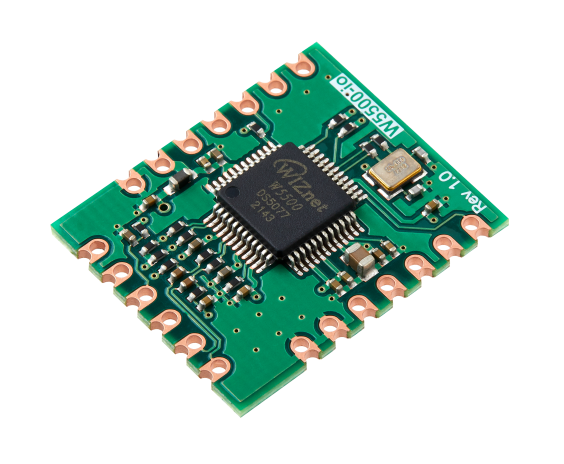
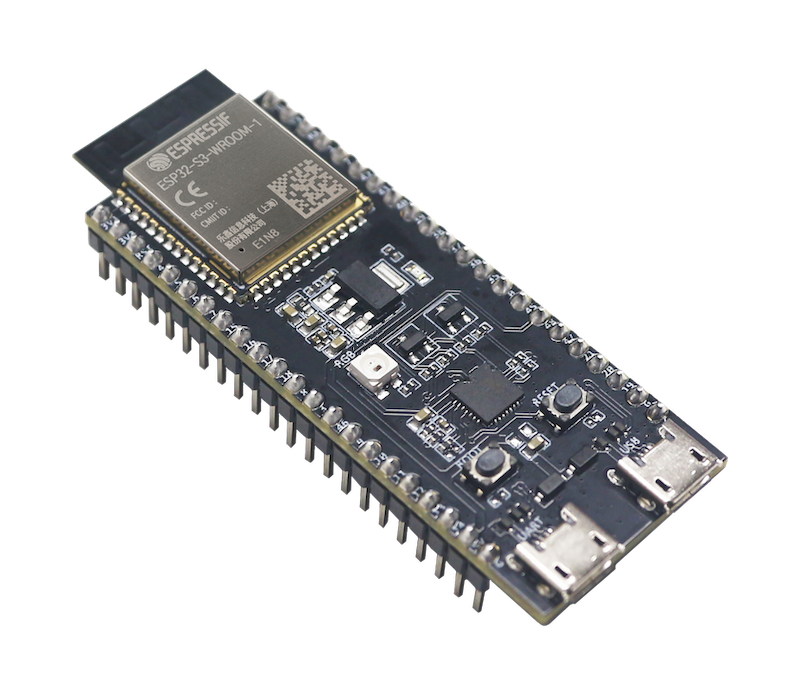
This project proposes a different path: a DIY Thread Border Router that uses a W5500 Ethernet module as its backhaul connection. As the README puts it:
Why Ethernet? A Thread Border Router should have a rock-solid connection to your network. Wi-Fi adds latency and unreliability. Ethernet is the way.
The total bill of materials comes to roughly $15–25, and the entire firmware is a single ESPHome YAML file.
Architecture: How Thread Meets Ethernet
The concept follows a two-interface architecture common to all Thread Border Routers: one radio facing the Thread mesh (IEEE 802.15.4, 2.4 GHz), and one link facing the IP network (typically Wi-Fi or Ethernet).
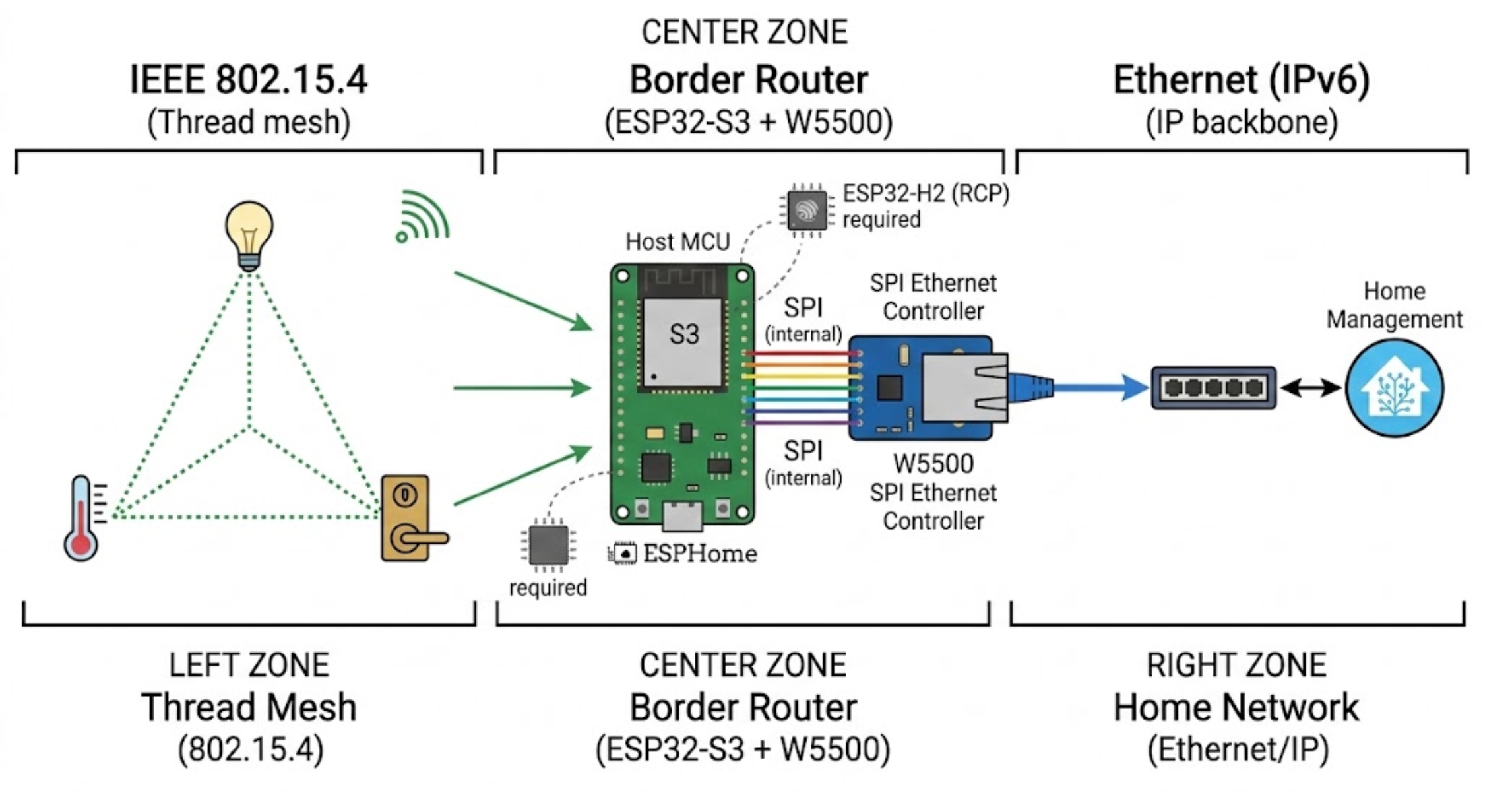
The W5500 connects to the ESP32-S3 over SPI, providing a dedicated, deterministic Ethernet link to the home network. Home Assistant auto-discovers the device and manages the Thread network credentials.
W5500 SPI Wiring and ESPHome Configuration
The project defines a clean SPI mapping between the ESP32-S3 and the W5500 module. From esp-thread-border-router.yaml:
ethernet:   type: W5500
  clk_pin: GPIO21
  mosi_pin: GPIO45
  miso_pin: GPIO38
  cs_pin: GPIO41
  interrupt_pin: GPIO39
  reset_pin: GPIO40
The corresponding physical wiring:
| W5500 Pin | ESP32-S3 GPIO | SPI Function |
|---|---|---|
| SCK / SCLK | GPIO21 | SPI Clock |
| MOSI / SI | GPIO45 | SPI Data Out |
| MISO / SO | GPIO38 | SPI Data In |
| CS / SCS | GPIO41 | Chip Select |
| INT | GPIO39 | Interrupt |
| RST | GPIO40 | Reset |
| VCC | 3.3V | Power |
| GND | GND | Ground |
ESPHome's native W5500 Ethernet component handles DHCP, link negotiation, and IPv6 address acquisition — all essential for Thread Border Router operation, since Thread relies on IPv6 routing between the mesh and the backbone network.
The full YAML configuration is only 29 lines. Beyond the Ethernet block, it includes the standard ESPHome scaffolding: esp32 board definition (esp32-s3-devkitc-1), esp-idf framework selection, encrypted API for Home Assistant, and ESPHome OTA updates. The framework choice of ESP-IDF (rather than Arduino) is required for Thread/OpenThread support.
Why Wired Backhaul Matters for Thread
Thread Border Routers serve as the single gateway between a low-power mesh and the IP world. If this gateway drops, every Thread device in the home goes offline — lights, sensors, locks, thermostats.
Wi-Fi-based backhaul introduces several risks: channel congestion in the crowded 2.4 GHz band, variable latency under load, and dependency on the same wireless infrastructure that may itself be the failure point. The W5500's hardwired TCP/IP stack eliminates all of these:
- Deterministic connectivity — no RF contention, no retransmissions, no hidden node problems
- Hardware TCP/IP offloading — the W5500 handles the full TCP/IP stack in silicon, freeing the ESP32-S3 to focus on Thread routing and ESPHome operations
- Independent failure domain — even if Wi-Fi goes down entirely, the Border Router's Ethernet link to Home Assistant remains active, keeping the Thread network operational
- Consistent IPv6 performance — Thread requires IPv6 for mesh-to-backbone routing; Ethernet provides stable, low-jitter IPv6 transport
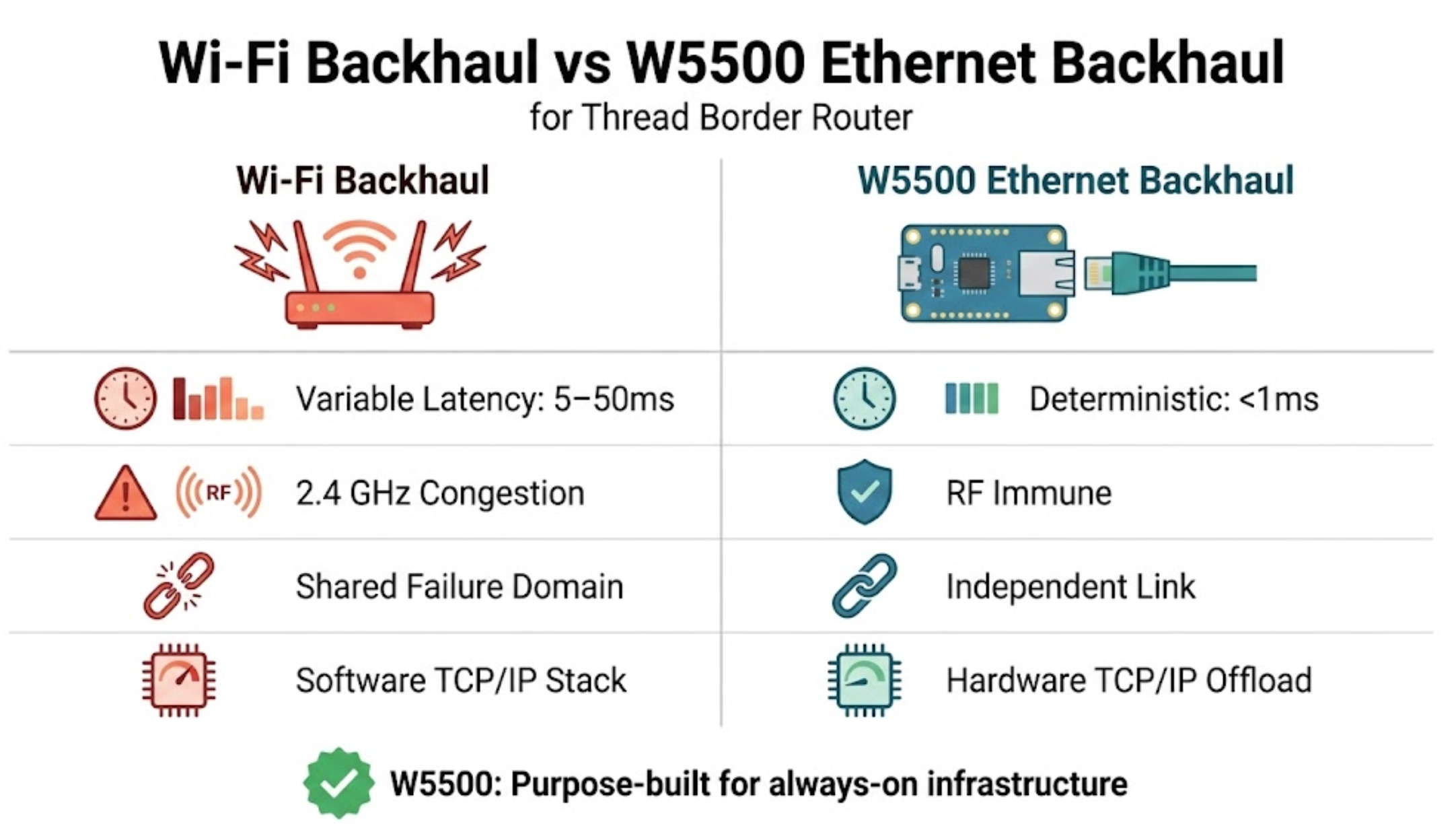
This is the same rationale Espressif uses in their official ESP Thread Border Router Board, which offers a W5500-based Ethernet sub-board option alongside the default Wi-Fi backhaul.
DIY vs. Commercial: Why Build Your Own?
The README includes a comparison worth examining:
| Feature | Apple HomePod | Google Nest Hub | This Build |
|---|---|---|---|
| Approximate price | $129+ | $99+ | ~$15–25 |
| Wired backhaul | No (Wi-Fi) | No (Wi-Fi) | Yes (W5500 Ethernet) |
| Home Assistant native | No | No | Yes |
| Open source | No | No | Yes (MIT) |
| Vendor lock-in | Apple | None | |
| Firmware control | Vendor OTA | Vendor OTA | User-controlled |
The cost advantage is substantial, but the real differentiator is wired backhaul combined with full user control. Commercial TBRs are closed-source, vendor-locked, and universally Wi-Fi-only for their backbone connection.
⚠️ Important Note on 802.15.4 Radio Hardware
Transparency is important here. The current README states that the ESP32-S3 has a built-in IEEE 802.15.4 radio. This is incorrect. The ESP32-S3 supports Wi-Fi (802.11 b/g/n) and Bluetooth 5 (LE), but it does not contain an 802.15.4 radio.
The ESP32 variants with native 802.15.4 / Thread support are:
| Chip | 802.15.4 | Wi-Fi | Thread Role |
|---|---|---|---|
| ESP32-H2 | ✅ | ❌ | RCP (Radio Co-Processor) or standalone Thread node |
| ESP32-C6 | ✅ | ✅ | Single-chip TBR (Wi-Fi + Thread, shared RF path) |
| ESP32-C5 | ✅ | ✅ | Single-chip TBR |
| ESP32-S3 | ❌ | ✅ | Host processor only (needs external RCP) |
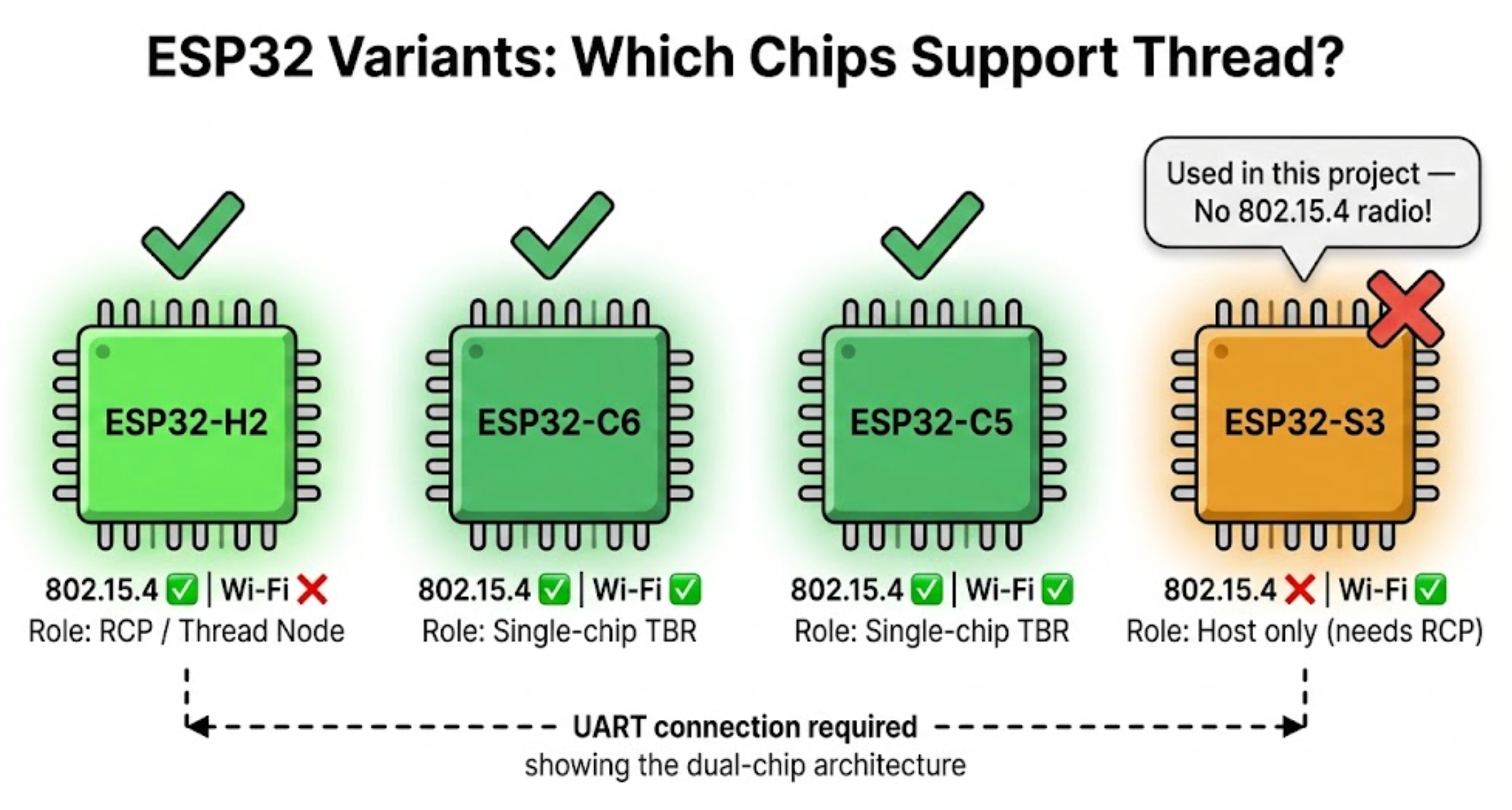
To make this project into a fully functional Thread Border Router, you would need to add an ESP32-H2 module as a Radio Co-Processor (RCP), connected to the ESP32-S3 via UART. The ESP32-S3 would serve as the host running OpenThread Border Router (OTBR) and handling the W5500 Ethernet backhaul, while the ESP32-H2 manages the 802.15.4 mesh radio. This dual-chip architecture is exactly what Espressif's official ESP Thread Border Router Board uses.
Additionally, the ESPHome YAML would need an openthread: configuration block to enable the Thread stack. The current YAML provides only the Ethernet backhaul portion of the solution.
In its current state, the YAML produces a valid ESPHome device with W5500 Ethernet connectivity to Home Assistant — a useful building block, but not yet a complete Thread Border Router.
Getting Started with the Ethernet Foundation
Despite the Thread radio gap, the W5500 Ethernet configuration itself is fully functional and serves as the foundation for a wired TBR build:
1. Install ESPHome:
pip install esphome2. Clone and configure:
git clone https://github.com/el-bakkali/esp-thread-border-router.git
cd esp-thread-border-router
cp secrets.yaml.example secrets.yaml
# Edit secrets.yaml with your API encryption key
3. Flash:
esphome run esp-thread-border-router.yamlCompleting the Build: Path to a Working Thread Border Router
For developers who want to take this concept to completion, two viable paths exist:
Path A — Dual-chip (ESP32-S3 + ESP32-H2 + W5500): Add an ESP32-H2 as RCP connected via UART to the ESP32-S3. Use Espressif's esp-thread-br SDK instead of ESPHome, with W5500 Ethernet configured as the backhaul interface. This is the production-grade approach matching Espressif's official reference design. The official ESP Thread BR documentation already provides W5500 menuconfig settings with the same SPI pin mapping used in this project:
Ethernet Type (W5500 Module) --->
(21) SPI SCLK GPIO number
(45) SPI MOSI GPIO number
(38) SPI MISO GPIO number
(41) SPI CS GPIO number
(39) Interrupt GPIO number
(40) PHY Reset GPIO number
Path B — Single-chip (ESP32-C6 + W5500): Replace the ESP32-S3 with an ESP32-C6, which has both Wi-Fi and 802.15.4 on one chip. Use ESPHome's native OpenThread component with the W5500 Ethernet backhaul. The ESPHome YAML would add an openthread: block with a Thread dataset TLV obtained from Home Assistant's Thread settings. This trades some RF performance (shared radio path between Wi-Fi and 802.15.4) for hardware simplicity — one fewer board, one fewer UART connection.
Either path keeps the W5500 as the wired backbone — the core value proposition of this project.
Project Context
The el-bakkali GitHub profile shows a focus on ESPHome + Home Assistant projects. Their other public repository — esp32-a1s-sendspin — is an ESP32-A1S audio kit configuration for synchronized multi-room playback via Music Assistant's Sendspin protocol (5 stars, MIT license). Both projects share a consistent pattern: single-YAML ESPHome configurations with secrets.yaml.example templates and clean .gitignore files, indicating a developer comfortable with the ESPHome ecosystem.
The Thread Border Router project was created on March 1, 2026, with a single initial commit. The well-structured README, detailed wiring tables, and accurate W5500 SPI configuration demonstrate solid embedded/IoT knowledge. However, the claim that ESP32-S3 includes an 802.15.4 radio — and the absence of OpenThread configuration in the YAML — suggest the Thread-specific radio requirements were not fully researched before publication.
The project is licensed under MIT, inviting community contributions that could address the Thread radio gap and turn this Ethernet foundation into a complete border router.
FAQ
Q1: Does this project work as a Thread Border Router out of the box? Not yet. The YAML provides W5500 Ethernet connectivity to Home Assistant via ESPHome, but the ESP32-S3 lacks an 802.15.4 radio for Thread mesh communication. An additional ESP32-H2 module (as a Radio Co-Processor) and OpenThread configuration would be needed to complete the Thread Border Router functionality.
Q2: Why use W5500 Ethernet instead of Wi-Fi for a Thread Border Router's backbone? The Border Router is a critical single point of failure — if it loses network connectivity, every Thread device goes offline. W5500 provides a deterministic, wired link immune to RF interference, channel congestion, and Wi-Fi outages. The hardware TCP/IP stack also offloads network processing from the host MCU, leaving more cycles available for Thread routing operations.
Q3: Could I use W5100S instead of W5500? ESPHome's Ethernet component supports both W5500 and W5100S. The W5100S would work with a similar YAML configuration (change type: W5100S), though it has fewer simultaneous sockets (4 vs. 8) and a smaller buffer (16 KB vs. 32 KB). For a Border Router handling Thread IPv6 routing with multiple concurrent mesh devices, the W5500's larger buffer and socket count are preferable.
Q4: Can I use an ESP32-C6 instead of ESP32-S3 to avoid needing a separate Thread radio? Yes. The ESP32-C6 has both Wi-Fi and 802.15.4 radios on a single chip. Combined with a W5500 for Ethernet backhaul, it could serve as a single-chip Thread Border Router without any additional modules. The trade-off is that Wi-Fi and 802.15.4 share one RF path on the C6, which can reduce throughput under heavy simultaneous traffic.
Q5: What Thread/Matter devices could I connect once the build is complete? Any Matter-over-Thread device: Nanoleaf lights, Eve Motion/Door & Window sensors, Eve Energy switches, Third Reality switches, Yale/Schlage Matter-enabled smart locks, and Eve Thermo thermostats. The Thread Border Router bridges IPv6 traffic at the network layer, so it is application-agnostic — any compliant device joins the mesh regardless of vendor.
Q6: The README says the ESP32-S3 has an 802.15.4 radio. Is that accurate? No. The ESP32-S3 supports Wi-Fi 802.11 b/g/n and Bluetooth 5 LE, but does not contain an IEEE 802.15.4 radio. Only the ESP32-H2, ESP32-C6, and ESP32-C5 include 802.15.4 hardware capable of Thread/Zigbee communication. The README contains an error on this point.
Q7: How does this compare to Espressif's official ESP Thread Border Router Board? Espressif's official board uses the same dual-chip architecture: ESP32-S3 as host + ESP32-H2 as RCP, with an optional W5500 Ethernet sub-board for wired backhaul. Their official SDK (esp-thread-br) documents the same W5500 SPI pin mapping (GPIO 21/45/38/41/39/40) that this ESPHome project uses — suggesting the author referenced the Espressif reference design for pin selection. The key difference is that Espressif's solution runs their full C-based Thread BR SDK with OpenThread, while this project aims for ESPHome's declarative YAML approach. Bridging that gap — bringing OpenThread into an ESPHome W5500 configuration — remains an open challenge.