


How to Connect USB Smart-Home Radios with W5500 on the SMLIGHT SLZB-U2L?
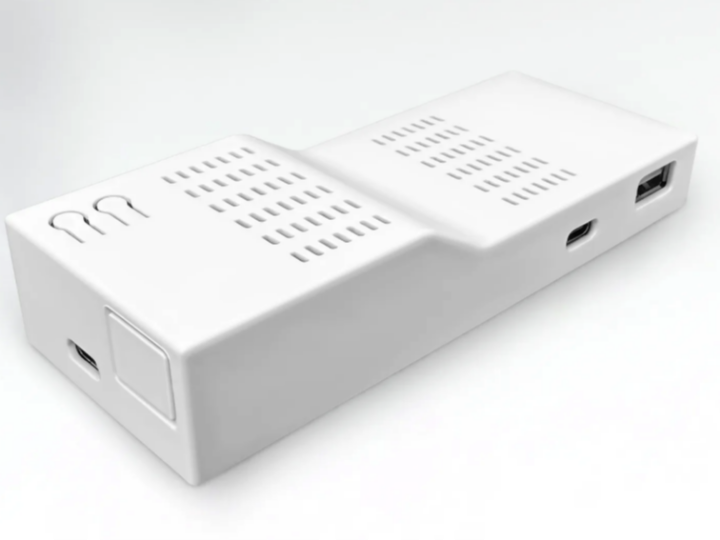
modular USB-to-Ethernet bridge that makes your USB smart-home radios available across your LAN or Wi-Fi

WIZnet - W5500
x 1

Summary
The SMLIGHT SLZB-U2L makes compatible USB smart-home radios accessible over a network, separating radio placement from server placement. Its optional WIZnet W5500 Ethernet add-on provides a 10/100 Mbps wired connection through SPI. The base unit supports Wi-Fi and USB; Ethernet requires the matching module.
About SMLIGHT
SMLIGHT is a hardware and software engineering company focused on locally controlled smart homes. Its portfolio includes SLZB Zigbee and Thread coordinators, Linux-based SMHUB hubs, LED controllers, radio modules, and networking accessories. The company develops hardware and firmware in-house and maintains SLZB-OS, SMHUB-OS, firmware installation tools, and Home Assistant integration. Its stated approach emphasizes owner-controlled automation without mandatory cloud services.
What the Project Does
Instead of connecting a supported USB radio directly to an automation server, users attach it to the SLZB-U2L. The bridge can then sit where radio coverage is needed while the server remains elsewhere on the network. SMLIGHT identifies Home Assistant, Zigbee2MQTT and Z-Wave JS as host-side applications.
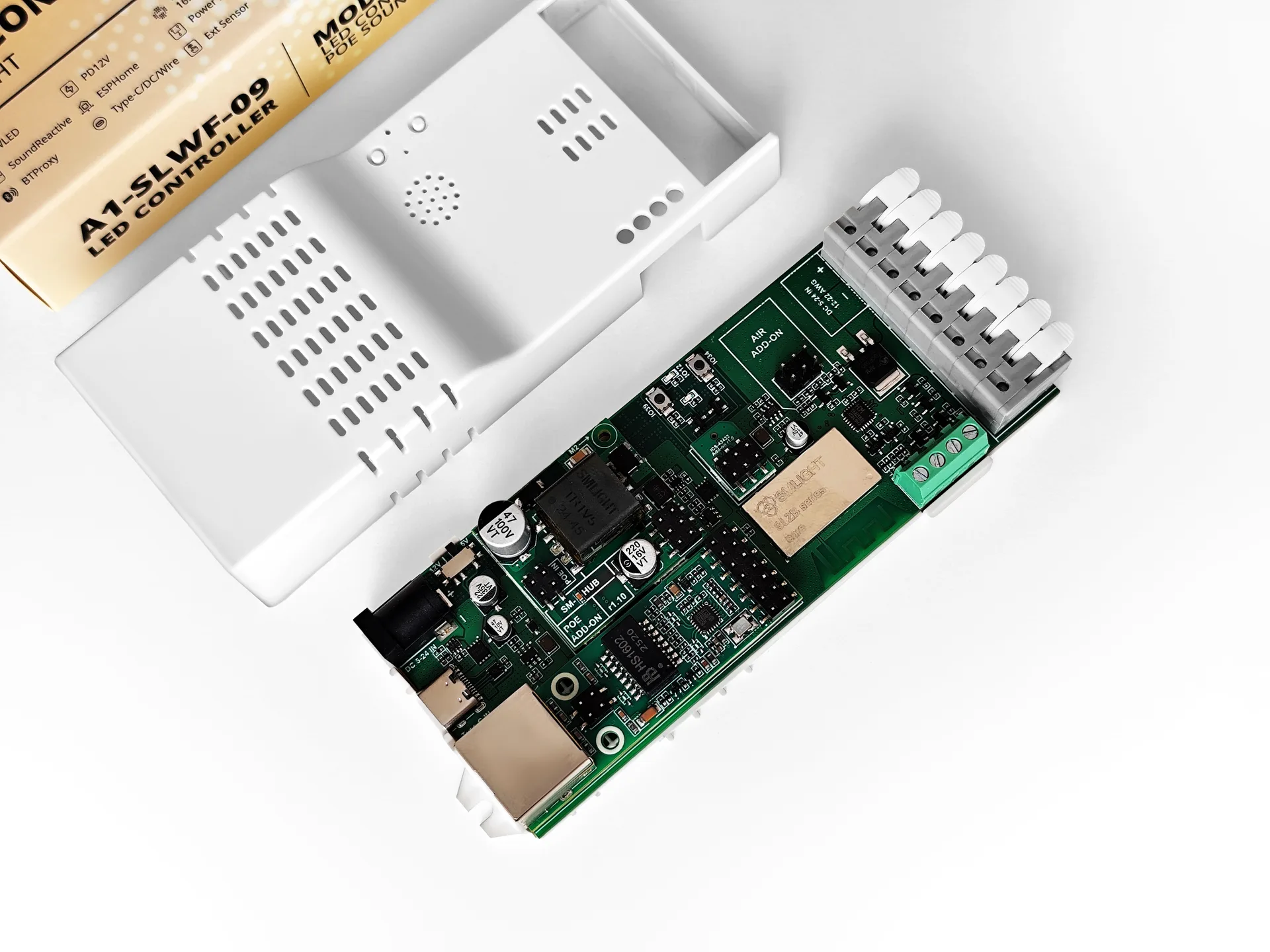
For an Ethernet installation, the functional path is:
USB radio ↔ SLZB-U2L ↔ W5500 add-on ↔ Ethernet LAN ↔ automation server.
Supported applications include Zigbee, Thread, Z-Wave, LoRa and 433 MHz devices, subject to dongle compatibility. The attached radio provides the wireless functionality; the bridge makes its connection available across the network.
Where WIZnet Fits
SMLIGHT offers two Ethernet add-on variants for different host interfaces. The W5500/SPI version fits the SLZB-U2L, while the LAN8720/RMII version fits the A1-SLWF-09. They are board-specific choices, not interchangeable alternatives.
The add-on page describes W5500 as “MAC + PHY (SPI)”: it integrates Ethernet media-access and physical-layer functions behind an SPI interface. This matches the SLZB-U2L’s supported expansion architecture.
The references identify the hardware interface but provide no TCP/IP driver details or performance measurements. They therefore establish W5500-based Ethernet connectivity, not quantified CPU-offload or latency improvements.
Other SMLIGHT Products on WIZnet Makers
The SLZB-U2L complements several SMLIGHT coordinators already featured on WIZnet Makers. The important distinction is external USB radios versus integrated radio hardware.
SLZB-MR3U — dual-radio Zigbee and Thread coordinator.
ElenaLee’s feature covers the SLZB-MR3U, which combines a Texas Instruments CC2674P10 with a Silicon Labs EFR32MG24. SMLIGHT specifies an ESP32-S3 controller, W5500 Ethernet, and 802.3af PoE. Its two independent radios support simultaneous Zigbee and Thread operation, with one protocol on each radio.
SLZB-06p10U — single-radio Ethernet coordinator.
Previously covered by sophia, the SLZB-06p10U uses a TI CC2674P10 radio alongside an ESP32-S3, W5500 Ethernet, and PoE. SMLIGHT describes its radio operation as Zigbee or Thread, selected through the device configuration. This distinguishes it from the dual-radio MR models: its built-in radio changes roles rather than supplying two independent radios for concurrent networks.
SLZB-MR4U — dual-radio coordinator with EFR32MG26.
Grace_Koo’s article examines the SLZB-MR4U’s separate radio and wired-network functions. Its radio pairing is a TI CC2674P10 plus a Silicon Labs EFR32MG26. Compared with the MR3U, the Silicon Labs radio changes, while the ESP32-S3 controller, W5500 Ethernet connection, and PoE architecture remain common to the MRxU family.
These three coordinators integrate their radios and Ethernet hardware. The SLZB-U2L instead brings compatible external USB radios onto the network, with W5500 Ethernet supplied as an optional expansion. It therefore serves a different purpose: retaining an existing dongle rather than replacing it with an integrated network coordinator.
Implementation Notes
At module level, installation involves fitting the matching Ethernet add-on, connecting the network and power, attaching a supported dongle, and selecting the active device through the browser interface. The host application then uses the bridge’s network connection.
SLZB-OS is preinstalled and supplies WireGuard VPN, DDNS, over-the-air updates and LED controls. ESPHome is an alternative firmware option supporting USB-UART passthrough and Bluetooth Proxy; these are separate firmware configurations rather than one combined feature set.
The supplied references contain no firmware source or SLZB-U2L GPIO map, so they do not establish a bare-chip wiring or initialization procedure.
Practical Tips / Pitfalls
- Check dongle compatibility. SMLIGHT lists CH34X, CH340, ESP_JTAG, STM32_VCP, CDC_ACM and CP210X interfaces. Confirm the intended adapter before installation.
- Plan around active-device limits. Several dongles can be connected, but one normally operates at a time. Two simultaneous devices require both dongles to be CP2102-based.
- Verify PoE separately. Ethernet and PoE are optional configurations; purchasing an Ethernet module alone does not establish that the required power module is included.
- Account for LTE channel sharing. SMLIGHT lists LTE as in development. Its documented USB-modem mode shares the USB channel, preventing simultaneous operation with the USB radio.
FAQ
Why use the W5500 module on the SLZB-U2L?
It is SMLIGHT’s supported SPI-based Ethernet MAC/PHY module for this platform. The LAN8720 variant uses a different host interface and targets another board.
How does W5500 connect to the SLZB-U2L?
Through the matching SPI-based add-on connection. The referenced pages identify SPI but omit individual GPIO assignments.
What does W5500 handle in this product?
It provides the wired network interface for communication between the USB-radio bridge and the automation server. It does not replace the attached radio.
Can beginners configure the W5500-equipped SLZB-U2L?
The preinstalled firmware and browser setup reduce software work. Users still need a supported dongle, the correct module and compatible host-application settings.
How does W5500 Ethernet compare with built-in Wi-Fi?
Wi-Fi avoids Ethernet cabling and requires no Ethernet add-on. W5500 adds a wired connection but requires the module and a LAN cable.