


How to Bridge Physical I/O into ROS 2 with W6100 on RP2040?
This project uses a WIZnet W6100 EVB Pico as a wired microcontroller-to-ROS 2 bridge: Zephyr runs on the RP2040, micro-ROS carries messages over UDP
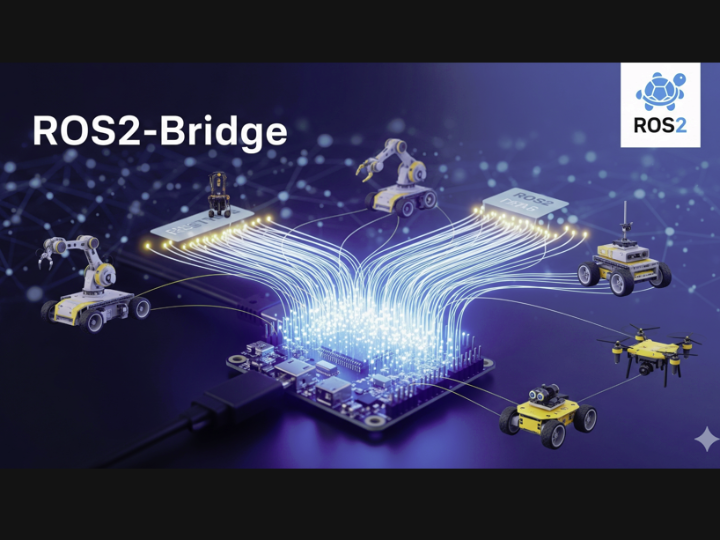

WIZnet - W6100-EVB-Pico
x 1

Summary
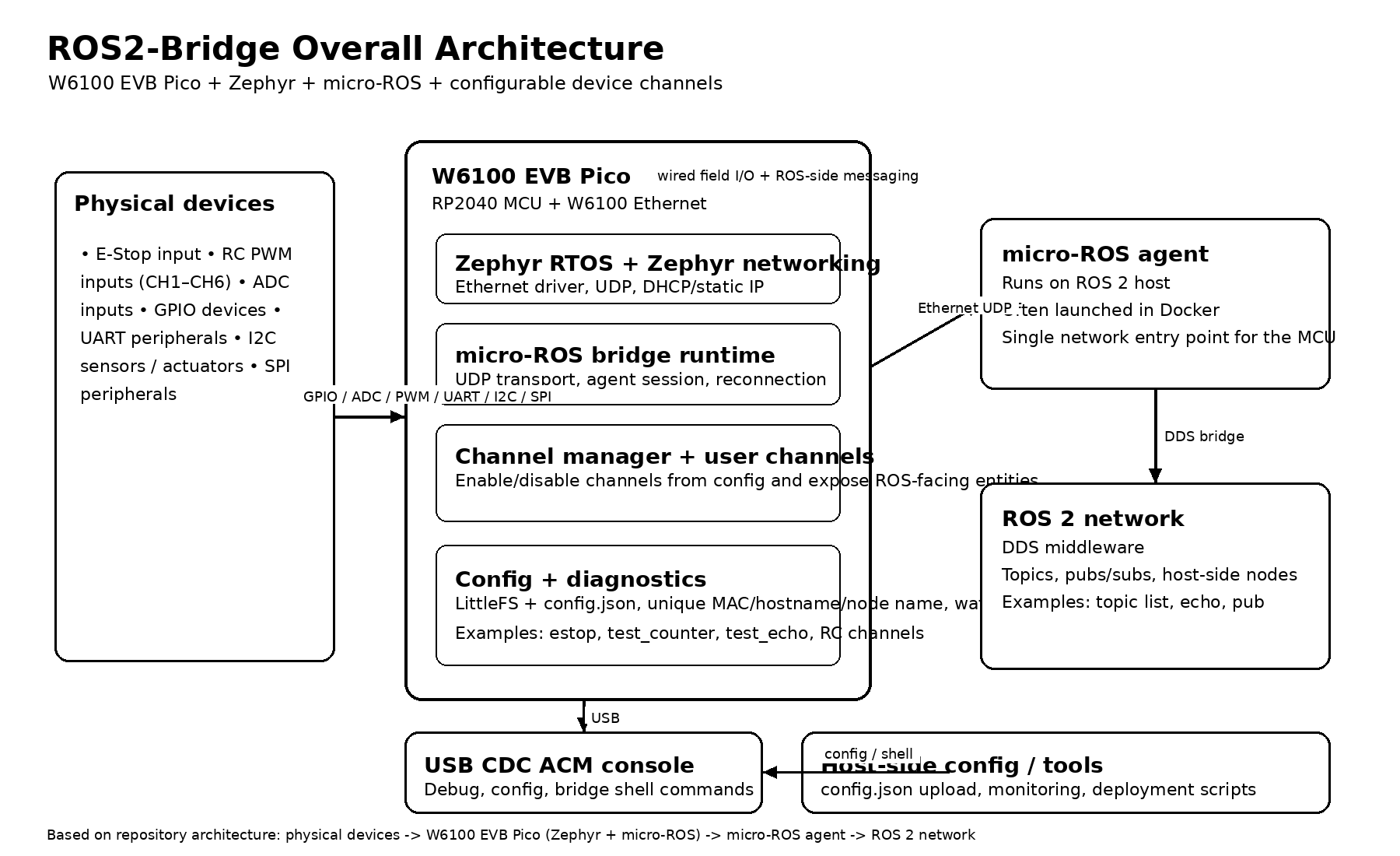
This project uses a WIZnet W6100 EVB Pico as a wired microcontroller-to-ROS 2 bridge: Zephyr runs on the RP2040, micro-ROS carries messages over UDP, and the board exposes attached inputs and actuators as ROS 2-facing channels. In practical terms, the W6100 is the Ethernet side of the system, the RP2040 handles device logic, and the software stack turns GPIO, ADC, RC PWM, and safety inputs into configurable ROS-connected interfaces.
What the Project Does
The repository describes itself as a universal ROS 2 bridge for microcontrollers and targets the W6100 EVB Pico specifically. Its stated goal is to connect physical devices such as sensors, motors, GPIO, RC receivers, and encoders to a ROS 2 network over Ethernet UDP, with each attached function exposed as a publish/subscribe-capable ROS-side endpoint through a micro-ROS agent running on the host.
The code and project structure back that up. The firmware is split into a Zephyr application under app/, with main.c handling boot and reconnection, config/ handling LittleFS-backed JSON configuration, bridge/ handling channel/entity lifecycle and diagnostics, drivers/ handling GPIO/ADC/PWM inputs, and user/ registering concrete device channels such as E-Stop and RC inputs. That makes the project less of a single-purpose demo and more of a reusable pattern for building wired ROS 2 edge nodes on RP2040 hardware.
The most natural primary use case is robotics, because the default channel set includes an E-Stop input, RC PWM channels, diagnostics publishing, agent reconnection logic, and node-level configuration rather than simple sensor logging alone. It could also fit industrial fixtures or lab rigs, but the ROS 2 and micro-ROS design center is clearly robotics-oriented.
Where WIZnet Fits
The exact WIZnet part is the W6100, mounted on the W6100 EVB Pico. WIZnet’s official product material describes it as a hardwired Ethernet controller with IPv4/IPv6 dual-stack support, 8 sockets, and 32 KB memory, and the repository README identifies the target hardware as an RP2040 paired with that chip. In this project, that matters because the board is meant to be a small wired ROS endpoint that stays simple at the application layer while still exposing standard UDP networking to micro-ROS.
The project does not use the W6100 through WIZnet’s bare ioLibrary APIs in application code. Instead, it enables Zephyr networking with the W6100 driver and then uses Zephyr UDP sockets and the micro-ROS UDP transport on top. That means WIZnet is providing the Ethernet hardware foundation, while the application itself is written against Zephyr networking and micro-ROS abstractions rather than chip-specific socket calls.
That is a good fit for RP2040-class systems because it keeps the firmware structured around standard Zephyr and micro-ROS components while still giving the design a wired Ethernet path. In robotics and fixed-installation control systems, that usually means fewer deployment variables than Wi-Fi, simpler cabling assumptions, and easier integration with host-side ROS 2 tooling through a UDP micro-ROS agent. The wired choice here is an engineering trade-off toward predictable bench and field bring-up, not a general claim that Ethernet is always better.
Implementation Notes
The build configuration shows that the firmware is explicitly compiled as a W6100-based Zephyr micro-ROS application:
CONFIG_ETH_W6100=y
CONFIG_NET_UDP=y
CONFIG_MICROROS_TRANSPORT_UDP=yapp/prj.confWhat it configures: Zephyr networking on Ethernet with the W6100 driver, UDP support, and the micro-ROS UDP transport.
Why it matters: this is the clearest proof that the project is not a generic Pico transport demo. The network path is intentionally built around W6100-backed Ethernet and micro-ROS over UDP.
The channel model is deliberately simple and config-driven:
static void register_if_enabled(const channel_t *ch)
{
  if (config_channel_enabled(ch->name)) {
    channel_register(ch);
  }
}app/src/user/user_channels.cWhat it configures: registration of channels only when they are enabled in configuration.
Why it matters: this is the reason the project scales cleanly from a test counter to E-Stop and RC inputs without rewriting the core bridge. The code is organized so that adding or removing exposed device functions is mostly a matter of channel definition plus configuration, which matches the README’s “edit one file, enable in config” design goal.
A second important runtime detail is in app/src/main.c, where the bridge sets a hostname from the ROS node name, waits for Ethernet link, starts DHCP when enabled, then repeatedly pings the micro-ROS agent and tears down/rebuilds the session if the agent disappears. That is more robust than a one-shot demo because it treats host connectivity as something that can fail and recover during normal operation.
On resource usage, the README reports a build around 426 KB flash and about 263 KB RAM, with a 96 KB heap in the described setup. That is useful because it shows the bridge is functional and feature-rich, but already quite substantial for an RP2040-class target, so future channel additions should be made with memory pressure in mind.
Practical Tips / Pitfalls
- Be careful with the board naming mismatch: the Zephyr board target and overlay file use
w5500_evb_pico, but the repository explicitly states the actual Ethernet chip is W6100, and the overlay setscompatible = "wiznet,w6100". - Treat the micro-ROS agent IP and port as deployment parameters, not hardcoded truths. The default
config.jsonincludesagent_ipandagent_port, and the bridge reconnection loop depends on them being reachable. - Preserve the config-driven channel model.
user_channels.conly registers enabled channels, which is cleaner than compiling separate firmware variants for every device mix. - Do not ignore link and DHCP failure paths.
main.cexplicitly waits for Ethernet link, starts DHCP conditionally, and can continue even after timeout, so your production logic should decide what “degraded but running” means for your robot or controller. - Budget RAM carefully before adding many more channels or larger message types. The repository’s own build figures already place RAM usage very high for RP2040.
- Use the USB CDC shell and LittleFS-backed config flow during bring-up. This project is designed to be configured and reflashed without turning every network change into a rebuild.
FAQ
Why use W6100 for this project instead of a simpler Ethernet add-on?
Because the project is trying to be a reusable wired ROS 2 bridge on a very small MCU platform, not just a one-off Ethernet demo. The W6100 gives the board a dedicated Ethernet controller, and the repo builds Zephyr networking and micro-ROS UDP on top of that hardware. W6100’s official feature set also includes IPv4/IPv6 dual stack and 8 sockets, which makes it a technically stronger long-term fit than minimal Ethernet parts when the design may grow beyond a single narrow use case.
How does it connect to the platform?
At the board level, this is the W6100 EVB Pico, so the RP2040 and W6100 are already paired on the evaluation board. In firmware, Zephyr enables the W6100 Ethernet driver, and the overlay binds the board’s Ethernet node as compatible = "wiznet,w6100". The same overlay also maps the user I/O side: GP25 for status LED, GP27 for E-Stop, GP2–GP7 for RC inputs, GP26 for ADC, GP0–GP1 for UART, GP4–GP5 for I2C, and GP16–GP19 for SPI devices.
What role does W6100 play in this specific project?
It is the wired network interface that carries the entire ROS-facing side of the bridge. The application waits for Ethernet link, configures the interface with DHCP or static addressing, then uses Zephyr UDP sockets and micro-ROS transport logic to reach the micro-ROS agent. Without the W6100 path, this firmware would lose its Ethernet ROS 2 bridge behavior entirely.
Can beginners follow this project?
A determined beginner can learn from it, but it is better suited to an intermediate embedded developer. You need to be comfortable with Zephyr builds, device-tree overlays, micro-ROS agent/client architecture, UDP-based transport, and RP2040 resource limits. The good news is that the repository is unusually well structured, so it is readable even when the overall system is not beginner-level.
How does this compare with a Wi-Fi-based approach?
For a ROS 2 bridge like this, Wi-Fi would usually make deployment easier where cabling is impossible, but it would also introduce radio provisioning, network variability, and a different set of bring-up failures. This repository is clearly optimized for a wired UDP bridge: the host agent is the single ROS-facing entry point, the firmware expects Ethernet link and DHCP/static IP handling, and the board selection itself centers the design on W6100. In other words, Wi-Fi is a valid alternative, but it would change the operational character of the project more than just swapping one transport driver for another.