


How to Bring Up W5500 Ethernet for a DEF CON Countdown Display on M5Stack CoreS3 SE?
This project turns an M5Stack CoreS3 SE (ESP32-S3) into a DEF CON countdown display with a small HTTP server for status and a simple web UI
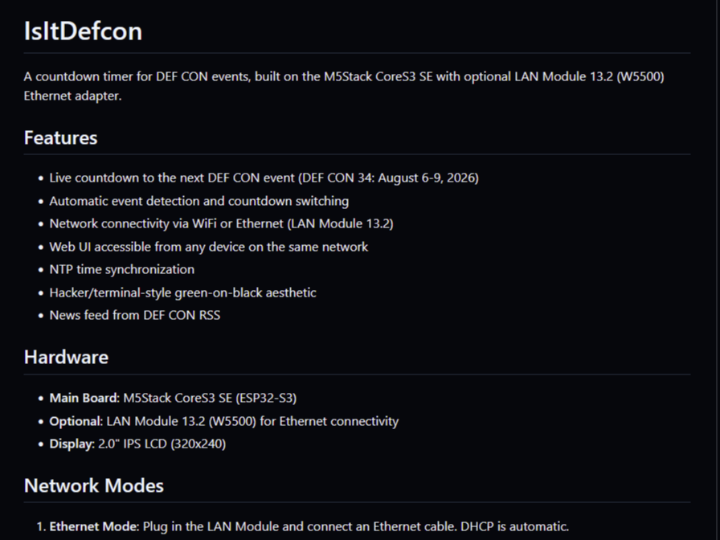

WIZnet - W5500
x 1

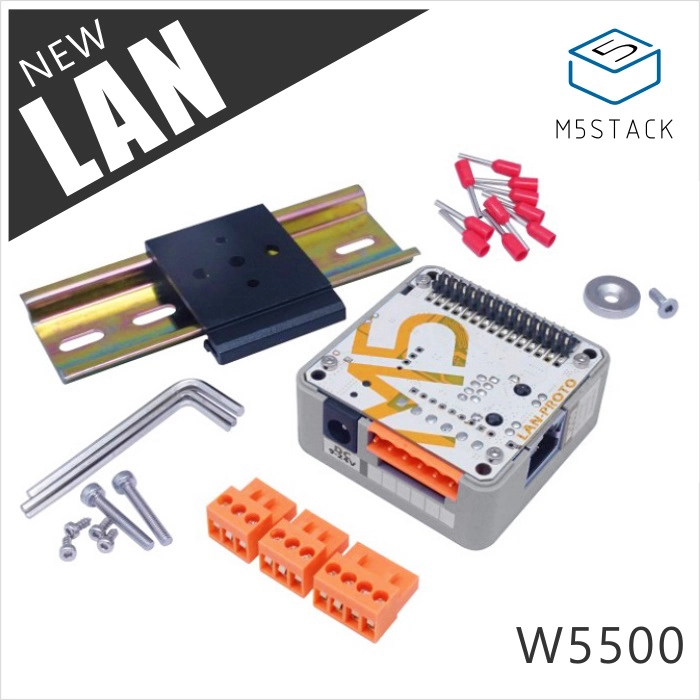
M5Stack - LAN Module with W5500
x 1
What the Project Does
“IsItDefcon” is a maker-friendly desktop display that answers “Is it DEF CON?” and shows a live countdown to DEF CON 34 (Aug 6–9, 2026). It renders the countdown on the CoreS3 SE LCD, fetches a short news ticker from the DEF CON RSS feed (via an RSS-to-JSON service), and exposes a local web page plus JSON endpoints like /api/check and /api/news for the same data.
(Background: DEF CON is a long-running information security conference held annually in Las Vegas.)
Where WIZnet Fits
The wired network option is the WIZnet W5500, packaged inside M5Stack LAN Module 13.2. The W5500 is a hardwired TCP/IP Ethernet controller accessed over SPI, so the ESP32-S3 can run a web server and UDP NTP without carrying a full software TCP/IP stack for the external Ethernet interface. In practice, that means fewer moving parts than “MAC+PHY + LwIP integration” when you simply want: link up → DHCP → sockets.
For this project specifically, W5500 Ethernet is used to:
- Acquire an address via DHCP and keep the lease alive.
- Serve HTTP on port 80 (web UI + JSON endpoints).
- Send/receive UDP packets for NTP time sync.
- Make outbound HTTP requests to fetch the RSS-derived news ticker.
Implementation Notes
The firmware treats Ethernet as a first-class boot-time mode. On startup it shows a network selection menu; if LAN is selected, it brings up the W5500 path, syncs time, and starts the Ethernet web server.
1) W5500 bring-up sequence (SPI + reset + DHCP)
In initEthernet(), the sketch initializes SPI, resets the LAN module, then retries DHCP a few times before declaring failure:
// firmware/isitdefcon/isitdefcon.ino
SPI.begin(SCK, MISO, MOSI, -1);
LAN.setResetPin(rst_pin);
LAN.reset();
LAN.init(cs_pin);

int attempts = 0;
while (LAN.begin(mac) != 1 && attempts < 5) { attempts++; delay(2000); }
(From firmware/isitdefcon/isitdefcon.ino.)
A detail that matters on M5Stack variants: the sketch selects cs_pin (and related pins) based on detected board type, so the same codebase can run across CoreS3 / Core2 / older Core hardware.
2) “Network behavior” in the main loop (lease maintenance + periodic work)
Once LAN mode is active, the firmware keeps the interface healthy and uses it as the transport for periodic tasks:
- DHCP lease upkeep via
Ethernet.maintain() - Hourly NTP resync
- RSS/news refresh on a timer (first fetch after boot, then periodically)
- HTTP request handling for inbound clients
3) Outbound HTTP without DNS (a common embedded Ethernet trade-off)
For the news ticker, the sketch performs a plain HTTP GET to an RSS-to-JSON API. In the Ethernet path it hardcodes an IP address and calls out the reason in a comment:
// firmware/isitdefcon/isitdefcon.ino
// Cloudflare IP for api.rss2json.com (no DNS in M5-Ethernet library)
IPAddress apiIP(104, 26, 10, 156);
EthernetClient client;
if (!client.connect(apiIP, 80)) { return; }firmware/isitdefcon/isitdefcon.ino.)This is a realistic “wired embedded” pattern: when DNS or TLS is inconvenient on a small stack, pick an HTTP endpoint you control, or front it with a local proxy that can do DNS+TLS upstream and offer plain HTTP on the LAN side.
Practical Tips / Pitfalls
- Power and link first: LAN Module 13.2 is designed as a powered module; confirm it has stable input power and that the switch port shows link before chasing firmware issues.
- CS/reset pins are board-dependent: this repo selects pins based on detected M5 board; if you port to another ESP32-S3 board, plan to hard-map CS/RST/INT.
- Treat DHCP as a failure mode: the firmware retries DHCP a fixed number of times; for unattended installs, consider adding a static-IP fallback or a longer retry window.
- Plan around DNS/TLS constraints: the Ethernet news fetch uses a fixed IP and plain HTTP; if your endpoint changes, that breaks. A local gateway service (DNS + HTTPS upstream → HTTP downstream) makes the device more resilient.
- Socket budget is real: W5500 provides 8 hardware sockets and a shared internal buffer; keep the number of simultaneous clients and outbound connections modest (especially if you add more features).
FAQ
Why use W5500 here instead of Wi-Fi?
For a “wall display” style device, wired Ethernet reduces variability: fewer RF issues, fewer reconnect edge cases, and a consistent local IP experience after DHCP. With W5500’s hardwired TCP/IP sockets, the firmware can focus on application logic (countdown, NTP, HTTP endpoints) rather than tuning a full external-Ethernet software stack.
How does W5500 connect to the M5Stack CoreS3 SE in this build?
Through the M5Stack LAN Module 13.2, which integrates a W5500 and connects to the CoreS3 SE over SPI. The firmware sets the module’s chip select and reset behavior, then uses LAN.begin(mac) to obtain a DHCP lease.
What role does W5500 play in this specific project?
In LAN mode it is the primary network interface: it obtains an address via DHCP, serves the on-device web UI/API on port 80, sends NTP packets over UDP for time accuracy, and performs outbound HTTP fetches for the news ticker.
Can a beginner follow this?
Yes, if you are comfortable flashing Arduino/ESP32 sketches and understand basic LAN concepts (DHCP, IP addresses, “port 80”). The Ethernet path is relatively approachable because it is SPI + DHCP + sockets; the most common beginner friction points are power, pin mapping when changing boards, and network services like DNS/TLS.
How does W5500 Ethernet compare with just using Wi-Fi in this repo?
Wi-Fi is convenient (no cable) and the project supports it, including an AP-based setup flow. Ethernet tends to be simpler for “always-on local web UI” use: link state is obvious, DHCP renew is explicit (Ethernet.maintain()), and you avoid Wi-Fi credential churn. The trade-off is physical cabling and, depending on your library stack, you may lean on plain HTTP or fixed-IP approaches for outbound requests.


