


How to Drive a PIXPAPER-213-C Display on W6300-EVB-Pico2 with Zephyr?
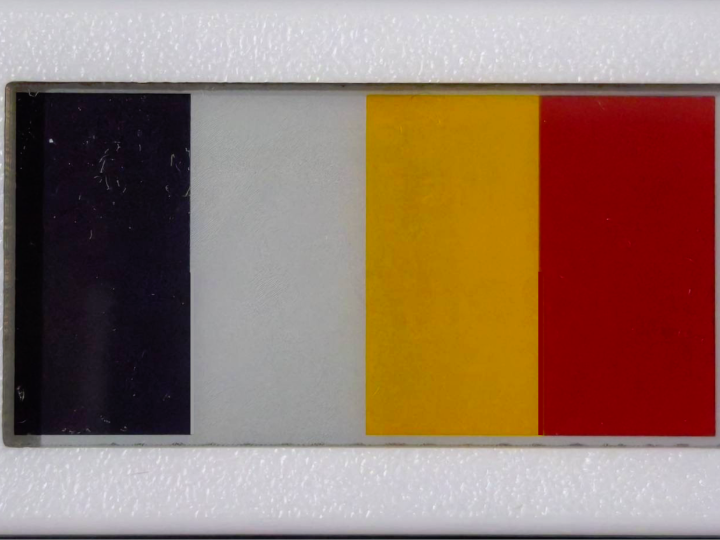
PIXPAPER-213-C is a 2.13-inch, four-color electronic paper display that can be driven from the WIZnet W6300-EVB-Pico2 under Zephyr RTOS
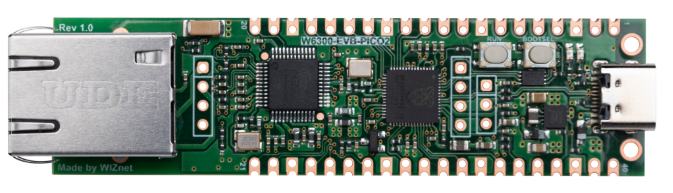
WIZnet - W6300-EVB-Pico2
x 1

Summary
PIXPAPER-213-C is a 2.13-inch, four-color electronic paper display that can be driven from the WIZnet W6300-EVB-Pico2 under Zephyr RTOS. In the current implementation, the RP2350 controls the display through GPIO while the onboard W6300 Ethernet controller remains unused, making this project a display-focused Zephyr reference rather than a networked application.
What the Project Does
The project demonstrates how the PIXPAPER-213-C electronic paper module can be integrated across multiple embedded platforms, including Linux systems, Raspberry Pi boards, microcontrollers, and RTOS environments. The display itself provides a 250 × 122 pixel panel with black, white, yellow, and red color support and uses an SPI-style interface together with GPIO signals for chip select, data/command control, reset, and BUSY status.
For the Zephyr implementation, the project supports the WIZnet W6300-EVB-Pico2, an RP2350-based board with an integrated W6300 Ethernet controller. Zephyr runs directly on the RP2350, so there is no separate host processor or operating system layer between the application and the display.
The display is wired as follows:
- CLK: GP2
- DIN: GP3
- CS: GP4
- DC: GP5
- RST: GP6
- BUSY: GP7
The firmware bit-bangs the display bus through standard GPIO rather than using the RP2350 hardware SPI peripheral. The project explains that this is intentional because the e-paper panel is slow and write-only, so hardware SPI provides little benefit for this particular workload.
The RP2350 also provides enough memory for larger demonstrations. The guide notes that a four-color panel image occupies only a small fraction of the board's available flash, allowing examples such as grayscale images, self-running games, and embedded video-style demonstrations.
The primary use case is an embedded information and status display. E-paper is particularly suitable for applications where information changes relatively infrequently, such as equipment status, sensor values, room information, asset labels, industrial indicators, and low-power dashboards.
Where WIZnet Fits
The supported board is the WIZnet W6300-EVB-Pico2, which combines an RP2350A microcontroller with the W6300 hardwired TCP/IP Ethernet controller. Zephyr officially supports the board, and the W6300 is connected to the RP2350 through GPIO15–GPIO22.
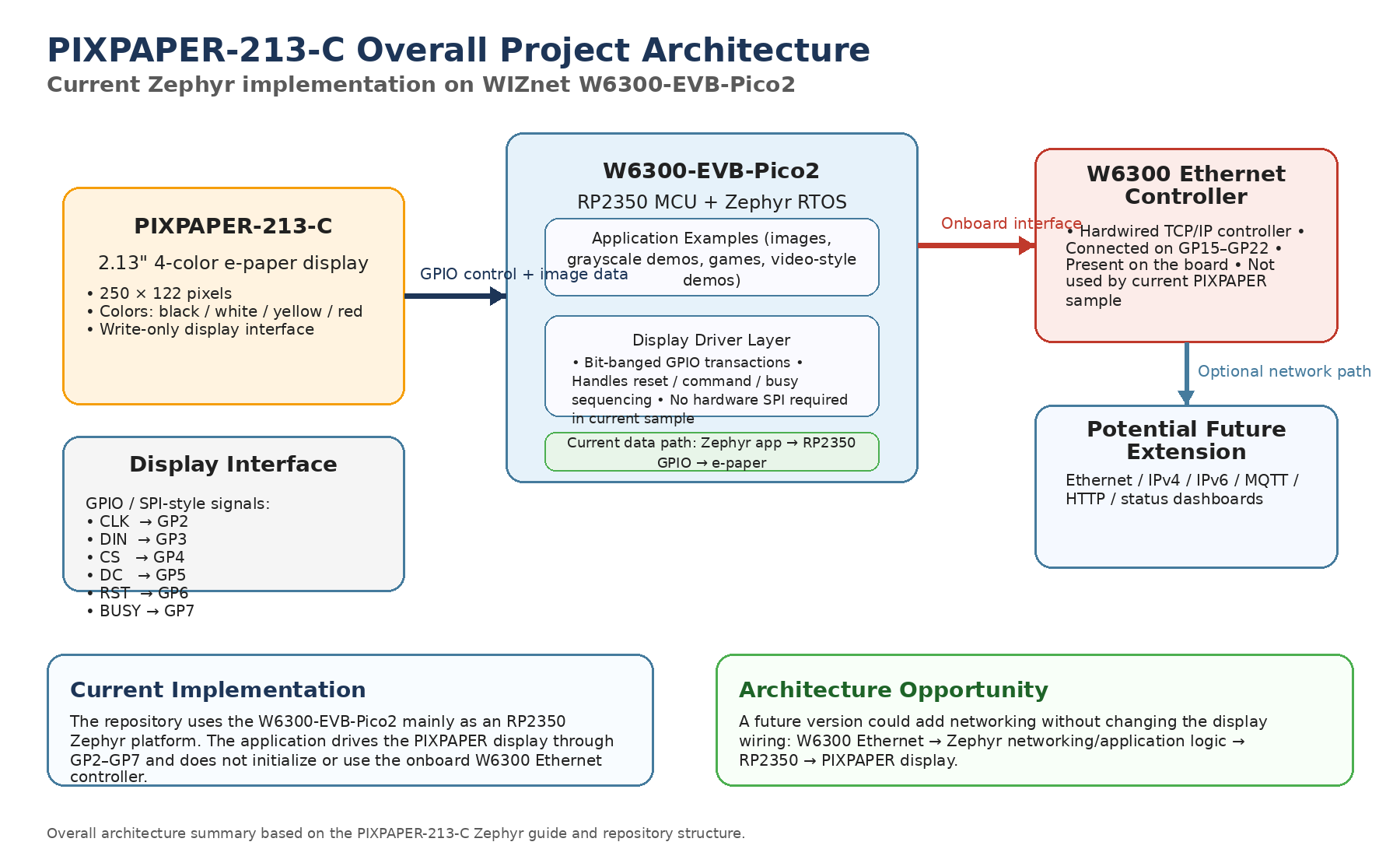
However, the PIXPAPER implementation currently does not use the W6300 Ethernet controller.
The project documentation explicitly states that the same firmware can be built for both the W6300-EVB-Pico2 and a standard Raspberry Pi Pico 2 because the samples only use GP2–GP7 and never access the W6300.
This project does not currently use WIZnet products for network communication.
The WIZnet board is therefore being used primarily as an RP2350-based Zephyr development platform. The display GPIO assignment was deliberately kept separate from the W6300 pins, which means Ethernet can be added later without changing the current PIXPAPER wiring.
The resulting architecture is currently:
Zephyr application → RP2350 GPIO → PIXPAPER-213-C
A future networked implementation could extend it to:
Ethernet → W6300 → Zephyr application → RP2350 → PIXPAPER-213-C
Implementation Notes
The repository provides a dedicated Zephyr guide for the W6300-EVB-Pico2 configuration.
The following wiring is taken directly from:
ZEPHYR-W6300-EVB-PICO2_PIXPAPAER-213-C.md
Panel   GPIO
CLK     GP2
DIN     GP3
CS      GP4
DC      GP5
RST     GP6
BUSY    GP7
These pins were selected specifically to avoid both the W6300 interface on GP15–GP22 and the UART console on GP0/GP1. This keeps the display interface independent from the Ethernet hardware.
The build command supplied by the project is:
west build -b w6300_evb_pico2/rp2350a/m33 \
  path/to/zephyr-user-space-examples/boards/w6300_evb_pico2/samples/pixpaper_213c/apps/quick-update
This builds the PIXPAPER example specifically for the W6300-EVB-Pico2 Zephyr board target. The resulting UF2 firmware can then be copied to the RP2350 USB bootloader for flashing.
The project also notes that the PIXPAPER bus is intentionally implemented using software-driven GPIO:
“SPI is bit-banged over plain GPIOs on purpose”
The reason is architectural simplicity rather than performance. The display is relatively slow and write-only, so using dedicated SPI hardware would not materially improve this example.
Practical Tips / Pitfalls
- Keep the PIXPAPER supply at 3.3 V; the documented W6300-EVB-Pico2 wiring uses the board's 3.3 V rail.
- Preserve GP15–GP22 if W6300 Ethernet functionality may be added later.
- BUSY polarity can differ between e-paper panels, so use the implementation provided for the specific PIXPAPER model.
- The current display interface is software-driven, so applications should avoid assuming that Zephyr's hardware SPI subsystem controls the panel.
- Partial update is not supported by the PIXPAPER-213-C according to the repository specifications, so UI design should account for full-panel refreshes.
- UART0 on GP0/GP1 can be used for optional Zephyr console output without interfering with the display wiring.
- Enabling Ethernet later requires additional W6300 and Zephyr networking configuration because the existing PIXPAPER sample does not initialize or use the Ethernet controller.
FAQ
Q: Why use the W6300-EVB-Pico2 for this project?
The board provides an RP2350 with enough flash and SRAM for larger PIXPAPER demonstrations while also offering onboard W6300 Ethernet hardware. In the current sample, the main practical benefit is the RP2350 platform and upstream Zephyr support; Ethernet is not yet used.
Q: How does PIXPAPER-213-C connect to the W6300-EVB-Pico2?
The display uses GP2–GP7 for clock, data, chip select, data/command, reset, and BUSY signals. These pins are separate from the W6300 interface on GP15–GP22.
Q: What role does the W6300 play in this project?
The W6300 does not currently participate in the PIXPAPER data path. The Zephyr example drives the display directly from the RP2350 and never accesses the W6300.
Q: Can beginners follow this project?
The project is approachable for developers already familiar with Zephyr builds, GPIO wiring, and RP2350 flashing. The display-side implementation is relatively simple because the interface is write-only and software-driven, but setting up the Zephyr SDK and west workspace requires basic RTOS development experience.
Q: How does this differ from using a Raspberry Pi Pico 2 alone?
For the current PIXPAPER sample, there is effectively no functional difference because the W6300 is not used and the project reports that both board targets produce the same firmware behavior. The W6300-EVB-Pico2 becomes different when wired Ethernet functionality is added to the application.