


How to Build a Networked Serial Console with WIZnet W5100S on Raspberry Pi Pico?
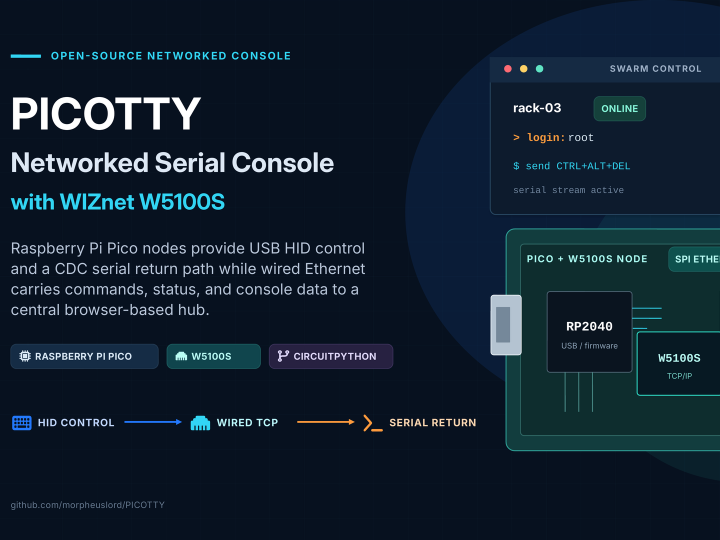
PICOTTY turns Raspberry Pi Pico or Pico 2 boards into networked serial-console nodes for headless computers.
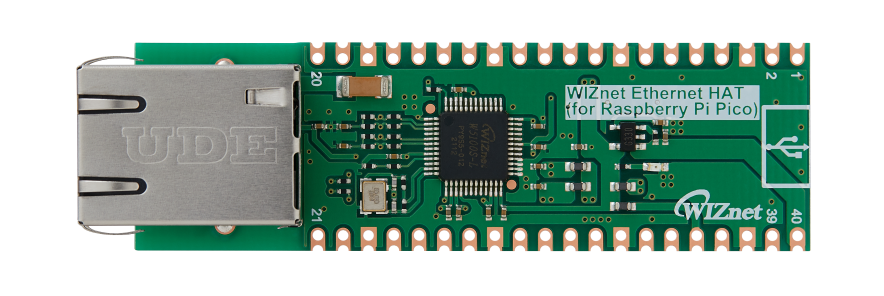
WIZnet - WIZnet Ethernet HAT
x 1

Summary
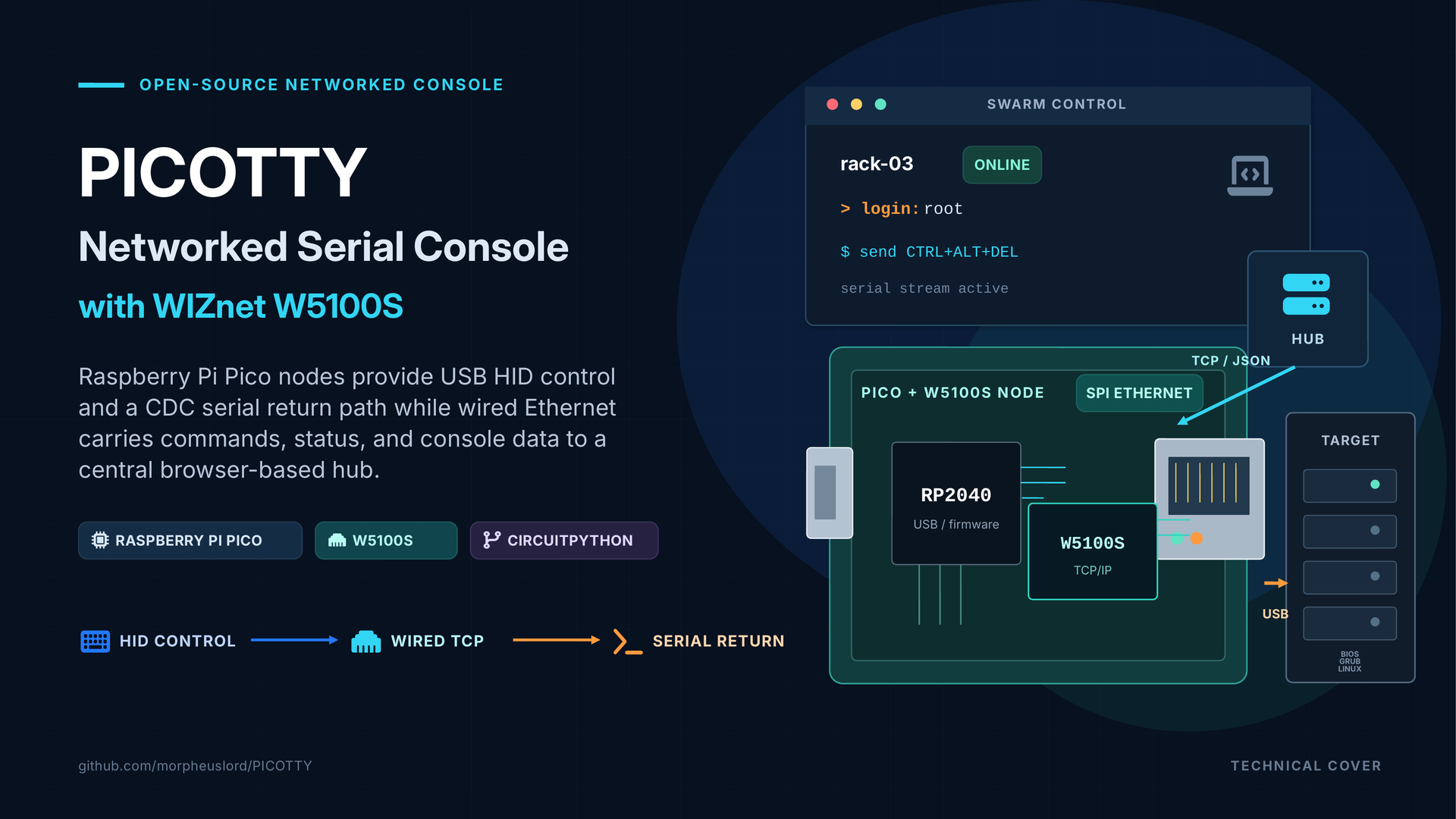
PICOTTY turns Raspberry Pi Pico or Pico 2 boards into networked serial-console nodes for headless computers. Each node presents USB HID keyboard and CDC serial interfaces to its target while a WIZnet W5100S provides an independent SPI Ethernet path to a central management hub. The result is browser-based console access, keyboard injection, automation, monitoring, and recovery without requiring a BMC or video-capture device.
What the Project Does
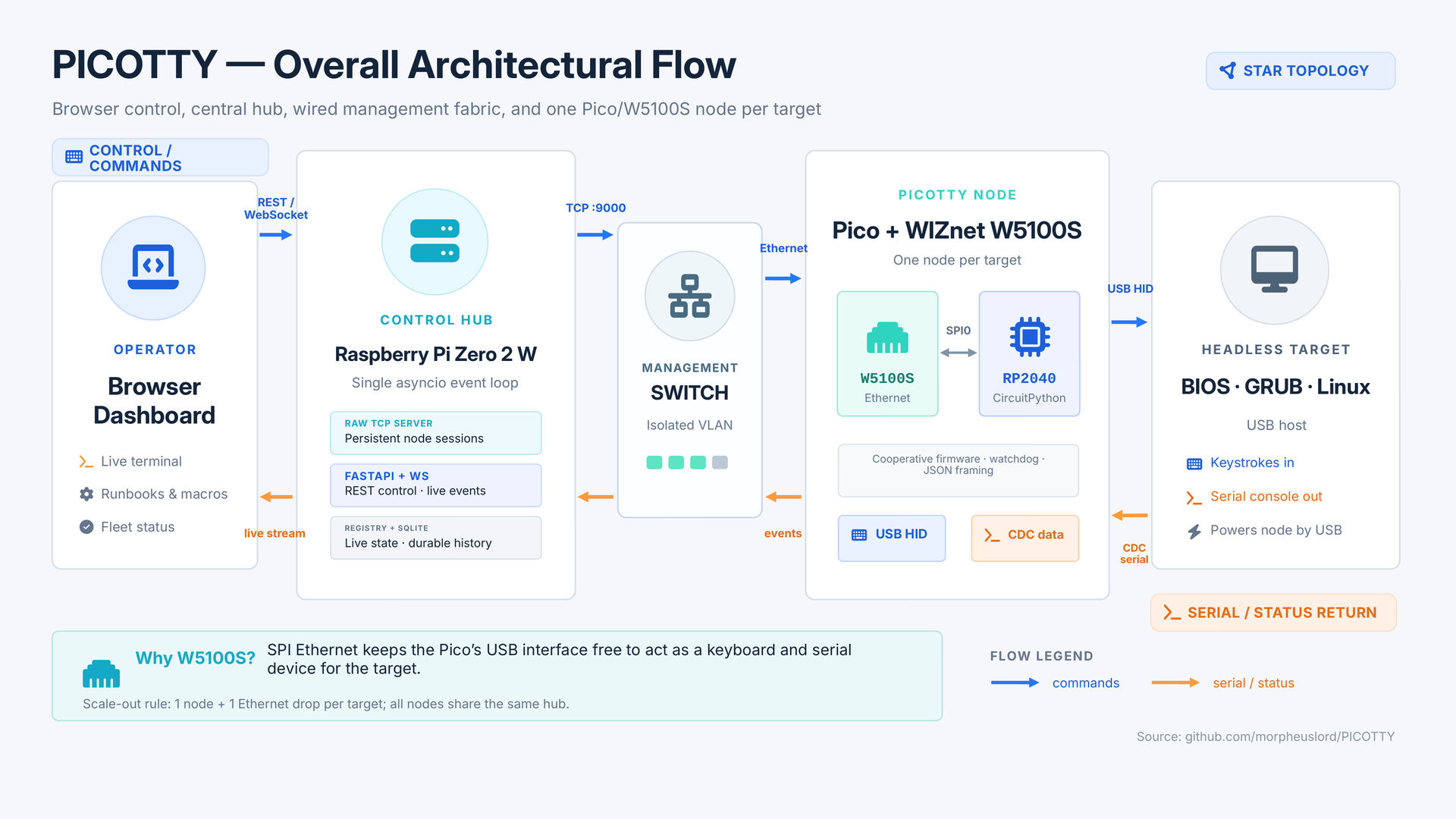
PICOTTY uses a star topology. Every managed computer receives one Pico-based node, connected to the computer by USB and to a management switch by Ethernet. The USB cable supplies power, exposes a keyboard for BIOS, GRUB, initramfs, and operating-system input, and carries a CDC serial channel for console output and interactive serial input. The Ethernet link carries node status, commands, serial data, and results to and from the hub.
Each node opens an outbound TCP connection to a fixed hub address. The hub runs a raw TCP server for nodes, a FastAPI application for the browser interface, a WebSocket path for live updates, and SQLite for persistent command and console history. Messages use a four-byte length prefix followed by UTF-8 JSON, allowing serial text and control characters to travel without relying on newline framing.
The operator can use the dashboard to:
- Read live serial output and send data to a serial login.
- Inject text, key combinations, and macros through USB HID.
- Operate BIOS and bootloaders where a normal network agent cannot run.
- Detect login, boot, GRUB, and panic states from console output.
- Execute YAML runbooks that wait for expected output.
- Record sessions, receive alerts, and deploy node firmware updates.
PICOTTY is not a video KVM. It cannot display graphical firmware screens or desktop output. Read access also depends on the target being configured to emit a serial console; without that configuration, the node remains a networked keyboard with no return channel.
The repository’s original application is remote management of a homelab rack built from consumer mini PCs that lack BMC, IPMI, or an accessible hardware serial connector. The same architecture can be adapted to authorized edge-computing appliances, classroom computer clusters, automated hardware test racks, CI systems using physical devices, kiosk fleets, and small industrial Linux controllers. These applications share the same constraint: operators need access during boot or failure states before normal operating-system networking is available.
Where WIZnet Fits
The WIZnet W5100S is the node’s network transport controller. It connects to the Pico through SPI0 while the Pico’s USB controller remains dedicated to the target-facing composite USB device. In the repository’s standard wiring, GP16 is MISO, GP17 is chip select, GP18 is SCK, GP19 is MOSI, and GP20 is reset. GP21 is available as the W5100S interrupt signal, although the current polling driver does not use it.
This separation is central to the architecture. A USB Ethernet adapter would compete with the USB device functions that PICOTTY must present to the target. With the W5100S on SPI, the Pico can simultaneously behave as a USB keyboard, expose serial interfaces, and maintain an Ethernet connection to the hub.
The W5100S implements IPv4 TCP/IP in hardware, integrates a 10/100 Ethernet MAC and PHY, provides four hardware sockets, and includes 16 KB of internal transmit and receive memory. PICOTTY normally consumes one persistent TCP socket, so four sockets are sufficient, but the firmware explicitly closes failed sockets to prevent the limited socket pool from being exhausted. The hardware socket and buffer model is also useful on an RP2040 running CircuitPython, where RAM and allocation behavior must be controlled carefully.
The project also supports the W5100S-EVB-Pico as an all-in-one replacement for the separate Raspberry Pi Pico and W5100S HAT. The repository states that this substitution requires no firmware changes, and the official board documentation confirms that the integrated W5100S uses the same GPIO16–GPIO21 interface expected by the firmware.
Collaboration Opportunity
PICOTTY already depends on WIZnet hardware, so a collaboration would be more useful as an engineering and deployment effort than as a retrofit.
An official W5100S-EVB-Pico reference build could package a tested CircuitPython version, matching Adafruit libraries, example node configuration, enclosure files, and a reproducible firmware image. This would remove the most common compatibility variables while preserving the existing firmware architecture.
A network-resilience test program could exercise DHCP renewal, static addressing, switch restarts, cable removal, half-open TCP sessions, repeated hub reboots, W5100S socket reclamation, and OTA updates. The firmware already contains reconnect backoff, dead-hub detection, bounded transmit waits, DHCP maintenance, watchdog recovery, and interface reinitialization; collaboration could convert those mechanisms into repeatable soak-test results and regression tests.
An always-on node variant could evaluate W5100S-EVB-Pico2 with optional PoE hardware. The current node normally loses power when its target shuts down because it is powered from the target’s USB port. A PoE-powered version could keep the management node reachable during target power loss, but it would require a properly engineered USB power path or data-only connection to prevent unintended back-powering. The W5100S-EVB-Pico2 documentation lists PoE support through the WIZPoE-P1 module, making this a concrete hardware investigation rather than a firmware-only change.
The repository also documents simulator-based hub development, a mock hub for testing real nodes, and a normal pull-request workflow. WIZnet engineers could therefore contribute compatibility tests, documentation, and driver-related fixes upstream without requiring every contributor to maintain a complete rack of target computers.
Implementation Notes
The running firmware uses the Adafruit WIZnet5K CircuitPython driver rather than hypothetical integration code.
In firmware/circuitpython/netlink.py, lines 50–61 create the SPI interface and initialize the W5100S with the node’s network configuration:
self._spi = busio.SPI(_PIN_SCK, MOSI=_PIN_MOSI, MISO=_PIN_MISO)
self._eth = WIZNET5K(
    self._spi,
    self._cs,
    reset=self._rst,
    is_dhcp=self._cfg.use_dhcp,
    mac=self._cfg.mac,
    hostname=self._cfg.node_id,
)
This code exists to bring up one reusable W5100S interface per boot. TCP sockets can then be discarded and recreated after link failures without repeatedly claiming the SPI and GPIO resources. The same module supports DHCP or static addressing and constructs a SocketPool over the initialized interface.
The architectural reason for using SPI Ethernet appears in firmware/circuitpython/boot.py, lines 21–24:
usb_cdc.enable(console=True, data=True)
usb_hid.enable((usb_hid.Device.KEYBOARD,))
These calls configure the Pico as a composite USB device before enumeration. USB CDC supplies the serial channels, while USB HID supplies keyboard injection. Because those interfaces must face the managed computer, the W5100S provides networking through SPI instead of consuming the Pico’s USB connection.
After initialization, netlink.py creates a WIZnet socket with a bounded connection timeout and switches it to non-blocking mode for the cooperative firmware loop. The send path handles partial writes, bounds the time spent waiting for a full W5100S transmit buffer, and forces reconnection if progress stops. The receive path distinguishes a temporary no-data condition from a closed peer, while a periodic maintenance call renews DHCP leases.
Practical Tips / Pitfalls
- Confirm the exact HAT revision and pin labels. The current firmware expects GP16–GP20 for SPI0, chip select, and reset. GP21 is not used by the polling implementation, even though integrated W5100S boards connect it to the interrupt output.
- Treat four sockets as a hard resource limit. PICOTTY needs only one persistent hub connection, but experimental services must not leak sockets. Always close a failed socket before reconnecting.
- Use a fixed hub address and stable node addressing. The repository recommends an IP address rather than a hostname for the hub and supports DHCP, DHCP reservations, or static node configuration.
- Keep the control plane isolated. The node connection is unencrypted, the dashboard assumes private access, and the optional raw serial bridge is unauthenticated. Place nodes and the hub on a management VLAN and reach the dashboard through a VPN or tunnel.
- Verify both the USB cable and target configuration. A charge-only cable can power the Pico while silently breaking HID and serial functions. The target must also run a serial console or getty for PICOTTY to receive output.
- Match CircuitPython and
.mpylibrary versions. Compiled CircuitPython libraries are tied to their major runtime version; a mismatched bundle can fail during import and leave the node in a reboot loop. - Check the power model before calling the system out-of-band. In the default design, the target powers its own management node. If the target removes USB power when off, PICOTTY cannot remain reachable unless a separately powered design with safe USB power isolation is used.
FAQ
Q: Why does PICOTTY use the WIZnet W5100S?
The project needs Ethernet without consuming the Pico’s target-facing USB interface. The W5100S provides hardwired IPv4 TCP/IP, an integrated Ethernet PHY, four sockets, and internal packet memory through SPI. That is a practical match for a CircuitPython node maintaining one long-lived TCP session while also handling USB HID, CDC serial traffic, watchdog logic, and command processing.
Q: How does the W5100S connect to the Raspberry Pi Pico?
It connects through SPI0 using GP16 for MISO, GP17 for chip select, GP18 for SCK, GP19 for MOSI, and GP20 for reset. A W5100S HAT can be stacked on a Pico, or the integrated W5100S-EVB-Pico can replace both boards while retaining the same firmware pin assignment.
Q: What does the W5100S do in this specific project?
It maintains the node’s outbound TCP connection to the hub and transports framed commands, serial-console output, heartbeat information, status reports, and command results. It does not generate keyboard input or read USB serial directly; those functions remain in the RP2040 firmware and its USB peripherals.
Q: Can beginners build a PICOTTY node?
A single node is approachable for someone familiar with CircuitPython, Raspberry Pi Pico flashing, SPI pin assignments, and basic IP configuration. A complete deployment is intermediate-level because it also requires Linux serial-console configuration, management-network isolation, per-node secrets, and an understanding of the difference between HID input and serial input. The repository includes build scripts, a simulated node, a mock hub, and offline protocol tests that reduce the amount of hardware needed during development.
Q: How does W5100S Ethernet compare with using Pico W Wi-Fi?
Wi-Fi would remove the Ethernet drop, but it would make the management path dependent on radio coverage, association state, access-point availability, and RF interference. The W5100S keeps each node on a switched management segment and leaves the USB interface available for the target. Wi-Fi may be acceptable for a bench demonstration, while wired Ethernet is the more appropriate architecture for recovery access that must remain predictable during host failures.